

ショートカットキーでトレード履歴を表示させるインジケーター「HistoryLine_Shortcut」

Product outline
Community(0)
ショートカットキーでトレード履歴を表示させるインジケーター「HistoryLine_Shortcut」 Indicators/E-books
ショートカットキーでトレード履歴を表示させるインジケーター「HistoryLine_Shortcut」
指定されたショートカットキーを押すだけでチャート上にトレード履歴を表示/削除
Sales Result:
225本
Reviews:
Category:
How to provide:
Indicator
Sales from:
01/07/2022
Last Updated:
03/25/2023
Version:
2.0
Available company:

Japan

フォロー 0 フォロワー 23
Seller's last login time:3/26/2026 18:04:24
Read more seller information


指定されたショートカットキーを押すだけでチャート上にトレード履歴を表示/削除することができるインジケーター「HistoryLine_Shortcut」のご紹介。

また、Ver2.0からはショートカットキーでトレード履歴の表示位置に移動することができます。


mt4標準だと手間がかかる

mt4の標準機能でトレード履歴をチャート上に表示させる方法があります。
取引履歴から該当トレードをチャート上にドラッグすれば、チャート上にエントリーと決済を結んだラインが表示されます。
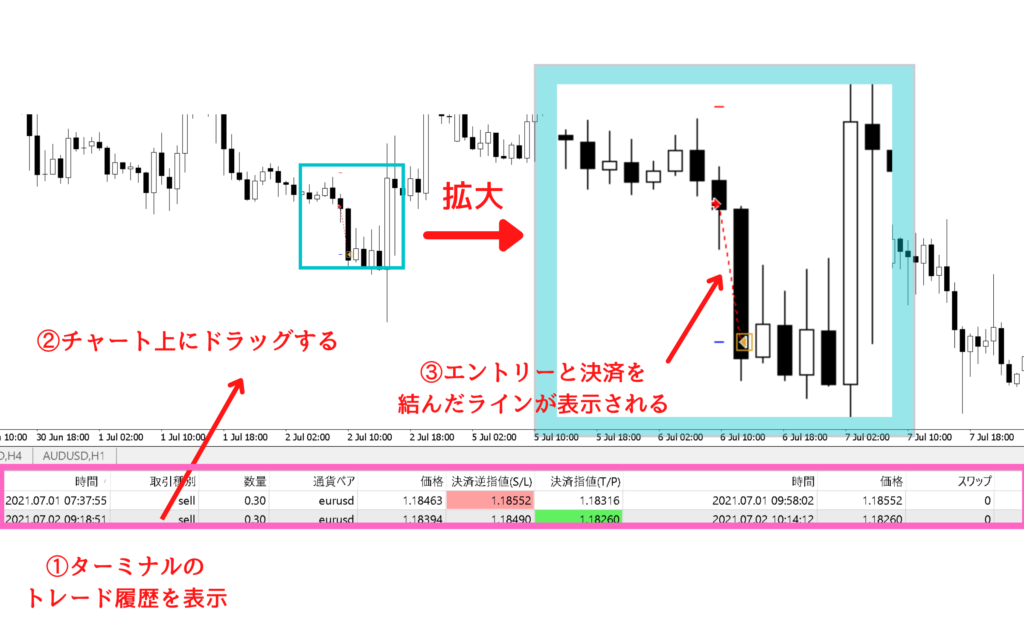
①ターミナルのトレード履歴を表示
②チャート上にドラッグする
③エントリーと決済を結んだライン

しかし、この方法は若干ではありますが、手間がかかります。

  • ・ターミナルを開いて、口座履歴タブを表示する手間
  • ・該当のトレードを探す手間
  • ・ドラッグする手間

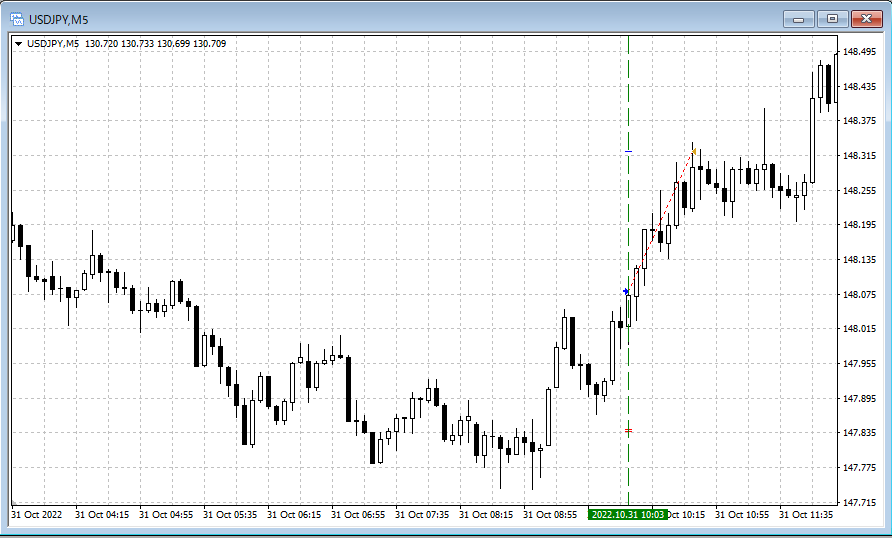
インジケーター「HistoryLine_Shortcut」ではこの手間を省き、指定したショートカットキーを押すだけでチャートと同通貨ペアのトレード履歴をチャート上に全表示させます。
また、トレード履歴が邪魔な時は別の指定したショートカットキーでチャートからトレード履歴を全削除できます。
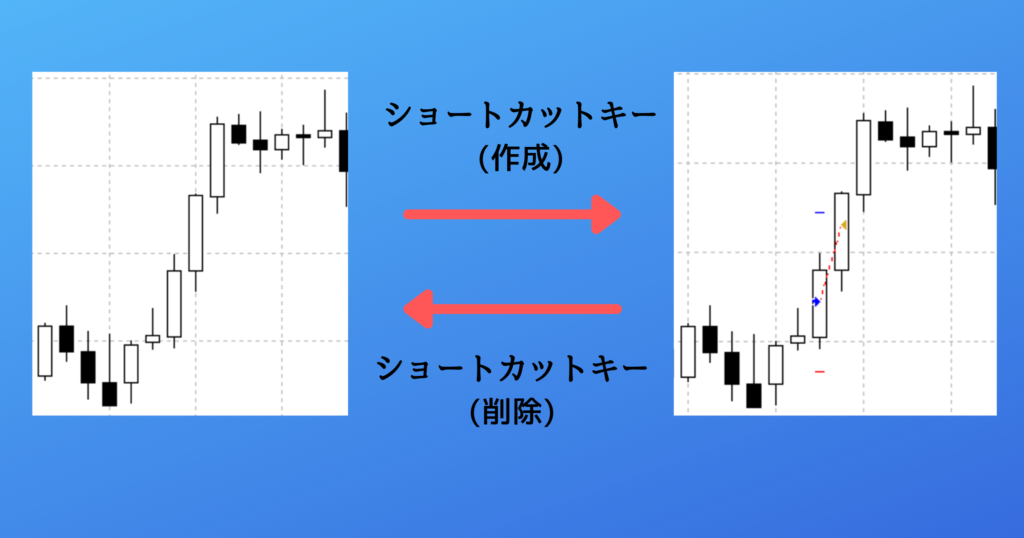
ショートカットキー(作成)押下でトレード履歴表示。ショートカットキー(削除)押下でトレード履歴削除。

トレード履歴の表示位置に移動

Ver2.0以降では、キーボードの右下部分、「<」「>」キーで、チャート上のトレード履歴の表示位置に移動することができます。
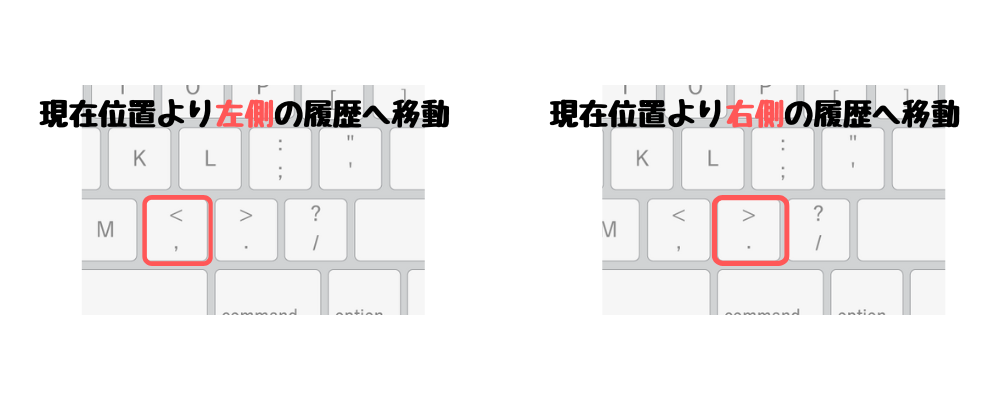
チャート移動のたびに日付をいちいち入力したり、マウスドラッグで履歴を探し回ったりする手間が省けます。
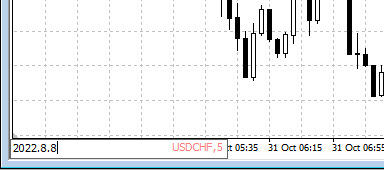


移動先のトレードのエントリー部分に自動で縦線を引くことができます。またこの縦線はチャート移動に追随します。
使い方

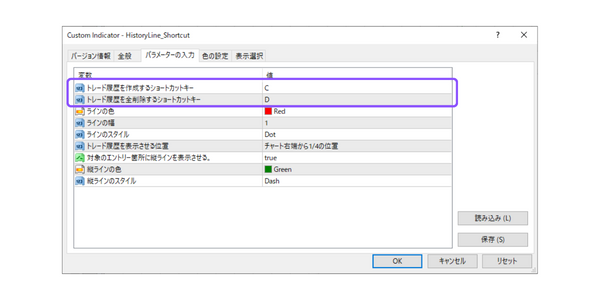
トレード履歴を表示させるショートカットキーとトレード履歴を削除するショートカットキーをパラメーターで設定できます。
デフォルトはそれぞれ「C」「D」です。(ドロップダウンから選択可能)
トレード履歴の表示/削除対象は、mt4の「口座履歴」タブに一覧表示されているトレードです。
期間表示が短いと、古いトレードが対象にならない点に注意してください。

対象期間の設定方法
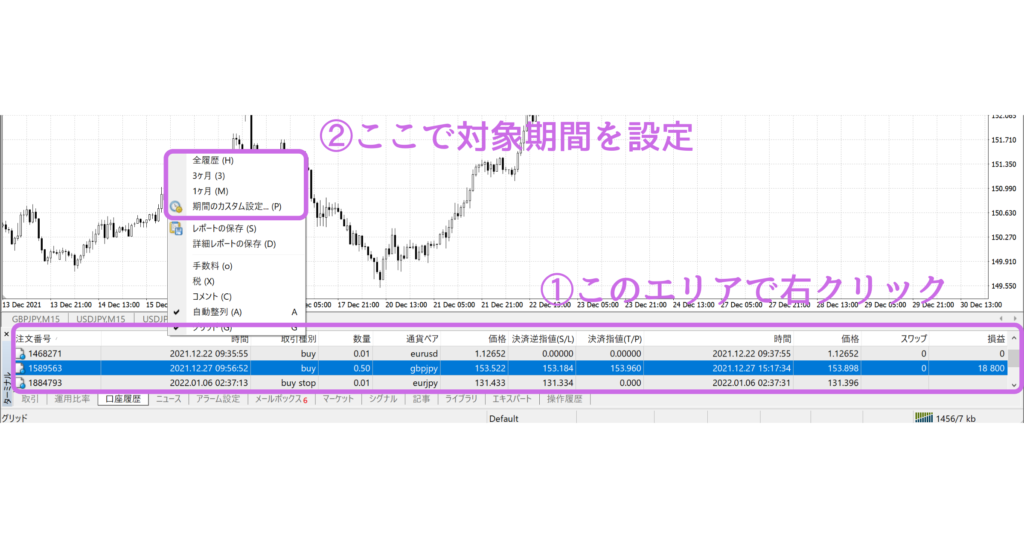
①口座履歴エリアで右クリック
②対象期間を設定
Free
Product outline
Community(0)
Best Seller Ranking
Recommended Products (Campaigns)

For those using GogoJungle for the first timeEasy 3 steps to use the product!

At GogoJungle, we provide services to enrich your investment life for our members. In addition, product purchases are limited to members. Why not register as a member now and make use of GogoJungle!

01
Enter user information and register as a member
02
Follow the instructions to make a purchase
03
Download from My Page
■ Important Matters and Risk Warnings Regarding Investment Products 【Financial Instruments Business Operator】
GogoJungle Inc.
Registration: Director-General of the Kanto Local Finance Bureau (Financial Instruments Business) No. 1960
【Member Association】
Japan Investment Advisers Association
【Fees and Expenses】
The use of software, e-books, investment advisory services, etc., provided on our platform involves purchase prices determined for each product.
Additionally, when conducting actual financial instrument transactions (such as FX or CFD trading), costs such as transaction fees and spreads (the difference between the sell and buy price) may be incurred through the connected brokerage firms.
【Margin and Risk of Loss】
Transactions such as FX (Foreign Exchange Margin Trading) and CFD (Contract for Difference) allow for trading in amounts exceeding the deposited margin.
Therefore, due to sudden fluctuations in target indices (currency, commodity prices, etc.), there is a risk of incurring losses that exceed the deposited margin (loss exceeding principal).
Furthermore, financial instrument transactions involve risks such as price fluctuations, which may result in losses falling below or exceeding the initial investment principal.
【Nature of Services and Trading Entity】
The Company operates a platform (marketplace) providing investment software and information; we do not engage in the buying, selling, mediation, brokerage, or agency of financial instruments on behalf of customers.
The services and information provided are intended as reference for investment decisions and do not guarantee future profits or specific results.
While some services include investment advice, they do not constitute a mandate or solicitation to trade specific financial instruments.
Final investment decisions and the execution of trades must be made at the customer’s own risk and discretion.