

F1-ReviewChart (ライセンスファイル)

Product outline
Community(0)
F1-ReviewChart (ライセンスファイル) Indicators/E-books
F1-ReviewChart (ライセンスファイル)
複数チャートの過去検証と反復練習が簡便に行えるMT4のインジケータです。
Sales Result:
0本
Reviews:
Category:
How to provide:
Indicator
Sales from:
12/26/2021
Last Updated:
-
Version:
-
Available company:
Payment method:

Japan

フォロー 0 フォロワー 1
SellerF1-Tool
Seller's last login time:3/14/2023 21:30:38
Read more seller information

本商品はF1-ReviewChartのライセンスファイルです。 F1-ReviewChart(試用版)のページでダウンロードいただけるインジケータ用の ライセンスファイルと取扱説明書で構成されます。 ライセンスを設定いただくと試用版の制限を解除してご利用いただけます。   


事前に試用版をダウンロードいただき、使用予定のPCで正常動作を十分にご確認ください。 使用感が合格評価かつ<注意制限事項>をご了解いただいた後に、ライセンスファイルの購入をお願いします。

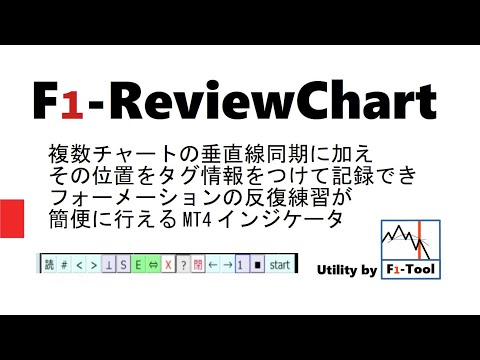
   <概要> F1-ReviewChartは複数チャートの過去検証に加え、 垂直線位置をタグ付きでファイルに記録することができ、 エントリポイントの反復練習が行えるMT4のインジケータです。 本インジケータが挿入されたチャートの垂直線を動かすと、 他のすべてのチャートの垂直線が連動します。 検証を行う時間足のチャートにインジを挿入して操作してください。 インジが挿入されたチャートの左下にはメニュー起動ボタンが表示されます。 <動作環境> Windows10日本語版(キーボード必須 + マウス推奨) MetaTrader4 (開発buildは1350です) <機能一覧> ・垂直線同期 ・垂直線に日本時間・曜日表示 ・垂直線をタグ付きで記録 ・タグ名のユーザー定義 パラメータ入力(5つ) ・記録データ数表示(総計・タグごと小計) ・時差とサマータイム設定 ・1時間と30分足チャートに日本時間範囲表示 ・全チャート自動スクロールON/OFF ・自動ステップ・スライドショー間隔秒設定 ・スライドショーの表示位置を中央/右端 変更 ・エントリー・TP・SL・closeライン表示 PIPS計算 ・複数チャート十字カーソル ・水平線作成(全チャート表示) ・垂直線作成(全チャート表示) ・チャート移動同期(PgUp PgDn ← →に連動) <キーボードショートカット一覧> ・垂直線表示:B ・表示削除:X ・垂直線戻る:N 進む:M ・チャート進む:Z ・複数チャート十字カーソルON/OFF:shift ・チャート移動同期: PgUp PgDn ← → ・垂直線作成:V 水平線作成:H ・全チャートスクロールON:S ・全チャートスクロールOFF:Q <紹介動画> 


<基本操作まとめ> キーボードを半角英数字/直接入力モードにして操作ください。   

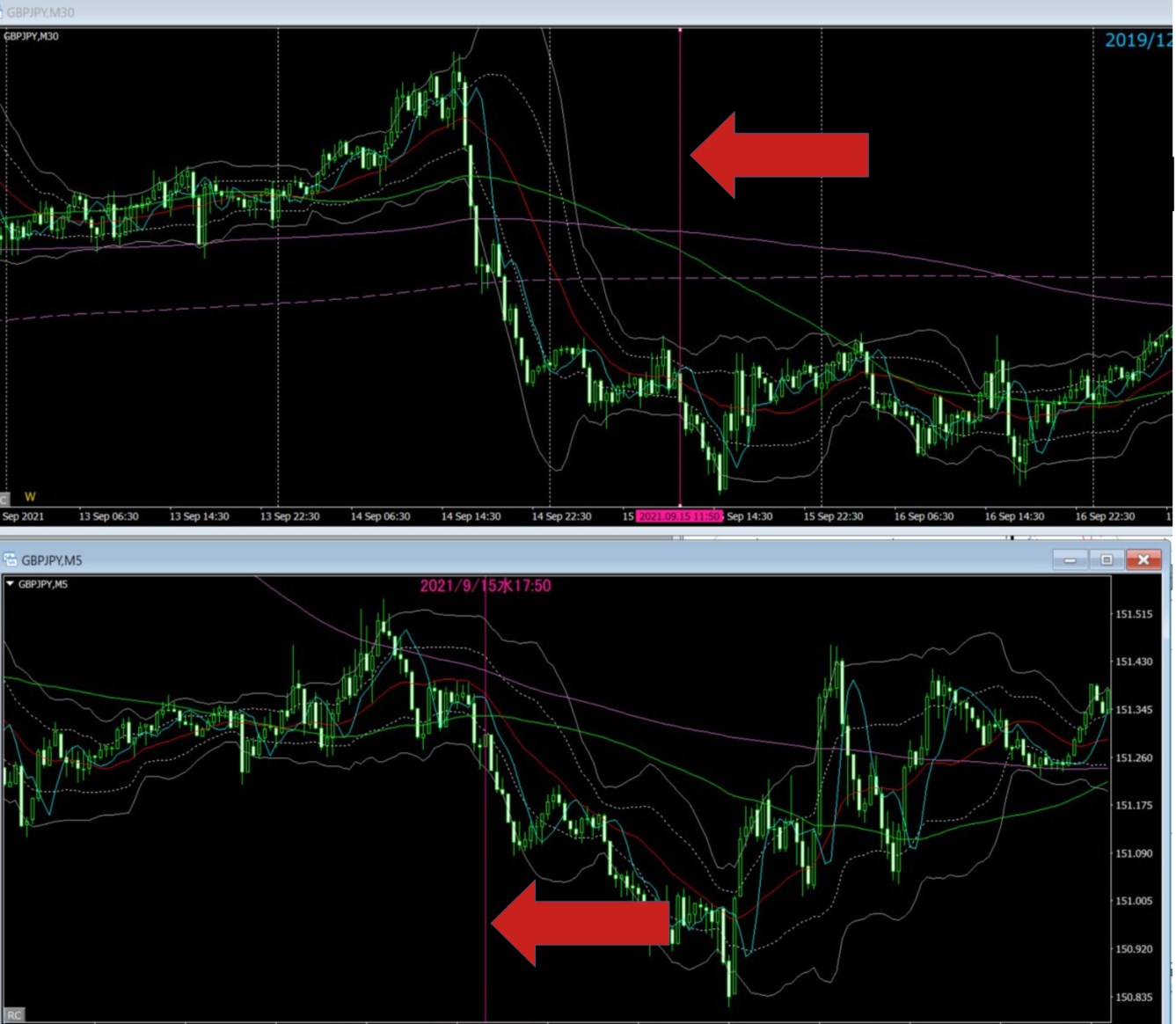
 ■垂直線操作※ キーボードの「B」キーを押すとカーソルの位置に垂直線が表示されます。

■垂直線の移動※ 方法1:カーソルを移動して、再度「B」キーを押す。 方法2:垂直線をダブルクリックで選んだ後、ドラッグして移動する。 方法3:「B」キーを押したまま、カーソルを移動する。(垂直線を表示しながら移動できます)     マウスでなくタッチパッド利用の場合、PCによって方法3は利用できません。

■表示オブジェクト削除※ キーボードの「X」キー またはメニューバーの「Xボタン」を押す。  反復練習。 チャート左下の「RC」ボタンを押して、メニューバーを表示して操作します。 

■垂直線の記録※ 垂直線が表示されている状態で、キーボードの1から5のどれかの数字キーを押します タグは5つです。タグ名はパラメータで手法別や通貨別など自由に設定ください。 
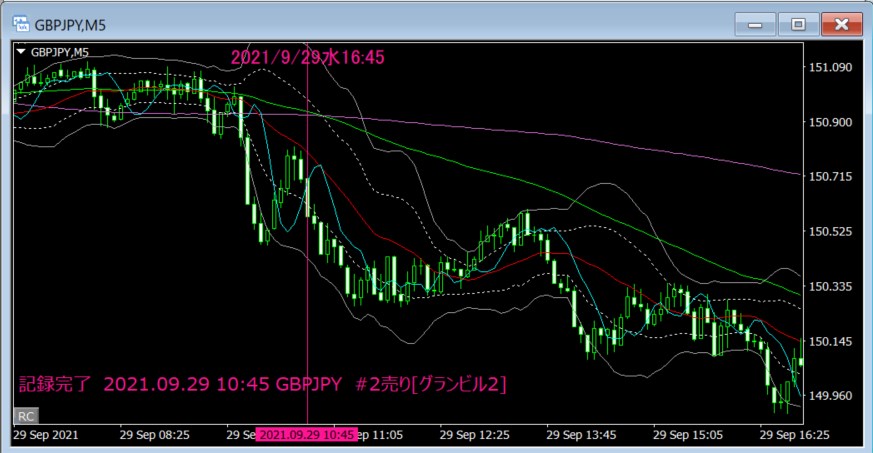


  ■記録垂直線を読んで表示する 読→#タグ変更→>次のデータ ■手動ステップ Zキーと→チャート進むボタン  ■自動ステップ start 自動ステップ開始 stop停止 ■データスライドショー スライドショーモードが「■」の場合「⇒」に切り替える start スライドショー開始 stop停止
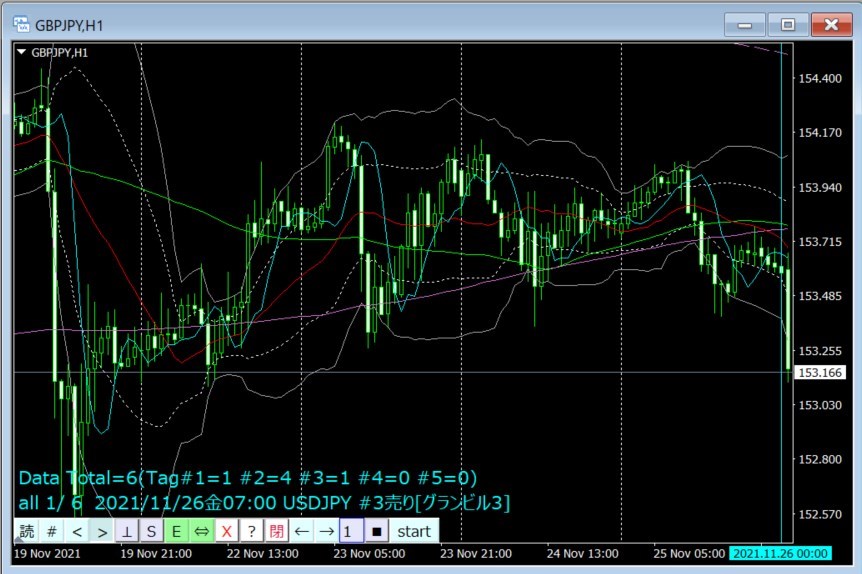
※の操作は メニューバーは開いていても閉じていてもどちらでも動作します。 インジは複数のチャートに挿入できますが、メニューを開いた時間足を基準にステップ動作をするので、 メニューバーは同時にはどれか1つのチャートでしか開けません。   


  <注意制限事項> ・1つのチャートにはF1-ReviewChartは1つ挿入して利用ください。  →1つのチャートに複数挿入された場合、機能がぶつかって正しく動作しません。   ・利用中に垂直線表示やカーソルに垂直線の追随が遅くなった場合。    →普段は速度に問題なく利用できるPCの場合、メモリ解放の為MT4の再起動をお試しください。 

・お使いのMT4の環境によっては、特定の通貨や時間足のチャートでデータがない場合や、 大きい時間足で選んだデータが、短期足ではデータがない事があります。  その場合は垂直線は同期表示できませんので、お使いの業者のMT4のデータ取得手順をお調べいただいて、 不足データをMT4に読み込んでください。

・垂直線データはMT4>データフォルダ>MQL4>Files>F1_ReviewChart_DATA.txtファイルに記録します。  記録操作をすると1記録は1行としてファイルに追記されていきます。  CSVファイルなのでメモ帳で確認できますが、手編集はデータ欠損の恐れがある為注意ください。  データの全クリアはファイルを削除してくだい。次回処理でファイルは自動生成されます。


・ソフトウェア、並びにドキュメントには万全を期しておりますが、 使用して発生した如何なる損害に対しても著作権者は責任を一切負わないものとします。

・不具合やサポートは可能な範囲で対応させて頂きますが保証は致しかねます。

またこれらの理由によるご購入後の返品・返金はお受け致しかねます。 


<インストール/アンインストール方法>

ライセンスファイルに添付の取扱説明書を参照ください。 


<お問い合わせ(不明点・問題・要望他)> プロフィールからご遠慮なくメッセージでお問い合わせ下さい。 


<バージョン履歴> V1.01 2021/12 初版


¥6,000(Tax included)
Product outline
Community(0)
Best Seller Ranking
Recommended Products (Campaigns)

For those using GogoJungle for the first timeEasy 3 steps to use the product!

At GogoJungle, we provide services to enrich your investment life for our members. In addition, product purchases are limited to members. Why not register as a member now and make use of GogoJungle!

01
Enter user information and register as a member
02
Follow the instructions to make a purchase
03
Download from My Page
■ Important Matters and Risk Warnings Regarding Investment Products 【Financial Instruments Business Operator】
GogoJungle Inc.
Registration: Director-General of the Kanto Local Finance Bureau (Financial Instruments Business) No. 1960
【Member Association】
Japan Investment Advisers Association
【Fees and Expenses】
The use of software, e-books, investment advisory services, etc., provided on our platform involves purchase prices determined for each product.
Additionally, when conducting actual financial instrument transactions (such as FX or CFD trading), costs such as transaction fees and spreads (the difference between the sell and buy price) may be incurred through the connected brokerage firms.
【Margin and Risk of Loss】
Transactions such as FX (Foreign Exchange Margin Trading) and CFD (Contract for Difference) allow for trading in amounts exceeding the deposited margin.
Therefore, due to sudden fluctuations in target indices (currency, commodity prices, etc.), there is a risk of incurring losses that exceed the deposited margin (loss exceeding principal).
Furthermore, financial instrument transactions involve risks such as price fluctuations, which may result in losses falling below or exceeding the initial investment principal.
【Nature of Services and Trading Entity】
The Company operates a platform (marketplace) providing investment software and information; we do not engage in the buying, selling, mediation, brokerage, or agency of financial instruments on behalf of customers.
The services and information provided are intended as reference for investment decisions and do not guarantee future profits or specific results.
While some services include investment advice, they do not constitute a mandate or solicitation to trade specific financial instruments.
Final investment decisions and the execution of trades must be made at the customer’s own risk and discretion.
