
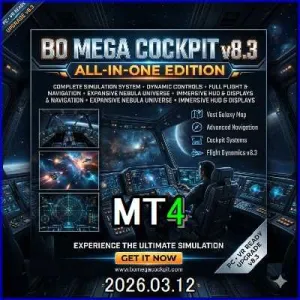

BO MEGA COCKPIT v8.3 (国内3社対応 ALL-IN-ONE Edition)

Product outline
Community(0)
BO MEGA COCKPIT v8.3 (国内3社対応 ALL-IN-ONE Edition) Indicators/E-books
BO MEGA COCKPIT v8.3 (国内3社対応 ALL-IN-ONE Edition)
『国内3社のBO業者もこれ一つ』
Reviews:
How to provide:
Indicator
Sales from:
03/11/2026
Last Updated:
03/11/2026
Version:
8.3
Web Authentication:
Enable
Available company:
Seller 複素数
Seller's last login time: 7/11/2026 01:50:27
Read more seller information
¥9,000 (taxed)
Provider/Distributor:
Sales site:
GogoJungle

Payment

Mastercard Visa JCB Bank FamilyMart D2 D1

BO MEGA COCKPIT v8.3 (ALL-IN-ONE Edition)

 システム仕様書 兼 取扱説明書

1. システム概要

本システムは、国内主要バイナリーオプション業者(楽天BO・GMOオプトレ・外為オプション)の開催スケジュールに完全対応した、MT4(MetaTrader 4)専用の統合型ダッシュボード・インジケーターです。

「購入締め切り時間」に合わせた専用のカウントダウンタイマーと、視覚的に相場の過熱感を把握できるアナログ計器を搭載し、PC画面とスマートフォンの両方でエントリーチャンスを通知します。

  • プラットフォーム: MetaTrader 4 (MT4)

  • 対応業者: 楽天BO(らくオプ)、GMO外貨(オプトレ!)、GMOクリック証券(外為オプション)

  • 推奨時間足: M5(5分足)

  • 対象通貨ペア: 全通貨ペア対応

  • 基本ロジック: ボリンジャーバンド(期間20, 偏差2.0)およびRSI(期間14, 上限70/下限30)を活用した逆張りシグナル。※パラメーターは設定画面から自由に変更可能です。


2. コックピット(UI)の操作方法

チャート画面の直感的な操作で、システムの表示やターゲット業者を切り替えることができます。

  • 【MODE 切り替えボタン】(パネル下部中央)

    クリックするたびに、ターゲットとする証券会社のスケジュールが以下の順で瞬時に切り替わります。

    • 赤色: RAKUTEN BO モード(楽天らくオプ専用:判定2分前締め切り)

    • 青色: GMO OPTORE モード(GMOオプトレ専用:判定1分前締め切り)

    • 緑色: GAITAME OPT モード(外為オプション専用:判定2分前締め切り)

  • 【DISP ボタン】(画面右下・独立配置)

    ダッシュボードパネルの表示状態を「通常」→「半透明」→「非表示」に切り替えます。チャートのローソク足だけを確認したい時に便利です。(※非表示状態の時は、ボタンが赤色に点灯し「復帰スイッチ」として機能します)

  • 【TEST ボタン】(画面右下・独立配置)

    アラート音とメッセージのテスト発報を行います。スマートフォンへのプッシュ通知設定が完了している場合は、スマホにもテスト通知が送信されます。


3. 各種計器の見方

  • メイン・デジタルタイマー(画面上部)

    現在選択している証券会社の「次回の購入締め切り時間」までの残り時間をカウントダウンします。

    【警告機能】:締め切り時間の5分前になると、タイマーが激しくフラッシュし、警告アラート(及びスマホ通知)でお知らせします。ここから始まる5分足がエントリーのための「最後の勝負足」となります。

  • M5 CANDLE タイマー(中央アナログ時計)

    現在の5分足が確定するまでの残り時間を秒単位で表示します。

    残り30秒で針が黄色、残り10秒で赤色に変化し、00秒(12時の位置)になった瞬間に条件が揃っていればエントリーサインが点灯します。

  • RSI & BB TOUCH メーター(左右アナログ計器)

    • 左(RSI): 現在のRSI値を示します。

    • 右(BB TOUCH): 現在価格がボリンジャーバンドの上下どちらにどれだけ接近しているか(%)を示します。

    • 【直感的なカラー変化】: 針が各メーターの極端な数値(上限・下限)に達すると、針と数値が**マゼンタ(売り警戒)またはブルー(買い警戒)**に発光し、反発のチャンスを視覚的に捉えることができます。


4. トレードの基本ルーティン(操縦手順)

本システムは、サインの発生から購入締め切りまでに「ゆとり」を持てるよう設計されています。(※猶予時間は選択した証券会社により異なります)

  1. 業者を選択:トレードする証券会社に合わせて【MODE】ボタンをセットします。

  2. 5分前警告:締め切り5分前にタイマーがフラッシュし、警告アラートが鳴ります。証券会社の取引画面を開いて準備します。

  3. サイン点灯と無線通知:M5タイマーが00秒になった瞬間、メーターの条件が合致していればMT4上に矢印サインが出現し、アラート音と共に「Next candle starts! Press [High/Low] NOW!」のメッセージが表示されます。(スマホ通知ONの場合はスマホにも届きます)

  4. ゆとりのエントリー:サインの方向に従い、証券会社の画面で購入を完了させます。


5. スマートフォン通知(無線機能)の設定手順

外出中や別室にいてもサインを受信できるよう、MT4の標準機能を使ってスマホへプッシュ通知を送ることができます。

  1. スマートフォンの「MetaTrader 4」アプリを開きます。

  2. 「設定」>「チャットとメッセージ」を開き、画面下部に表示されている8桁の英数字(MetaQuotes ID)を確認します。

  3. パソコンのMT4を開き、上部メニュー「ツール」>「オプション」>「通知機能」タブを開きます。

  4. 「プッシュ通知機能を有効にする」にチェックを入れ、確認した8桁のIDを入力して「OK」を押します。

  5. 本インジケーターのパラメーター設定画面で UsePushNotificationtrue に設定すれば完了です。


¥9,000 (taxed)
Provider/Distributor:
Sales site:
GogoJungle

Payment

Mastercard Visa JCB Bank FamilyMart D2 D1
Product outline
Community(0)
Best Seller Ranking
Recommended Products (Campaigns)

For those using GogoJungle for the first time Easy 3 steps to use the product!

At GogoJungle, we provide services to enrich your investment life for our members. In addition, product purchases are limited to members. Why not register as a member now and make use of GogoJungle!

01
Enter user information and register as a member
02
Follow the instructions to make a purchase
03
Download from My Page
■ Important Matters and Risk Warnings Regarding Investment Products 【Financial Instruments Business Operator】
GogoJungle Inc.
Registration: Director-General of the Kanto Local Finance Bureau (Financial Instruments Business) No. 1960
【Member Association】
Japan Investment Advisers Association
【Fees and Expenses】
The use of software, e-books, investment advisory services, etc., provided on our platform involves purchase prices determined for each product.
Additionally, when conducting actual financial instrument transactions (such as FX or CFD trading), costs such as transaction fees and spreads (the difference between the sell and buy price) may be incurred through the connected brokerage firms.
【Margin and Risk of Loss】
Transactions such as FX (Foreign Exchange Margin Trading) and CFD (Contract for Difference) allow for trading in amounts exceeding the deposited margin.
Therefore, due to sudden fluctuations in target indices (currency, commodity prices, etc.), there is a risk of incurring losses that exceed the deposited margin (loss exceeding principal).
Furthermore, financial instrument transactions involve risks such as price fluctuations, which may result in losses falling below or exceeding the initial investment principal.
【Nature of Services and Trading Entity】
The Company operates a platform (marketplace) providing investment software and information; we do not engage in the buying, selling, mediation, brokerage, or agency of financial instruments on behalf of customers.
The services and information provided are intended as reference for investment decisions and do not guarantee future profits or specific results.
While some services include investment advice, they do not constitute a mandate or solicitation to trade specific financial instruments.
Final investment decisions and the execution of trades must be made at the customer’s own risk and discretion.
