

【March 5, 2025】Testing Menu/Indicator Deviation Method for Sky and Earth (Pound Bull)
This time, we would like to introduce entry points for Pounder (GBPDUSD).DSATEA (Day Swing dedicated auto-trade EA) detailed parameter settings and tips are also explained.

・In this article“Heaven and Earth Indicator” is used to“Heaven and Earth Day Swing” method, with verification and discussion. For the basic trading method of the Heaven and Earth indicator, please refer toArticles before August 2024.


・The articles linked below introduce valuable DMs, reviews, posts from users and monitors. We selectively share winning reports and other useful content, so it should be helpful for everyone. We update it continuously, so please read when you have time.
【Updating Daily】Impressions from users who actually used Heaven and Earth Indicator (Review version)
【Updating Daily】Impressions from users who actually used Heaven and Earth Indicator (DM version)
【Updating Daily】Search result for “#Heaven and Earth Indicator”
【Updating Daily】Introducing posts from monitors who actually used Heaven and Earth Day Swing
【Updating Daily】Impressions from users who actually used Heaven and Earth Day Swing
【Updating Daily】Search result for “#Heaven and Earth Day Swing”
【Updating Daily】Impressions from users who tried DSATEA

Heaven and Earth Indicator is a trading method using an original indicator developed by me, Abusan, released in February 2022. Thanks to everyone's support,“GogoJungle Award 2022, 2023, 2024 was awarded for three consecutive years.

■ Heaven and Earth Indicatorhttps://www.gogojungle.co.jp/tools/indicators/35780
■ Heaven and Earth Day Swinghttps://www.gogojungle.co.jp/tools/indicators/54664
■ Heaven and Earth EAhttps://www.gogojungle.co.jp/tools/indicators/43213
■ Heaven and Earth Dashboardhttps://www.gogojungle.co.jp/tools/indicators/46257

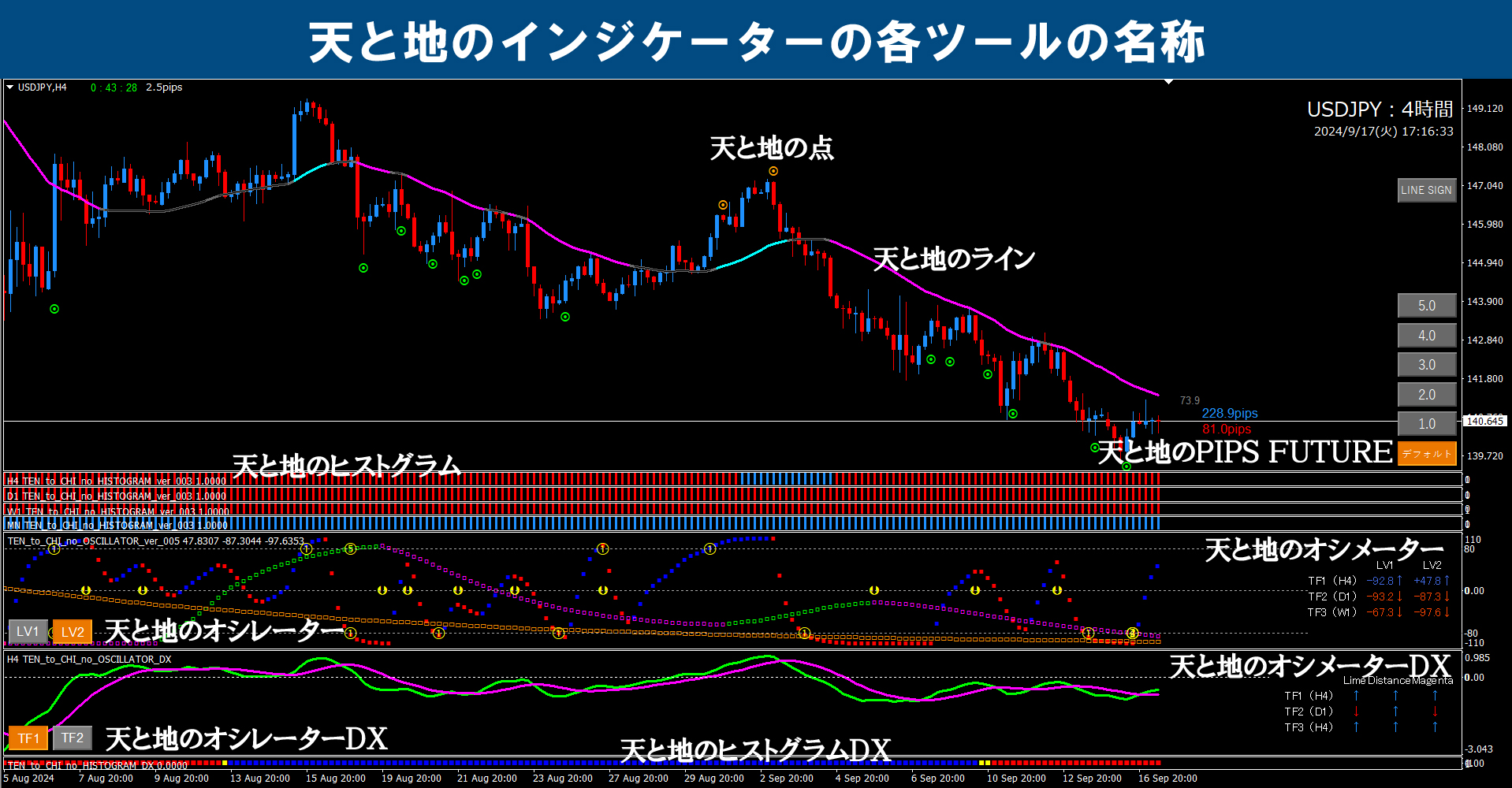
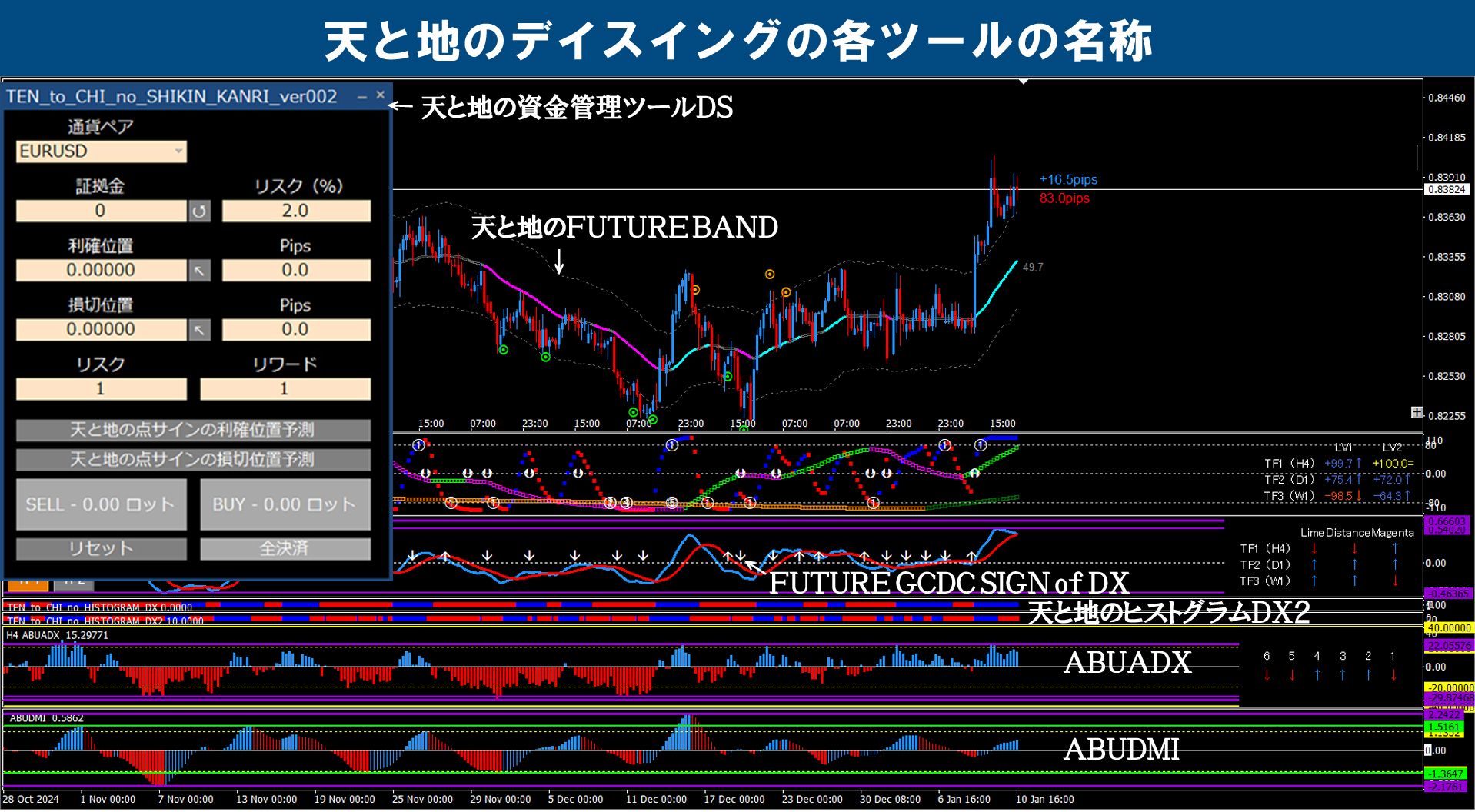
※ For the specialized terms used in this blog, please refer to the image below. (Click any image to enlarge)


Pounder (GBPDUSD) / 1-hour chart +4-hour chart + daily historical verification
※ The yellow dotted line is drawn on all timeframes in the same place.
※ The yellow circles indicate important points.
Clicking the chart enlarges it.
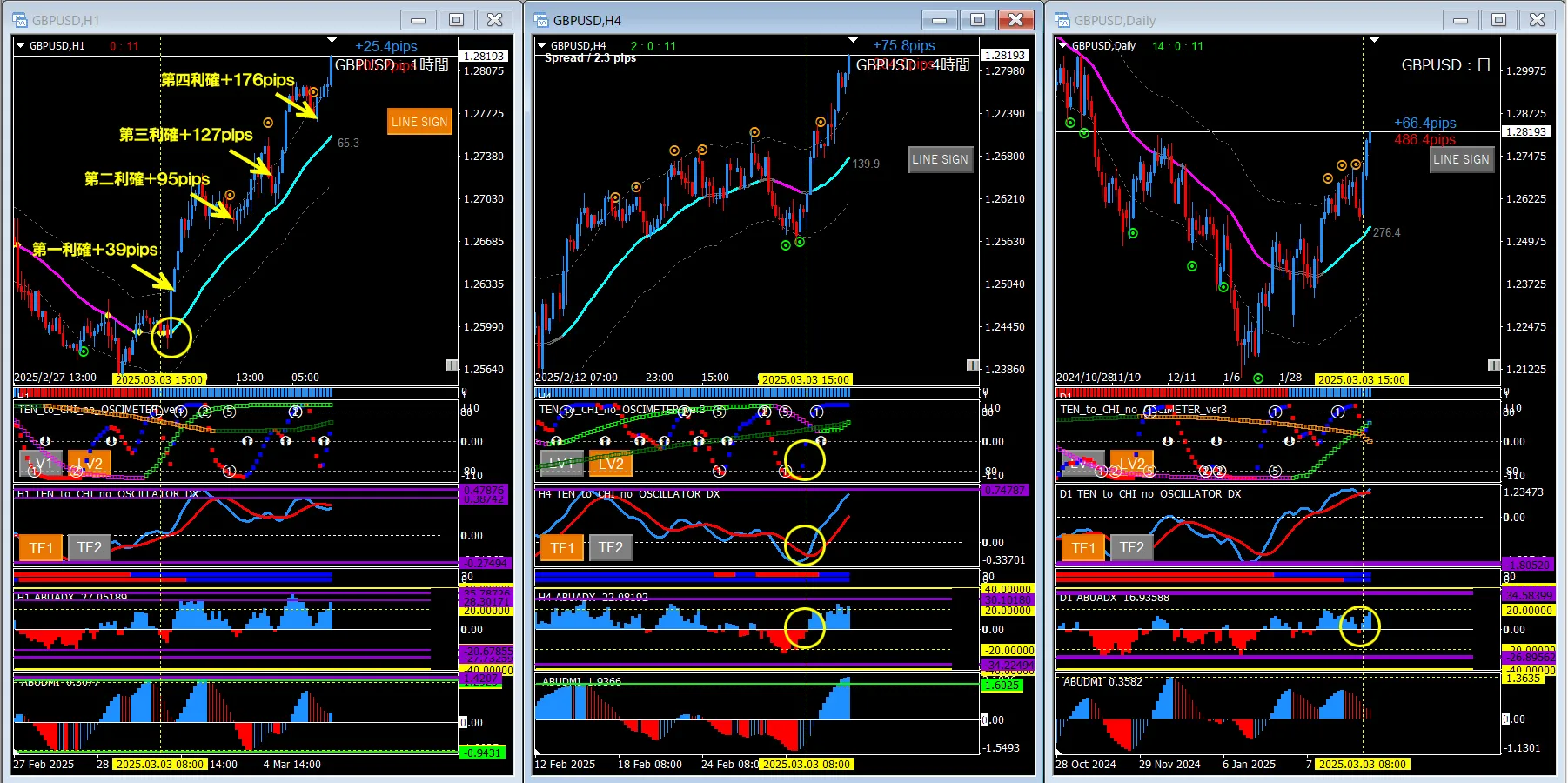
■ 1-hour chart (left: entry chart)
・ Line touch entry (first take profit)
・ Tick signal (second, third, fourth take profits)
■ 4-hour chart (center: environment recognition chart)
・ Oscillator TF1 (rising turning)
・ Oscillator DX (rising cross)
・ ABUADX (zero-line cross)
■ Daily chart (right: environment recognition chart)
・ None in particular
■ Summary
This time, based on three factors—the rising turn of Oscillator TF1 on the 4-hour chart, the rising cross of Oscillator DX, and the zero-line cross of ABUADX—we will look for a long entry point on the 1-hour chart. The daily chart did not show favorable points (ABUADX had a near-zero cross), but if a pattern favorable only on the 4-hour chart appears like this, you can judge with the 4-hour chart alone as long as the daily chart conditions are not severely unfavorable. However, please treat this as a short-term decision (day trading).
■ If using DSATEA
This time, we will explain the exit (take profit) method.
The chart images show the first to fourth take profit points. There are various criteria for exit judgments, but a method I often use is to look at the state of the 1-hour Oscillator TF2 and the top of the Histogram DX2 (TF2). With DSATEA settings, making the exit condition depend on the Oscillator TF2 can maximize profits. However, this is only effective under strong trends like the current one. Please try it.
==========================================
If I set up DSATEA for this market, I would configure the parameters as follows, for your reference.
==========================================
■ EA stop settings
[Heaven and Earth Lines] ON
[Heaven and Earth Oscillator] ON
■ Entry settings
[Heaven and Earth Line] ON
[Heaven and Earth Dots] OFF
[Heaven and Earth Oscillator] ON
[Heaven and Earth Oscillator DX] OFF
■ Filter settings
[Heaven and Earth Histogram] OFF
[Heaven and Earth Oscillator] ON
[Heaven and Earth Histogram DX2] ON
[ABUADX] OFF
[ABUDMI] OFF
■ Exit settings
[Heaven and Earth Line] OFF
[Heaven and Earth Dots] ON (If you are using Oscillator TF2 for exit, set this to OFF)
[Heaven and Earth Oscillator] ON
[Heaven and Earth Oscillator DX] OFF
[Heaven and Earth Future Band] ON (If you are using Oscillator TF2 for exit, set OFF)


I hope this helps readers in some small way.
If you could press the GOOD mark, it would give me motivation for future work. I would appreciate your continued support and encouragement.
