

[Beginner's Guide!] Lightning-fast speed! How to save standard charts in MT4 and how to apply them


Hello, this is lucky!
We will explain knowledge useful for MT4 & MT5 in a way that anyone can easily learn.
A simple explanation you can understand in 3 steps in 1 minute!
Apply saved templated charts
Easy 3 steps!
It’s convenient to save the current chart and call it up anytime you want to use it!
Please follow the following 3-step procedure
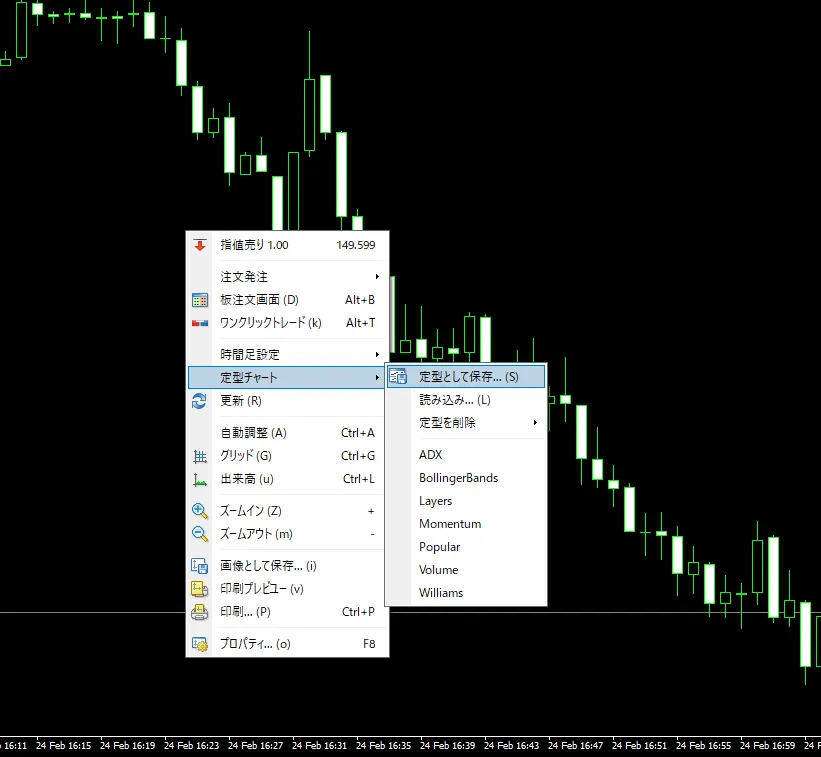
1. Right-click on the chart → hover over the templated chart → select “Save as template”
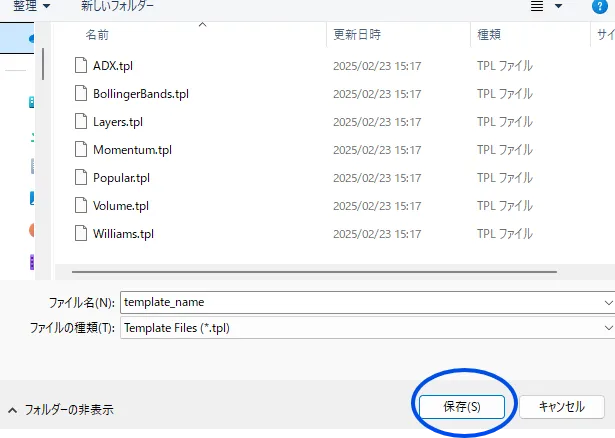
2. “File name” → “It’s fine to keep the default, but you can rename it to something you understand”
Click the Save button.
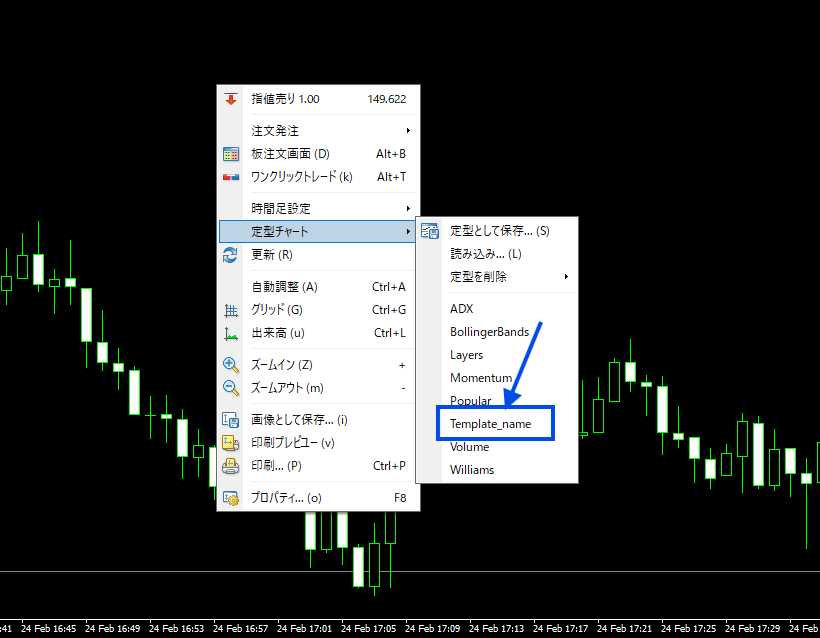
3. Then, as shown in the chart below, the previously saved template menu will appear.
The saved chart settings will be reflected and displayed anytime.
【Summary】
It’s very convenient to remember, so please make use of it.
When you create your favorite chart, save it with a clear name.
Once saved, you can call up that chart or the combination of indicators anytime.
When you create your favorite chart, save it with a clear name.
Once saved, you can call up that chart or the combination of indicators anytime.
Real feedback from purchasers


Currently generating a lot of buzz! 23 consecutive weeks!
?Gogojungl Ranking No. 1?

Product page for天地爆速 is here↓↓↓

× ![]()