
Can Plextoken (PLUS) be operated with compounding interest? Thorough explanation of wallet registration, withdrawal methods, and future prospects!
Do you know about a cryptocurrency called PlusToken (PlusToken/PLUS)?
PlusToken is said to be a very momentum-filled cryptocurrency because it is handled by many cryptocurrency affiliates.
This time, I, who am registered with PlusToken, will thoroughly explain its actual situation!
I will introduce PlusToken with photos, including how to register a wallet and the mechanism of compound interest investment, so please read to the end.
The video below is a greeting video released by PlusToken's CEO, Mr. LEO. (Time: 1 minute 25 seconds, Japanese subtitles available)
Features of PlusToken (PLUS)

PlusToken (PlusToken) is stored in the PlusToken Wallet andused for arbitrageto operate as a currency.
It is also the exchange’s own token, with a total issuance of 500 million, and in September 2018 they opened their own cryptocurrency exchange.
By depositing PlusToken into the PlusToken Wallet, you can operate with an arbitrage system called “AI-Dog.”
According to the white paper, “AI-Dog” seems to be a system created by a technician who was at Samsung.
They collect data from major exchanges and buy and sell each currency to generate profits through price differentials.
Currently, the currencies that can be stored in this wallet are as follows.
- PLUS (PlusToken)
- BTC (Bitcoin)
- BCH (Bitcoin Cash)
- ETH (Ethereum)
- DOGE (Dogecoin)
- LTC (Litecoin)
- XRP (Ripple)
- DASH (Dash)
- EOS (EOS)
Now, I will explain an overview of the operation.
Operational Overview of PlusToken (PLUS)
- Operation cost: 0 yen (free to use).
- Dividend timing: daily dividends around 14:00.
- Dividend yield: about 0.3% per day (varies by day)
- Lock period: none (you can withdraw anytime (note 2))
If the amount falls below $500, operation stops.
Appraisal is done per currency unit, not by total amount.
- OK pattern: BTC $500, BCH $600
- NG pattern: BTC $400, BCH $100
- If AI-Dog operation period is less than 28 days and you cancel, a 5% fee will be charged.
- If AI-Dog operation period is 28 days or more have elapsed and you cancel, a 1% fee will be charged.
However, if additional funding is made, the operation period is counted independently from the period during which the principal was invested, so please note.
Once a week or once a month, you need to convert profits from PlusToken into the operating currency and reinvest.
If you take PlusToken’s operational overview as is, it may look like a very good investment opportunity.
Regarding personal points, it would be the lock period and the fees.
Basically, the longer the lock period, the higher the investment risk, so users do not favor it.
Insurance products often fall into this category.
Also, regarding fees, some investment projects involving system trading may take one-third of the profits as fees.
PlusToken (PLUS) Reward Structure
Next, another feature is the reward system for introducing PlusToken.
The reward structure is as follows.
- Direct referral (1st level): 100% of operating profits
- 2nd to 10th levels: 10% of operating profits
Depending on the case, rewards may be more than the profits you personally invest and operate.
PlusToken Wallet Registration Method
Now, I will explain how to register the wallet in practice.
First, access the URL below from your smartphone. (Downloading from a PC is not possible)
>>> PlusToken app download ishere
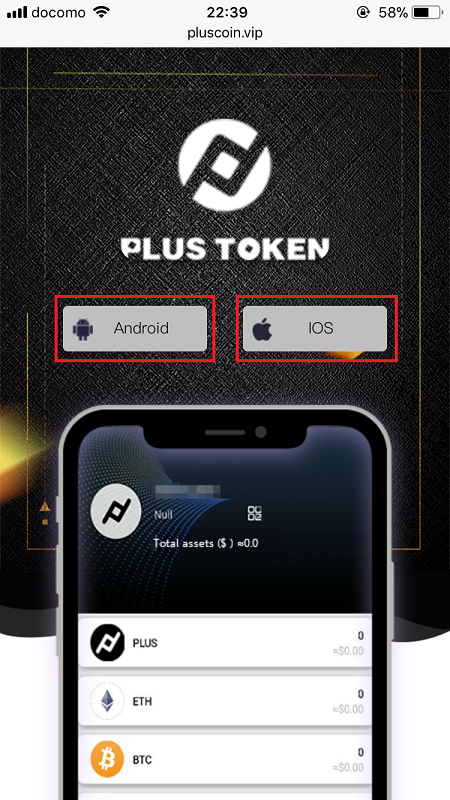
Source:PlusToken (cryptocurrency wallet) tried for the first time
After installation, when you start the app from the PlusToken icon displayed at the top,
iPhone, a pop-up like the image below will appear.
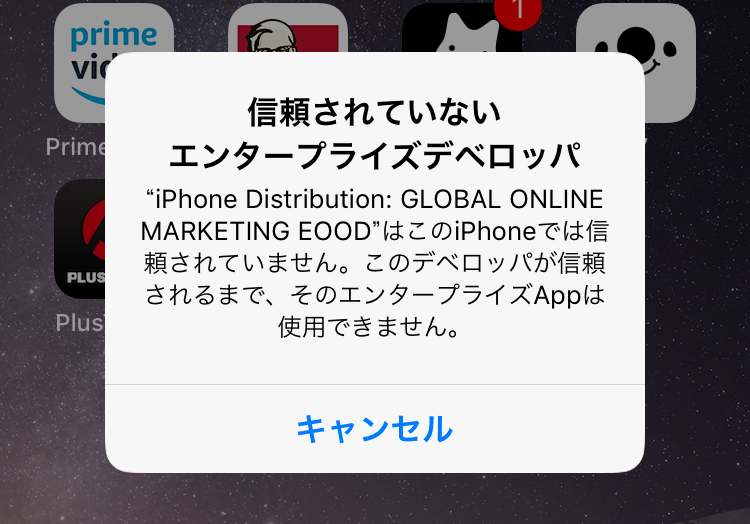
Source:PlusToken (cryptocurrency wallet) tried for the first time
To enable this app, please perform the following steps.
If your mobile is iPhone
- On the home screen, [Settings] → [General]
- Select [Profiles & Device Management] (or [Device Management])
- Click [GLOBAL ONLINE MARKETING EOOD is trusted]
- Click [Trust]
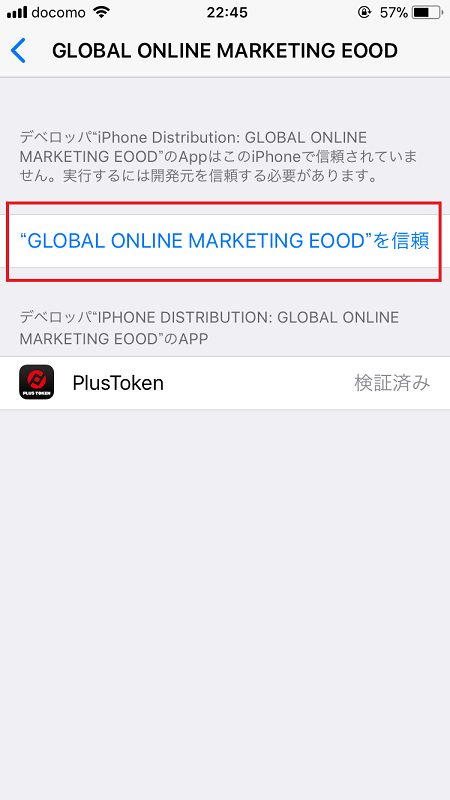
Source:PlusToken (cryptocurrency wallet) tried for the first time
Ultimately, if the app name shows as 'Verified' to the left of the app name as in the image above, you have succeeded.
If your mobile is Android
Please follow the steps cited from au's site.
- On the home screen,
→ Settings → Apps & notifications
- 【Advanced settings】 → 【Special access】 → 【Install unknown apps】
- Select the app → tap the “Trust this developer” or equivalent to enable
trust
Open the installed app
- On the home screen,

PlusToken Wallet User Registration Method
1. After launching the app, click 'Language' on the screen and select Japanese, then press the 'Register' button
2. Check the box to agree to the Terms of Use
3. Select 81 (default is 86) and enter your mobile phone number without the leading zero
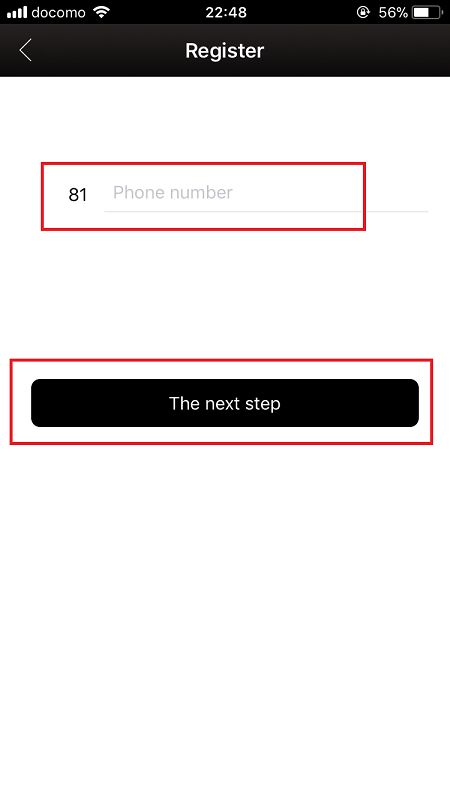
Source:PlusToken (cryptocurrency wallet) tried for the first time
4. Move the panel to the horizontal space in the available area.
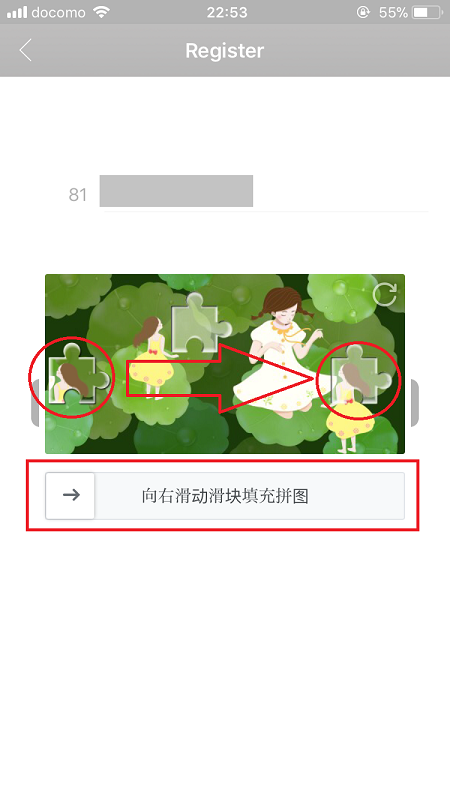
Source:PlusToken (cryptocurrency wallet) tried for the first time
5. After completing the above steps, an SMS will be sent. Please note the six-digit number in that message.
For the referral number, please use another PlusToken referral article or a number specified separately if provided.
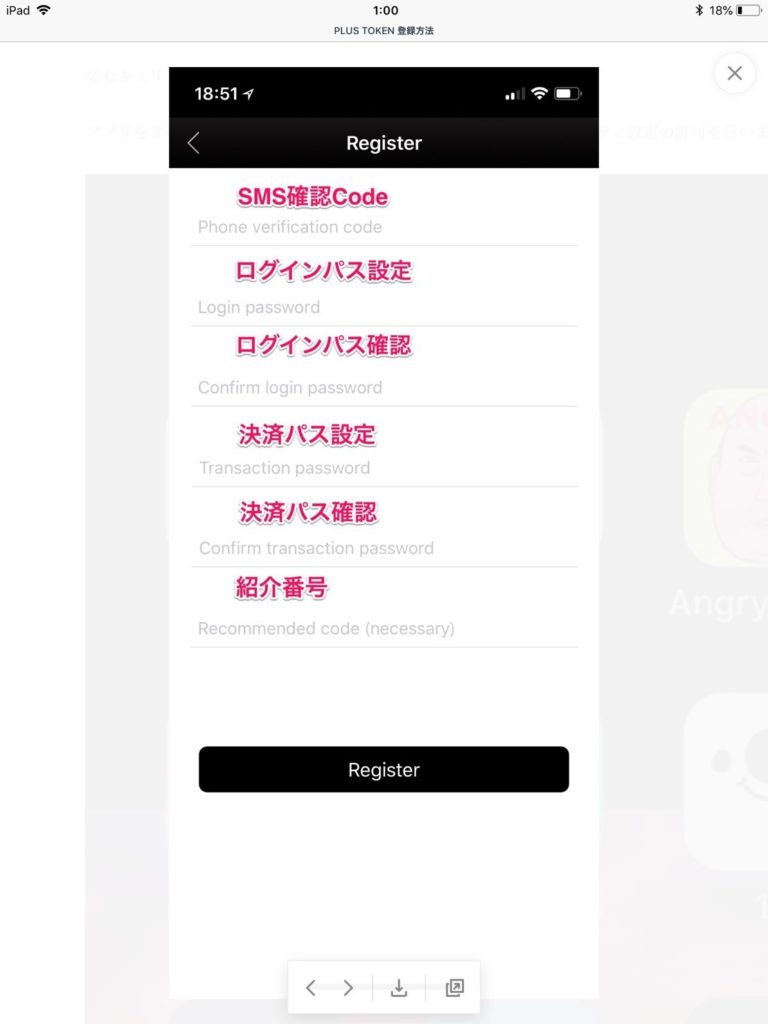
Source:PlusToken (cryptocurrency wallet) tried for the first time
6. You will move to a screen called Backup Assistance Phrase. Write down the strings shown on that screen.