

Create synchronized charts with One-Click FX Training
One-Click FX Training,One-Click 225 Training,One-Click BO Training, etc. to create a synchronized chart.
▼ Video Explanation
▼ Step-by-Step Guide
1) Open the chart for any currency pair
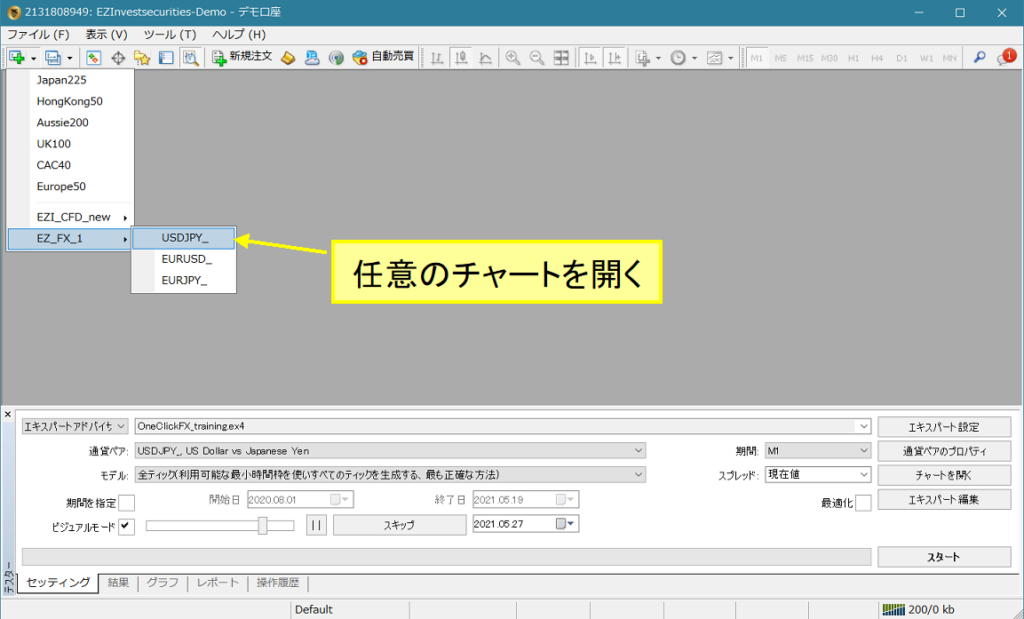
2) Right-click => Standard Chart => select OneClickFX_training_sync
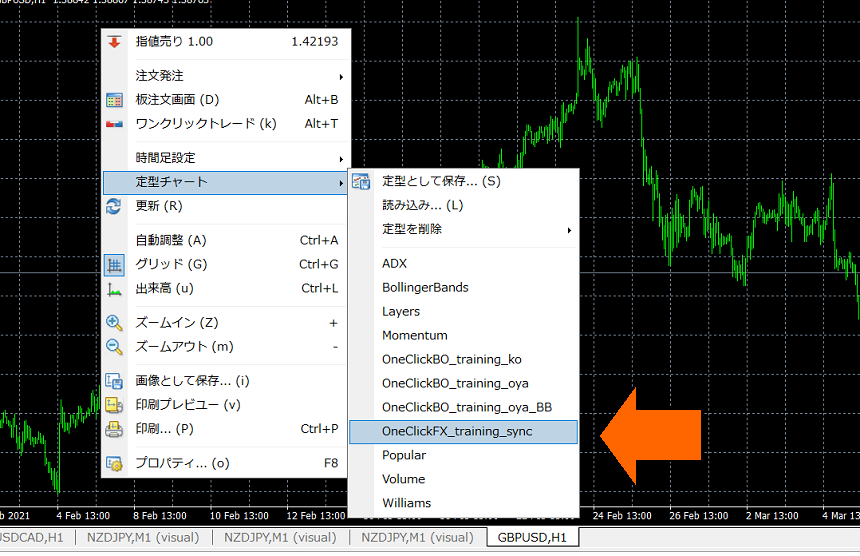
3) If necessary, change the parameters and press OK
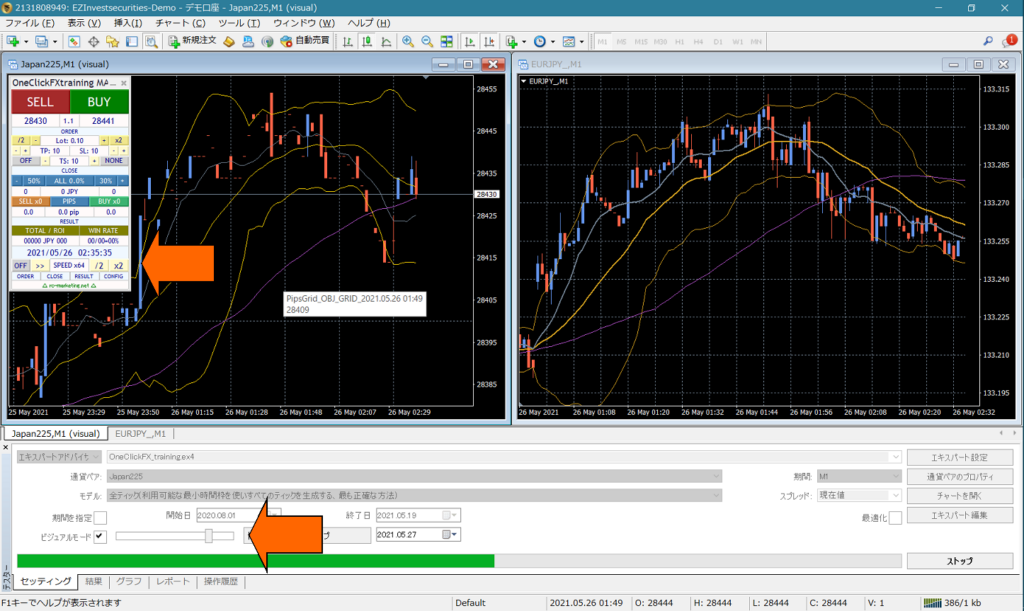
4) The charts are synchronized
If the speed is too fast, synchronization will be delayed, so move the visual mode slider to less than 32 or slow down the speed control in the control box.
▼ Setting Parameters
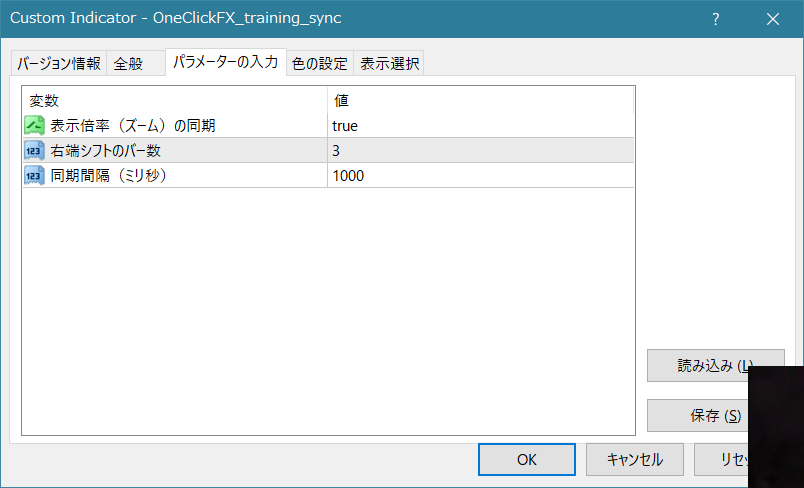
Synchronization of display magnification (zoom): When you zoom the main chart, the sub-chart also zooms. If not needed, change to false.
Number of bars on the right-shift bar: This makes the right edge of the chart have whitespace for readability. With fewer bars, you might prefer to increase the number when zoomed out.
If you know how to add indicators, feel free to edit the template.
▼ If synchronization does not work properly
If synchronization does not work properly: One-Click FX/255 Training
▼ If it does not operate normally, please contact support.
When contacting us, please check for errors in the sections below.
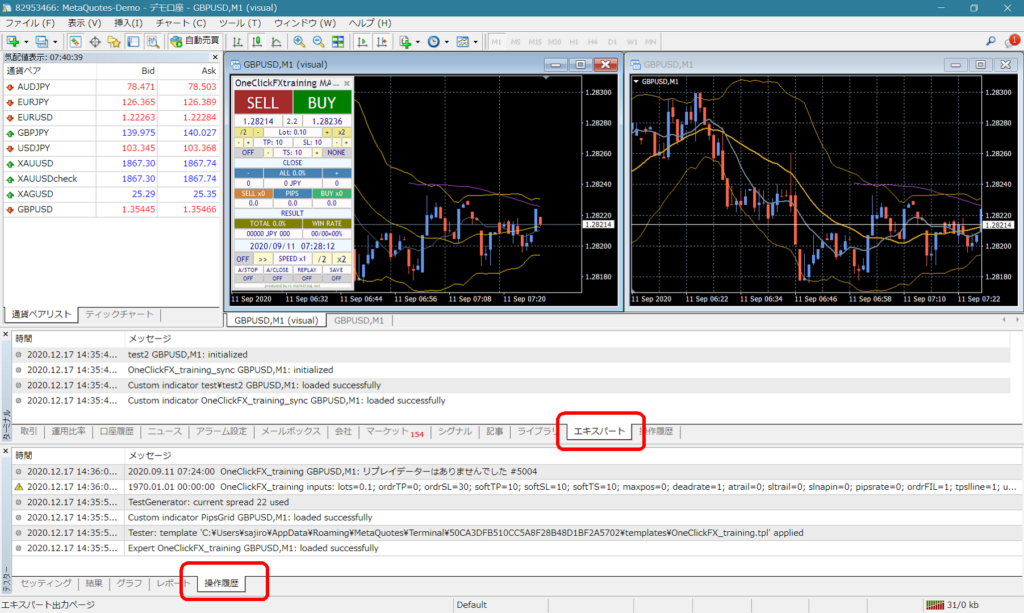
Also, since the symptoms can be hard to describe, it would help if you could specifically describe the state of the synchronization chart not functioning correctly.