
If synchronization does not proceed normally: One-Click FX / 255 Training
If the chart synchronization does not proceed normally, the following issues may be the cause.
■ There is no past data to synchronize
If the main chart is a 1-hour chart and the synchronization sub-chart is a 1-minute chart, data up to 60 times the main chart is required, and there are many cases where the broker cannot download past data.
Open the synchronization chart and scroll to past dates to confirm whether a chart with the target date and time exists.
If there is no data, please import the necessary past data.
[2024 Edition] How to Prepare MT4 Past Data Without Failures
If you do not have past data, please contact us and we will guide you on how to obtain it.
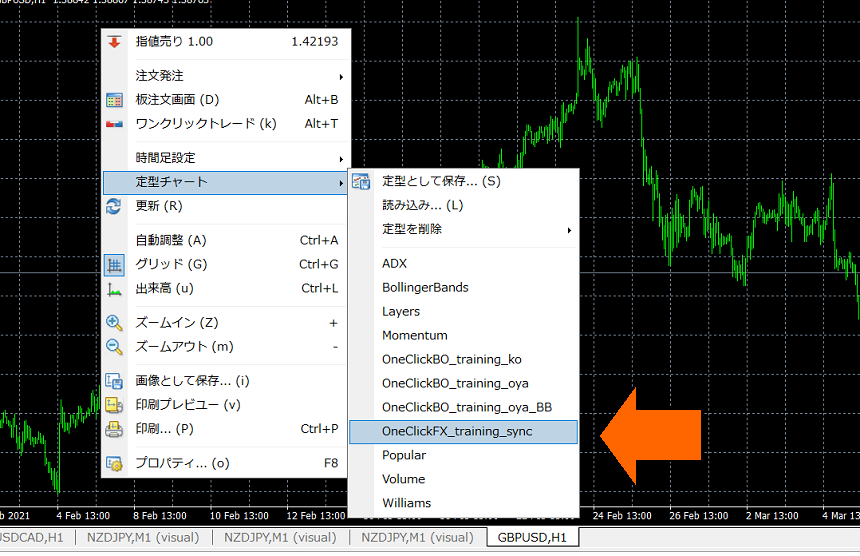
■ There is no template chart for synchronization
⇒ Copy the templates folder from the product files into the MT4 data folder
■ Tester's charts cannot be synchronized
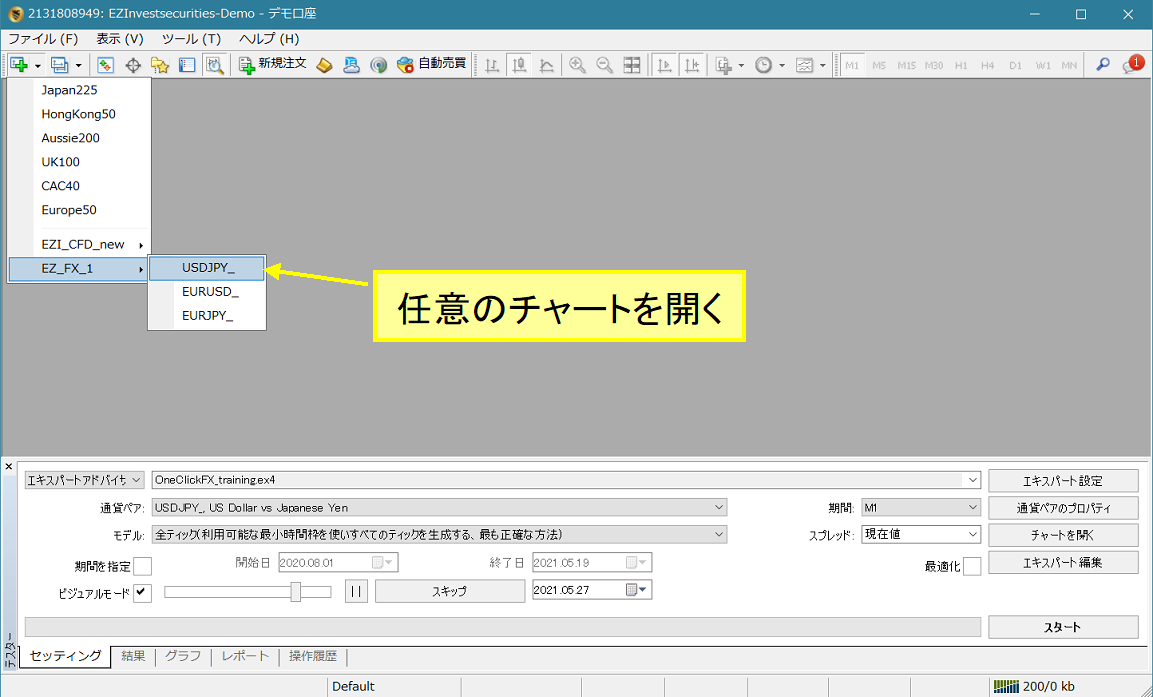
The usual charts opened from the menu, not the tester charts, will be the synchronization charts.
⇒ Open a normal chart.
■ Abnormal termination due to some issue
There are times when a past data load ends unexpectedly during the loading timing.
⇒ Re-apply the synchronization template chart.
■ Stopped at a new date
If the date does not move backward from a newer bar, there may be insufficient past data.
Please prepare past data using the steps here.
[2024 Edition] How to Prepare MT4 Past Data Without Failures
How to import MT4 past data with simple steps
■ Synchronization is unstable
If synchronization timing is delayed or occurs intermittently, your computer’s performance may be insufficient.
⇒ Slow down and check synchronization. If you have other indicators installed, please ensure that indicator is not installed.
■ The synchronization chart’s date keeps going back and running wild
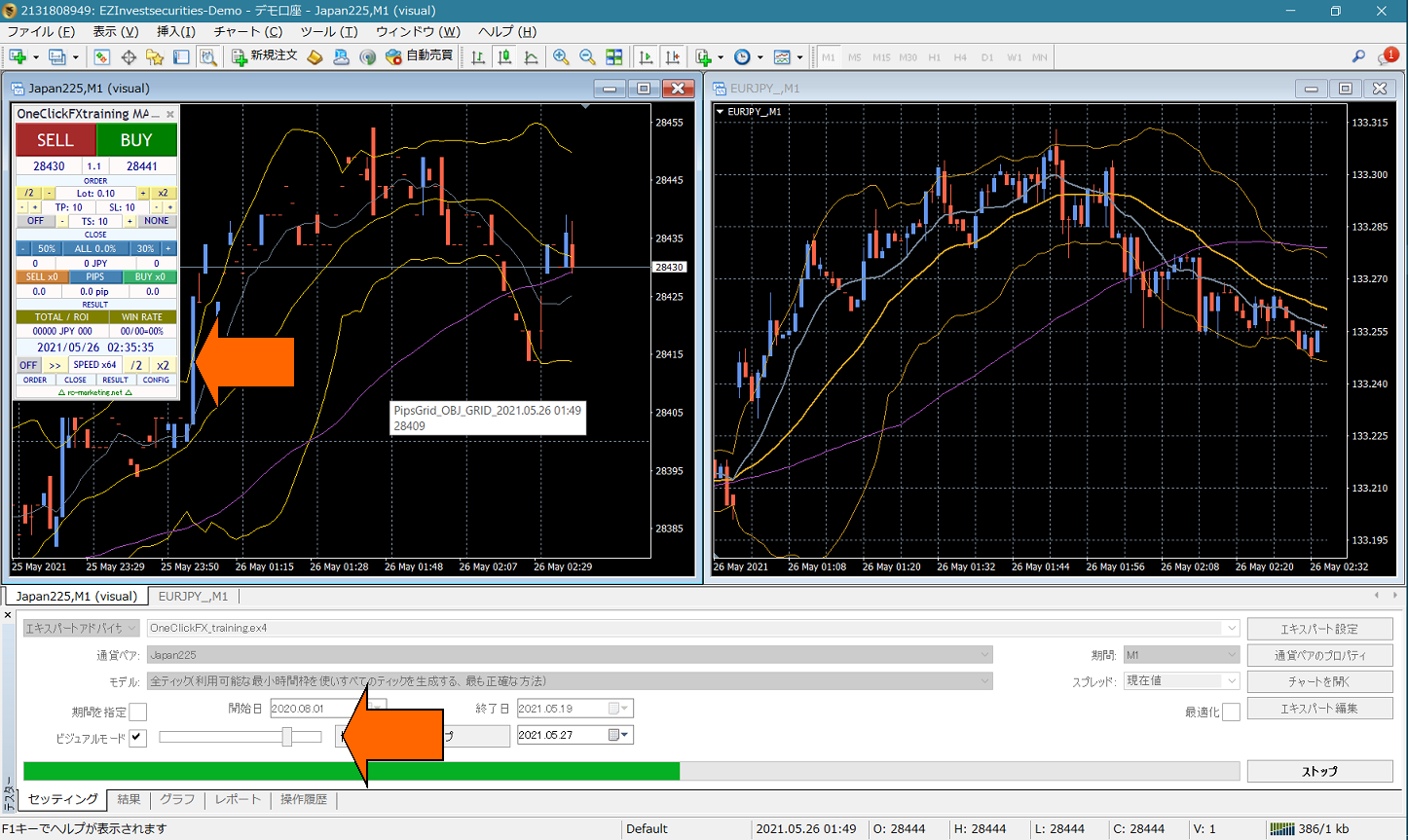
⇒ MT4 is loading past data until the synchronization time. Please wait a while.
■ It does not move
• If the date/time matches but it does not move, please check the following.
⇒ The main chart is a 1-minute chart, but the synchronization chart is 1-hour or daily, so the synchronization chart does not appear to be moving.
⇒ If the slider speed is 32 (fastest), synchronization will be postponed.
▼ If it does not operate normally, please contact support.