
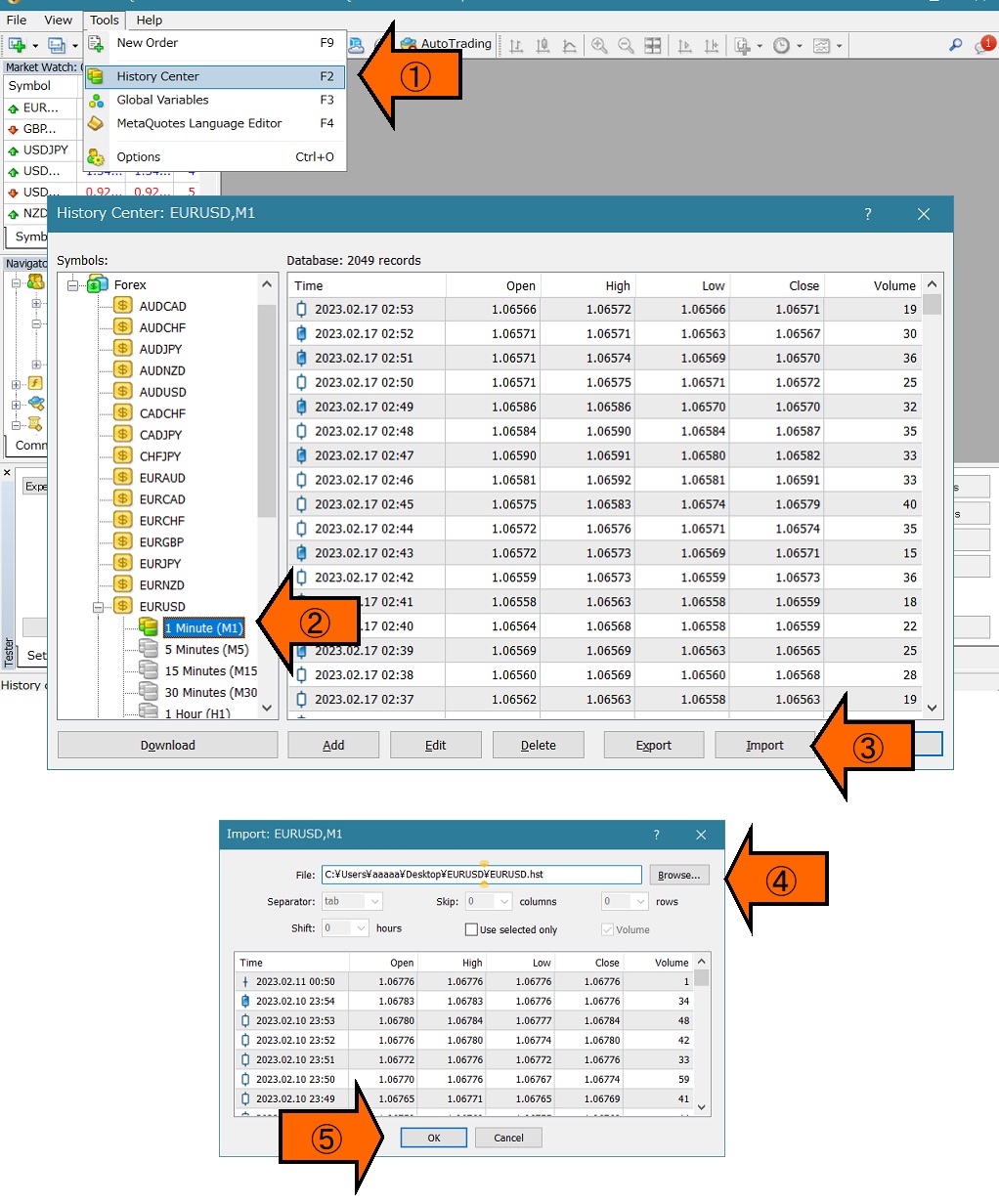
How to import MT4 historical data in simple steps
This article guides you on how to import historical data into MT4.
Because it is a simple method, following the steps should prevent issues such as data not reflecting correctly.
1. Increase the maximum number of bars on the chart.
2. Close all charts and restart MT4.
3. Download or import your historical data you have on hand.4. Repeat step 2 for all timeframes.
5. Restart MT4 and check the chart data.
Here are the detailed steps.
1. Set the chart bar count to maximum.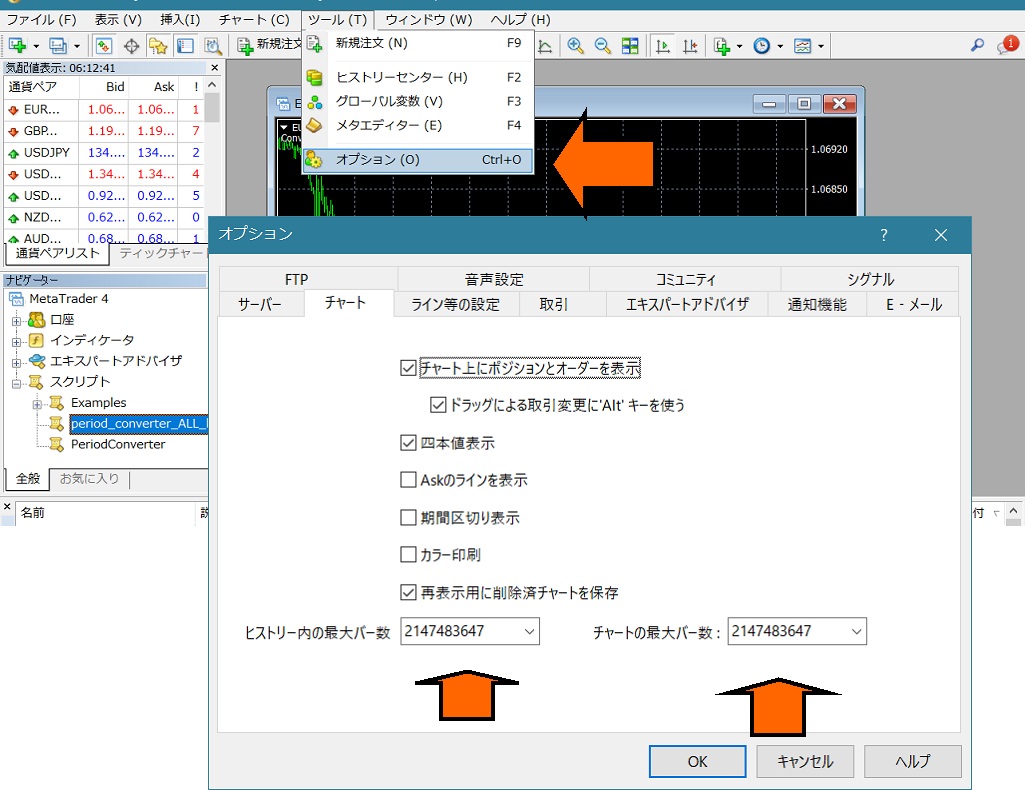
2. Close all chart windows and restart MT4.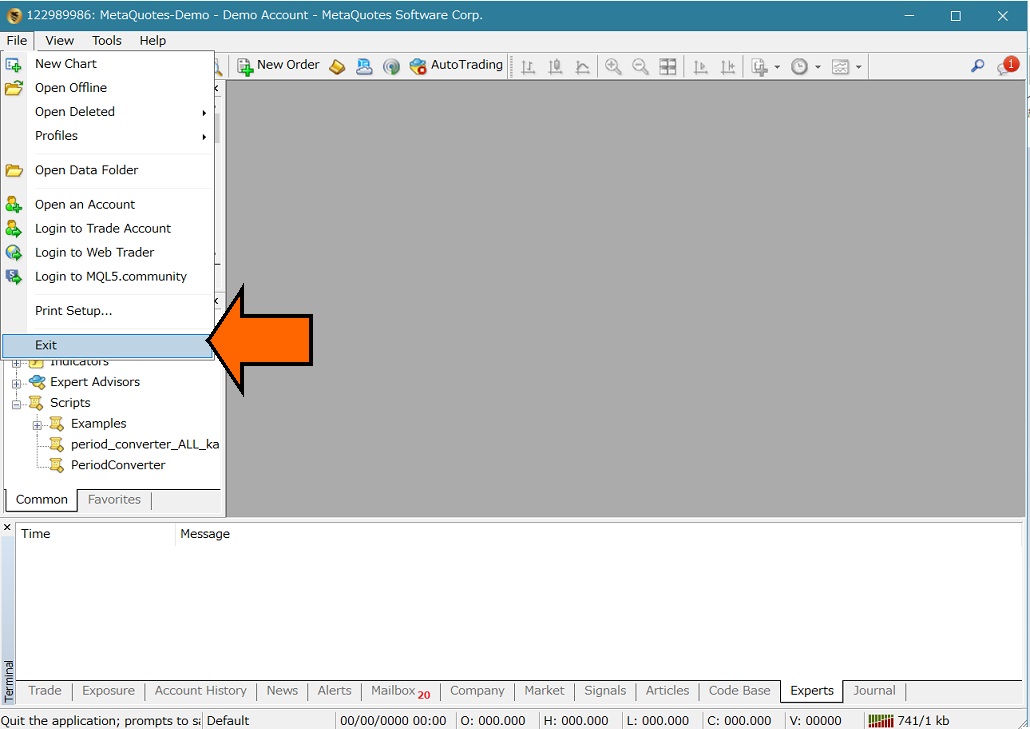
3. Load your historical data.
Historical data can be found by searching for “MT4 historical data” etc. Depending on the broker, you may be able to download past data by simply clicking a download button.
Also, if you purchased any products, please contact us and we may be able to provide them, so please reach out.
Important!② Please double-click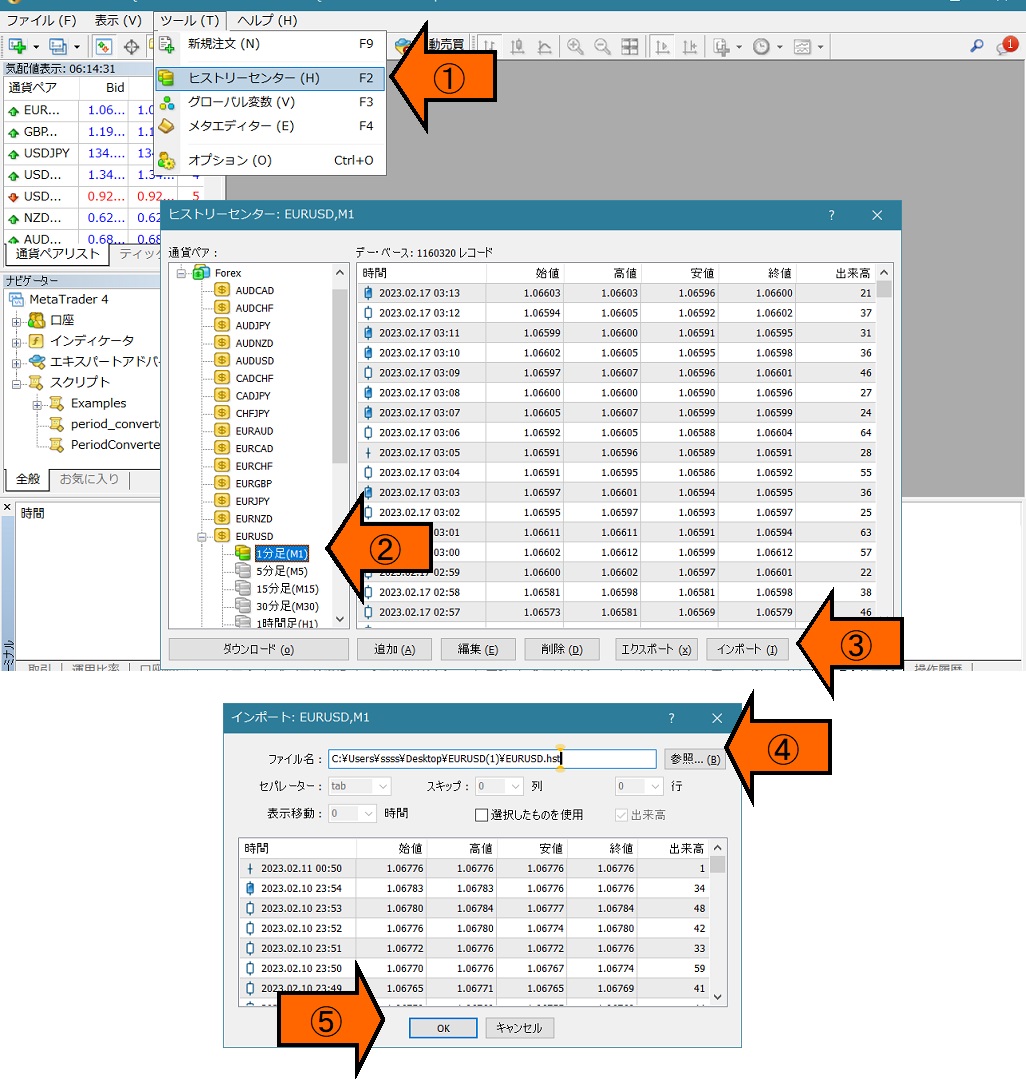
4. Perform this process for the desired timeframes: 1 minute, 5 minutes, 15 minutes, etc.
5. For safety, restart MT4.
Once MT4 starts, open a chart and confirm that the historical data has been reflected.
If you would like to simplify the steps with a tool, please try this method as well.