

Economic indicators displayed unobtrusively【EconomicData_rcm】 support page
Thank you for purchasing this product.
The latest version is 1.03.
If you do not have the product, click here
https://www.gogojungle.co.jp/tools/indicators/48176
Product Contents
Displays economic indicators on MT4/MT5 charts in a barely noticeable manner.
When you hover the mouse near the lines for economic indicators, details will appear.
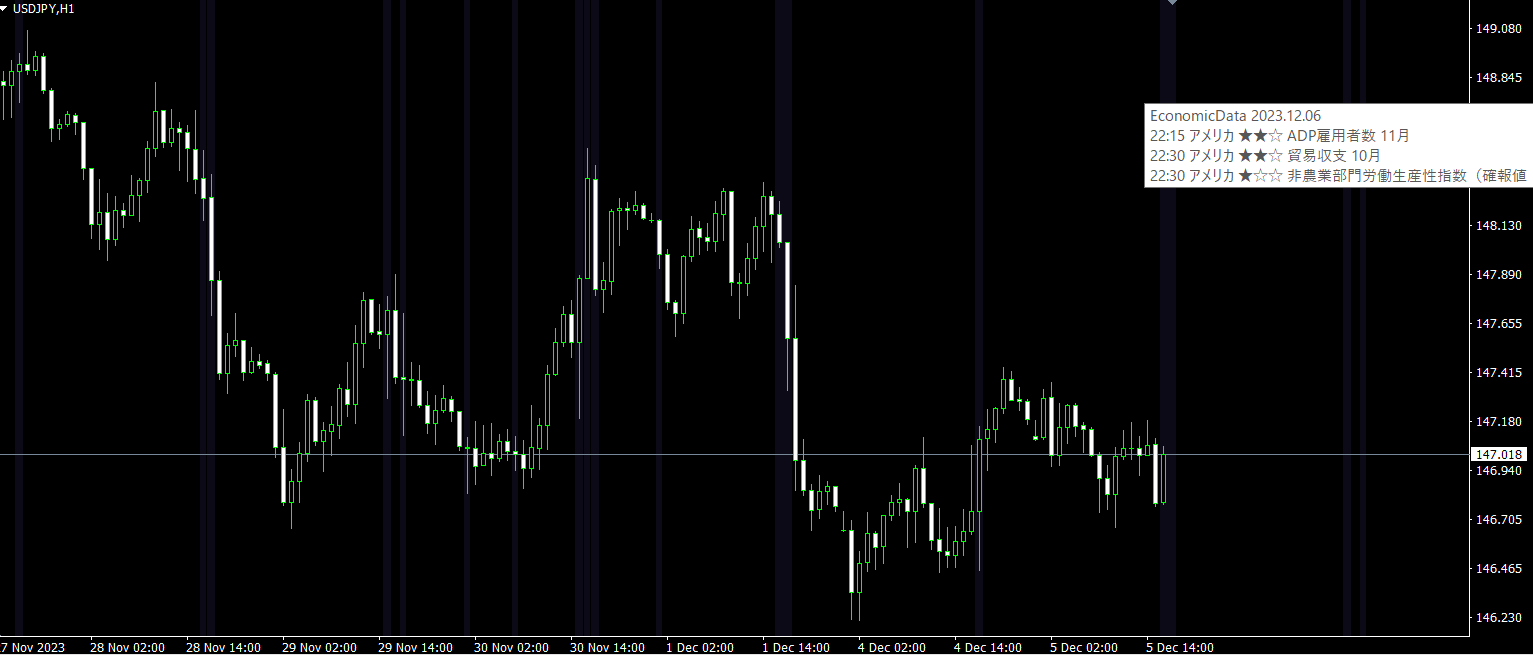
Data is obtained from "Minkabu".
If you double-click the economic indicator lines displayed on the chart, you will move to Minkabu's economic indicator page. ※Please set Minkabu's address as a parameter.
Line thickness represents importance, made easy to understand, and you can display only indicators related to the currency pair being shown.
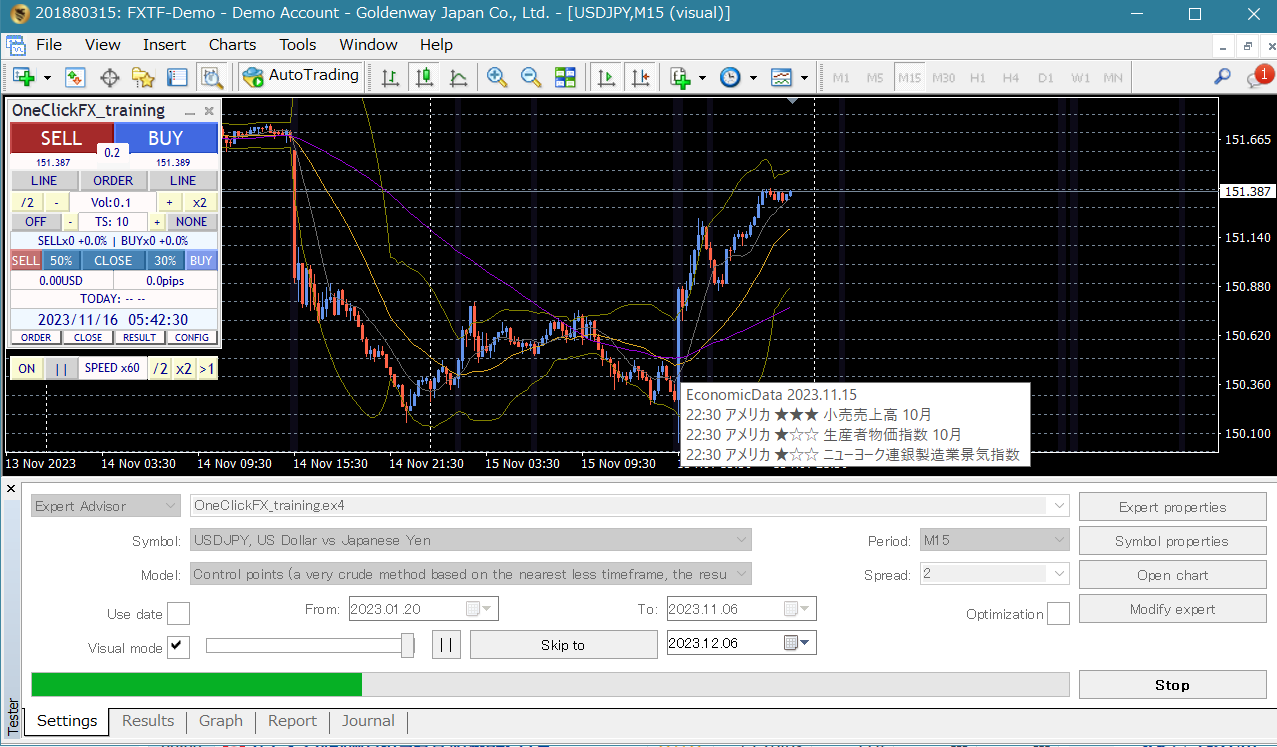
In the MT4 version, it also works with the Strategy Tester, so you can practice and verify on charts likeOne-Click FX TrainingandOne-Click BOwhere you practice and verify.
Of course, you can also display economic indicators on synchronized charts.
On online charts, indicators for the next day are also displayed (when there is a right-edge shift; on Friday charts, next week's schedule is not displayed).
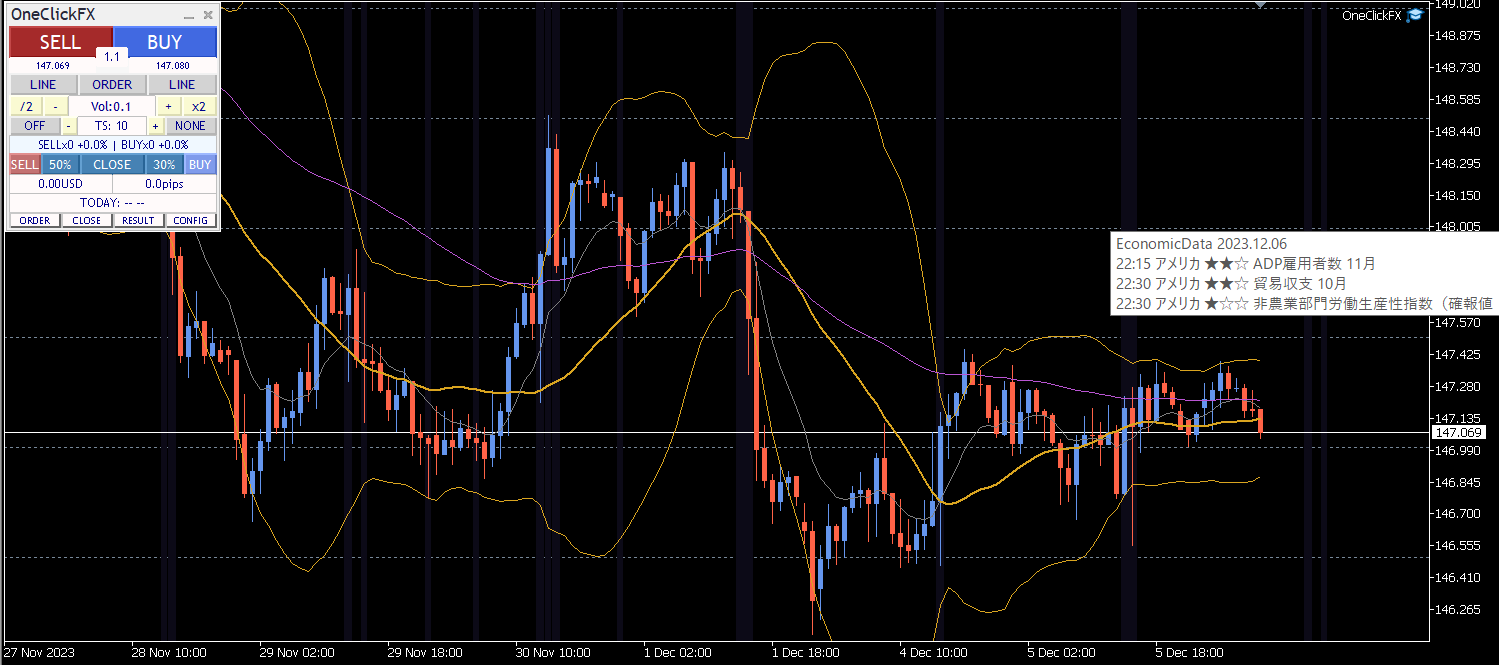
One-Click FX,One-Click FX Trainingand the included template charts are provided.
Images added to the One-Click FXchart
Images added to One-Click FX Trainingin the training
How to Install
Please check the DLL usage permission (details arehere).
1) From MT4/MT5, select “Open Data Folder.”
2) For MT5, copy everything inside the MQL5 folder; for MT4, copy MQL4, templates, testers folders.
3) Restart MT4/MT5 and open any chart.
4) Add the indicator EconomicData_rcm to the chart.
5) The settings screen will appear; modify as needed and press OK.
6) As you move the chart, vertical lines will be drawn at the times of the economic indicators.
If used with One-Click FX, the included standard chart and “OneClickFX_EconomicData.tpl”One-Click FX Trainingcan be used; if used with the standard chart, select the standard chart “OneClickFX_training_EconomicData.tpl” to add.
During the first startup, loading may cause a few seconds of seeming freeze; please wait a moment.
Scrolling the chart loads economic data. If the chart is moving, loading will occur automatically.
When you scroll back to the past, indicators are loaded in order.
If display is not keeping up, double-click the chart to reset or reload data.
Data is saved in MT4/MT5 working folders and MT4 tester folder, so frequent reloading does not occur.
To reduce Minkabu's load, initial files include economic indicators from March 2020 to December 2023. Also, continuous loading is not supported.
If there are gaps in the data, double-click the sections of the chart that seem missing to reset and reload.
■ Data prior to January 2020 is not published by Minkabu, so indicators before that are not displayed.
Settings Page
Minkabu address: the page to display on double-click (please set https://fx.minkabu.jp/indicators)
Show only related indicators: true => display only information related to the currency pair, false => display all information
Minimum importance to display: specify the number of stars to show
Display importance 5-1 with your preferred mark
Automatic time difference adjustment: true => automatic adjustment on online charts. Disabled when using the tester.
GMT offset of the connected server: most commonly 7, which is Japan time.
Server local daylight saving time: most often server time only is Japan time.
Line color and background color synthesis: lines are drawn with the specified color and background color. The larger the synthesis value, the closer to the background.
Line thickness multiplier: importance × multiplier = thickness of the displayed line.
Text size and display duration of messages: you can change as desired.
When in Trouble
If it is not functioning normally, behaving strangely, or stopping soon, please first check this area.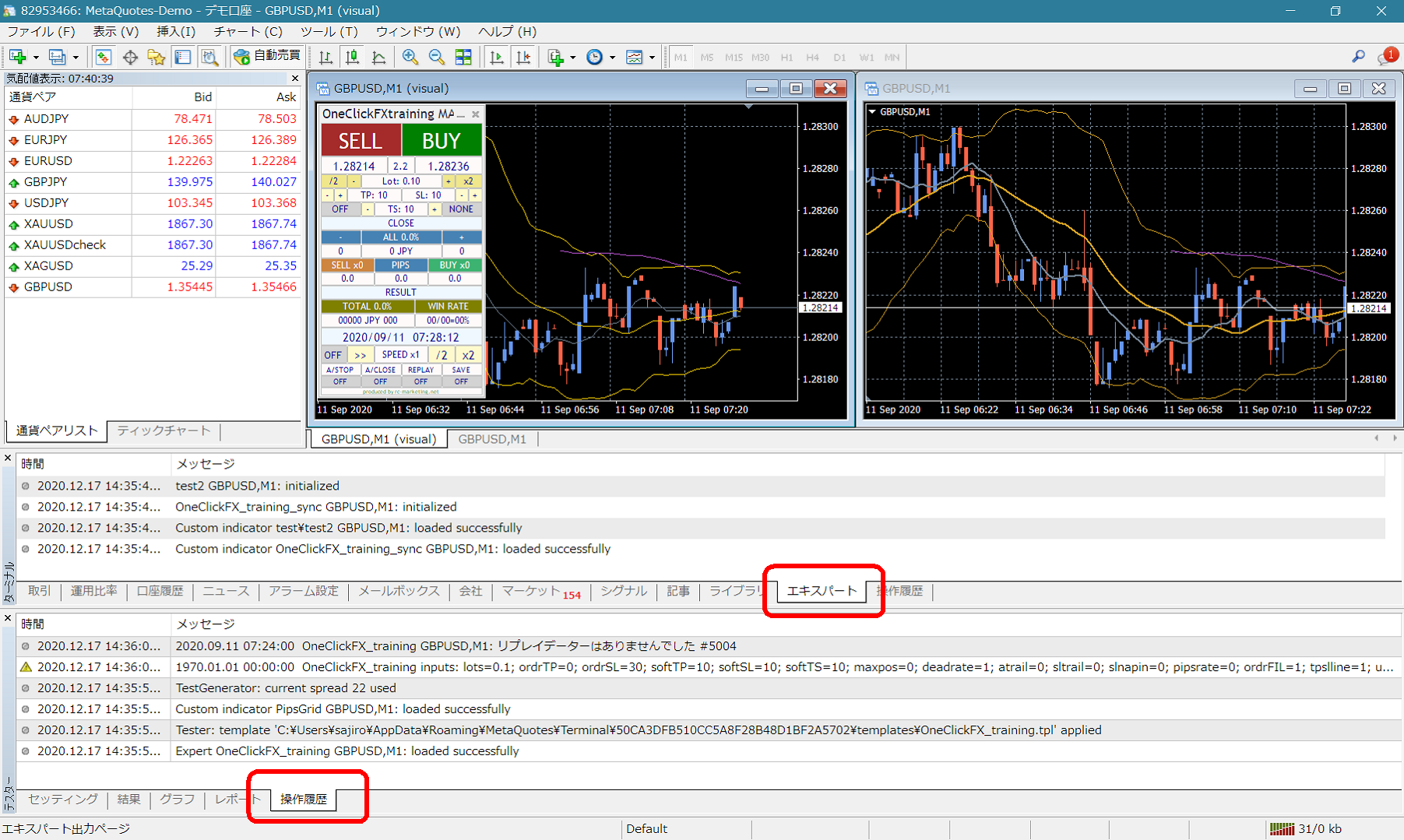 If there are error messages in the terminal expert or tester history, please report them to help expedite resolution. Thank you for your cooperation.
■Notes
When using this tool, please understand its performance and use it at your own risk.