
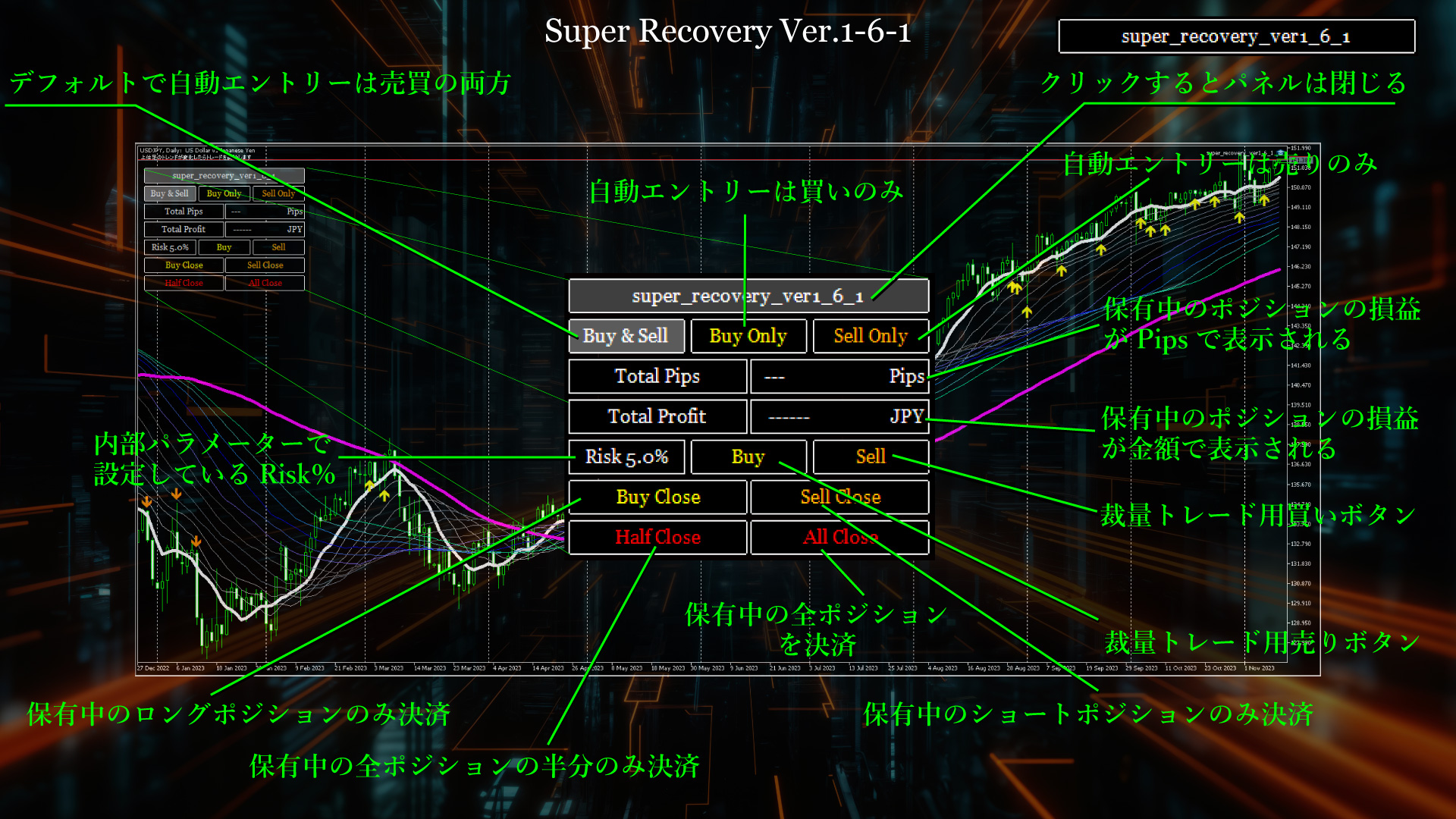
Announcement of 10 new features added with Super Recovery version upgrade and cautions when discretionary trading
Dear everyone, it’s been a long time since the last update. How have you been?
I have been completely absorbed in upgrading for about the last two weeks, and at last the new version Super Recovery Version 1-6 is completed, so I would like to announce it to everyone.

I think purchasers are already running EA, but you may upgrade once all positions are closed by the EA, or you can install the new version while you still hold positions and swap it in.
This upgrade includes fairly substantial improvements.
The changes are ten in total.
Newly added features
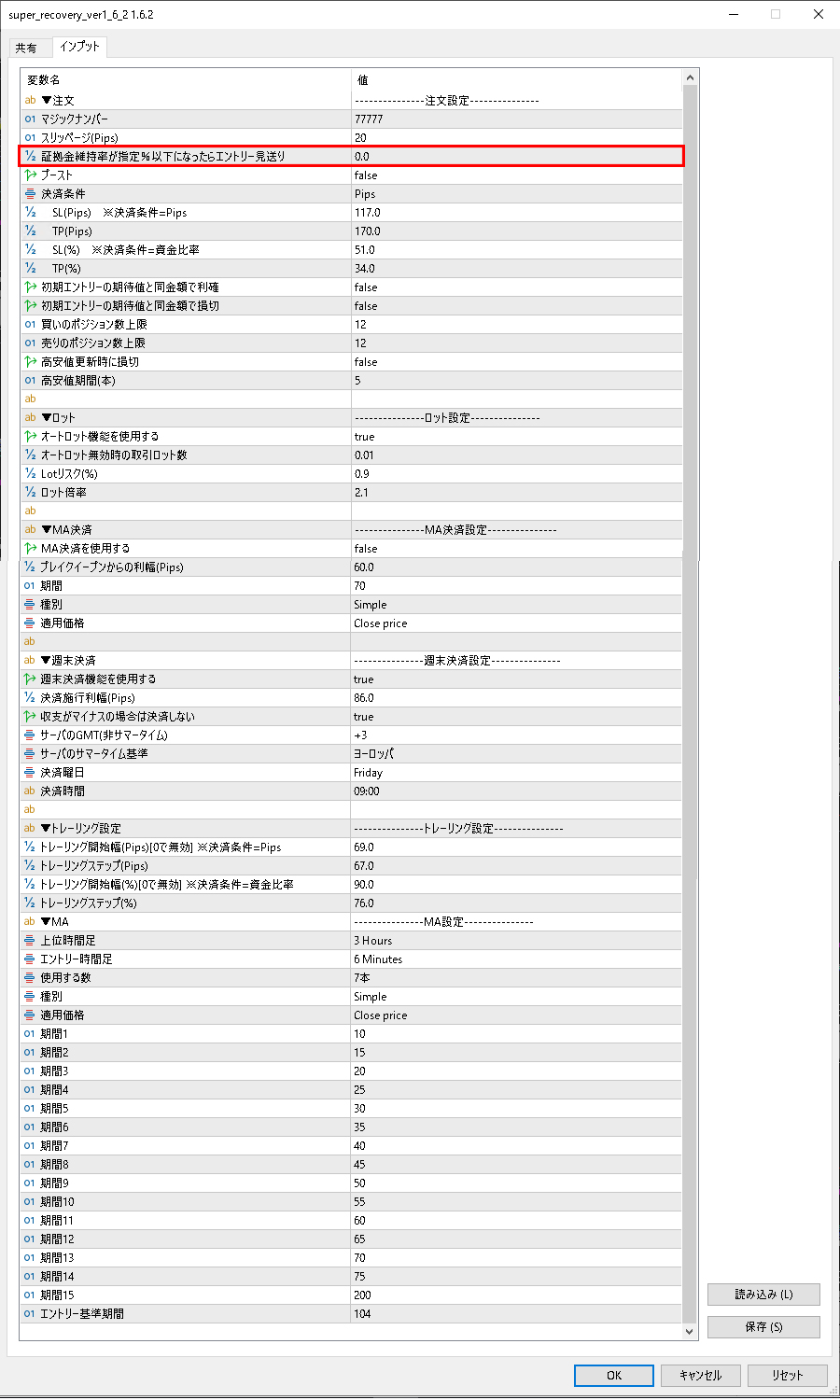
① Risk settings for margin maintenance rate (internal parameter addition feature)
For example, this feature will skip adding new positions if the maintenance margin falls below ○○%.
This item allows users to set their own risk tolerance, such as 1000% or 10000%, so the default is 0%.
This added feature was in response to user requests.
② A panel displaying three types of automatic trading buttons by the EA: automatic buy, automatic sell, and buy-only buttons on the main chart, enabling operation from there.EA automatic buy-only button, and automatic sell-only button can be operated from the panel on the main chart.
A button to restrict direction based on discretionary trend judgment has been added to limit risk.
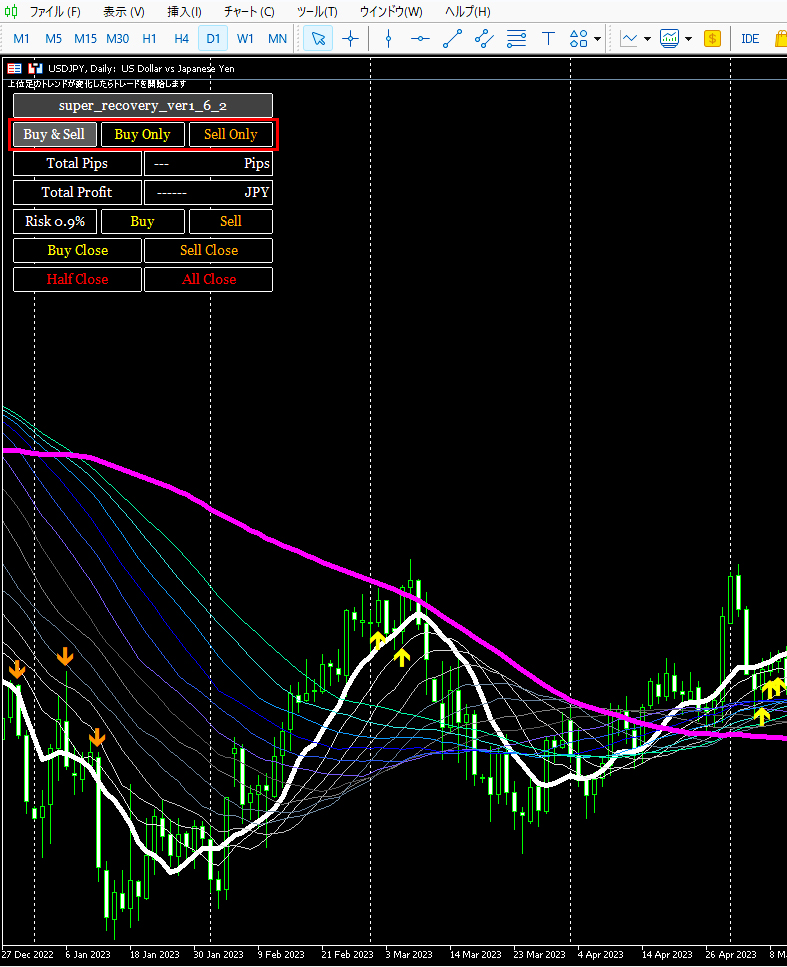
This added feature also responds to user requests.
By default, the "Buy&Sell" button that performs both automatic buy and sell by the EA is pressed, and the background is gray.
Please use it when you want to restrict the trading direction by the EA.
It is a convenient feature for cases where you want the EA to only enter new trades as buys or only sells.
③ In addition to automatic trading by the EA, a panel with manual position-adding buttons has been added.
When you click the buy/sell button on the panel, an safety prompt opens asking, “Do you want to execute the order manually?” If you click “Yes,” the lot size specified in the internal parameters is entered as a new position.
For example, if the margin is 1,000,000 yen, with Risk 0.9%, 9,000 units are automatically calculated, and entry is executed with that lot size.
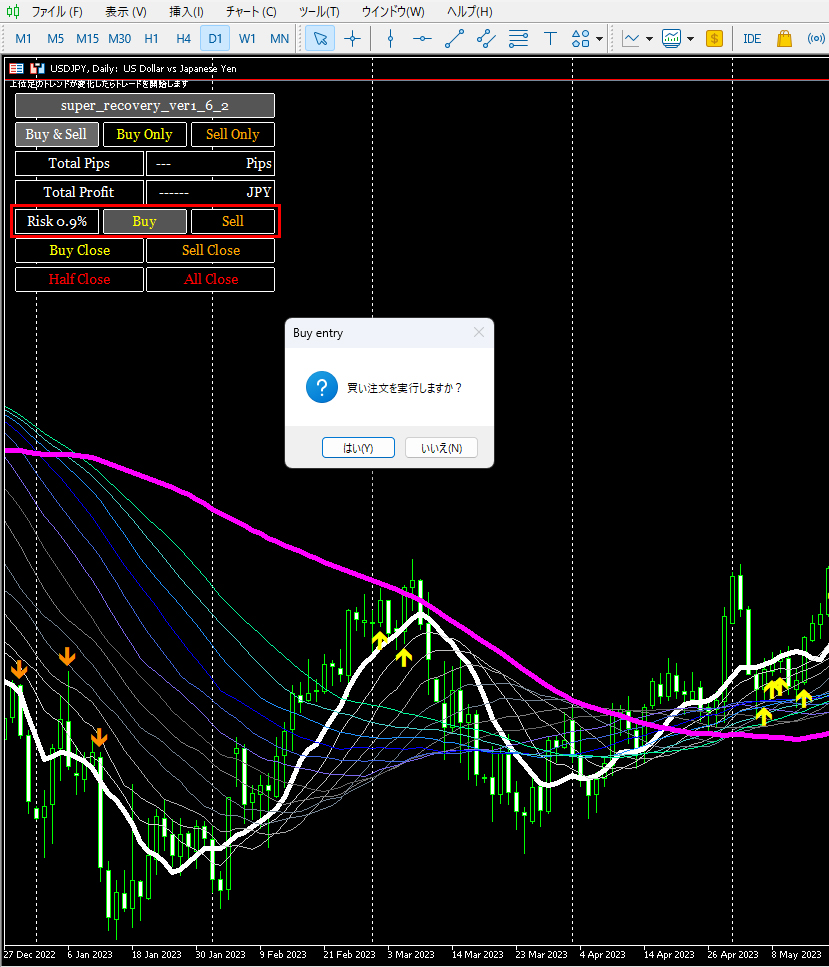
If you manually enter through this panel, the SL and TP specified in the internal parameters will automatically function, so simply entering manually will also automatically execute stop loss and take profit.
Of course, trailing stops are automatically activated with the start Pips and subsequent step Pips defined in the internal parameters.
The default trailing start Pips is 69 pips, so when unrealized profit reaches 69 pips or more, the SL moves to the breakeven value up to average price plus 2 pips.
Next, when the unrealized profit reaches 67 pips in the step Pips, the SL moves that far.
This feature, when entry is made through external panels other than the MT5 built-in panel, there is no magic number, so SL/TP are not automatically managed as with the EA; however, for entries made via the newly added external panel only, they are treated the same as positions entered by the EA.
Automatic EA entries and manual panel entries are treated the same.
④ A feature to display the current total position’s accumulated Pips has been added, so you can view unrealized gains and losses in pips on the panel.
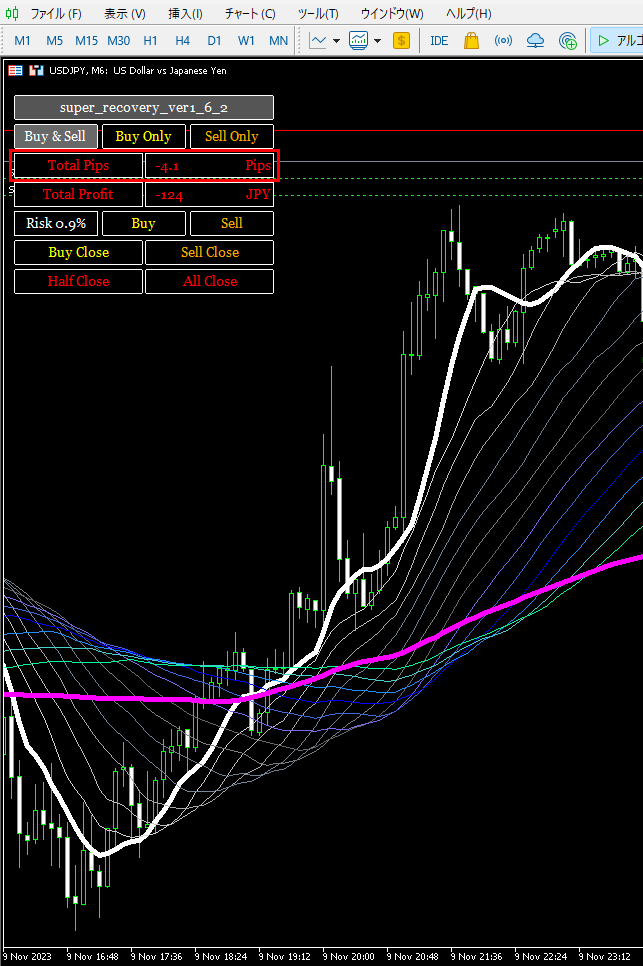
It displays the total net gain/loss in pips for multiple positions.
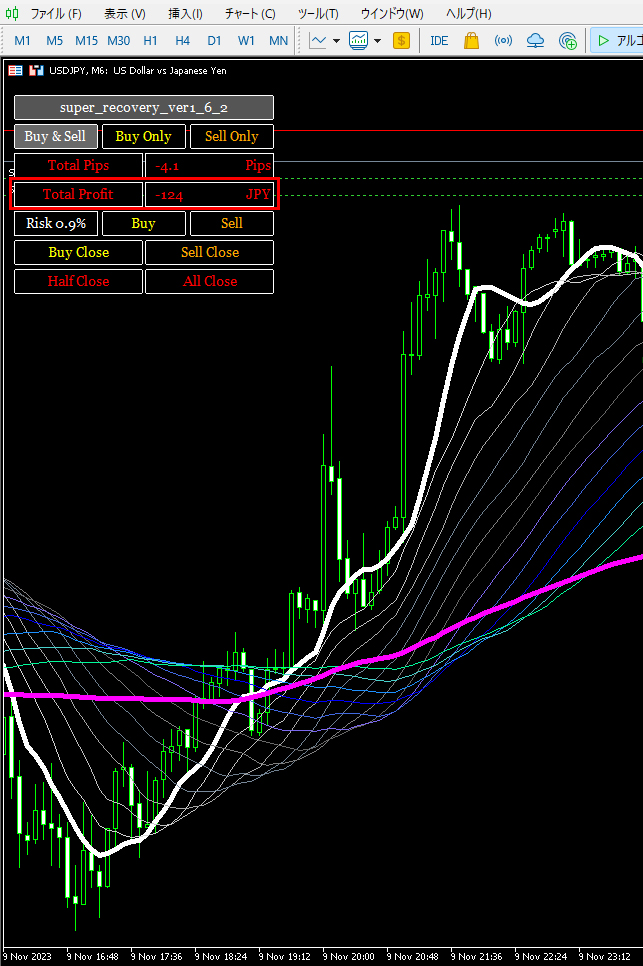
⑤ The total profit amount of the current total positions is displayed on the panel.
⑥ You can view the Risk% specified in the internal parameters on the panel.
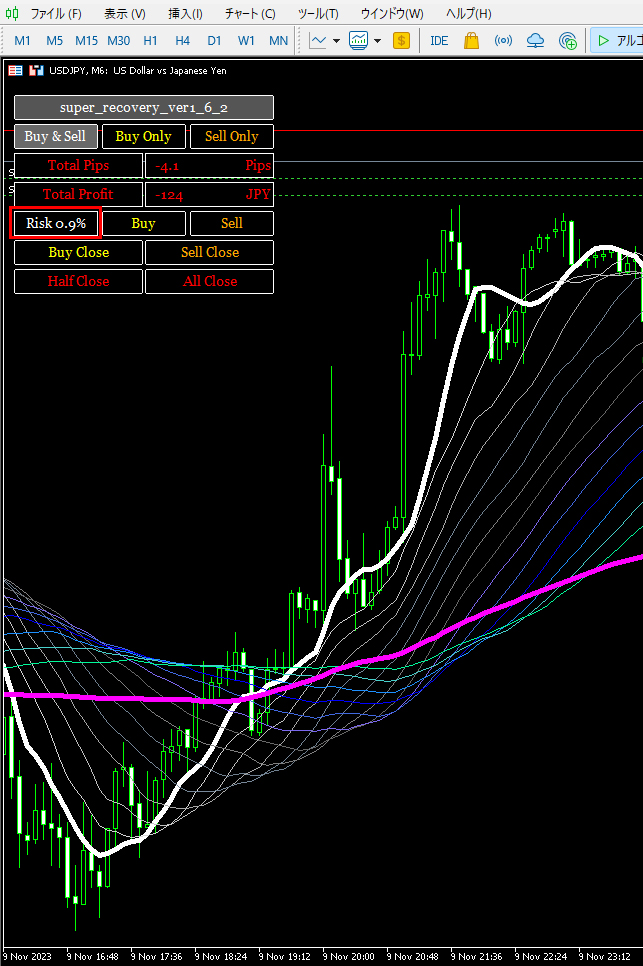
If the internal parameters set the “Auto Lot” function to true, the above display appears, but if Auto Lot is set to false, the specified lot size is displayed.
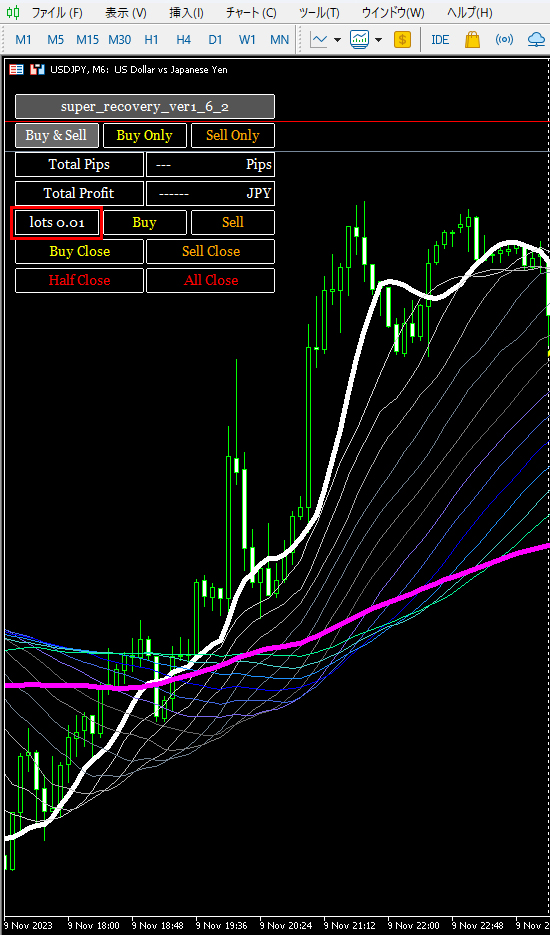
⑦ A manual close button is now available on the panel to close only long positions with one click.
This is convenient when you have a hedged position.
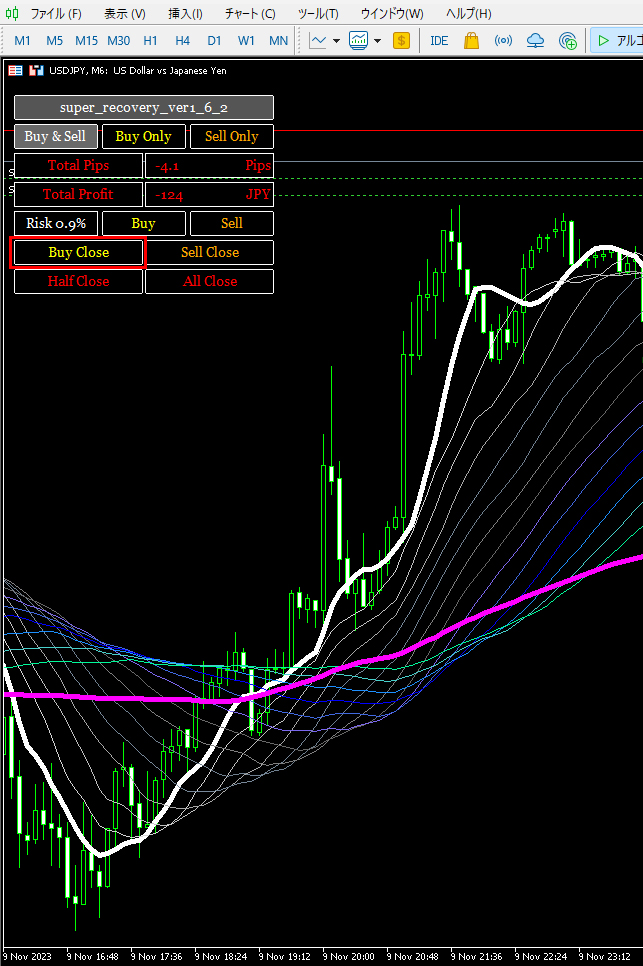
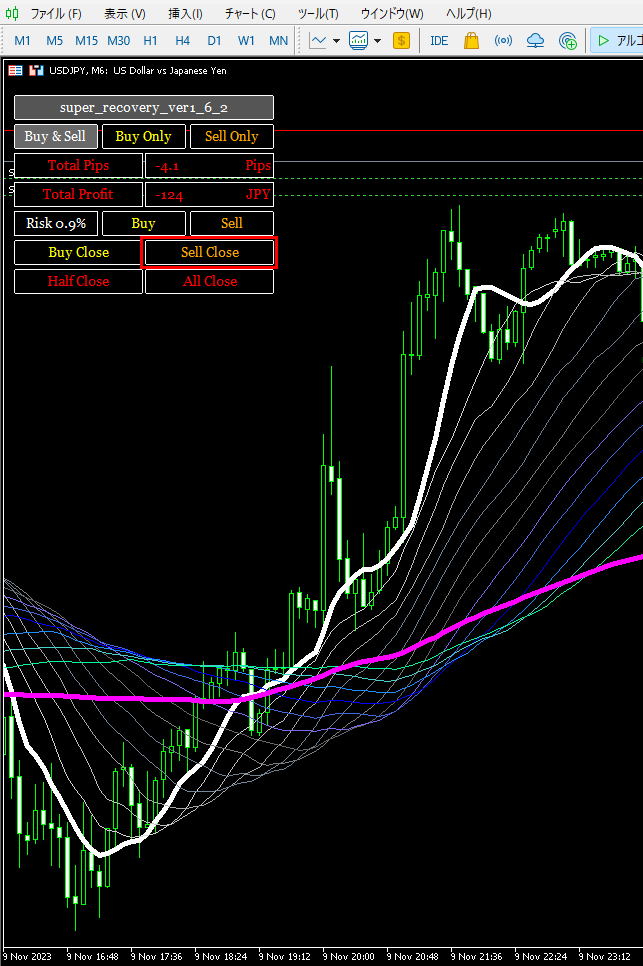
⑧ A manual close button is now available on the panel to close only short positions with one click.
This is convenient when you have a hedged position.
⑨ A button to close only half of positions is now available on the panel with one click.
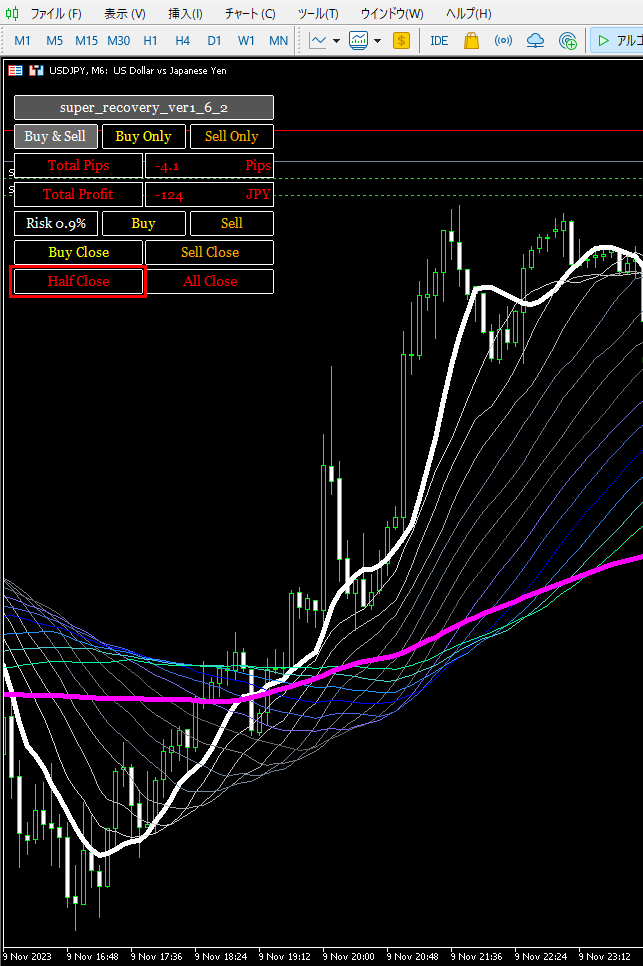
When there are multiple positions and the total is odd, for example with 3 lots, only one lot will be closed, leaving 2 lots remaining.
With 5 lots, 2 lots are closed, leaving 3 lots remaining.
The same applies if hedged: half of the long positions and half of the short positions are closed simultaneously.
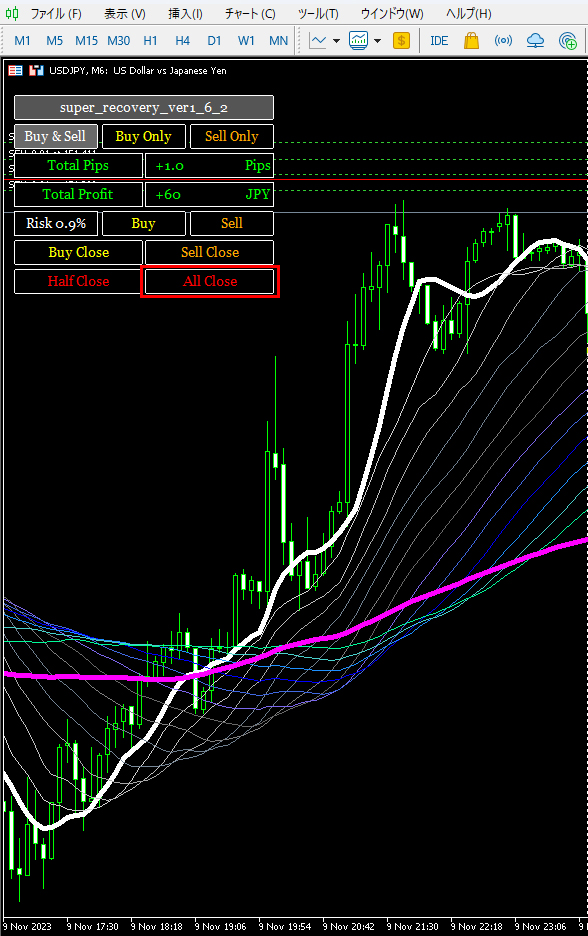
⑩ A Close All Positions button is now operable on the panel with one click.
Executing this closes all positions, including hedged positions, leaving no positions.
Finally, clicking the tab at the top closes the panel.
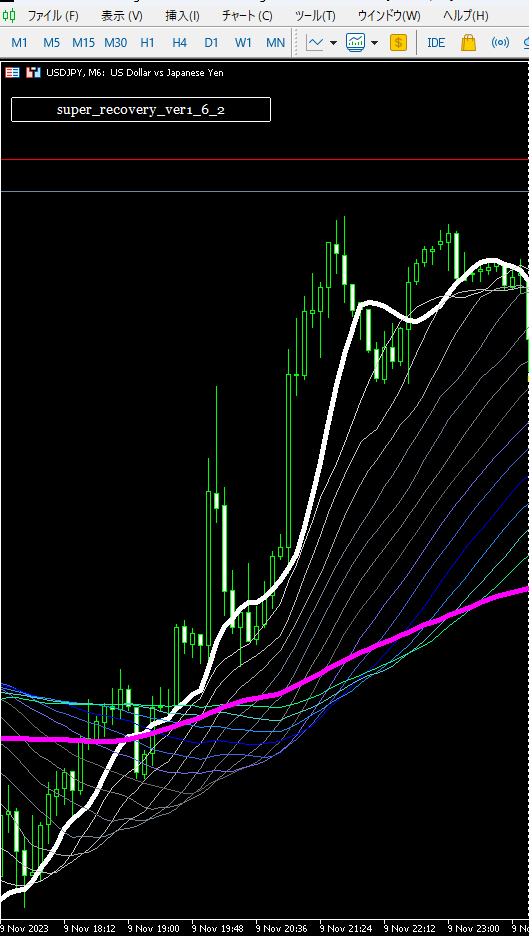
That concludes the main new features added in this update.
As for users, Gogojungle may announce the update tomorrow or it might be at the start of the week, but I will update tomorrow on my side.
I also plan to notify via the newsletter.
Today it seems Super Recovery is holding positions.
Some reports indicate that some brokers have not yet entered positions.
On my account, it appears that three automatic entries via Super Recovery have been successfully executed.
Well then, have a great weekend everyone!