
The 3rd Session: Troubleshooting When MT4 Won't Run and Chart Design Settings [Takehiko Shikanai]
As you study FX trading, you will surely come across the word “MT4.” Also, many of the charts you see in magazines and on the web are MT4 charts. This project is an introduction to MT4 for beginners, designed to be learned naturally through chart analysis.
Table of Contents for the Third Session
1. You don’t have to panic even if MT4 stops!
2. How to tell when MT4 is moving and when it has stopped
3. Five causes MT4 won’t move and how to deal with them
4. Various fundamental techniques for chart analysis in MT4
Mutaka Takeshi Shikanuchi (Musashi Shikanuchi) Profile

CEO of TCL Co., Ltd. Since the launch of FX攻略.com in 2008, he has been on the editorial team, involved in the operation of both the magazine and the official site. In addition to conducting interviews and writing articles, he also trades FX as part of his daily routine. Favorite technical indicator: Heiken-Ashi; favorite method: breakout.
Official site:TCL Co., Ltd.
You don’t have to panic even if MT4 stops!
This is the third installment of the series on learning chart analysis with MT4. This time, we first explain how to identify and handle one of MT4’s representative troubles: the case when it does not move.
When MT4 does not move, the cause is almost always one of the five patterns explained here. If you stay calm and proceed, recovery is not difficult.
Another theme, continuing from the previous installment, is the introduction of various basic techniques for chart analysis in MT4. In particular, you should master chart color customization and registering standard chart patterns.
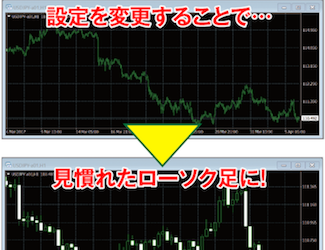
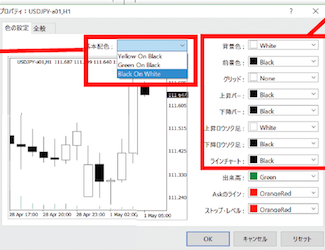
MT4 is attractive for its good design, and you can freely change the chart colors. Please set it to your preferred color pattern.
Also, when viewing charts on a computer screen for long periods, a dark background is said to be less tiring for the eyes. However, when printing charts on paper, a white background is easier to read and can save ink, making it more economical.
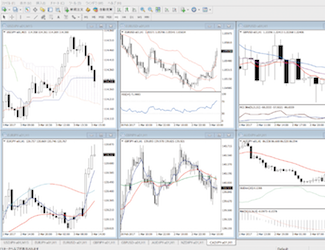
By registering these personalized settings in MT4, you can quickly apply them to new charts anytime.