
Today (8/29) capture only the "winning form" and enter!
0
Today (8/29)
“1-minute chart”The winning patternCapture only and enter!
(EURUSD)
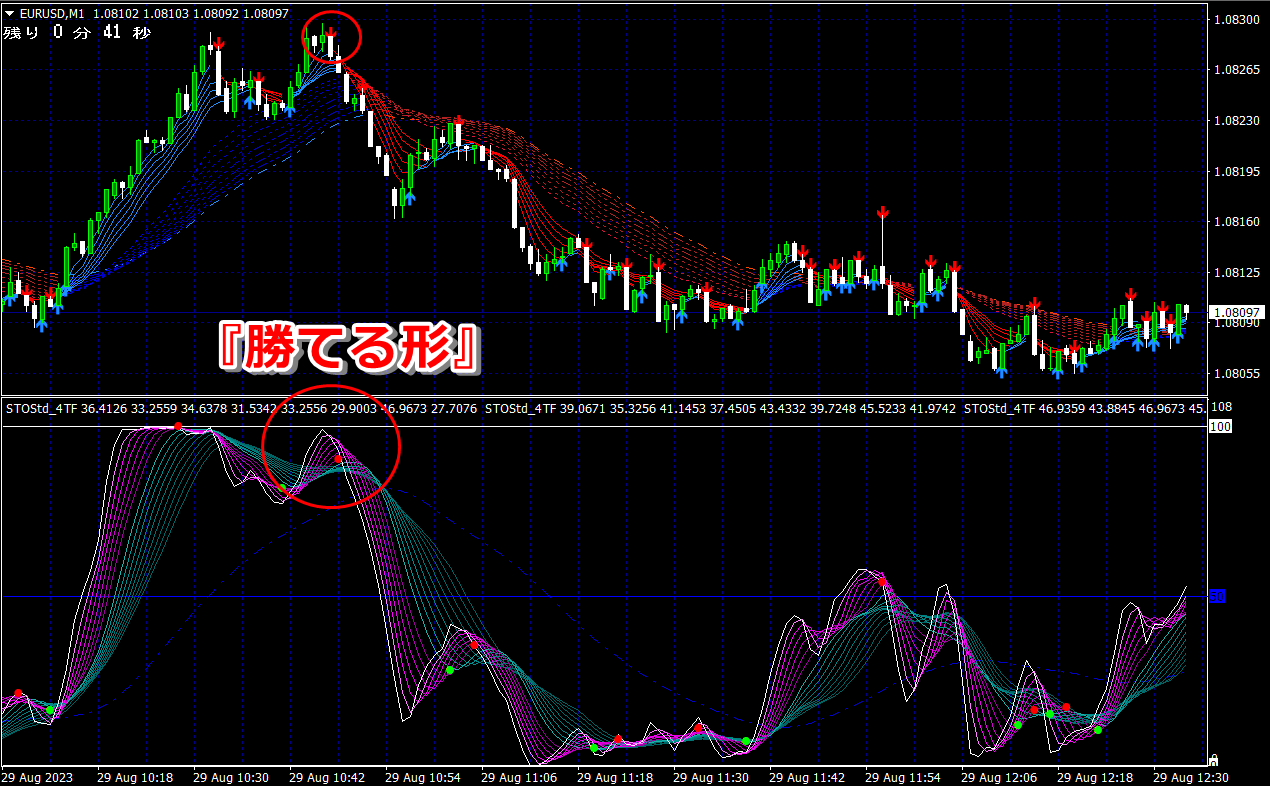
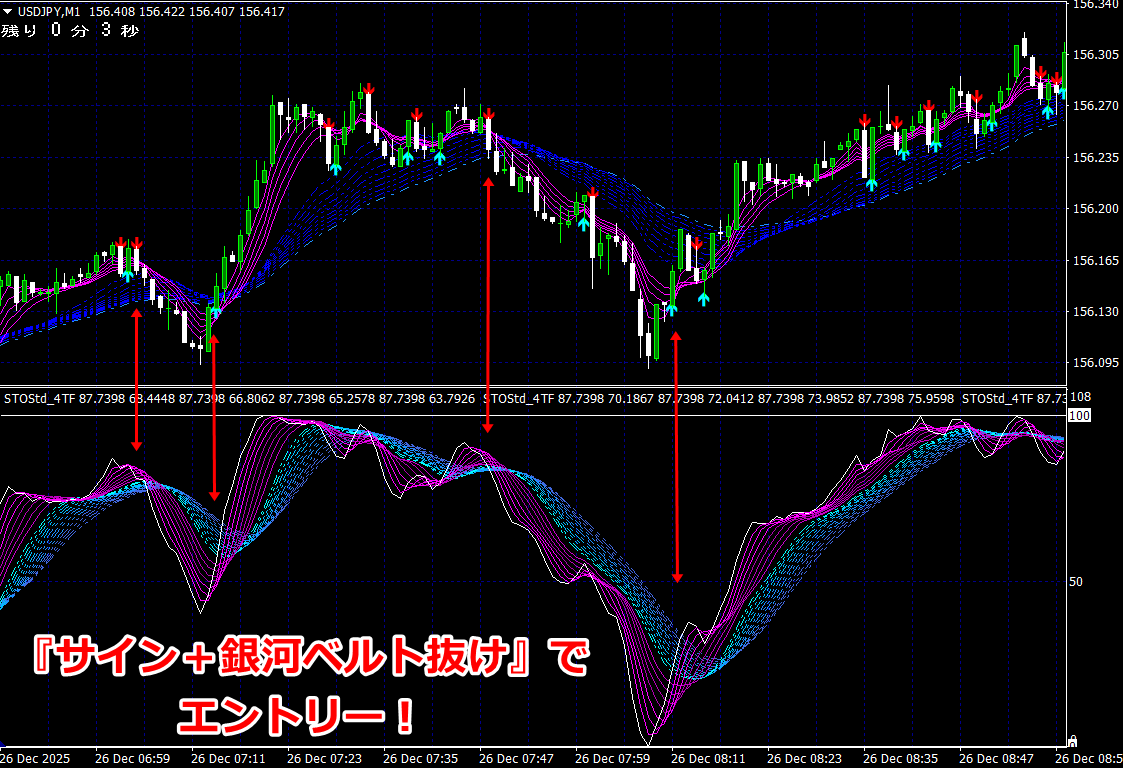
★After the signal lights up, enter when the pink band is covered by the green band in this shape for a sure win!
(Click the image to enlarge)
An indicator that lets you learn the entry point by sight
Specializing in short-term trading in Binary Options and FX
We will reveal a rock-solid entry method with the “1-minute chart indicator.”
<Entry steps①②are simple!>
In an uptrend,

①Turn on the arrow signal to prepare for entry.
②With the arrow signal lit,the indicator’s pink band should be rising up and being engulfed by the green bandfrom the bottomin a scooping shape,then a 1-minute or 3-minute decision to go long will be made just before the current candle closes or right after it closes.
※Signal lighting does not equal entry, so if the indicator does not form a shape where the green band is scooping up, do not enter (the frequency of entries on signal lighting is about once every few times).
※On a 1-minute chart, there are dozens to about 100 entry opportunities per day
“Enter only by capturing the winning pattern!”
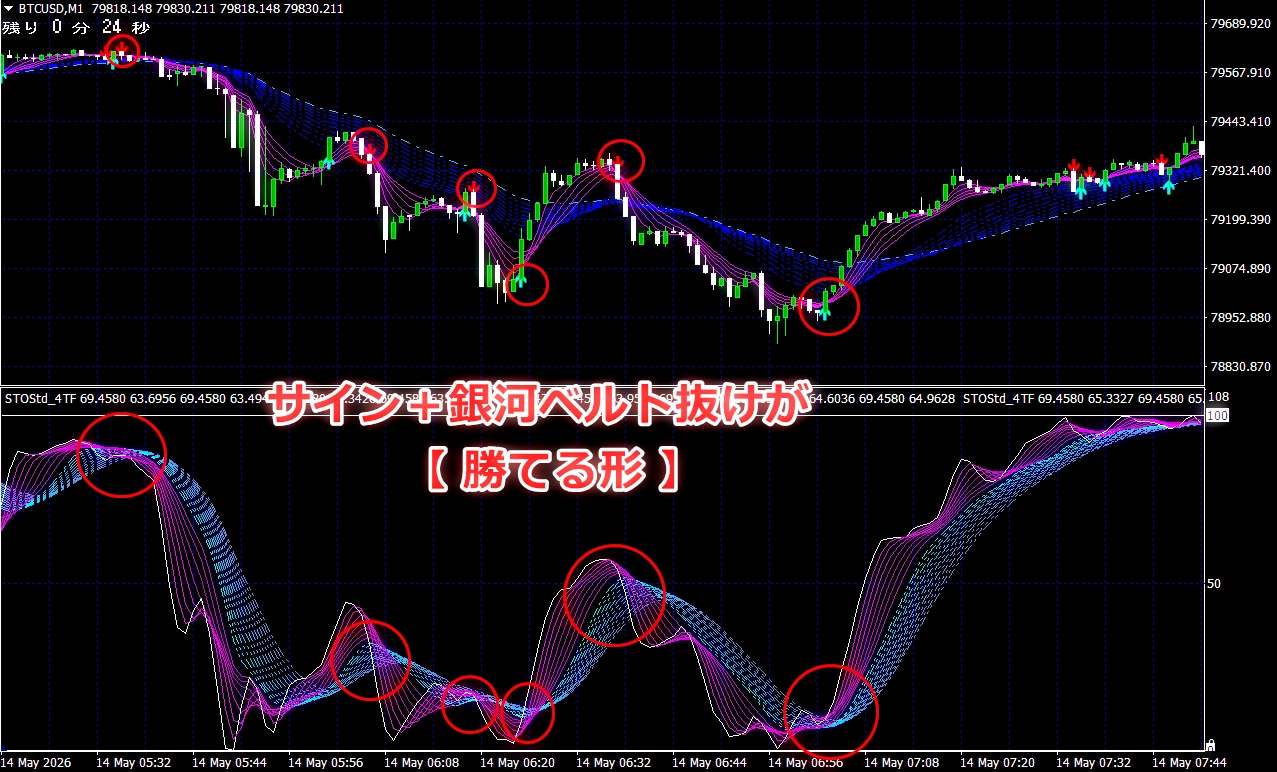
< Shape that scoops up the green band=What is the winning pattern? >
A similar entry point can be achieved with the indicator shape shown in the image below.

In a downtrend,
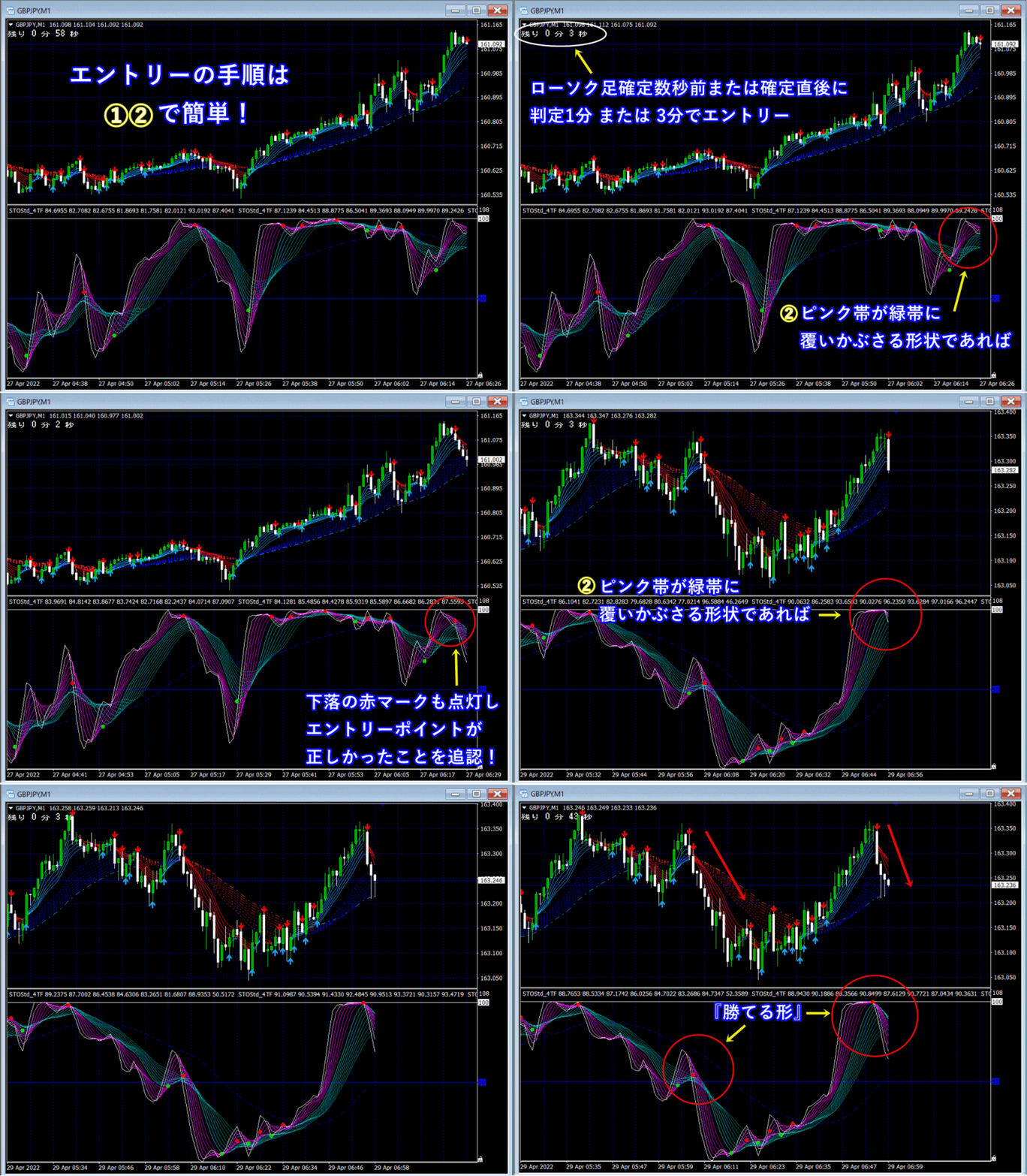
①Turn on the arrow signal to prepare for entry.
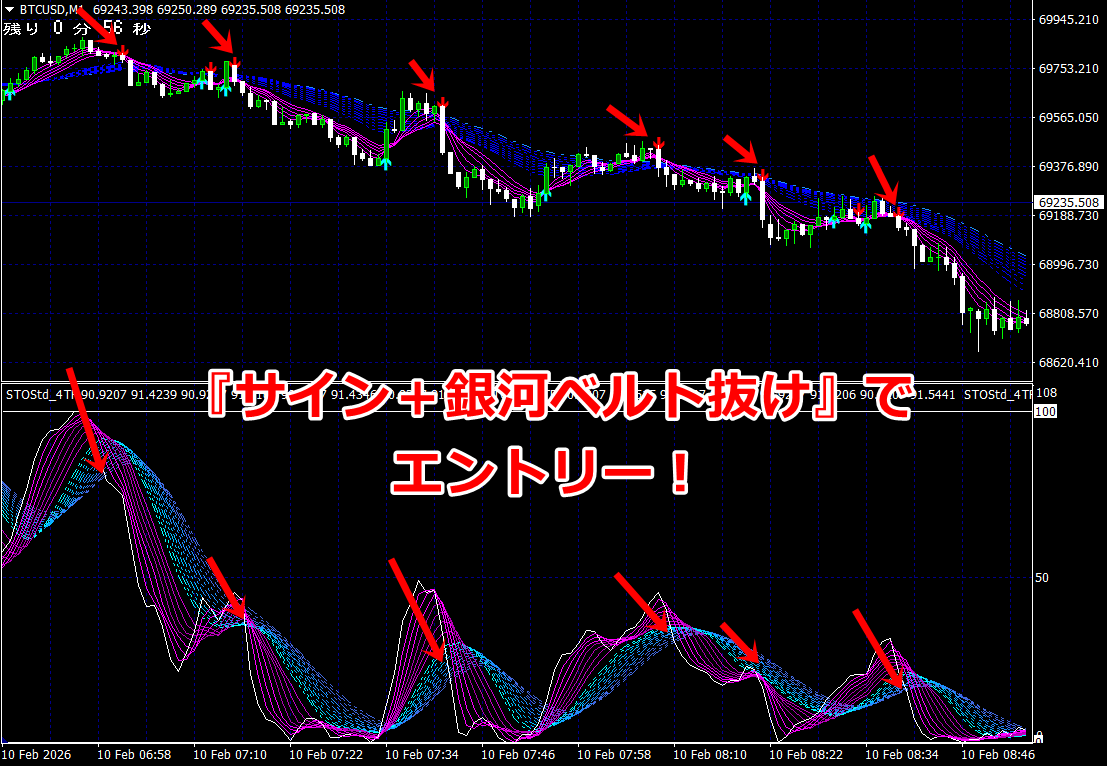
②With the arrow signal lit,the indicator’s pink band is engulfed by the green bandfrom the topin a shape that covers,then a few seconds before the current candle closes or just after it closes, enter a short position with a 1-minute or 3-minute decision.
※Signal lighting does not equal entry, so if the indicator does not form a shape where the green band engulfs, do not enter (the frequency of entries on signal lighting is about once every few times).
※On a 1-minute chart, there are dozens to 100 entry opportunities per day
“Enter only by capturing the winning pattern!”
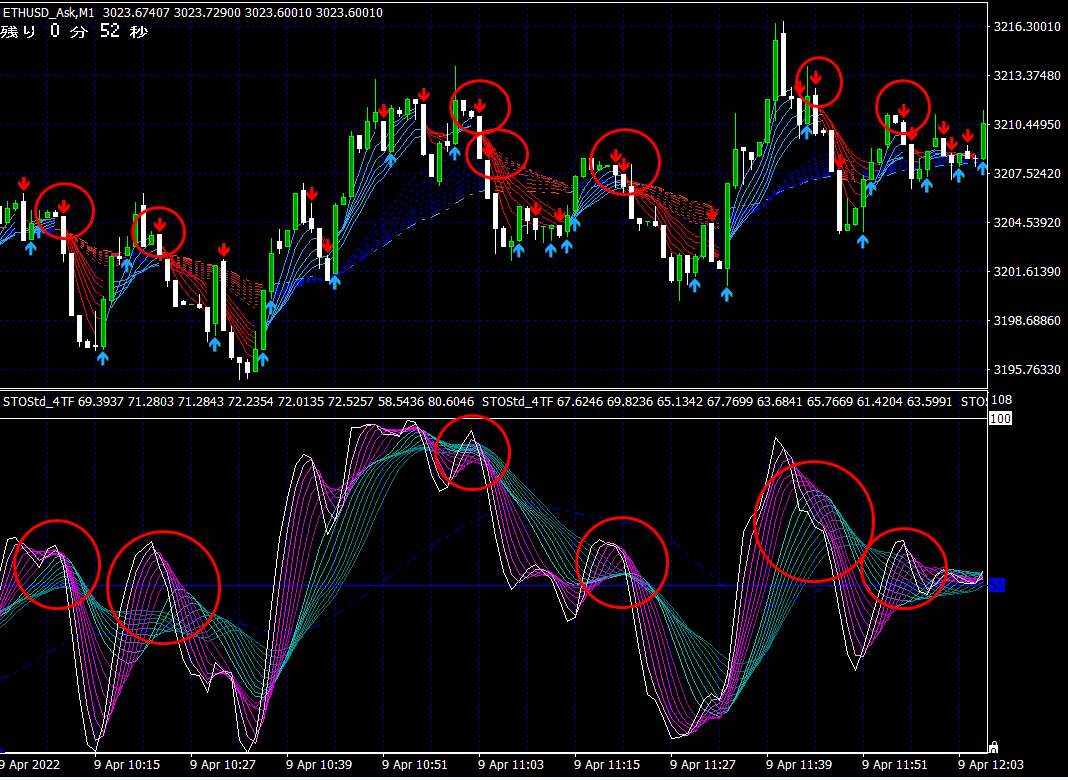
< Shape that engulfs the green band =What is the winning pattern? >
Similar entry points are indicated by the indicator shape shown in the image below.
× ![]()