

How to obtain a token to send messages from MT4/MT5 to Slack
How to Obtain the Token
This method is for the web version of Slack
First, log in to Slack and enter the target workspace.
Go to https://api.slack.com/ and click YourApp.
Click “Create New App”.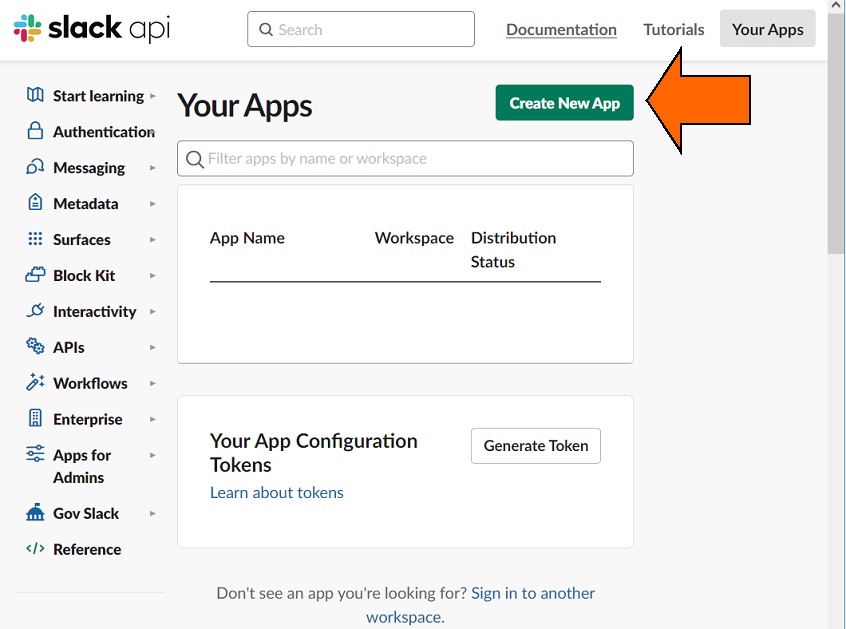
Click “From Scratch”.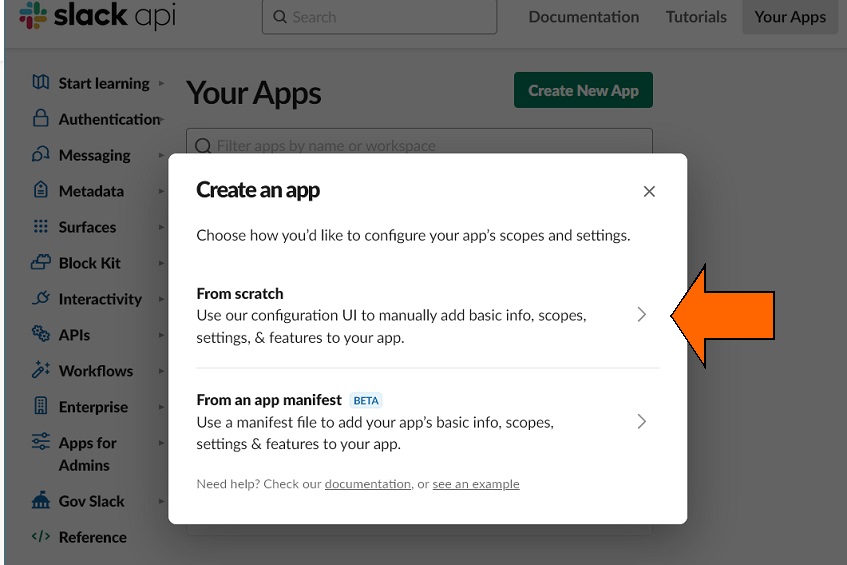
Enter the BOT name (display name) in “App Name” (can be changed later).
Enter the workspace name to develop your app in: in “Pick a workspace to develop your app in: ”.
Note: If you want to create a message-only workspace, please create it in advance.
Click “Create App”.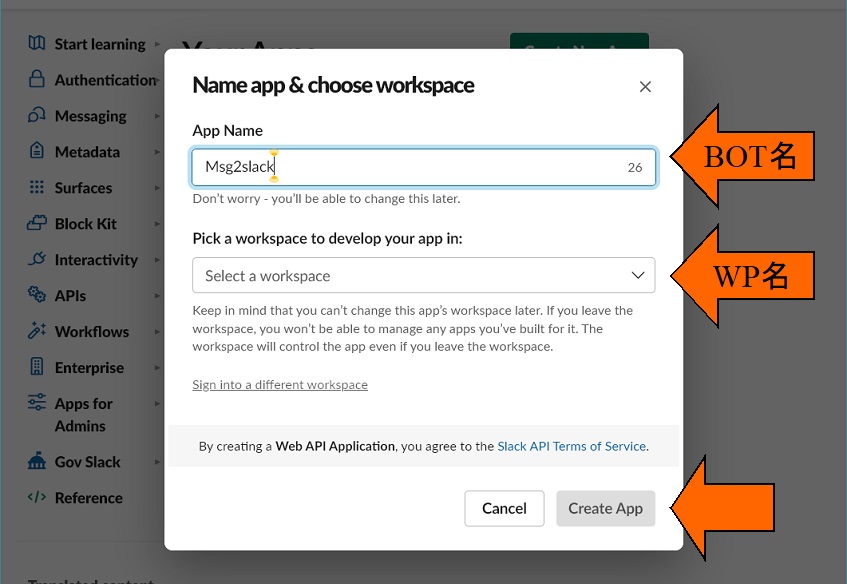
Click “OAuth & Permissions”.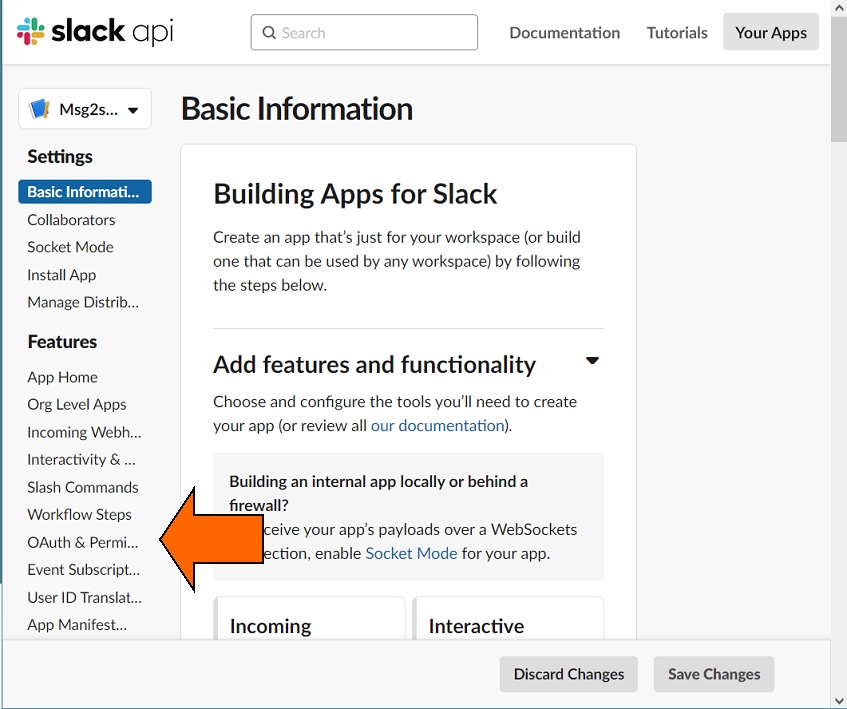
In the latter half of the page, open “Add an OAuth Scope” under “Bot Token Scopes” in the “Scope” section.
Select chat:write, files:write.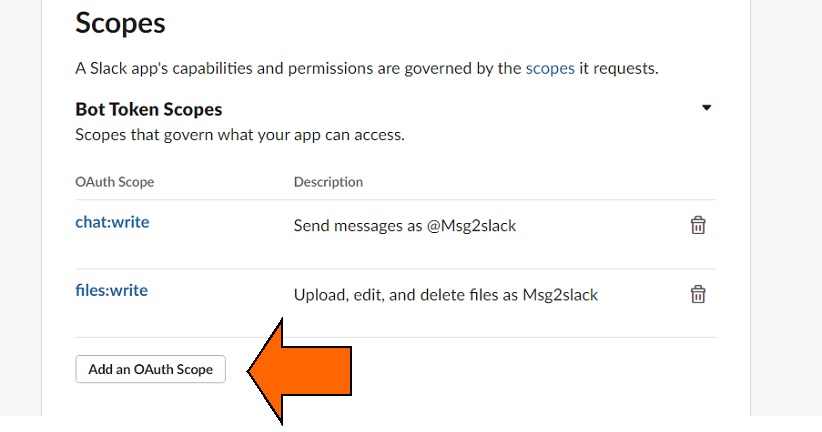
Scroll to the top of the page and click “Install to Workspace”.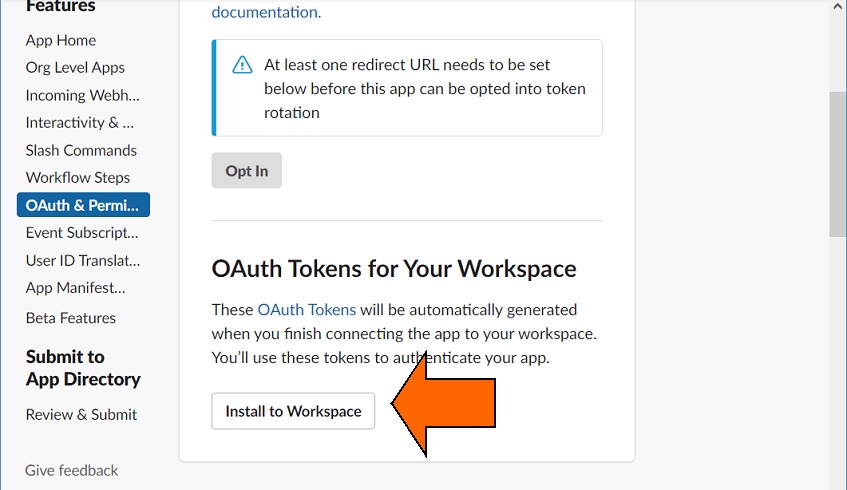
Allow the permission request.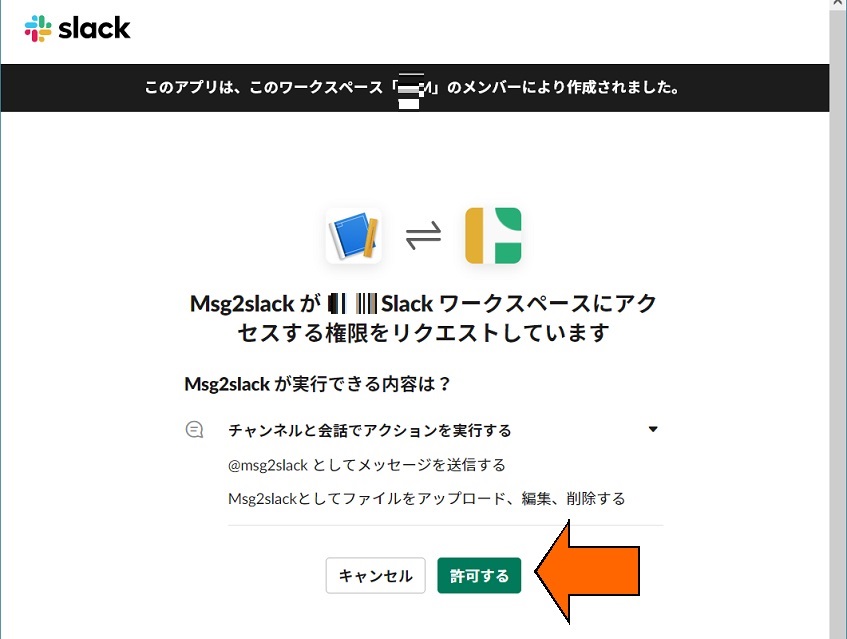
The “Bot OAuth Token” will be displayed; copy it.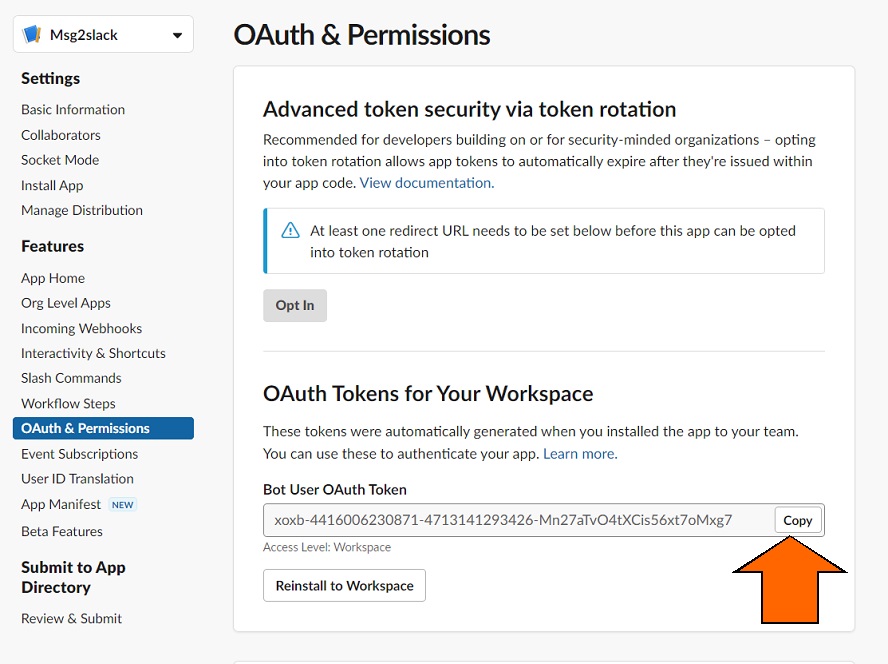
Return to Slack, click Add an app in the bottom left, find the registered BOT, and click to add it.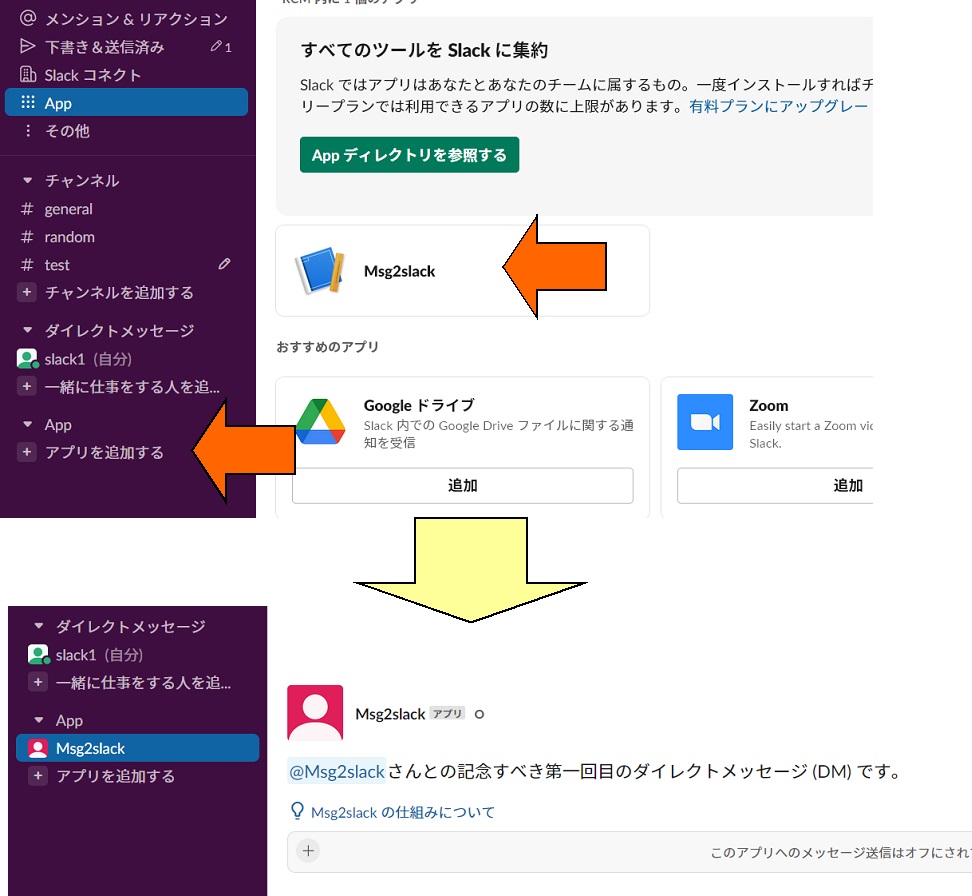
Register Msg2slack to the channel you want.
By setting “Bot OAuth Token” as a parameter, you will be able to receive notifications in Slack.