
Astat 225❹ Basic Logic Usage Example
Now, let's implement and verify the strategy introduced in the AutoTrade 225 manual by configuring it in ASTAT and testing it.
<Preparation> Place files in the working folder
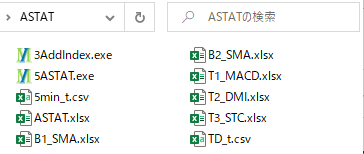
Here we will use daily bars and 5-minute bars, so download the four-price data in advance and convert it to actual time. Also, copy the strategy book template and rename it. When ready, place the necessary files in the working folder.
Fundamentals 1. Moving Average Golden Cross / Dead Cross
- Decide trading rules
↓ Apply the following trading rules.
<Foundation> 1. Let's trade on a Golden Cross / Dead Cross
- Strategy book settings
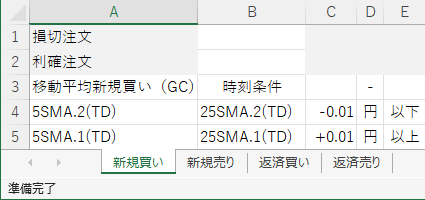
Based on the trading rules, setting the strategy book (B1_SMA.xlsx) looks like this.
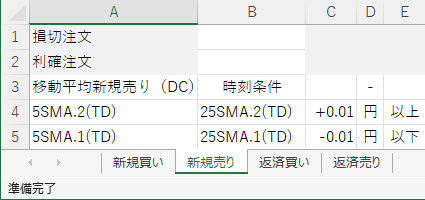
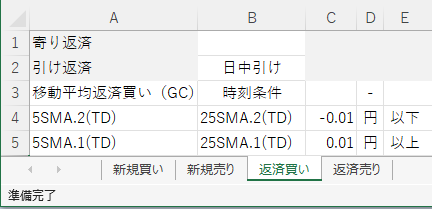
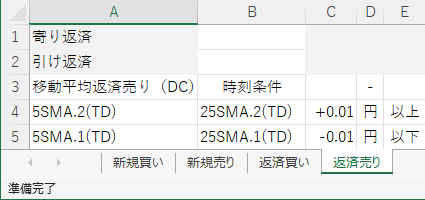
- Create indicator data
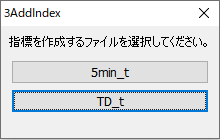
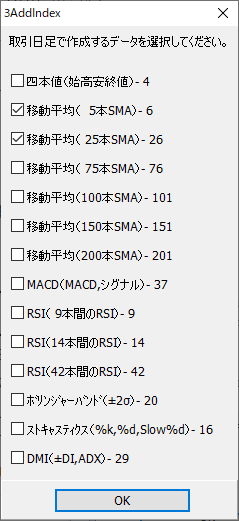
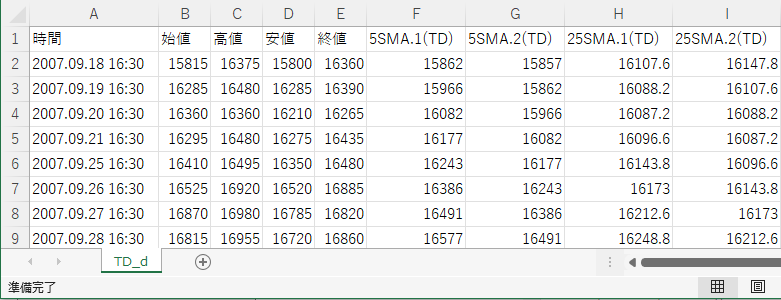
Use daily bars for the timeframe and use 5-day and 25-day moving averages for the indicators. Run 3AddIndex to create the indicator data.
- Strategy analysis and verification
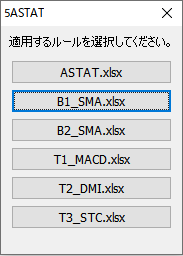
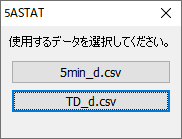
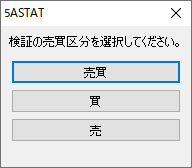
Run ASTAT 5 to analyze and verify the strategy.
- Strategy verification results
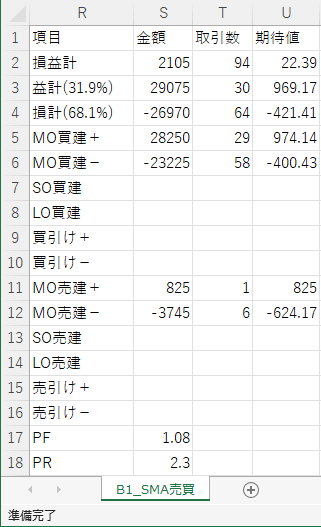
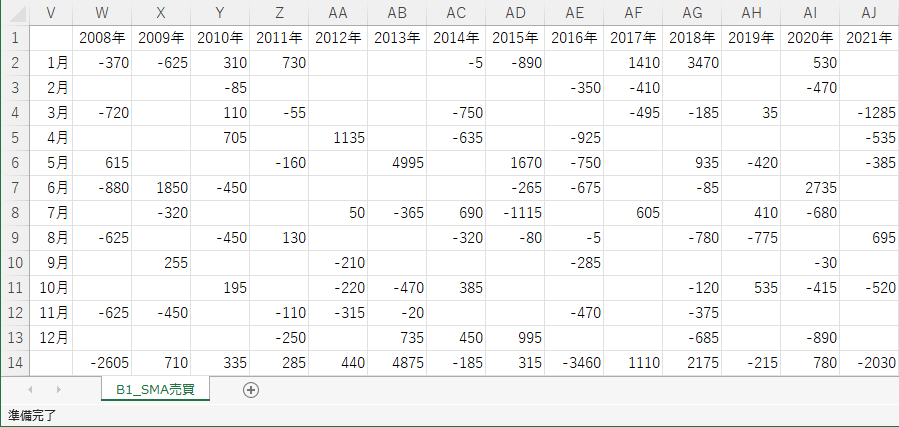
For daily bars, unless specified otherwise, it is customary to use the trading date.
Fundamentals 2. Stop loss, Profit target + Day trading
- Decide trading rules
↓ Apply the following trading rules.
<Foundation> 2. Stop loss and profit target + day trading
- Strategy book settings
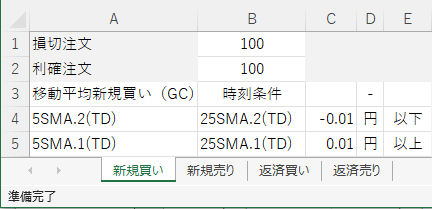
Based on the trading rules, setting the strategy book (B2_SMA.xlsx) looks like this.
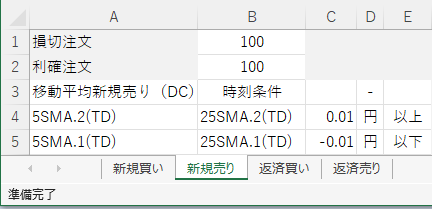
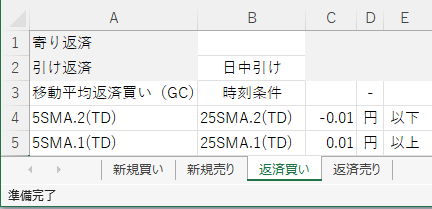
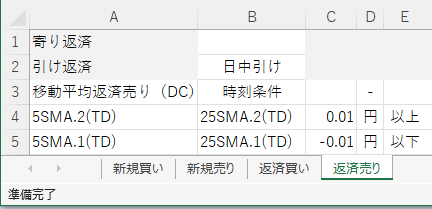
- Create indicator data
Since it has already been created in Fundamentals 1, it is omitted here.
- Strategy analysis and verification
Run ASTAT 5 to analyze and verify the strategy. The strategy book selection screen looks like this.
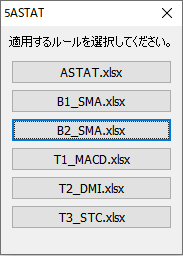
After that, it is the same as Fundamentals 1.
- Strategy verification results
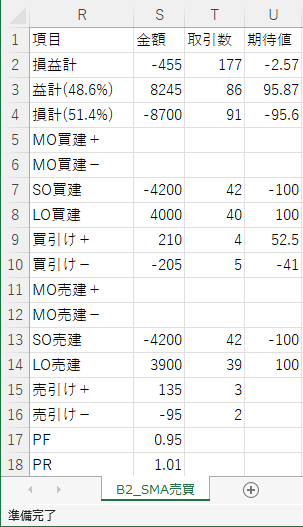
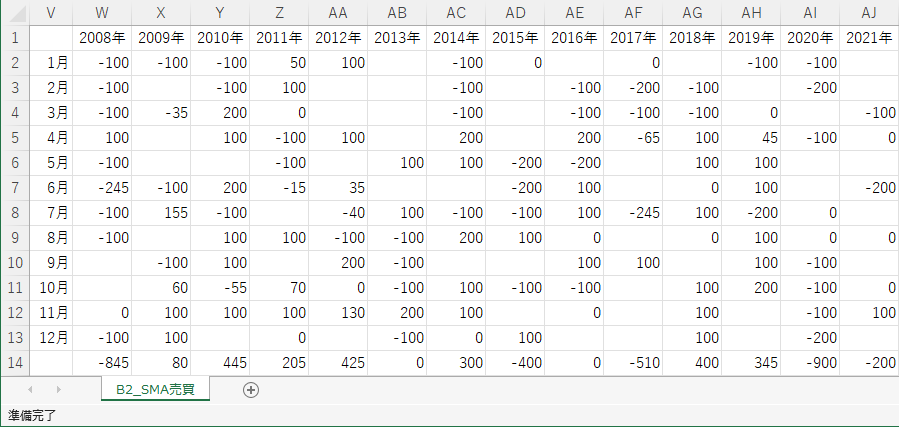
When both stop loss and take profit conditions are met on the same day, it is not possible to determine which condition was fulfilled first using daily bars alone. If you want to set both stop loss and take profit on daily bars, it is recommended to combine with an appropriate lower timeframe and verify.
Technical 1. Let's set up MACD
- Decide trading rules
↓ Apply the following trading rules.
- Strategy book settings
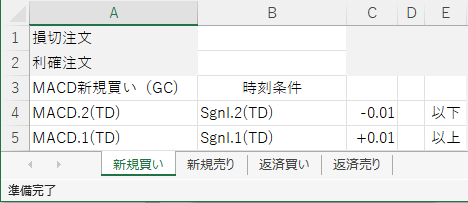
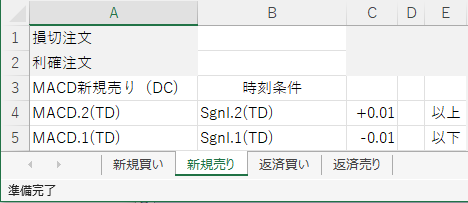
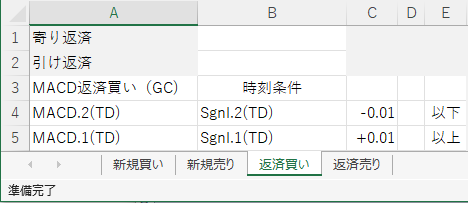
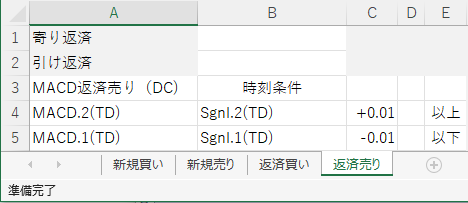
Based on the trading rules, setting the strategy book (T1_MACD.xlsx) looks like this.
- Create indicator data
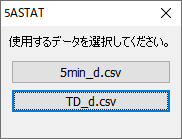
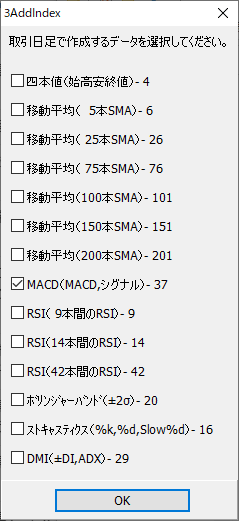
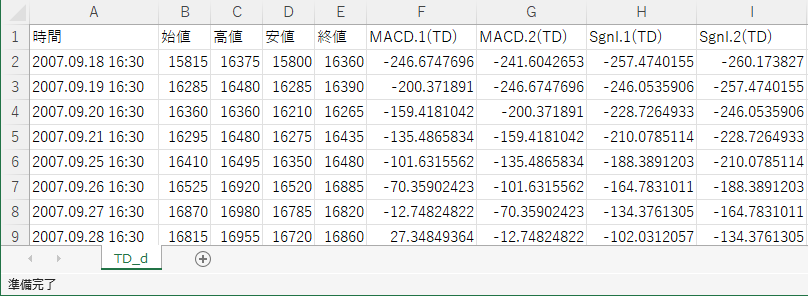
Use daily bars for the timeframe and MACD (MACD, Signal) for the indicators. Run 3AddIndex to create the indicator data.
- Strategy analysis and verification
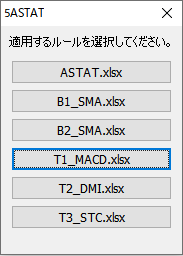
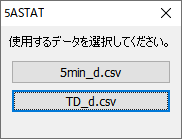
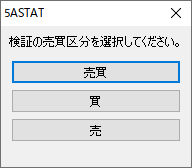
Run ASTAT 5 to analyze and verify the strategy.
- Strategy verification results
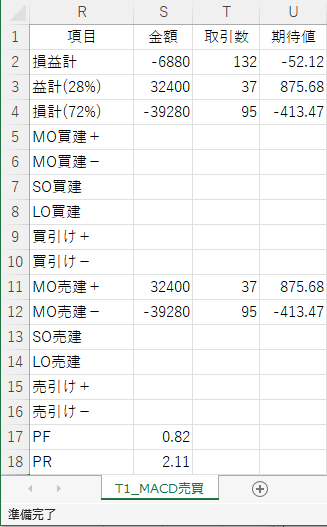
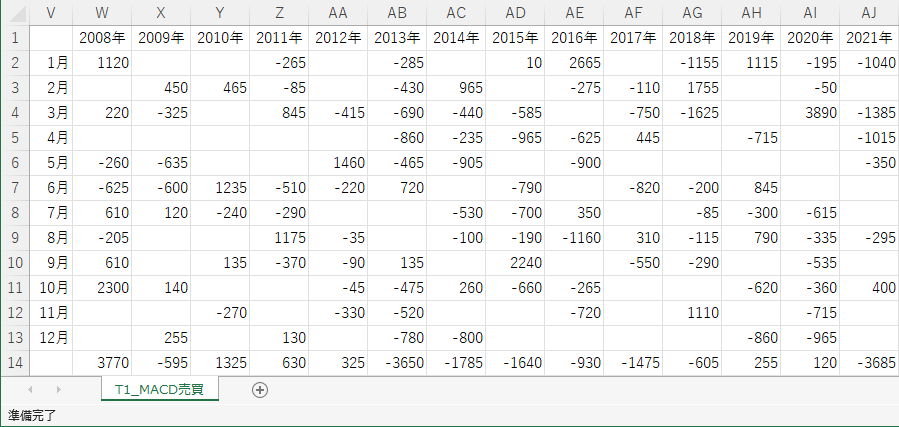
Technical 2. Set up DMI
- Decide trading rules
↓ Apply the following trading rules.
- Strategy book settings
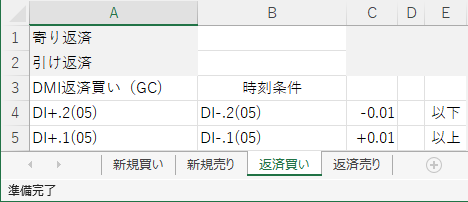
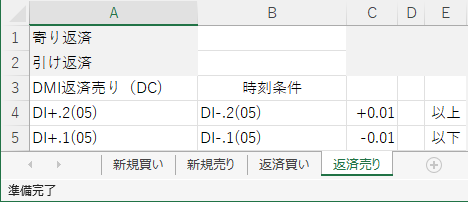
Based on the trading rules, setting the strategy book (T2_DMI.xlsx) looks like this.
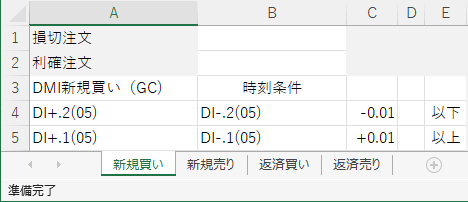
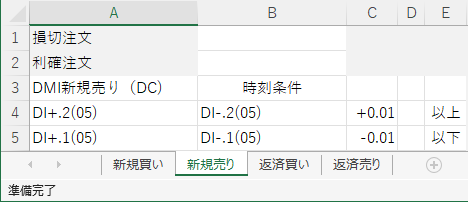
- Create indicator data
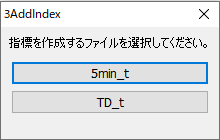
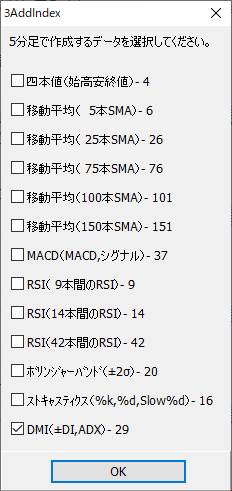
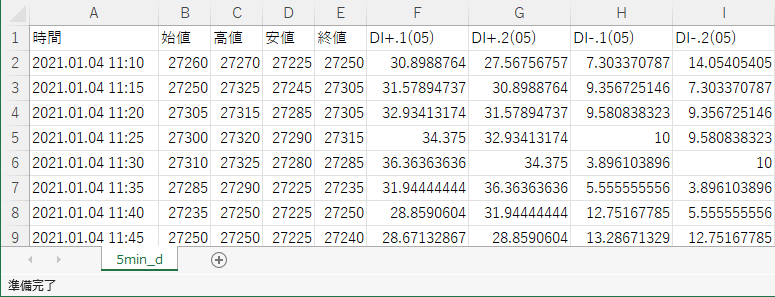
Use 5-minute bars for the timeframe and DMI (+DI, -DI) for the indicators. Run 3AddIndex to create the indicator data.
- Strategy analysis and verification
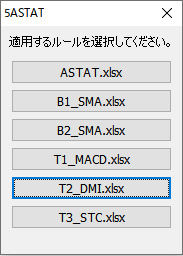
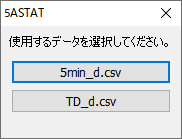
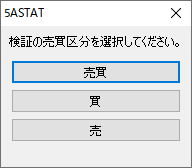
Run ASTAT 5 to analyze and verify the strategy.
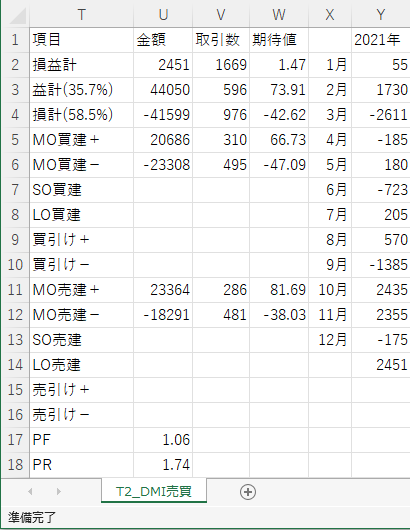
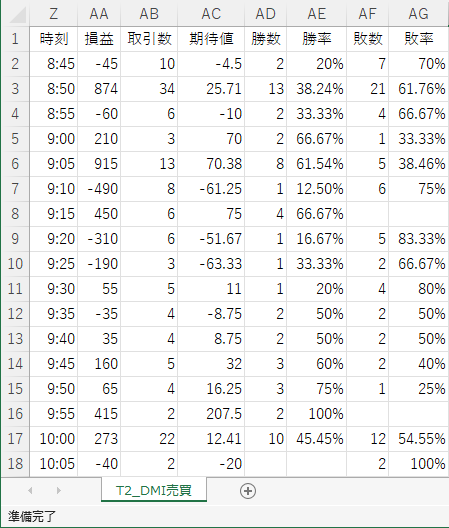
- Strategy verification results
Technical 3. Set up Stochastic
- Decide trading rules
↓ Apply the following trading rules.
<Technical> 3. Set up Stochastic
- Strategy book settings
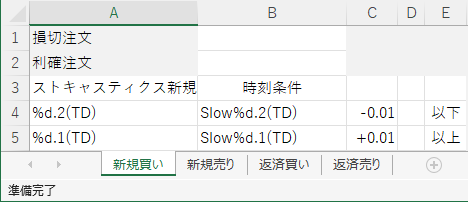
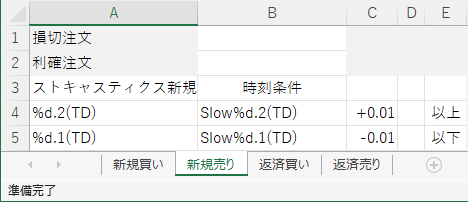
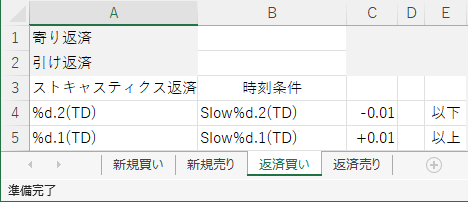
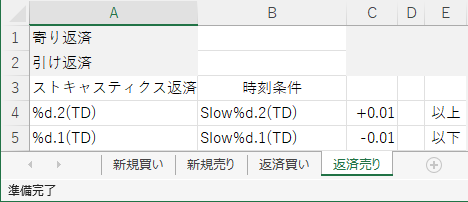
Based on the trading rules, setting the strategy book (T3_STC.xlsx) looks like this.
- Create indicator data
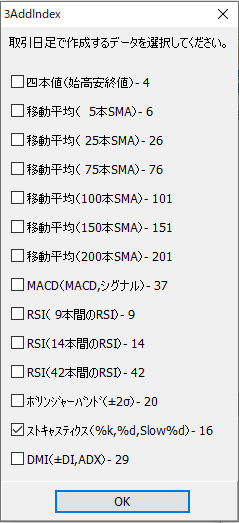
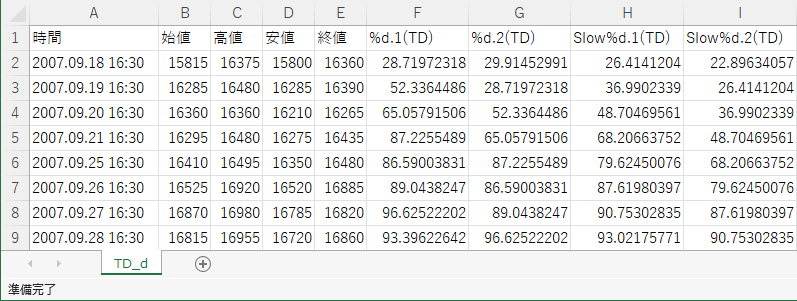
Use daily bars for the timeframe, and Stochastic for the indicator. Run 3AddIndex to create the indicator data.
- Strategy analysis and verification
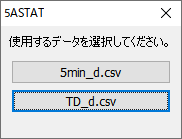
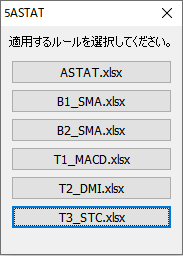
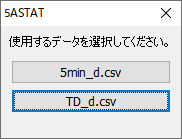
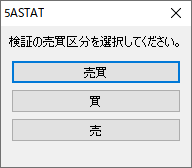
Run ASTAT 5 to analyze and verify the strategy.
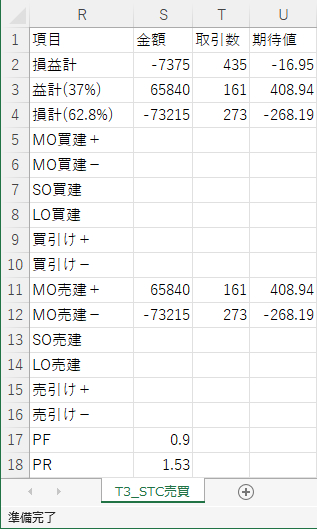
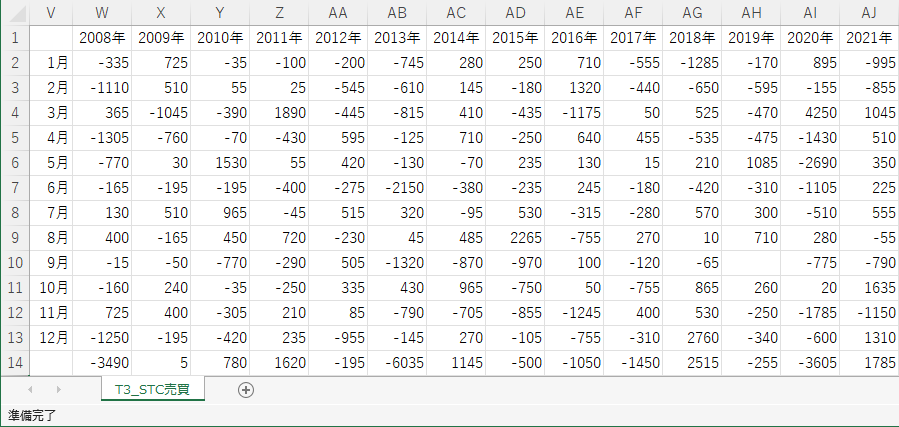
- Strategy verification results