

How to set up sending emails from MT4 to Gmail
This is a feature used for push notifications, so you can receive information effortlessly and make use of it.
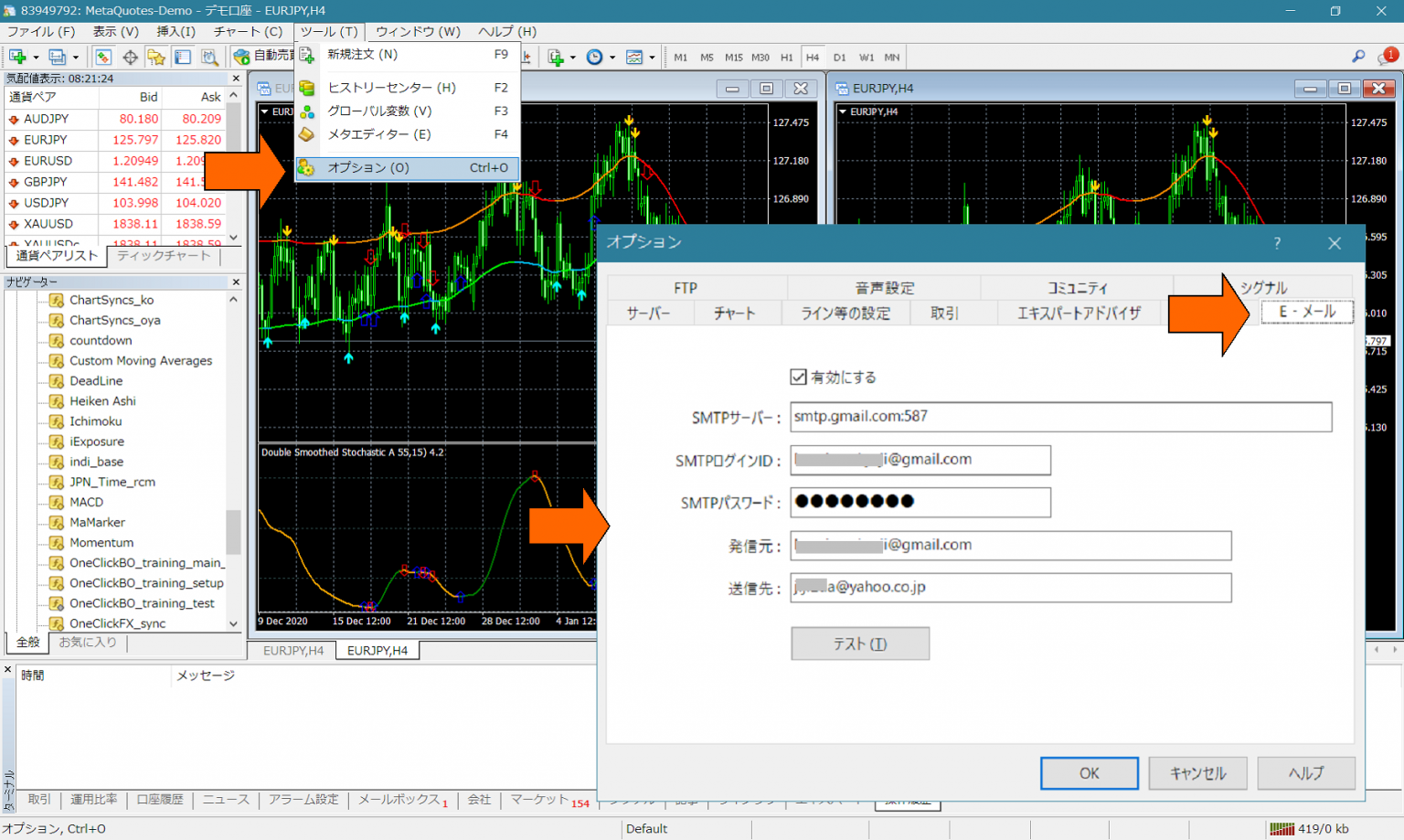
Basic settings are like the above: from MT4 Tools → Options, configure the contents of the Email tab. However, even if you press the Test button, it gets blocked by Gmail security, so it cannot be sent as is.
We will configure Gmail.
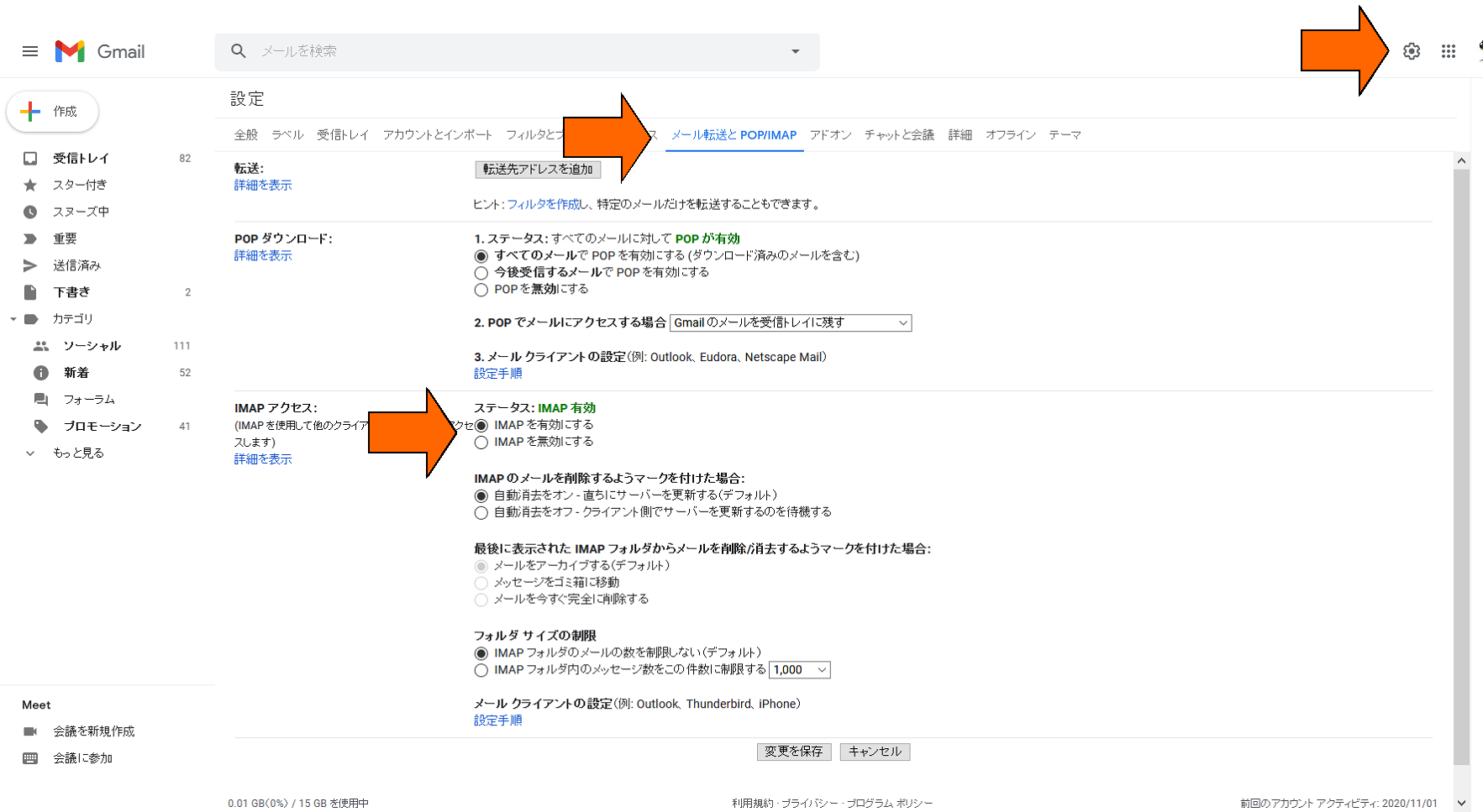
This is a setting to make it usable from outside, but additional security relaxation is also required.
Log in to Gmail and enable “Allow less secure apps” from the following page.
https://www.google.com/settings/u/2/security/lesssecureapps
After that, pressing the Test Send button on the Email tab again should send successfully.
× ![]()