
Translate the below html to English, keep format html, the result is not in markdown code and not break line, convert standard decode before translate: MT4の過去データをダウンロードする The translation is: Download MT4 historical data
There is a limit for data displayed on the chart, so it may be better to raise that number in advance.
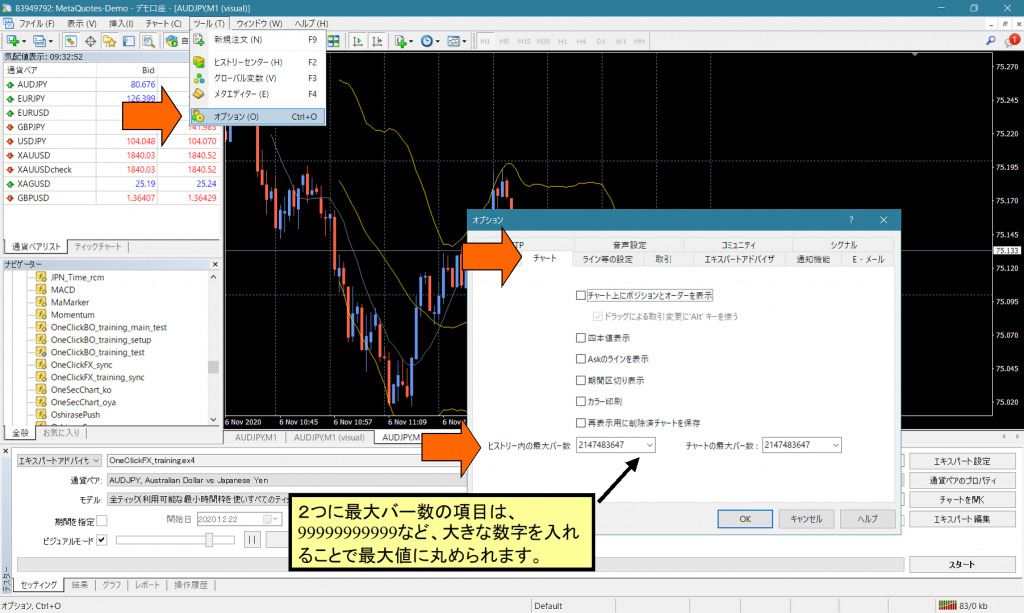
1. From the menu, open Tools -> Options.
2. In the Chart tab, enter large numbers such as 99999999999999 for the Maximum bars in History and the Maximum bars in the chart.
3. When you press OK, it will be rounded down to the maximum allowable value.
▼How to download historical data in MT4.
1. From the MT4 menu, open History Center.
2. Open the target currency pair and double-click on the 1-minute timeframe.
3. A certain amount of data will be downloaded at that time, so scroll to the bottom of the list to check the dates.
4. If you need more historical data, press the Download button.
=> Pressing this button starts the download, but it may take several minutes to about ten minutes (or longer).
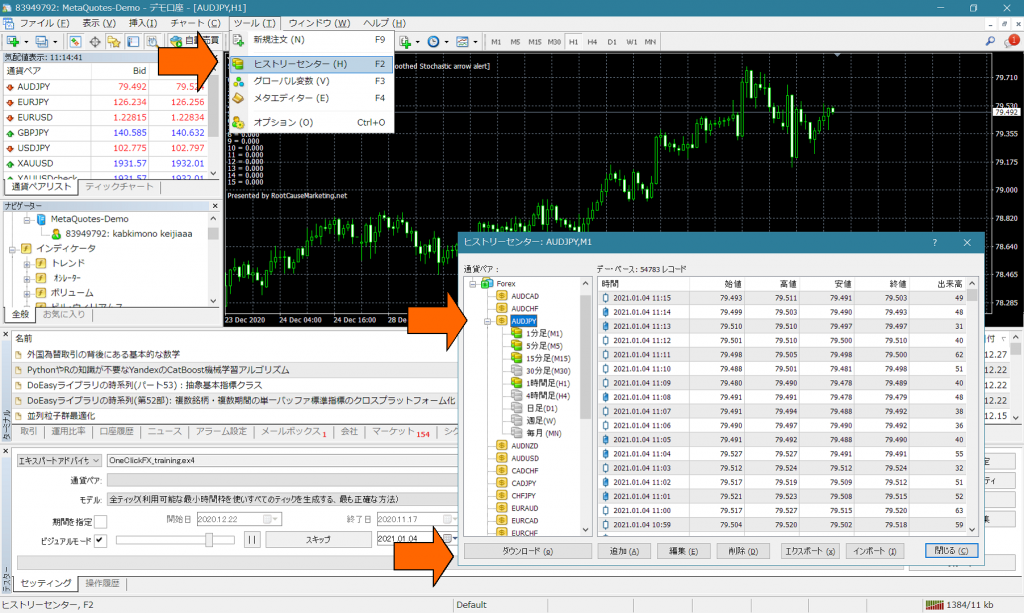
Similarly, scroll to the bottom and check the past dates.
Demo accounts by MetaQuota Co., Ltd. can download data back to the 1990s, but starting the tester or opening charts can be extremely slow, so it is better to delete unnecessarily old data.
Reference information:Pre-setup for creating a MetaQuotes demo account
The record section can be selected in bulk with Shift+Click, so you can delete multiple items at once.
For an additional method to set up historical data, click here,
https://www.gogojungle.co.jp/finance/navi/articles/51239