ElForecast Stock Scan Extension - Installation Method
Overview
Elephoro Stock Scout Extension is a tool that can be used by installing it as an [extension] in the Google Chrome browser.
This section explains how to install it.
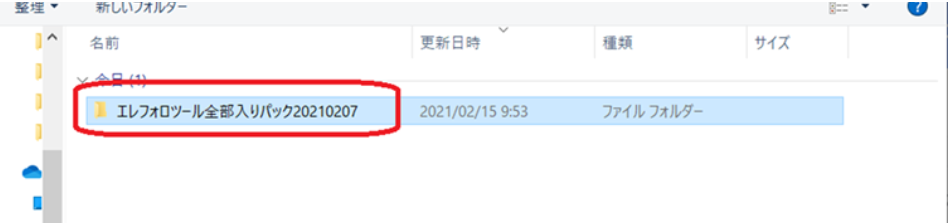
1. Unzip the Elephoro Tool All-in-One Pack.zip file.
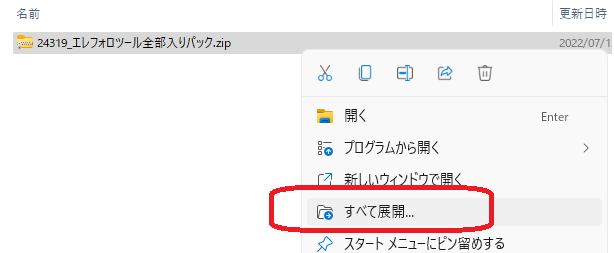
Right-click the downloaded folder and choose "Extract All" to unzip it.
※※ Recommended ※※
It is recommended to move the extracted folder from the download folder to another location.
Windows has a feature that automatically deletes items in the Downloads folder periodically, so
if you install it with the files left in the Downloads folder, the Elephoro Stock Scout extension may fail to run at the moment of the scheduled deletion.
2. Open the Google Chrome browser
3. Open the extension management page
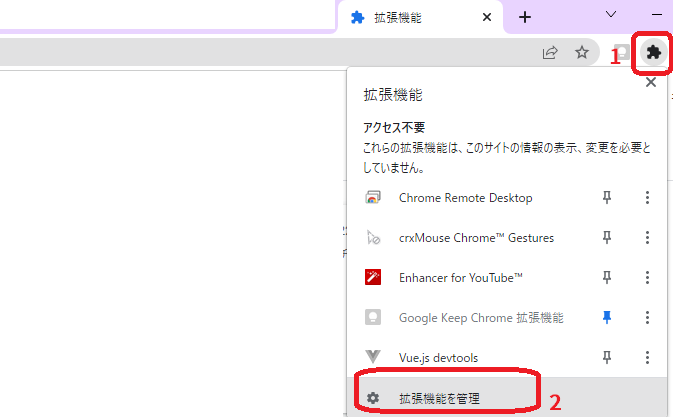
The "Extensions management page" is displayed by clicking the puzzle-piece icon in the browser and selecting
"Extensions management page".
4. Enable "Developer mode" on the right side of the browser
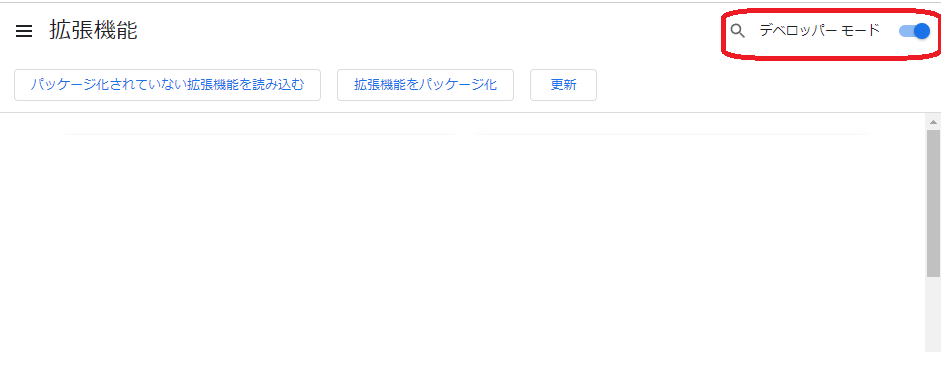
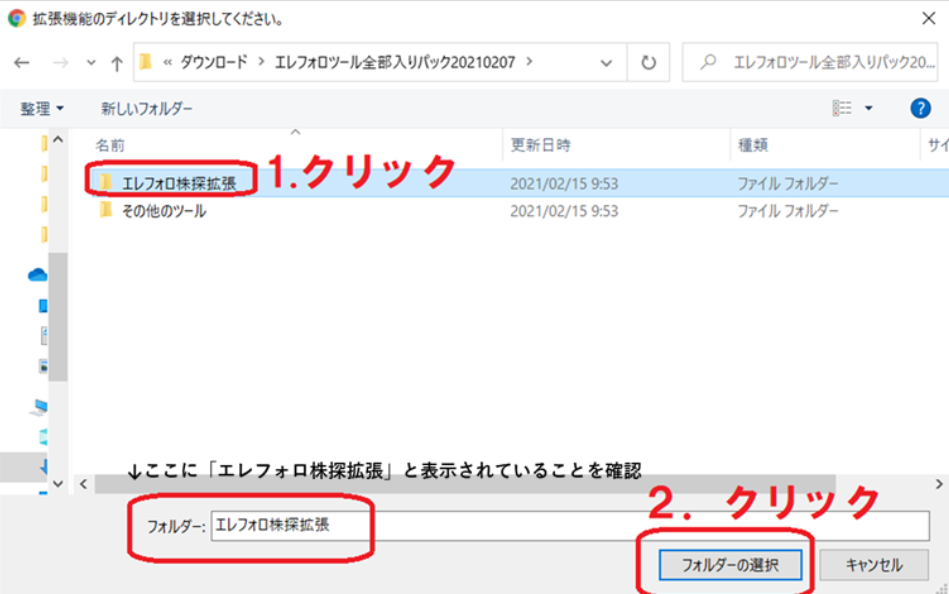
5. Click "Load unpacked" extensions

6. Select the folder named "Elephoro Stock Scout Extension" inside the unzipped folder
7. When the extension appears on the Extensions page, installation is complete.

With this state, when you display an individual stock page on Stock Scout, the Stock Scout UI should change.
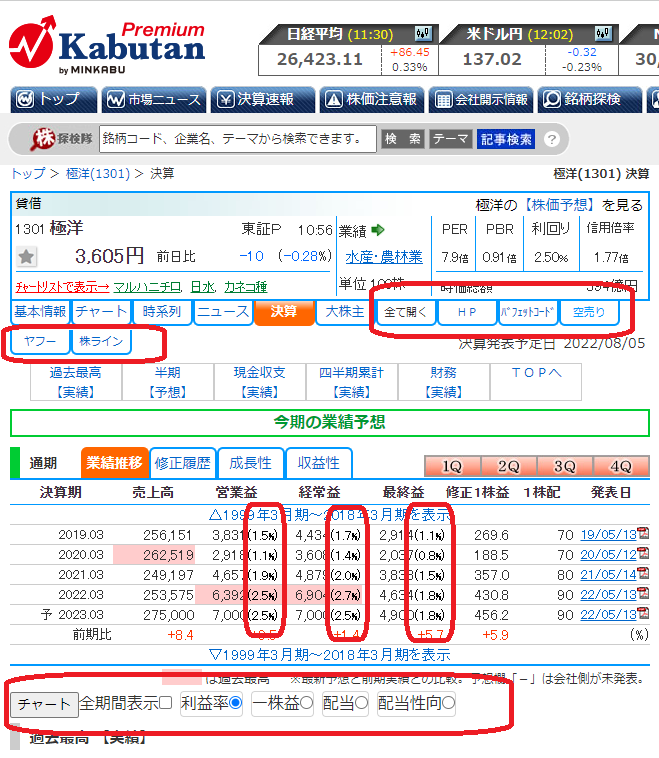
The screen below shows the financial results tab for the security code 1301 Kyokuyo.
- To the right of major shareholders, a tab linking to external sites has been added.
- The performance table now displays profit margin (profit ÷ revenue).
- The performance chart graph controller is displayed.