
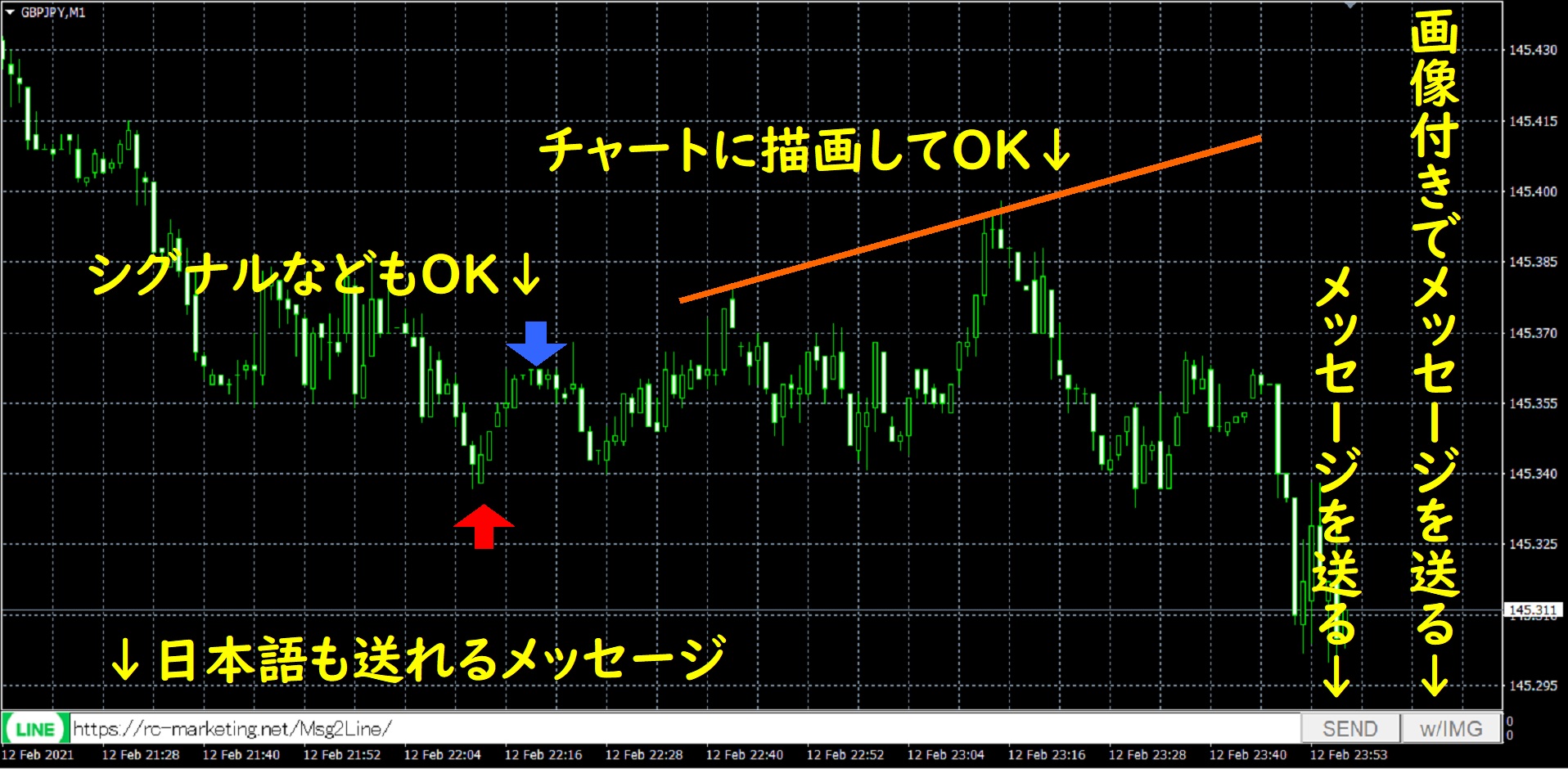
A support page for "Msg2Line" that sends messages and images from MT4/MT5 to Line
Thank you for using our product.
If you do not have the product, click herehttps://www.gogojungle.co.jp/tools/indicators/27701
=>Notify chart changes to smartphone, LINE, Discord, Apple Watch “Announcement push”
=>We also offer other free and paid convenient investment tools!
■ How to Install
1) In MT4/MT5, select “Open Data Folder” from the File menu.
2) Copy everything inside this product’s MQL4/MQL5 folder into the MQL4/MQL5 folder.
3) Restart MT4/MT5 and open any chart.
4) Double-click the indicator Msg2Line.
5) The settings screen will appear; press OK to display it.
6) It also works in a demo account and in Strategy Tester.
■ Product Contents
From the MT4/MT5 text box, send a message to Line. By pressing the button on the far right, you can send a chart image. If you draw lines, marks, or comments on the chart, that image will be posted.
Of course, you can also include Japanese in the message.
You can send to yourself or to a group.
It is a simple function, but since you can capture a chart image and send it easily whenever you think of it, it becomes a handy tool once you start using it.
■ Settings Page
LINE_TOKEN: How to obtain is described below
Message size: Adjust the font size
Image size (width, height): The size of the image to send. Maximum for each is 10,000 pixels
■ How to Obtain LINE_TOKEN
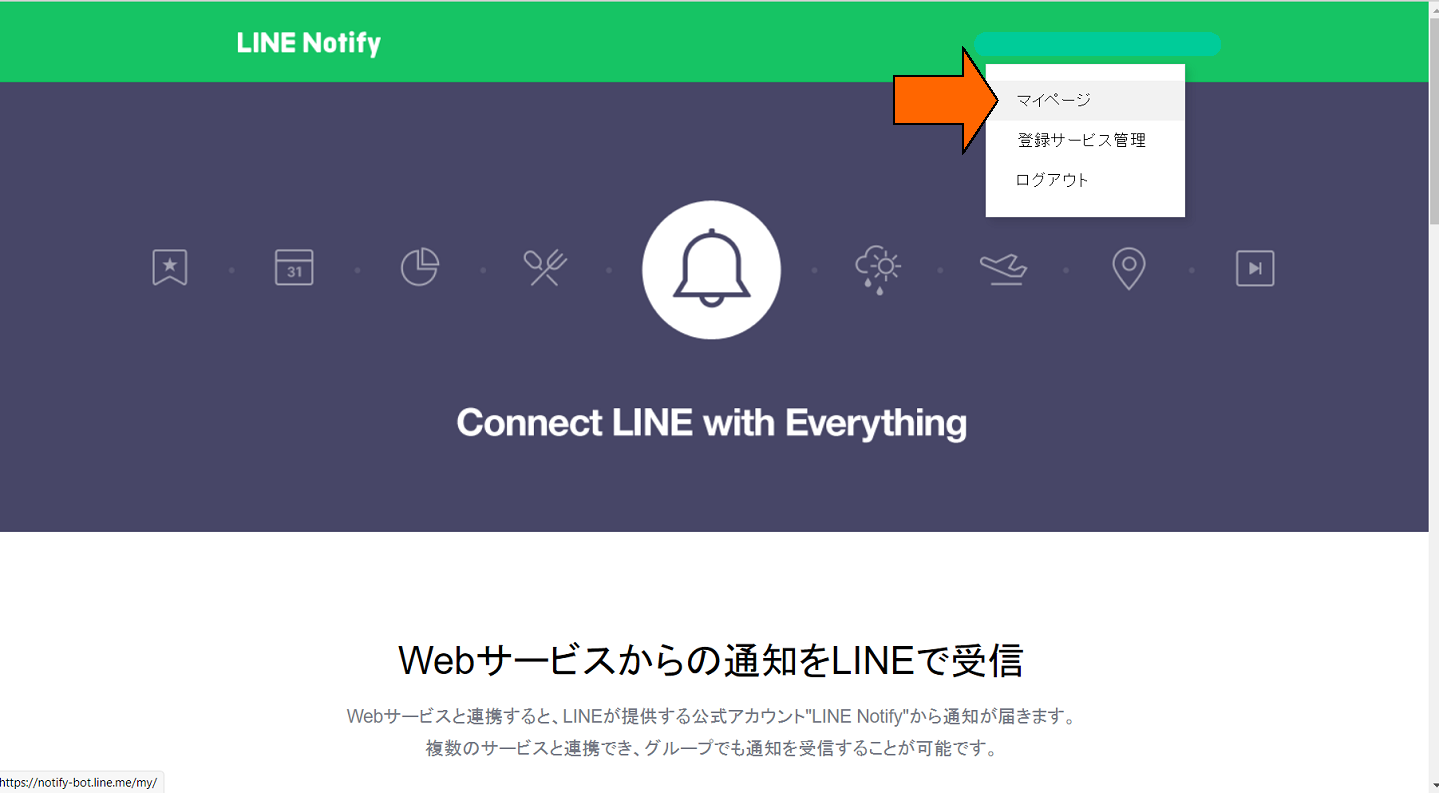
Log in to the Line Notify page and obtain an access token
https://notify-bot.line.me/ja/
From the menu, display My Menu.
Press the token issuance button and enter the token information
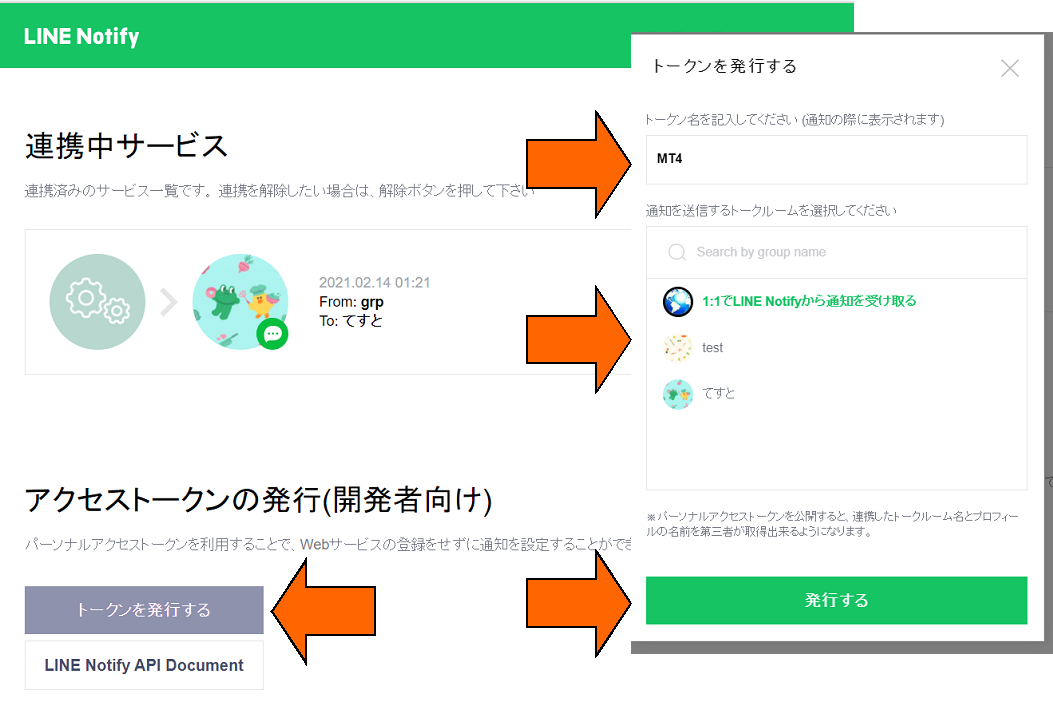
1on1 is messages to yourself; if a group is displayed, you can register that as well.
If you want to register to a group, please invite Line Notify to the group
Copy the created token and set it in the parameters.
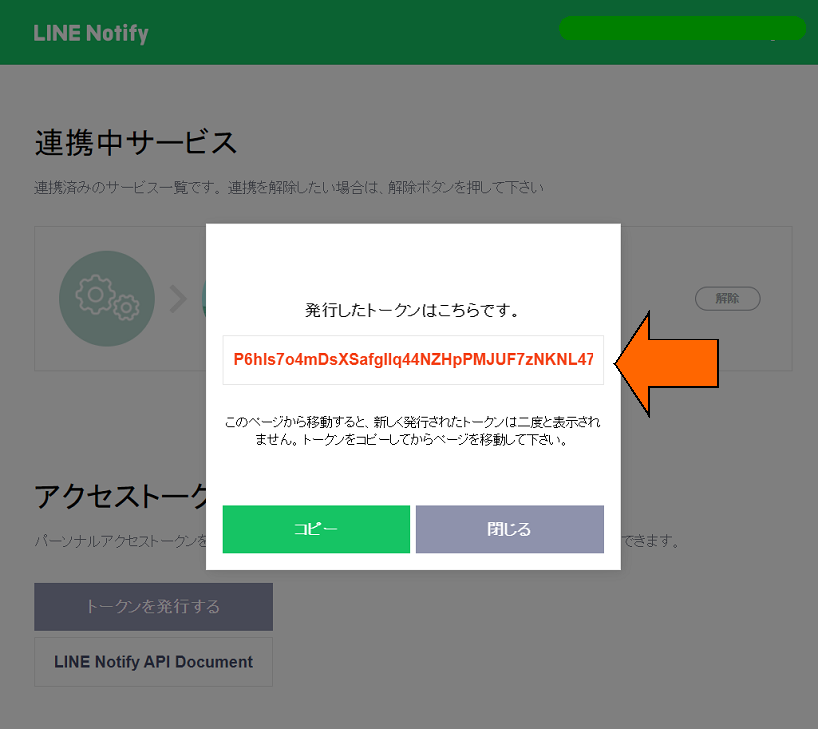
The token cannot be displayed again, so be sure to copy it.
If you forget the token, please recreate the access token
■ Cautions
When using this tool, please understand its performance and use it at your own risk.
Excessive use may cause trouble, so please follow the rules and use it.