You can automate trading with your favorite arrow indicator! "That arrow, we'll turn it into an EA! Arrow EA"
Would you like to make entering trades with an arrow-signal indicator easier?
A tool that seems like a dream for discretionary traders has arrived!
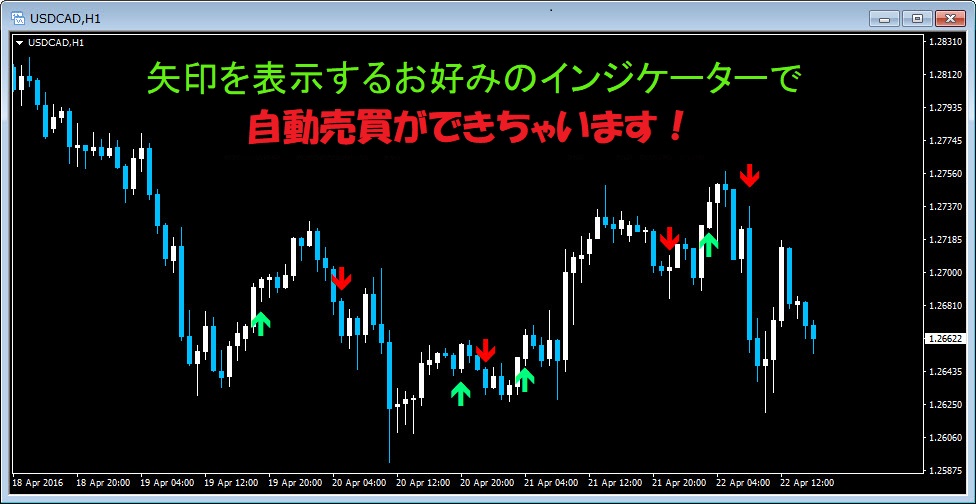
The arrow indicator can be swapped to your preferred one!
■ArrowEA Features
●Basic trading functions
●MTF(Multi-Time Frame) trading function
●Money Management (MM) function
●Trade time restriction function
●Trade result email notification function
●Filter addition function
=====================
=====================
■ About the MTF(Multi-Time Frame) trading function
You can trade using short-term signals that follow the trend of the long-term timeframe!
For example,ArrowEAparameters set to long-term H1 and short-term M15,
you can realize an MTF trade that enters on M15 in line with the H1 trend!
With a single arrow indicatoryou can easily catch both market trends and entry timing!
The performance of the arrow indicator increases the accuracy of trend understanding and entry timing in proportion.
■ Concrete example of MTF trades
・Charts of EURJPY on the 1-hour and 15-minute timeframes are shown below.
・Apply the included arrow indicator “EMA_CROSS_SIGNAL_realtime” to each timeframe
Signals on each timeframe can be used for different purposes as follows!
● 1-hour signals (green circle) ⇒ understanding market trend reversals
● 15-minute signals ⇒ entry timing
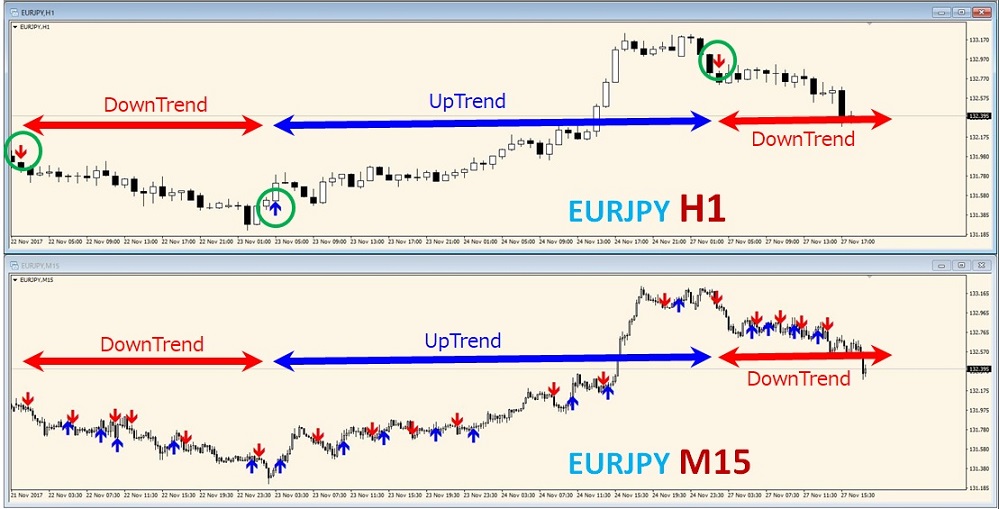

Entries aligned with market trends are possible!
● Uptrend ⇒ Long entries only
● Downtrend ⇒ Short entries only
■ I actually traded with ArrowEA!(Tester simulation)
● The trades target the same chart currency pair (EURJPY) and period (4 days)
● The trade time frame is set to 15 minutes (short-term), the long-term time frame to 1 hour
● To show the trading status, display the signals of the arrow indicator “EMA_CROSS_SIGNAL_realtime”
■ Following the 1-hour trend progression, it was confirmed that long/short on the 15-minute chart change!
● Initially, downtrend ⇒ short positions only
● In the middle, uptrend ⇒ long positions only
● Finally, downtrend ⇒ short positions only
【Summary】
By adding MTF timeframe selection and using it together with trailing stops, there are many strategic options available.
The arrow indicator used this time is quite common. Trading results improve with the indicator's performance!
Please challenge with a preferred excellent indicator.
=====================
What kinds of sign indicators can be used?
=====================
《About compatibility with arrow indicators》
There are many types of arrow indicators in the market.
The main conditions for an arrow indicator to be EA-enabled with ArrowEA are as follows.
1. There are two types of arrows
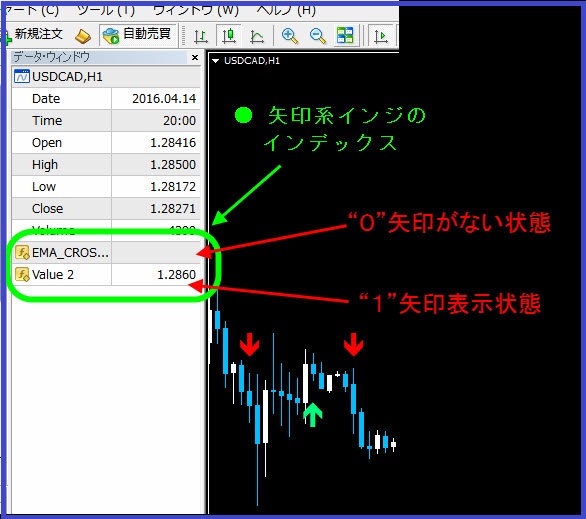
2. It uses index numbers 0 and 1 for the arrow indicator (i.e., the top two)
※ If there are more than two index numbers, it is not a problem as long as the index numbers used by the arrows are the top two.
3. All values other than the arrow display are EMPTY_VALUE (blank) or zero
※ 2.3 can be checked in the Data Window
I made a video showing how to verify in the Data Window, so please refer to it.
However, ArrowEA cannot be used when the arrow indicator's signals overlap with the candlesticks, as shown below
(these cases are not very common, I think...)
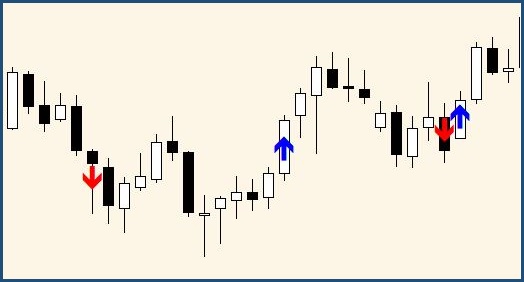
Please confirm that signals appear above and below the candlesticks as shown below.
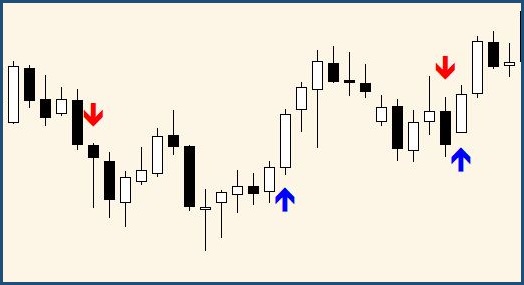
What determines the performance of automated trading is the combination of the indicator’s entry timing and the filters!
The price is planned to rise by about 30 units.
Sale start time:
December 20, 2017 21:00 ~
We will turn that arrow indicator into an EA!