
【Recommended for Beginners!】Let’s create an EA with MT4 (includes code of a selling EA)
Create an EA with MT4
MT (MetaTrader) 4 is a trading platform for automated trading, and you can create EAs (Expert Advisors) with it. This article explains how to create an EA not only to use but also for those who want to make one with MT4. At the end of the article, there is a source code for the EA and an explanation of how to use it. This is the source code of the EA (CR002-EIP-5M-01))which has shown steadily increasing performance since its sale began.
Let's make an EA

This article proceeds in five steps in the form of the diagram above.
Step 1: About installing MT4
Step 2: Creating the EA
Step 3: Backtesting
Step 4: How to make an EA with less loss
Step 5: Appendix source code
Step 1: Installing MT4

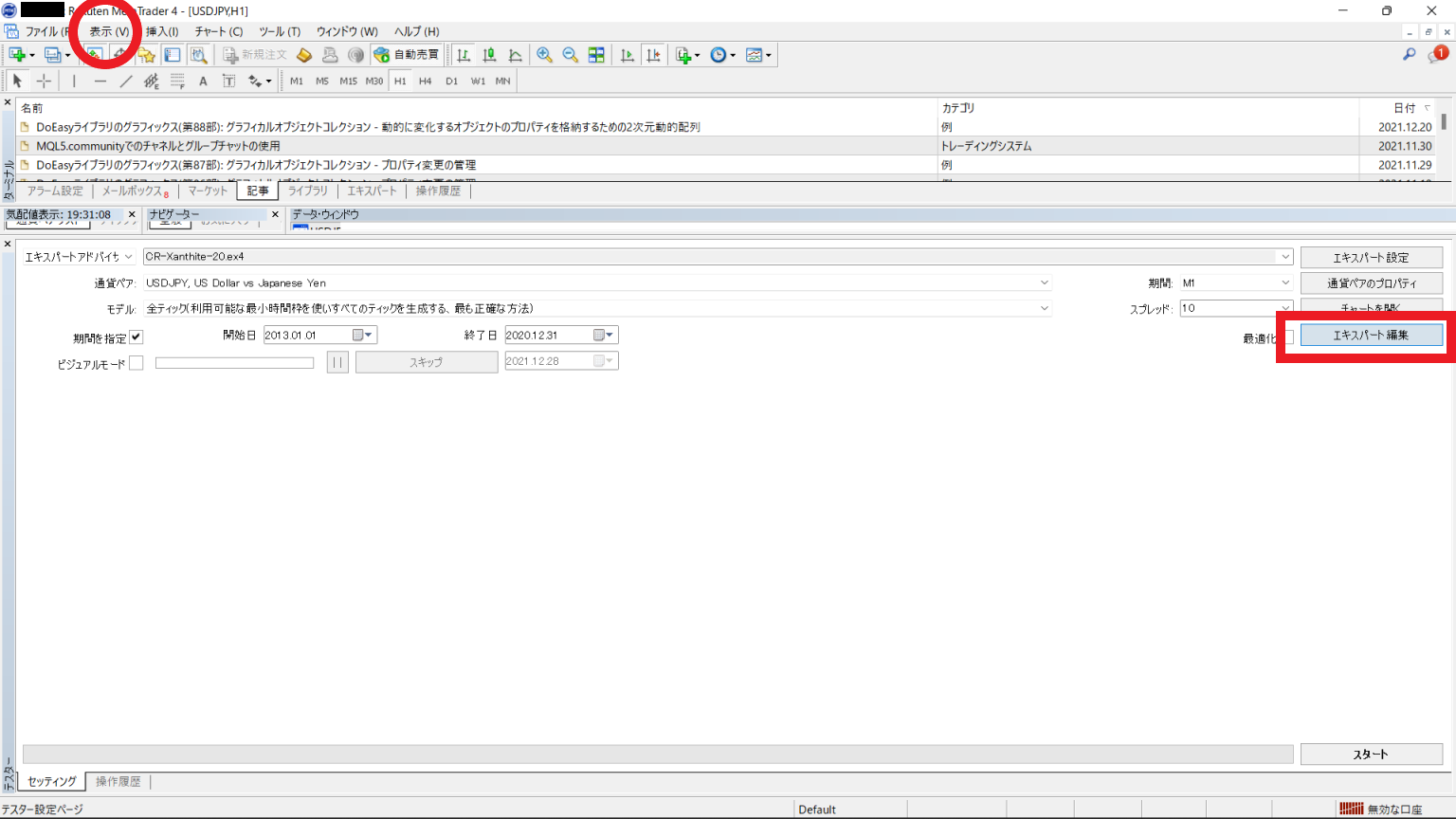
To create an EA, you also need MetaEditor, which is installed with MT4. If MT4 installation is successful, the MT4 icon will appear in the application list. Figure 1 shows the MetaTrader launched from Rakuten Securities. To create an EA, first call up the Tester from the top menu tab (red circle). Inside the Tester window there is a button called Expert Editor (red box). This is the button to call up MetaEditor.