

Open an account on QUOINE (Coin) cryptocurrency exchange QUOINEX (Coin Exchange)! Highly customizable!
Hello everyone, QUOINEX! I’ve been curious about tools from other exchanges@xi10jun1.
I had been using bitFlyer’s Lightning FX for a long time, but lately I’ve been interested in tools from other cryptocurrency exchanges as well.
So I opened an account with QUOINEX (Coin Exchange) of QUOINE and tried out the tool’s usability. By the way, QUOINE is registered with the Financial Services Agency as a cryptocurrency exchange.
*As in the previous post, there is an important notice for readers who are paying subscribers, so please read down below.
*This column is designed so that half of it is free. Of course, if you read up to the paid portion (updated weekly for 400 yen per month, about 80–100 yen per article), I would be very encouraged!
This Week’s Performance (October 13, 2017 to October 19, 2017)
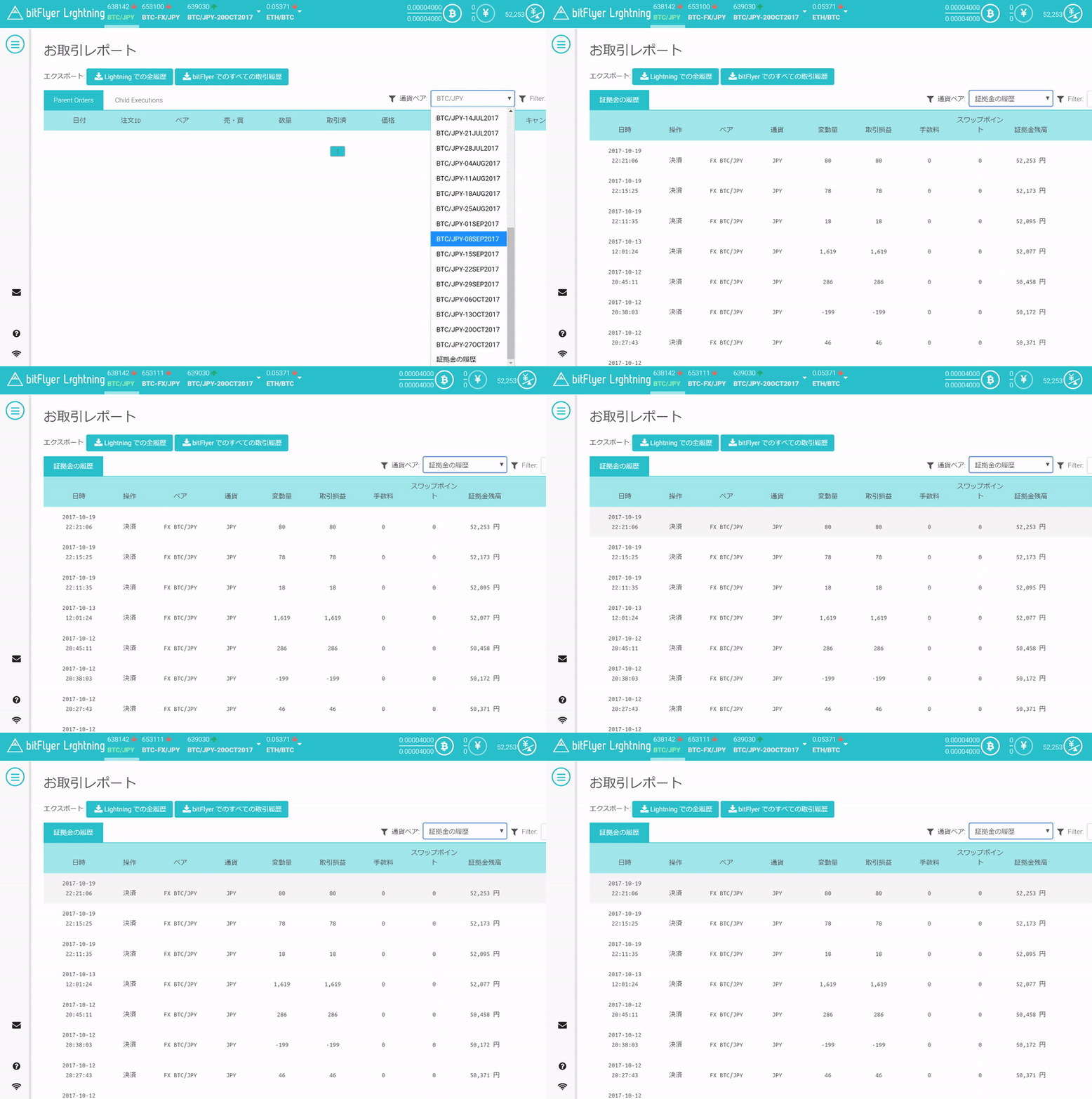
First, as usual, the performance. I’ll present the changes first.
- Last week (through October 12, 2017) assets: 50,458 yen
- This week (through October 19, 2017) assets: 52,253 yen
- Change: +1,805 yen
This week I managed to end in the positive! Although, most of it came from last Friday’s results...
Recently price movements have been particularly volatile, and with even a 0.1 BTC position, it can quickly go -100 yen to -500 yen. As days pass, management becomes harder, so I’ll avoid taking large positions recklessly.
Now, for this week’s column, I’ll start with QUOINEX (Coin Exchange), which I mentioned at the opening.
QUOINEX (Coin Exchange) Has High Customizability!
This is what you see after opening and logging into your account.
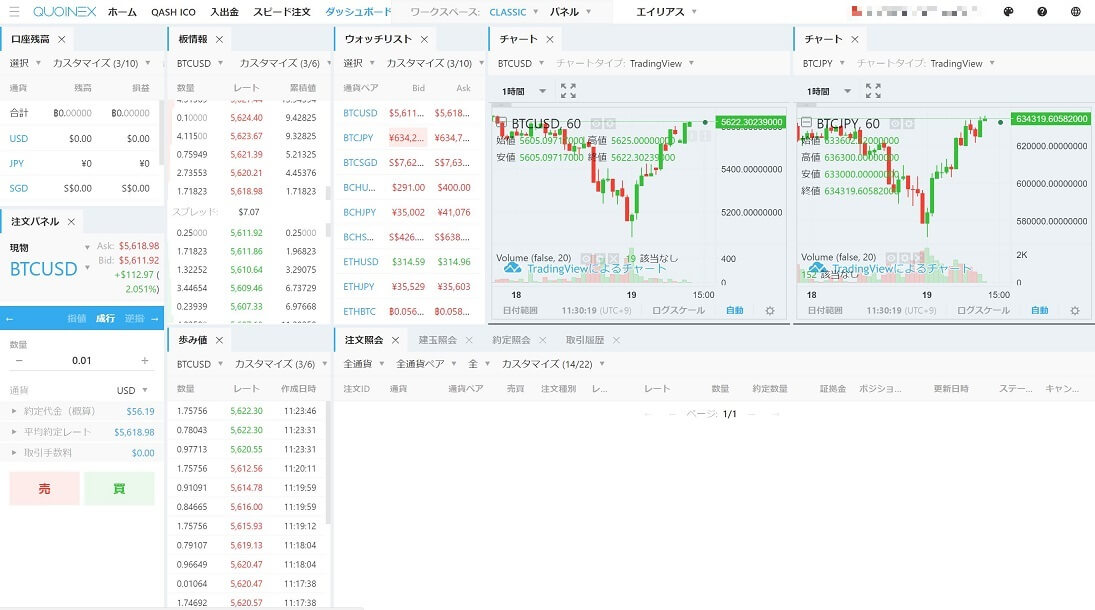
A screen that boys would love!
QUOINE was originally established in Singapore, and aiming for Asia expansion, so the initial base currency for trades is USD (dollar).
Then in 2016 they moved the corporation to Japan and started handling Bitcoin/JPY trades properly as well.
So to enable trading in Japanese yen, I’ll customize the QUOINEX panel.
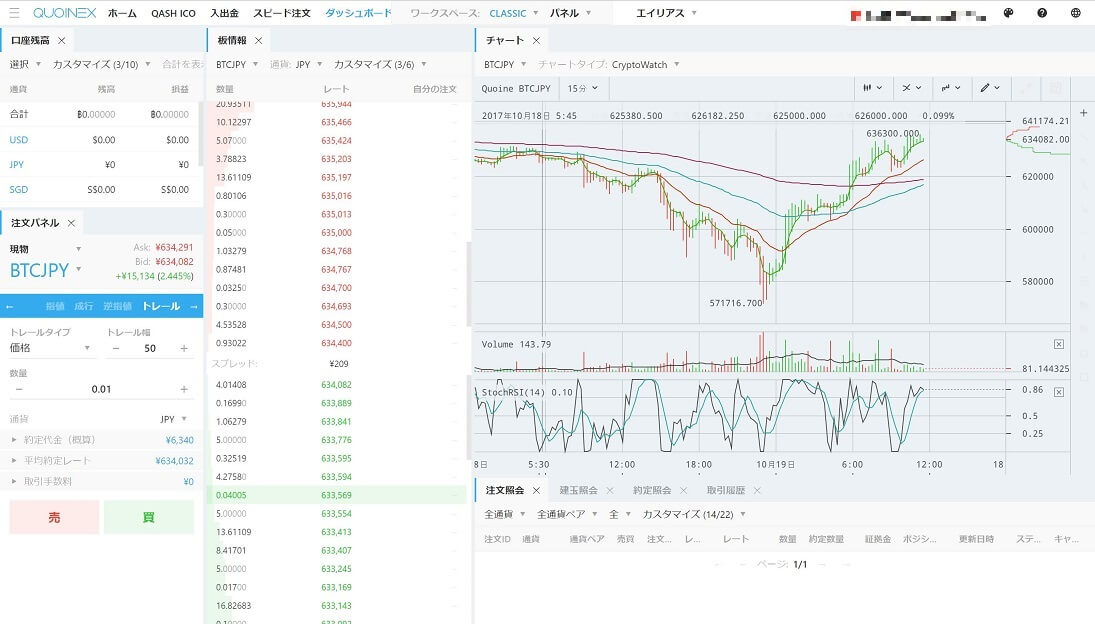
I’ve equipped it with nearly the same features as bitFlyer’s Lightning FX. The chart can be switched to either TradingView or CryptoWatch, which bitFlyer’s Lightning FX also uses.
Anyway, the panel customization is very high. With bitFlyer’s Lightning FX, the size of individual display parts can’t be changed, so having a freely resizable panel is a big advantage.
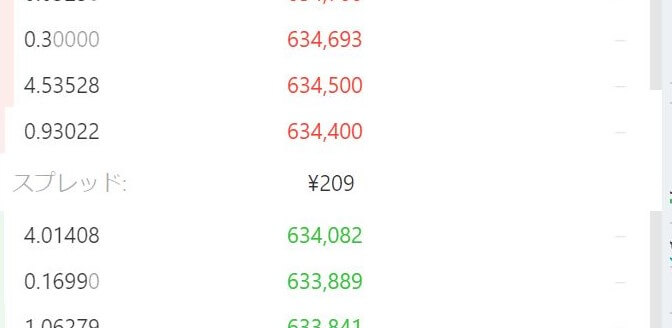
And the yen-denominated spread is quietly convenient. In bitFlyer’s Lightning FX this is shown as a percentage, which is a bit harder to read.
However, when it comes to the order book, bitFlyer’s Lightning FX is better. On QUOINEX the order book graph is fixed on the left side. Normally sells are on the left and buys on the right, so this can be a bit hard to read.
Free Summary: It’s Interesting to Check Other Tools!
With many exchanges popping up, tool usability and customization might continue to improve.
And taxes, that’s another issue. There probably aren’t any exchanges offering solid tax reporting documents for this yet.
Eventually this will be cleared up, but I hope it happens soon…
So for this paid column, I’ll discuss the outlook moving forward.
Regarding Paid Column Access
Recently fx-on sent information about “Potential personal information leakage due to unauthorized access.” As a result, credit card payments may be disabled, which could prevent viewing the paid portion of the column.
Therefore, for paid subscribers who use credit card payments, I would appreciate it if you could purchase via convenience store payment or bank transfer.
Thank you for your cooperation.
Endnote Corner 1: Latest Tax Information!
The National Tax Agency’s site has updated its latest guidance on taxation related to Bitcoin.
Here it is →No.1524 Tax implications of profits from using Bitcoin|Income Tax|National Tax Agency
According to this, profits gained from using Bitcoin are considered “miscellaneous income.”
So for me, profits from margin trading (as described on this blog previously) are generally miscellaneous income. As noted in the endnote corner before, you cannot offset gains and losses. I wish this could be handled differently…
Furthermore, according to NewsPicks comments from bitFlyer CEO Yuji Kano (No.1524 Tax implications of profits from using Bitcoin - NewsPicks), if you buy Bitcoin for 100,000 yen and use it to purchase something worth 500,000 yen, the 400,000 yen difference is recognized as profit.
When you spend Bitcoin on goods or services, if the price of Bitcoin at the time of payment is higher than at purchase, that difference is recognized as profit. So the same applies when shopping with Bitcoin on FANCY, so please be careful.
*Please note that laws and tax interpretations may continue to change, affecting how you file taxes. Before filing, be sure to confirm with your local tax office or a tax professional.
Endnote Corner 2: Let’s Try Shopping with Bitcoin!
Actually, an overseas e-commerce site called FANCY allows you to buy goods using Bitcoin! It’s a bit costly for shipping, but you’ll find stylish items not available in Japan!
I’ve summarized how to use FANCY on this blog, so please refer to that.
- →FANCY Account Creation, Registration, Settings, and Purchase Flow | The Investor Jun
- →How to Purchase Items on FANCY with Bitcoin (Bitcoin) | The Investor Jun
*Free content ends here. The rest is detailed analysis and outlook, so it is paid. If you want to read more, of course, you can also subscribe as a tip-for-content; I would be very encouraged! Thank you for your continued support!