
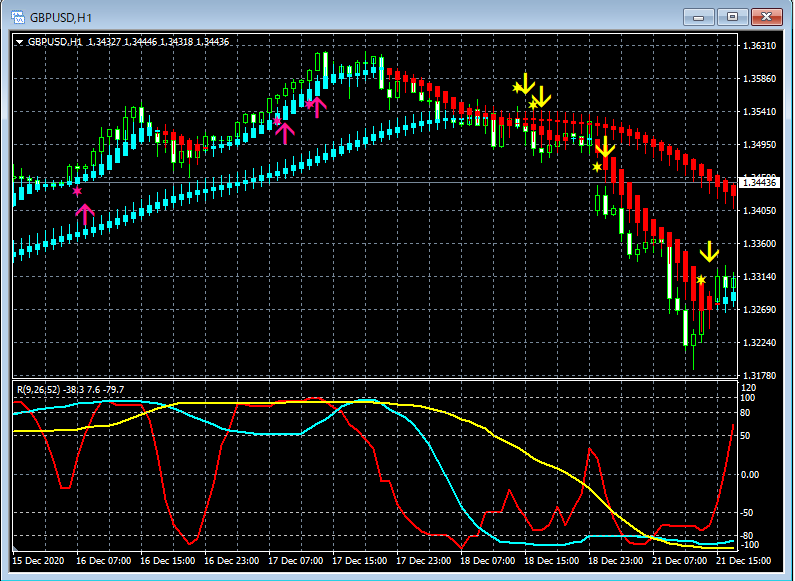
「Focus on two Heiken Ashi smooth lines and three RCI lines」 An indicator that strongly supports buying on dips and selling on rallies [R3HAS2]
Customizable. Includes alert features (email, sound, dialog) and push notifications.
This indicator 【R3HAS2】 was released as an additional indicator for the product below.
“Focus on the Heikin-Ashi Smooth and 3-line RCI” Indicator that Strongly Supports Buy on Dips and Sell on Rallies【R3HAS】
https://www.gogojungle.co.jp/tools/indicators/33085
The conventional indicator 【R3HAS】 used a single Heikin-Ashi Smooth as the filter, but the added indicator 【R3HAS2】 uses two Heikin-Ashi Smooths as filters.
※This is an indicator without repaint.
※Includes alert functionality (email, sound, dialog) and push notifications.
※Can be used with your preferred settings.
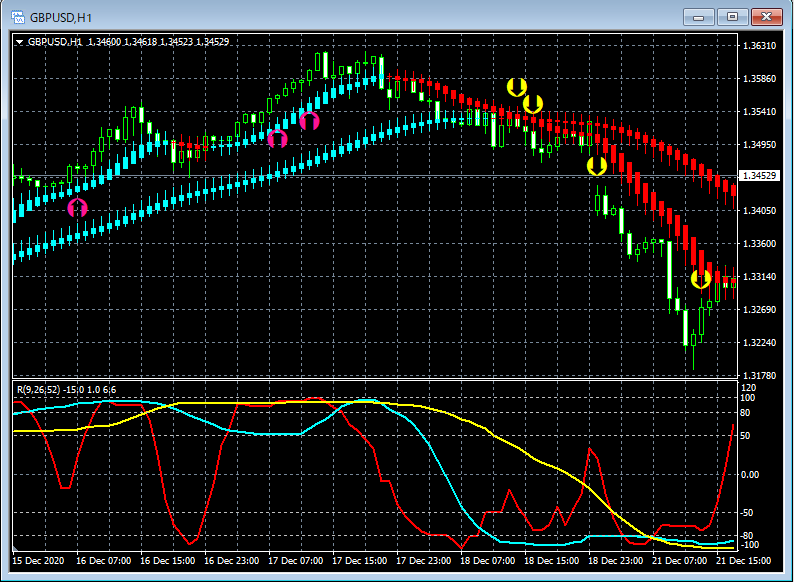
For example, by adjusting parameters yourself, you can generate the signs as shown in the figure below.
The logic for sign generation, i.e., "why does the arrow sign light up here?" is fully understood for use as an arrow indicator.
※There are settings for the star and arrow codes, so you can change not only the color, size, and display position but also the shape.
For the benefits of having the star and arrow code settings, please see the following Investor Navi+ article.
https://www.gogojungle.co.jp/finance/navi/359/19177
For example, as in the figure below, you can change the display of stars and arrows.
The file name of this indicator isR3HAS2_XXXXXXXXX.ex4.
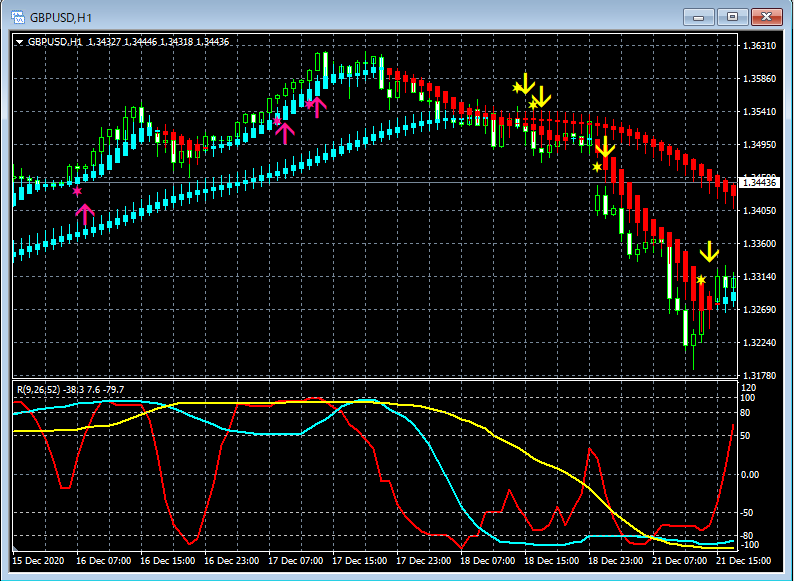
When the three RCI lines are not aligned downward for the next candle after a candle wherethe direction of the three RCI lines is aligned downward,two Heikin-Ashi Smooths are bearish, the yellow star lights up.
And when the closing price level of a candle confirms the yellow star illumination, the next candle’s open lights up the yellow arrow at the same time.
When the next candle after a candle has RCI lines aligned upward,the direction of the three RCI lines is aligned upward,two Heikin-Ashi Smooths are bullish, then the pink star lights up.
And when the closing price level of a candle confirms the pink star illumination, the next candle’s open lights up the pink arrow at the same time.
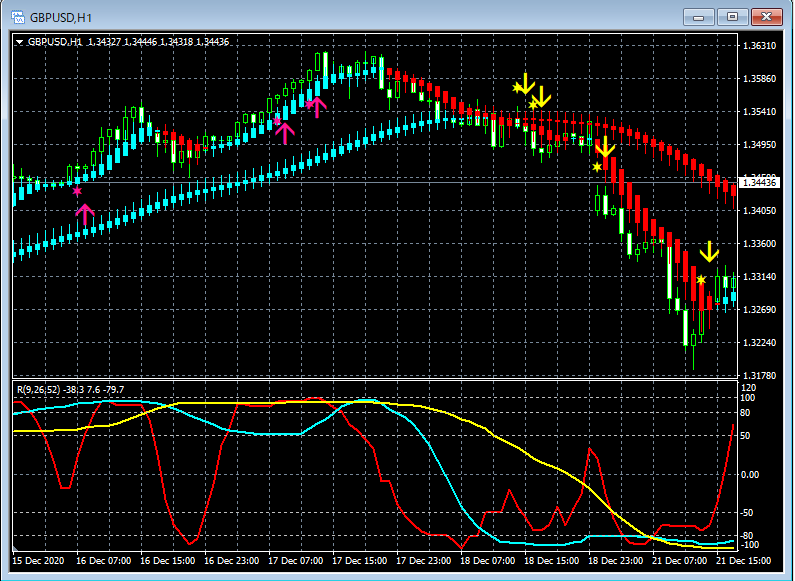
Top row:R3HAS2 Signs, Heikin-Ashi Smooth
Bottom row: RCI three-lines
※ Please note that this indicator does not include an indicator to display RCI and Heikin-Ashi Smooth, so please be aware.
In the above figure, RCI and Heikin-Ashi Smooth are displayed for illustration, but in reality, installing this indicator will not display RCI or Heikin-Ashi Smooth.
As shown below, you need to check “Allow DLL imports.”
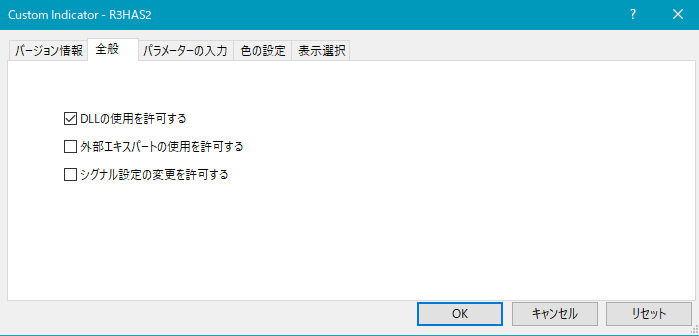
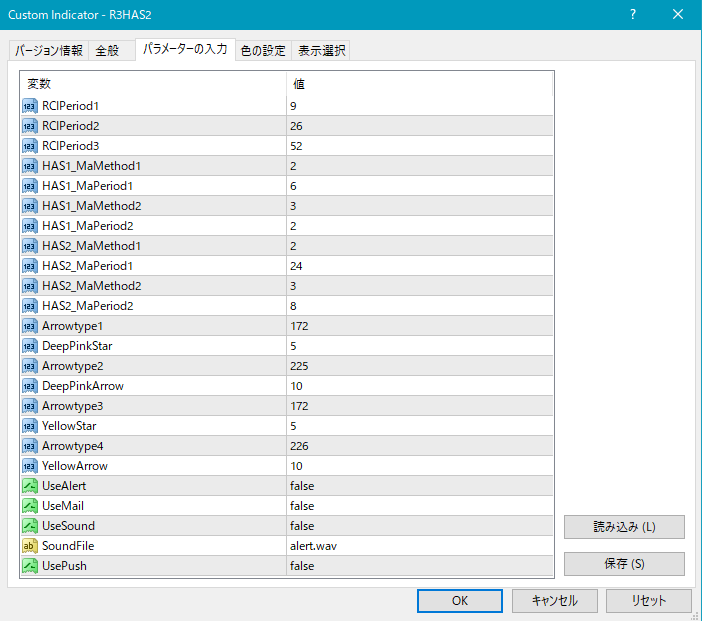
Settings for star and arrow generation conditions
As shown above, you need to set the three RCI periods and the Heikin-Ashi Smooth settings.
RCI related
RCIPeriod1: Period of the first RCI (default 9)
RCIPeriod2: Period of the second RCI (default 26)
RCIPeriod3: Period of the third RCI (default 52)
Heikin-Ashi Smooth related
First Heikin-Ashi Smooth
HAS1_MaMethod1: Moving average method for the first stage (default 2)
HAS1_MaPeriod1: Moving average period for the first stage (default 6)
HAS1_MaMethod2: Moving average method for the second stage (default 3)
HAS1_MaPeriod2: Moving average period for the second stage (default 2)
Second Heikin-Ashi Smooth
HAS2_MaMethod1: Moving average method for the first stage (default 2)
HAS2_MaPeriod1: Moving average period for the first stage (default 24)
HAS2_MaMethod2: Moving average method for the second stage (default 3)
HAS2_MaPeriod2: Moving average period for the second stage (default 8)
Moving average method
0: Simple Moving Average (SMA)
1: Exponential Moving Average (EMA)
2: Smoothed Moving Average (SMMA)
3: Linear Weighted Moving Average (LWMA)
Settings for display position of stars and arrows
If the display position of stars/arrows is too close to the candles or too far away so that it goes off screen, you can adjust the display height using the settings below. Larger values move the display further away from the candles.
(Default) Pink star → DeepPinkStar
(Default) Pink arrow → DeepPinkArrow
(Default) Yellow star → YellowStar
(Default) Yellow arrow → YellowArrow
Also, by changing the values below, you can change the shapes of the stars/arrows.
(Default) Pink star → Arrowtype1
(Default) Pink arrow → Arrowtype2
(Default) Yellow star → Arrowtype3
(Default) Yellow arrow → Arrowtype4
Alert related settings
UseAlert: When using signs via alert dialogs as shown below, set to true; set to false to not use.
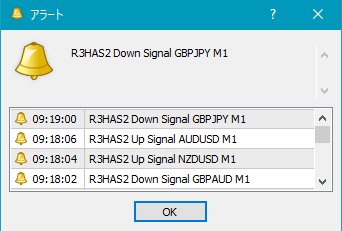
UseMail:
If you want to notify signs via email, set to true; otherwise false.
UseSound:If you want to notify signs via a sound alert, set to true; otherwise false.
SoundFile:
UsePush:
An example MT4 setting for email notification of signs
Tools → Options → E-mail
Illustration
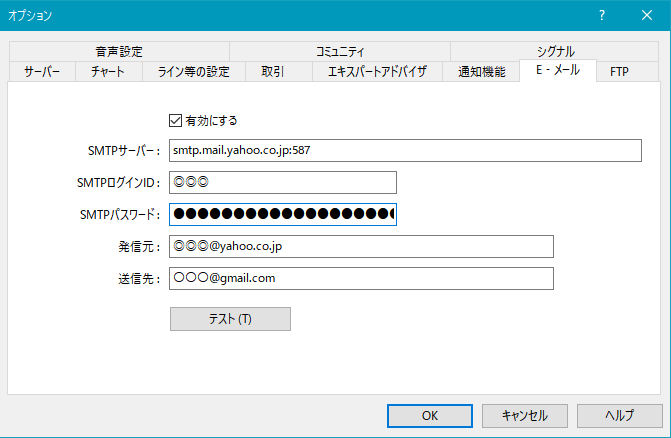
※ It seems you need to restart MT4 after configuring.
※ This indicator does not include indicators to display RCI and Heikin-Ashi Smooth, so please be aware.
※ On the product overview page, for illustration purposes, straight lines and arrows may be drawn, so please be aware.