
Harmonic Pattern Detection Indicator V10 Utilization: Capture the Wolfe Wave!
For Harmonic Pattern Detection Indicator V10, see here
There is also a monthly subscription version that can be used free for the first month, so please try it here.
Harmonic Pattern Detection Indicator V10 Subscription Version
The Harmonic Pattern Detection Indicator is characterized by defining waveforms externally via CSV files.
It also retains powerful waveform exploration features, and users are well aware that it is not just a match by zigzag.
This time, a customer asked to enable Wolf wave detection, and after several exchanges I would like to document the record as well.
I wasn’t very familiar with Wolf waves, but from research, it seems to be movement that targets the X-C line for rising/falling wedges.
The Harmonic Pattern Detection Indicator itself cannot draw the X-C line, so we give up on that and adjust the definition file to specialize detection for rising/falling wedges.
・Preparation
In the initial settings of the Harmonic Pattern Detection Indicator, the waveform size is filtered by ATR to exclude too-small patterns.
When editing CSV files like this, there are times when the results you checked do not appear on the chart, so we turn it OFF in advance.
※ Even though it’s a self-made indicator, I had completely forgotten about it and spent about an hour going “huh?”

With this state, display the indicator and save it to a preset chart.
・Editing the CSV file
From the MT4 menu, select File → Open Data Folder to open Explorer.
MQL4\Files\HarmonicsPatternsV10.csv
This is the CSV file to be edited. We will edit this file this time.
Initially, it looks like the following definition.

When you want to adjust the waveform like this, it’s best to keep the closest one and delete everything else.
Since Black Swan seemed closest, I kept Black Swan and deleted everything else, then saved.
Changed the name to WED to avoid overlapping with BLS.
※ If you save by mistake, delete HarmonicsPatternsV10.csv and restart the indicator to create the default file.

If you’re editing the file with Excel, close Excel at this point.
If Excel is not closed, CSV loading may fail, so please be careful.
Call up the preset chart saved in preparation and make sure the shapes displayed on the screen are only WED for success.

Now I would like to actually edit the CSV file to capture wedges.
In Harmonic Pattern Detection Indicator V10, six points X-1, X, A, B, C, D can be used to detect the waveform.
To make it clearer, I drew a diagram. The percentage values were decided arbitrarily. This part depends on how far you want to detect the waveform.
If it seems to detect too much, you might set the upper side to 38.2% and the lower side to 76.8%, for example.

A point = X-X-1 (X=0) from 22.8% to 85.4%
B point = A-X (A=0) from 123.6% to 323.6%
C point = B-A (B=0) from 22.8% to 85.4%
D point = A-B (A=0) 123.6%, 161.8%, 200%
(D point can be specified in a separate range and target, but this time since it’s the same A-B, the D point range doesn’t matter much. Please set the range so that the target D fits in.)
The actual write-up is shown below.

The numbers listed are the same as the waveform diagram, but DType and TDType are determined from A-B (A=0), so the values are set accordingly.
(Revision 2021/10/02 There was a numeric error, so I replaced the image. The maximum D was set to 3.236, but it was 323.6)
Once this is done, save and close Excel.
Reload the preset chart in MT4.
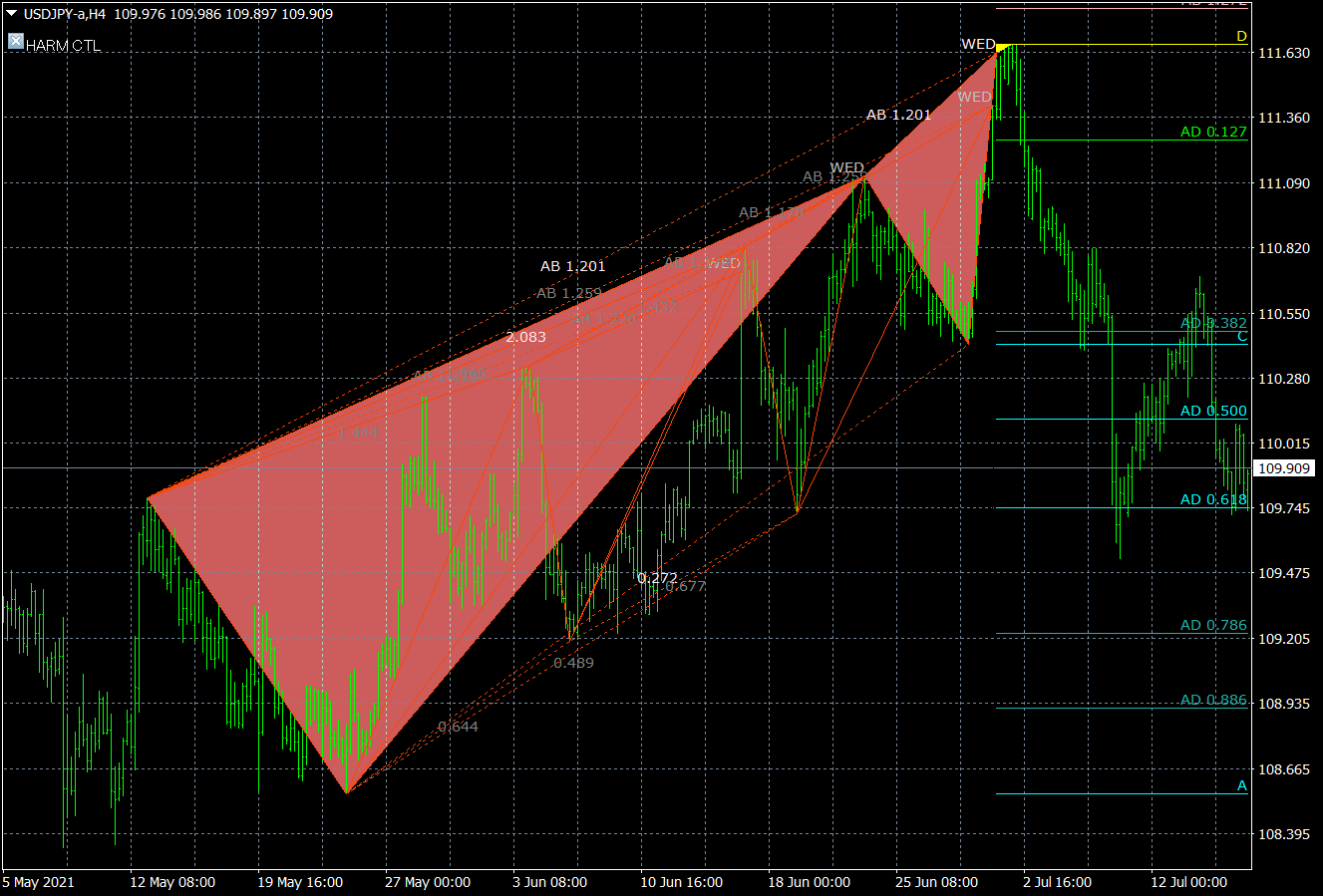
This is what the actual detection screen looks like.
It seems to detected a bit too much during upward movements.

The aim this time is to detect wedges; if a wedge-like shape appears, just announcing it is sufficient, so specifying three targets may be excessive.
Therefore, I will limit the targets to 123.6% and detect.
Changed TD2 and TD3 to 0 in the CSV file.

Close Excel again, call up the preset chart, and here are the detection results.
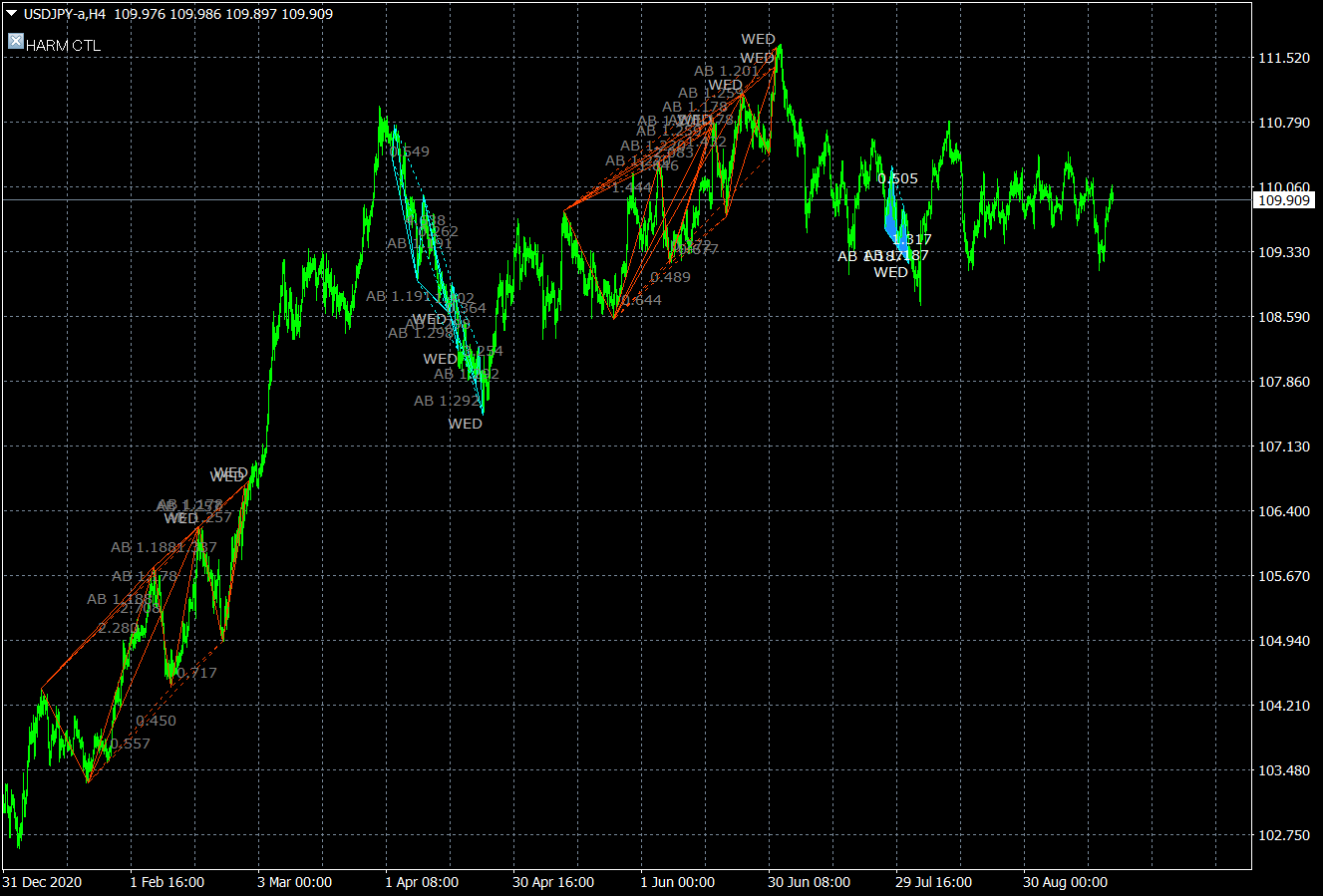
For now, around here? On the screen, USDJPY appeared 11 times with 7 wins and 4 losses, so wedge targeting seems reasonably effective.
Everyone, please try various settings yourselves.
Next, I’d like to consider detecting double bottoms and double tops.