4GB VPS costs 1,480 yen per month! I did load testing on BestNet's VPS.

An even more affordable plan has arrived for BestNet's high-performance, low-cost VPS!
BestNet’s FX-dedicated VPS are among the cheapest,
and they’re a popular VPS that sells out as soon as the limited-quantity campaign goes on sale.
This time, a package that lets you use it for four months with a lump-sum payment covering three months of usage (bank transfer or convenience store payment).
A package has been released!
Normally, even with 1.5GB of memory the monthly price is 1,280 yen,the effective monthly price with 4GB memory is 1,480 yen—it's definitely a bargain!
■ Base 1GB guaranteed; memory is automatically allocated up to a maximum of 4GB according to usage!
What differs from the usual 4GB plan is that 4GB isn’t allocated from the start,
it starts with a guaranteed minimum of 1GB.
From a 200GB resource pool, memory up to 4GB is allocated according to usage
Best-effort type VPSis what it is.

You might think more memory is always better, but,
it's surprisingly difficult to use 4GB to the full.
■ Actually, we tested how much memory EA uses!
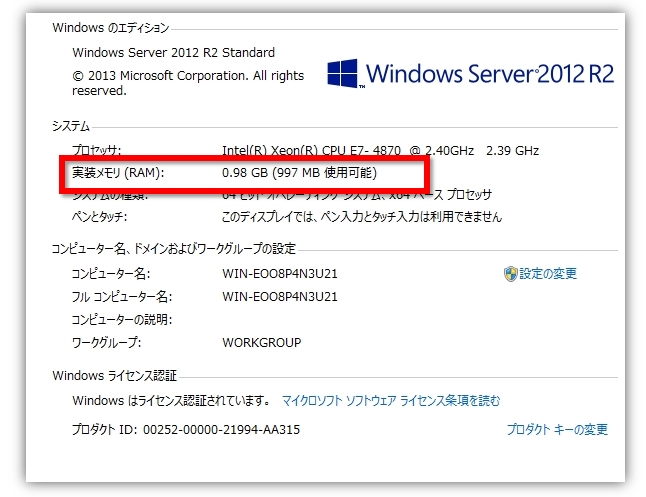
The initial memory usage when no applications are running is 1GB
We ran 1 MT4 and 3 EAs. If you’re new to EAs and want to give it a try,
this level is a good starting point, perhaps.
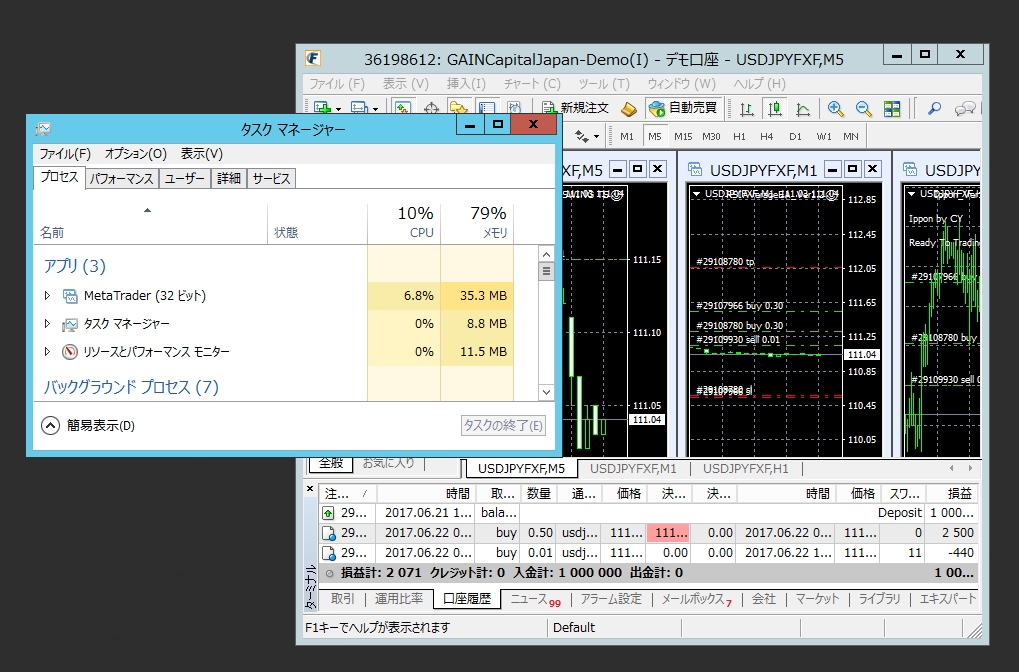
Each MT4 uses about 30MB–60MB.
Furthermore,we started 4 MT4s and ran 30 EAs.
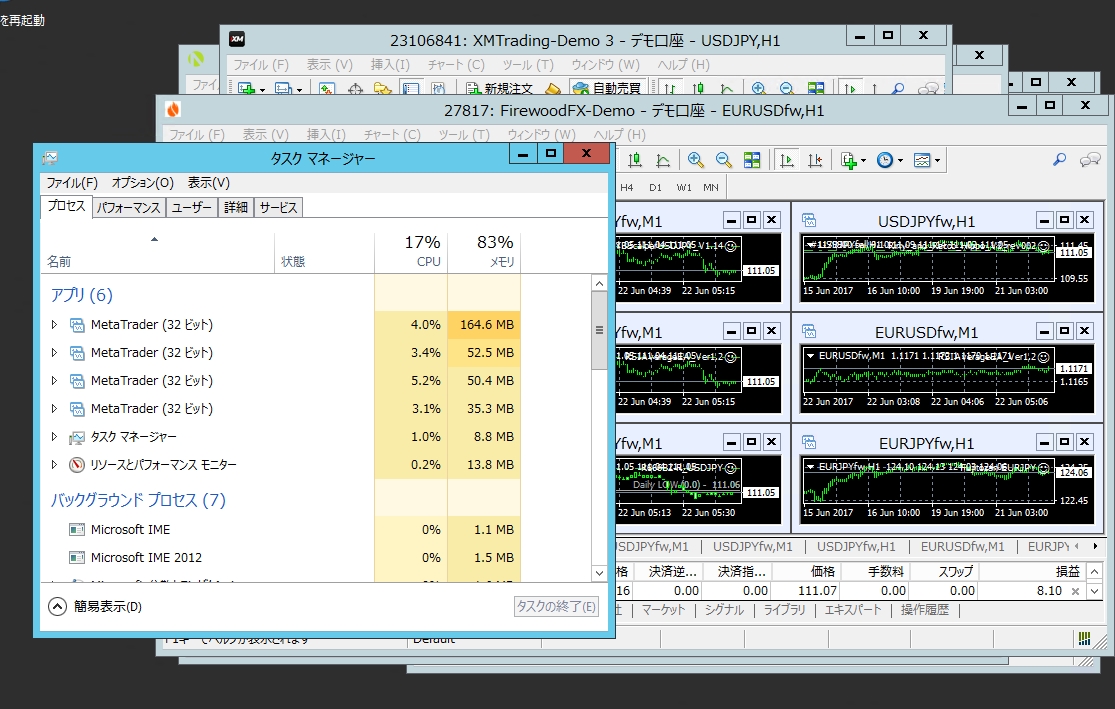
Scalping EAs that place many orders on the 1-minute chart and heavy EAs tend to be more resource-intensive.
Even so, it does not reach 200MB per MT4.
(It's not common to run 10 or more EAs on a single MT4, though...)
Afterward, the implemented memory increased to 1.9GB.
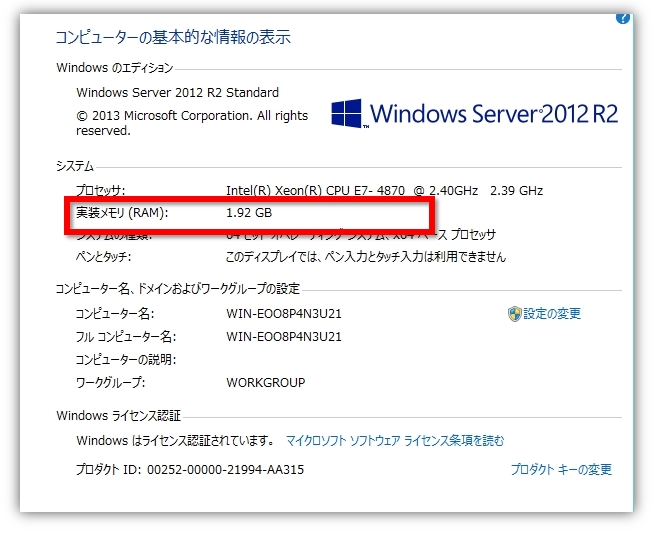
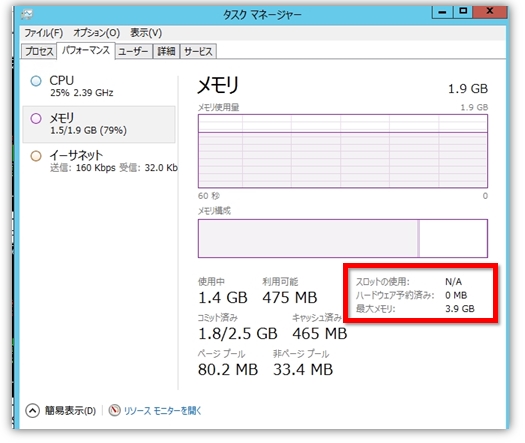
The maximum memory is 3.9GB, but with around 30 EAs, it doesn't seem likely to reach it yet.
Opening multiple webpages with Google Chrome for browsing, and then also adding EAs
even after adding about 10 more, only about 1.5GB was used.
In other words,4GB of memory is a large capacity that you won't be able to fully use unless you run a substantial amount of EAs or programson it!
For those wondering how much memory you actually use on a VPS and how much you need, this should be helpful.
1GB might not be enough, but you don’t always run EA at full capacity…
This might be the best plan for people who don’t always run EA at full capacity.
■ Windows 10 memory usage check method
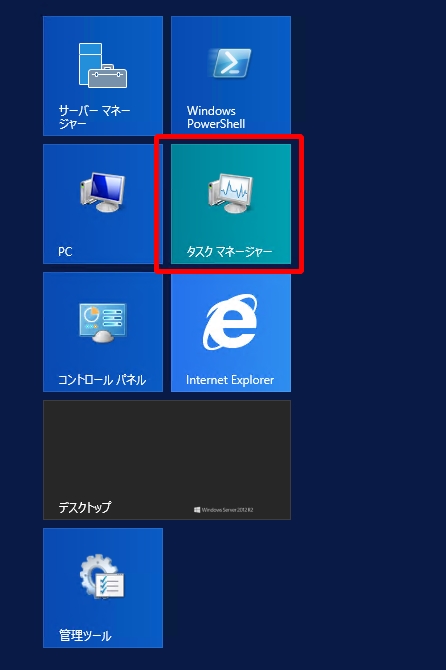
Press the Windows key; in the default menu there is "Task Manager"; click it to open Task Manager.
In Processes and Performance, you can view memory in use and the Resource Monitor.
For those who just want to try what it’s like,
there is a 3-day free trial program.
■ Try the 3-day free trial to first feel how it works!
3-day free trial — up to 4GB memory — FX-dedicated VPS — optimal for MT4 stability (Virtual Desktop)
・Within about an hour after applying, FX-ON will send you a serial key (account information)
・From the day we provide the account information, you can try it free for 3 days.
・By the end of the free trialPaid Planplease purchase.
・The VPS used during the free trial can continue to be used after upgrading to a paid plan.
If you want to buy now, click here!
↓↓↓
Pay for 3 months upfront and you can use it for 4 months for an effective price of 1,485 yen!
A VPS is indispensable for smooth EA operation, isn't it? ♪