Three indicators to make Fibonacci trading more convenient (alerts, color-coding, and auto-Fibo)
Do you use Fibonacci in trading?
Fibonacci is used to determine how far a retracement in a trend is likely to go, and many people use it to trade between Fibonacci lines.
The feature that those who frequently use Fibonacci would want first is probably "I want to be notified when a Fibonacci level is reached."
In this article, we will mainly cover Fibonacci retracement and carefully introduce indicators that provide alerts, color-coding, and automatically draw Fibonacci.
Add alert function to Fibonacci! Level-by-level background coloring too! [MTP_FiboColor_Alert]
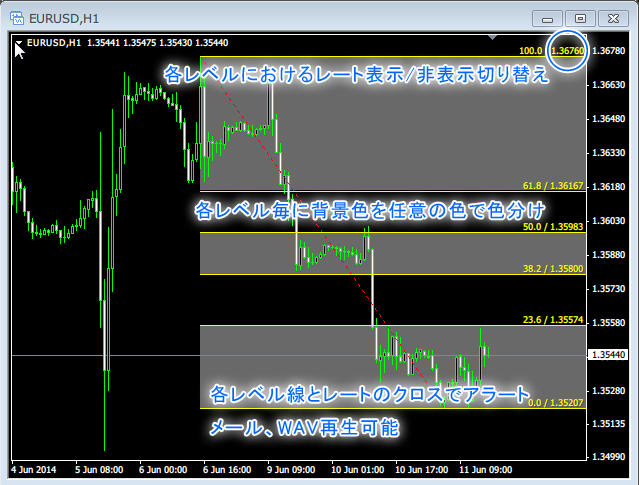
MTP_FiboColor_Alert has the following features.
・You can color-code the background between each level with any color.
・You can display that rate on each level line.
・The feature can be added to all Fibonacci objects on the chart, but by using parameters you can limit which objects are affected.
If you draw Fibonacci yourself, you will likely find this very useful. Also, color-coding Fibonacci zones makes it visually instantaneous to see which level you are at.
The notification timing can be chosen as either "on candle close" or "on tick (real-time) only once," which is very convenient!

MT4 Alert Line
- Notify on line touch & break for horizontal lines, trend lines, channels, and Fibonacci retracements
- Notifications can be sent via alert sound, alert dialog, MT4 notifications on mobile,LINE notifications, and email
- LINE notificationsaresent with a chart screenshotas well
- Email sendingissent with a chart screenshotas well
- At specified hourly times,LINE and emailwillsend a chart screenshot(Mon-Sat, up to once per hour at 06:55, with 5-minute intervals configurable)
- Line color and style can be set for each timeframe
If you set 1-hour blue, 4-hour green, daily red, you can tell at a glance which timeframe drew the line. - Hide the control buttons and operate with keys only
- You can hide lines with keyboard controls
Hiding lines makes it easier to view other indicators. - Even when a line is hidden, notifications on touch & break are possible (you can disable notifications)
Typically, you keep the line hidden, and use the alarm sound and alert dialog timing to reveal the line with a keystroke for checking. - The alert dialog and email title display the currency pair, timeframe, the line that was touched & broke, the line price, and the touch direction
Even when monitoring multiple currency pairs simultaneously, you can instantly see which pair and timeframe generated the alert. - Horizontal lines and Fibonacci retracements display the current price in pips
- Automatic ON feature to prevent forgetting to restore alerts when drawing a line
- No limit on the number of horizontal lines, trend lines, channel lines, and Fibonacci retracements
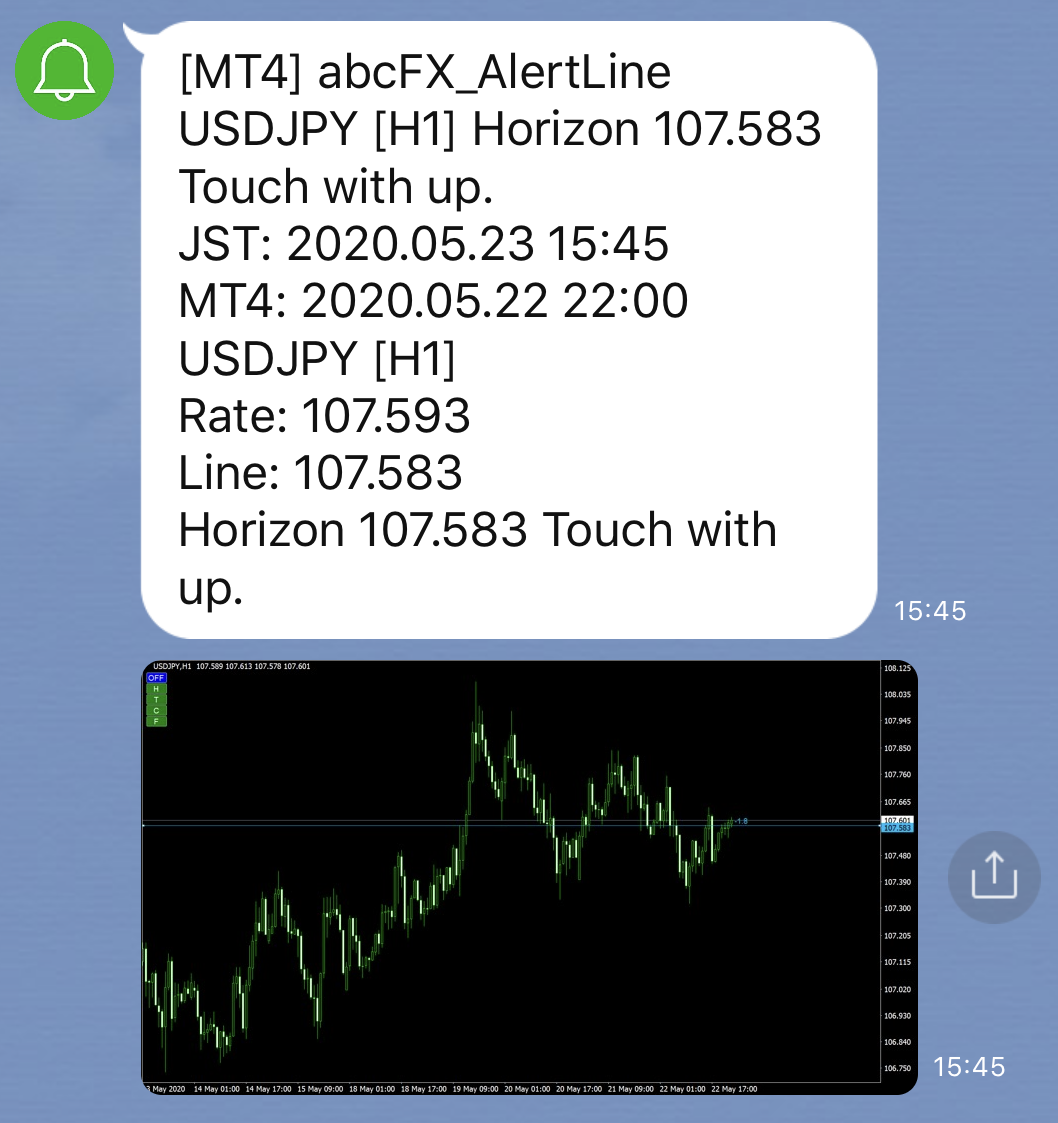
▲LINE notifications can also attach the chart image.
The handy features are likely line notifications, line show/hide functionality, and per-timeframe color-coding, right?
This is a super convenient indicator packed with exactly the features you'd hope for.
Because the product name is "MT4 Alert Line," you might think it's only horizontal lines or trend lines, but I was excited to discover that it also supports Fibonacci and channel lines!


FibonacchMTF MTf-enabled automatic Fibonacci drawing tool
・MTF compatible
・Alert when new Fibonacci is drawn
・When a candlestick touches Fibonacci, send an alert and email
・Draws according to ZigZag highs and lows
・Display retracements, fans, and expansions
・Color-code per Fibonacci
・Level settings and number of levels configurable
・Auto-update
・Display Fibonacci information on the chart
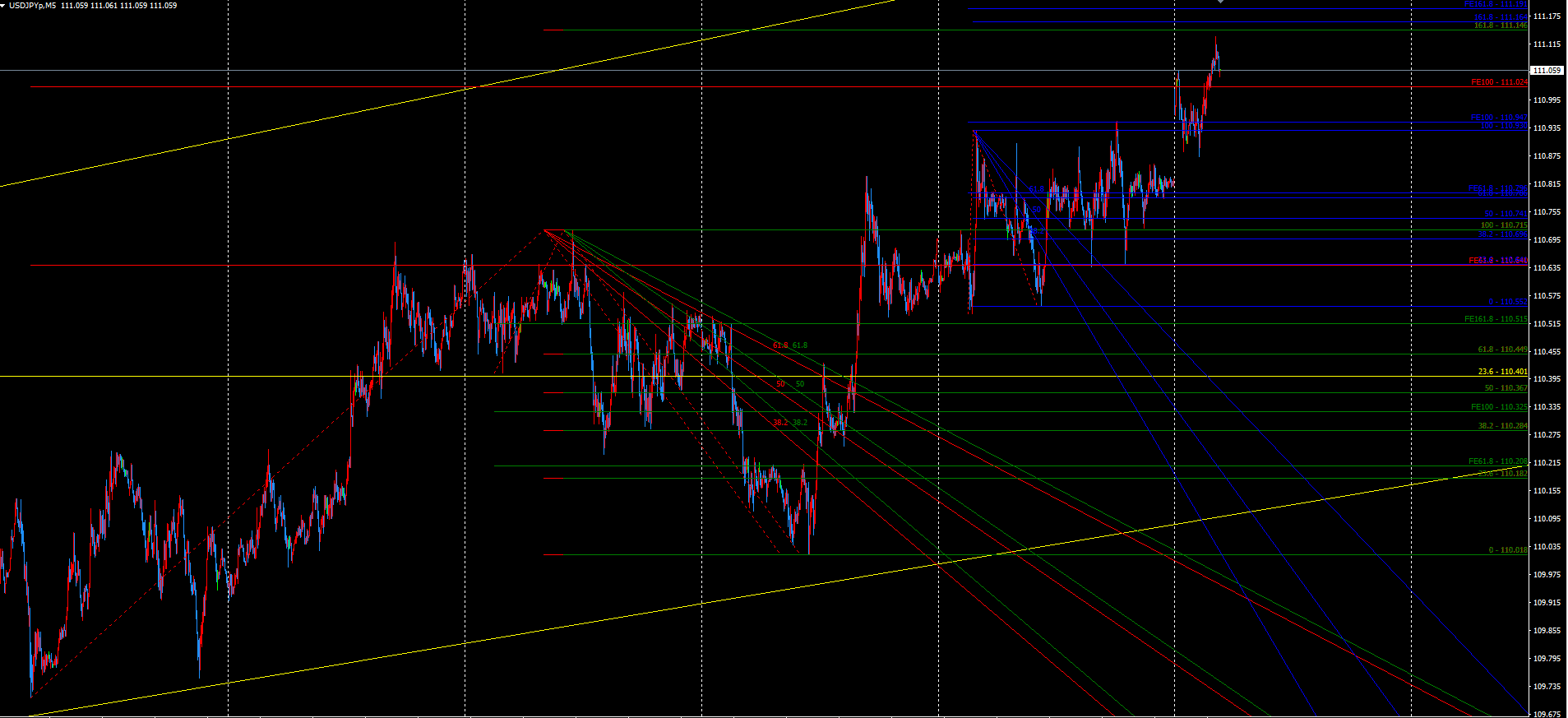
▲You can draw Fibonacci for up to four timeframes simultaneously. Supported timeframes are 1 minute, 5 minutes, 15 minutes, 30 minutes, 1 hour, 4 hours, daily, weekly, and monthly. The image shows four timeframes on the 5-minute chart. Daily is yellow, 4-hour is red, 1-hour is green, and 30-minute is blue.
The rule for drawing Fibonacci is,the ZigZag indicator highs and lows.
By changing the ZigZag parameters, you can adjust how far to apply it.
Also, a notable feature is that Fibonacci expansions and Fibonacci fans can be drawn automatically at the same time, right?
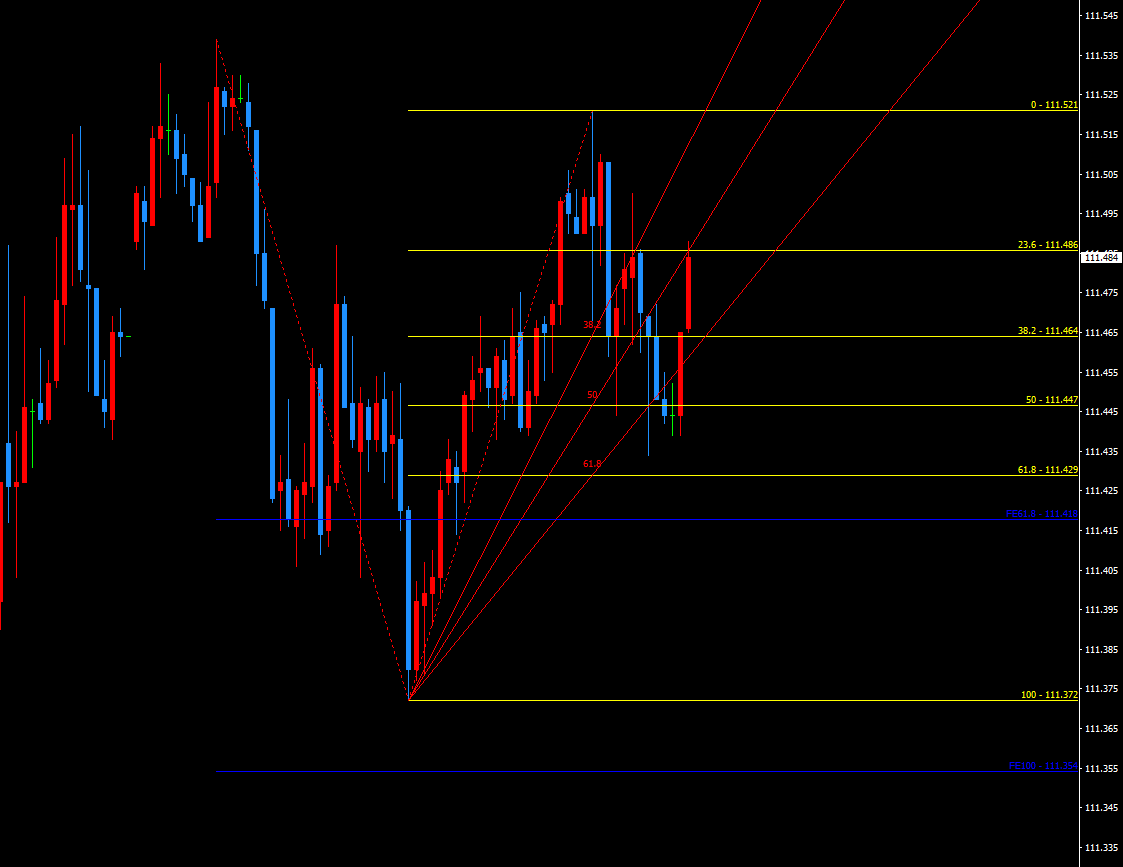
Fibonacci fans are useful for timing on the horizontal axis where retracements timing is hard to grasp. Using retracements and fans together makes chart analysis more precise.
We hope you find the features you want for each purpose.
Happy Fibonacci trading!
written by Tera GogoJungle Markteing.