Let's try it! Backtest of Tick Data Suite's variable spread
It seems there are quite a few people who use Tick Data Suite for backtesting, but we also hear that backtesting itself can be quite a hassle.
At GogoJungle, we backtest our listed products daily, and for backtesting we use Tick Data Suite.
It’s not surprising, rather it’s actually easier than MT4 backtesting.
It is a paid service, and even the most affordable plan requires an initial fee of $97 and a monthly fee of $10, but there is also a free plan available for two weeks, so if you're interested in EA trading, please give it a try.
This time, we will introduce the process from installing the free plan to completing the backtest.
Free Plan Sign-Up
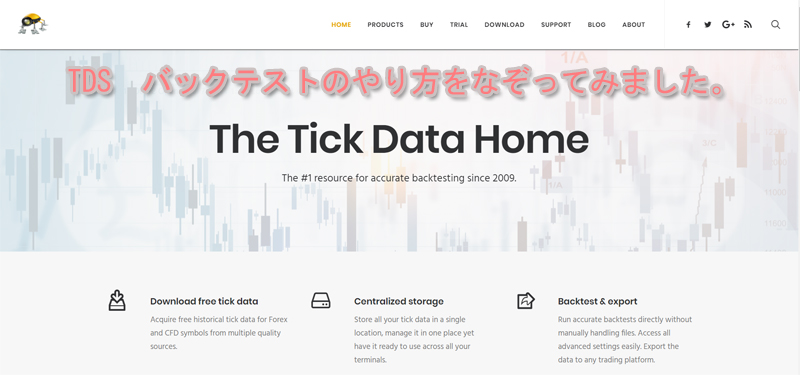
Tick Data Suitehttps://eareview.net/is the site’s homepage.
I have heard that this service is offered by the FX company Dukascopy, which also has a presence in Japan. If you look closely at the site details you might be able to tell, but if I’m mistaken, I apologize.
Let's navigate to the page labeled BUY.
The paid version seems to have three options, but this time we'll try the TRIAL.
Proceed to the TRIAL page, fill in the required information, click SUBMIT, and wait for the trial version guide email to arrive.
The arrival of the email can be unpredictable due to our server issues, etc., but it took about 15 minutes. Please wait patiently.
When the email arrives, click DOWNLOAD to obtain the installer. At the same time, the password written in the email will be used later, so please note it.
Installation
Download it.
Click the downloaded installer to proceed with the installation.
When the installation is complete, an insect-like icon of the program appears on the desktop. Personally, I find the insect design a bit creepy. Recently, it's not me doing daily backtests—another employee does them, and I'd like to know what they think.
Click the iconto launch Tick Data Suite, and an application like the following will start.
This screen downloads historical data (past price data for each currency pair) from Dukascopy. The currency pair name is displayed on the far left of the screen. When you find the currency pair you want to backtest, click the ▼ on the far right to start downloading the historical data.
For any currency pair, you can download data from around May 2003 up to the day before the latest available date.
Historical data spans 17 years, so downloading takes quite a while. In our company, we click the ▼ at night before leaving, and the next day the data download is complete, so we use it that way.
Backtesting performed
From here, backtesting using MT4.
If you display the tester at the bottom of MT4, check Use Tick Data.
Next, click Tick Data Settings.
If you do not configure slippage to account for variable spreads and slippage, the rest of the steps proceed as a normal backtest.
For the standard MT4 backtesting method, please refer to the MT4 EA Backtesting Method.
Tick Data Suite is notable not only for its long historical data, but also because it appears to use data from Dukascopy and allows testing with forward-test-likevariable spreads, i.e., you can test with them.
Therefore, in our backtests we use variable spreads, so we'll proceed with that explanation.
Tick Data Settings screen opens, check Use variable spreads.
On the Spread tab, you can configure values to add to the spread and the maximum/minimum values, but we use it without making any changes.
It's worth trying different settings.
If you enable Slippage, you can specify detailed slippage settings, but we do not use this either.
As with spreads, it's interesting to try various settings.
With all preparations complete, it's time to perform the backtest.
If you install Tick Data Suite, in fact you avoid tasks required in a normal MT4 backtest, such as downloading historical data and generating other timeframes from the downloaded data, making it easier and faster.
Once prepared, the backtest itself with 17 years of historical data may take time, but in our experience it takes about 1 to 2 hours.
Now, let's actually run a backtest with an EA.
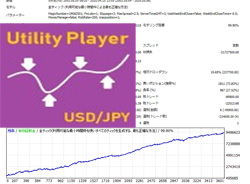
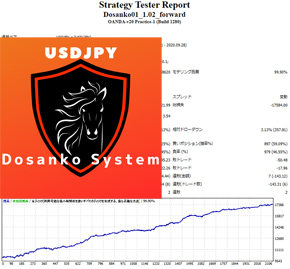
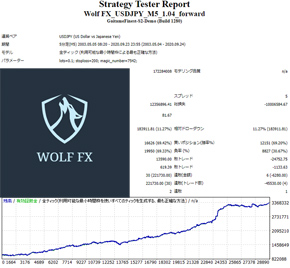
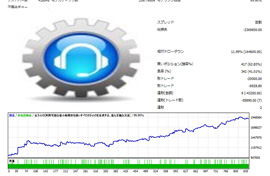
This kind of equity curve is nice. Please try using it in various ways.
Written by Hayakawa