
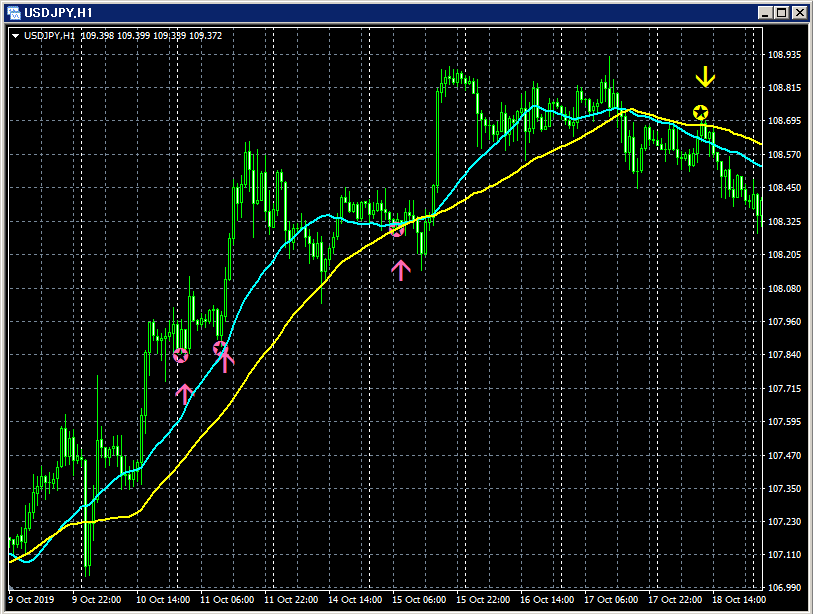
"mBDSRplus Moving Average Filter Version" Release!!
"mBDSRplus Moving Average Filter Version" Release!!
Note: This indicator is included with the indicators listed below.
【mBDSRplus】
An indicator that shines when combined with RCI and moving averages
https://www.gogojungle.co.jp/tools/indicators/18191
※The "mBDSRplus Moving Average Filter Version" is not sold separately, so please note.
※ If you have already purchased the indicators listed above, re-download, and the"mBDSRplus Moving Average Filter Version"will be included in the download file.
(File name: mBDSRplus_MA2_VAP_XXXXXXXX.ex4)
※This is a repaint-free indicator.
mBDSRplus was originally developed to improve the accuracy of buy-the-dounce (purchasing on dips) and sell-the-rally signals using three RCI lines (RCI9, RCI26, RCI52).
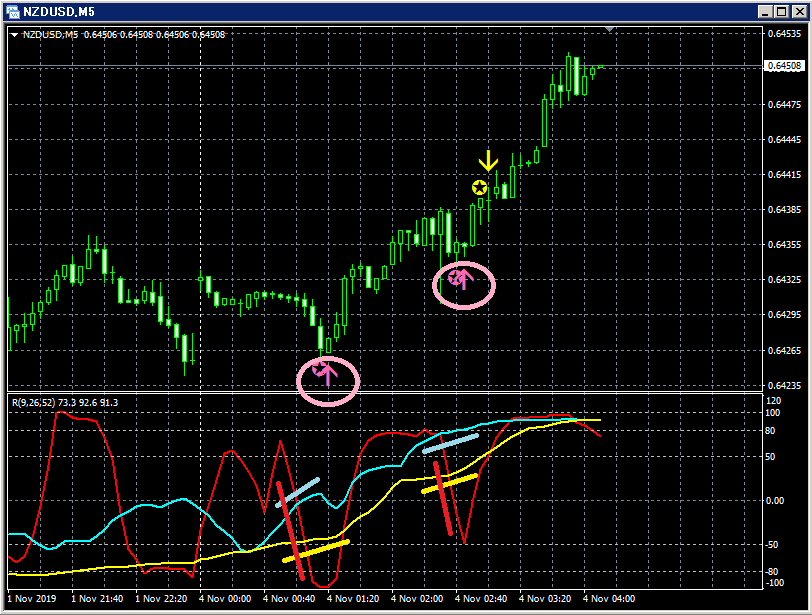
The below figure is an example of a dip-buy signal with "RCI3 lines + mBDSRplus".
NZDUSD 5-minute chart
Only the RCI9 is clearly declining among the three RCI lines.
If RCI9 turns up, the three RCIs may all rise together.
In other words, there is a possibility of a strong price rise.
In such a scenario, the dip-buy signals (pink arrows circled) in mBDSRplus light up twice.
In the above example, after the first dip-buy signal lights up, a sequence of five bearish candles occurs. Also, for both signals, the candle two bars before the confirming candle of the RCI9 reversal upward confirms the signal lighting.
That is to say, we can time the upward continuation very well without waiting for the RCI9 reversal upward to be confirmed.
On the other hand, in cases where a clear long-term trend is occurring, it may be better to follow the direction of the moving averages rather than strictly following the long/mid-term RCI directions (RCI26 or RCI52) to capture more entry opportunities.
Therefore, the indicator was created to time entries with mBDSRplus while not opposing the direction of two moving averages, an arrow indicator called the "mBDSRplus Moving Average Filter Version".
Below is the description of the "mBDSRplus Moving Average Filter Version".
An arrow indicator that times entries with mBDSRplus without going against the direction of two moving averages.
By setting the types and periods of the two moving averages used as filters, the mBDSR signals are filtered.
(1) When the two moving averages are SMA25 and SMA50
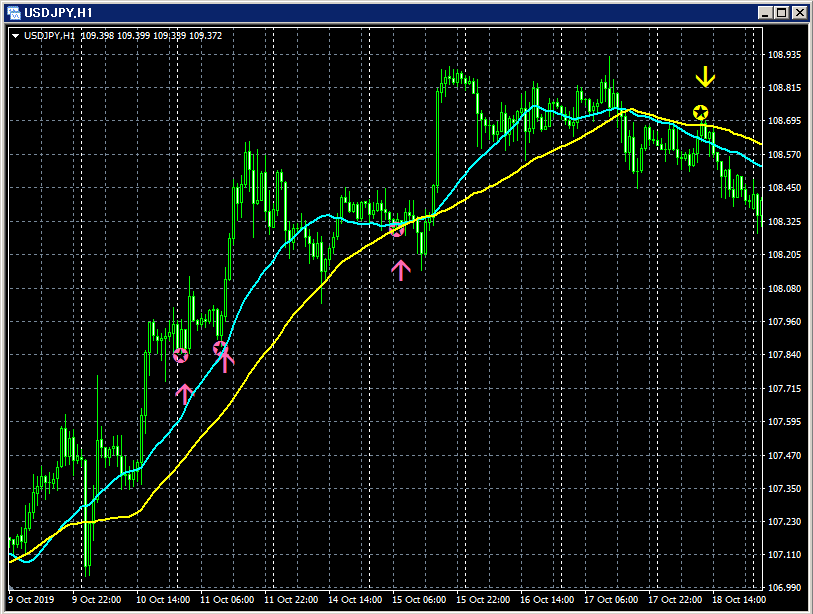
First moving average:SMA25
:SMA50
(2) When the two moving averages are SMA15 and SMA30
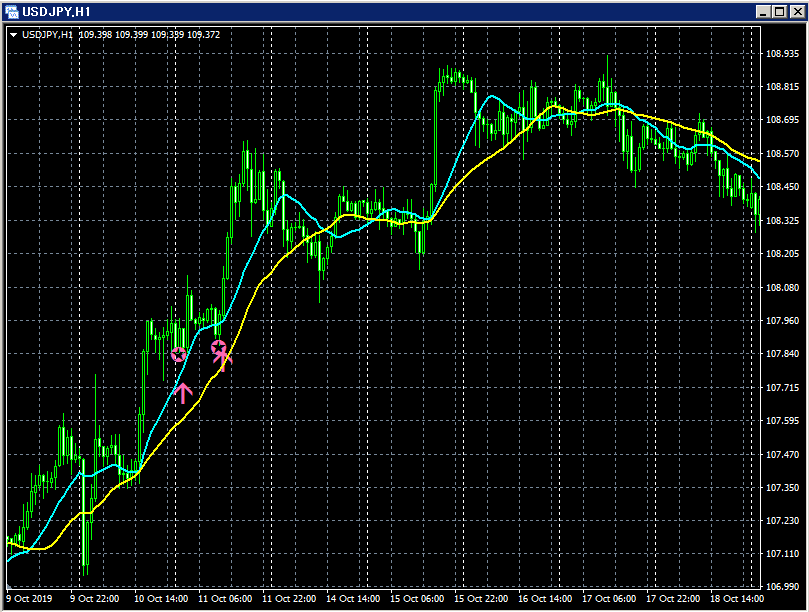
First moving average:SMA15
Second moving average:SMA30
(3) When the two moving averages are SMA50 and SMA100
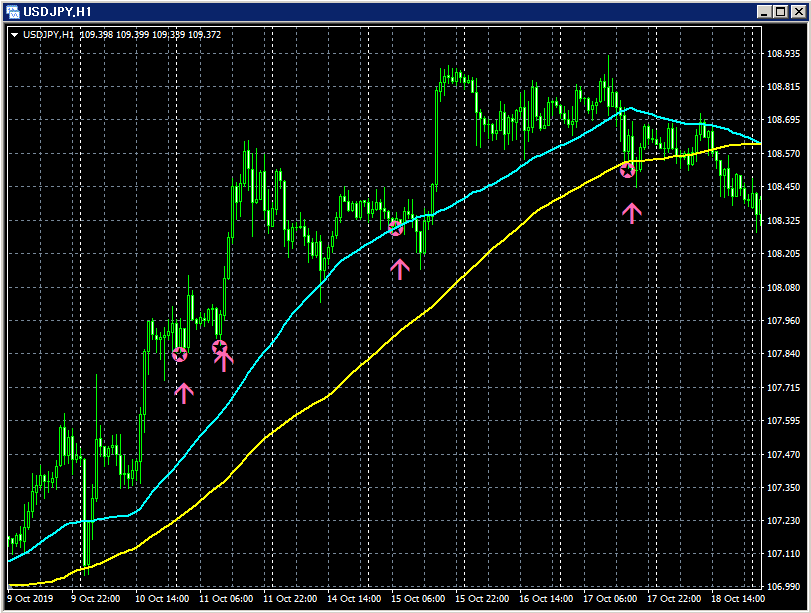
First moving average:SMA50
Second moving average:SMA100
As shown in the above three diagrams, the signals you can pick depend on how you choose the two moving averages. Also, the moving averages you want to use as filters may differ among users. Therefore, in this indicator, you can arbitrarily set the types and periods of the two moving averages to be used as filters.
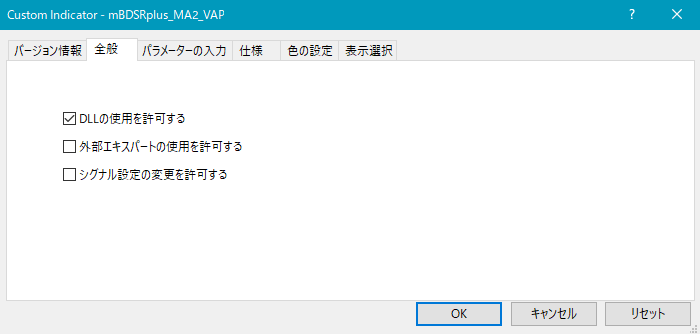
As shown below, you need to check "Allow DLL imports".
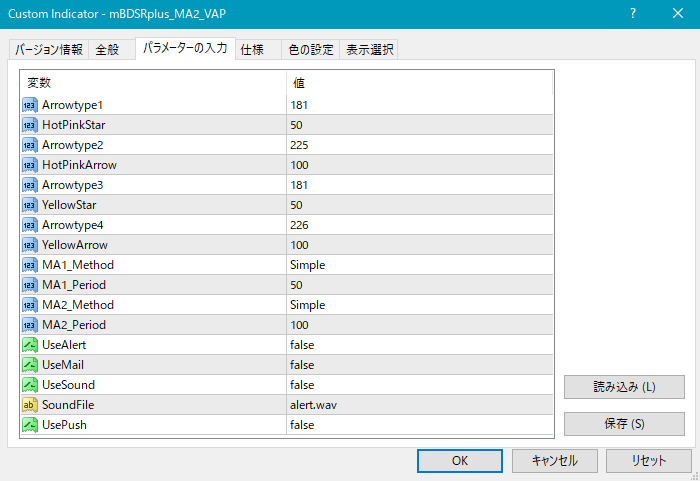
Settings for the display position of stars and arrows
If the stars/arrows are too close to the candles or too far away so that they may go off-screen, you can adjust the height at which these marks are displayed using the following settings. The higher the value, the farther from the candle the display will be.
Star (pink) → HotPinkStar
Arrow (pink) → HotPinkArrow
Star (yellow) → YellowStar
Arrow (yellow) → YellowArrow
Settings for the conditions under which stars/arrows appear
MA1_Method: Choose the type of the first moving average
Simple (SMA: Simple Moving Average)
Exponential (EMA: Exponential Moving Average)
Smoothed (SMMA: Smoothed Moving Average)
Linear weighted (LWMA: Linear Weighted Moving Average)
MA1_Period: Period of the first moving average
MA2_Method: Choose the type of the second moving average
Simple (SMA: Simple Moving Average)
Exponential (EMA: Exponential Moving Average)
Smoothed (SMMA: Smoothed Moving Average)
Linear weighted (LWMA: Linear Weighted Moving Average)
MA2_Period: Period of the second moving average
Alert settings
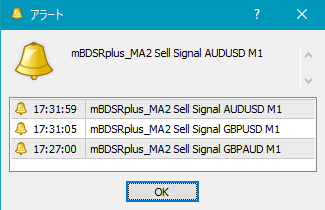
UseAlert:
If you want to be notified by an alert dialog like the one below when a signal occurs, set to true; false to disable.
UseMail:
If you want to be notified by email when a signal occurs, set to true; false to disable.
UseSound:
If you want to be notified by a sound alert, set to true; false to disable.
SoundFile:
Enter the file name of the sound to use for alerts.
UsePush:
If you want to be notified by push notification when a signal occurs, set to true; false to disable.
An example of MT4 settings when using email alerts
Tools → Options → E-mail
Image
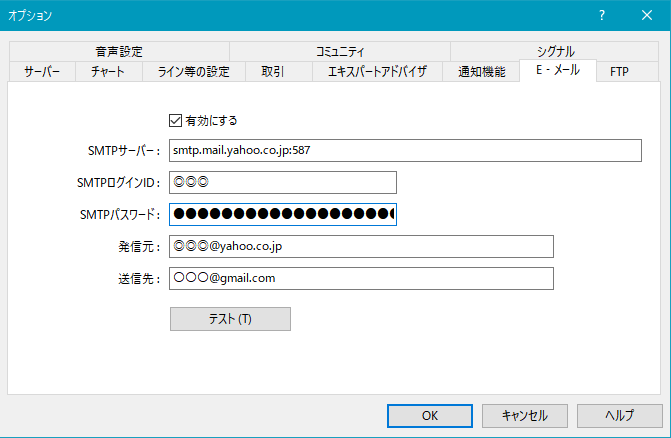
※ It seems a restart of MT4 is required after setting.
Note: This indicator is included with the indicators listed below.
【mBDSRplus】