Try changing the alert sound on MT4! Free distribution by OANDA Japan
You can customize MT4's 'piro-riin' ping alert sound and the 'whoosh' sound that plays when MT4 starts up.
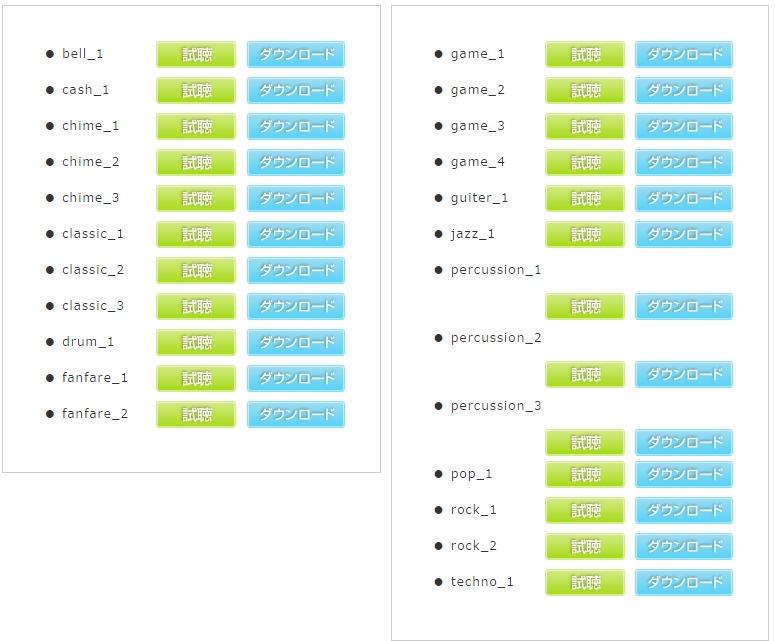
There are various sound effects available for download on OANDA's website, so
if you have a favorite sound, why not try changing it?
If you are using multiple MT4s,changing the alert sound for each MT4 makes it easy to tell which alert it is
It's handy once you know it
https://www.oanda.jp/help/se.php
From this page, you can listen to each sound effect.
【MT4での音声ファイルの変更の方法】
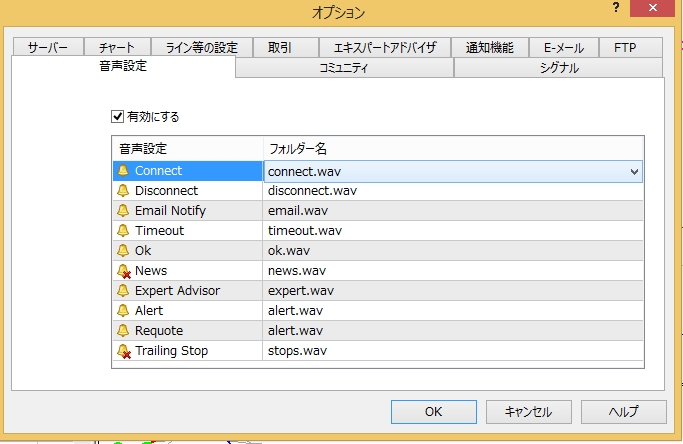
MT4'sTools - Options - 「Sound Settings」tab opens.
If "Enable" is not checked, please check it.
Also, icons with a "✖" mark on the sound settings icon are configured to mute, so
double-clicking the icon will remove the mark.
【Commonly used】
connect…the 'shuu' sound when MT4 starts
disconnect…the 'biyoon' sound when the server cannot be reached or the connection is interrupted
OK…the order fill sound (entry, execution)
Alert…the alert popup 'pipoon' sound
ExpertAdvisors…the 'pyuipu' sound that plays when a backtest fails in the Strategy Tester
(↑I quite like this one; it sounds a bit like a mouse squeak)
【サウンドファイルの入れ方】
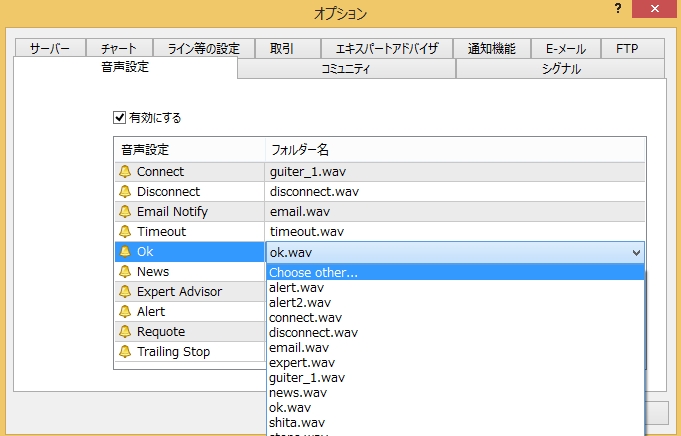
From the folder name, select 'Choose other'.
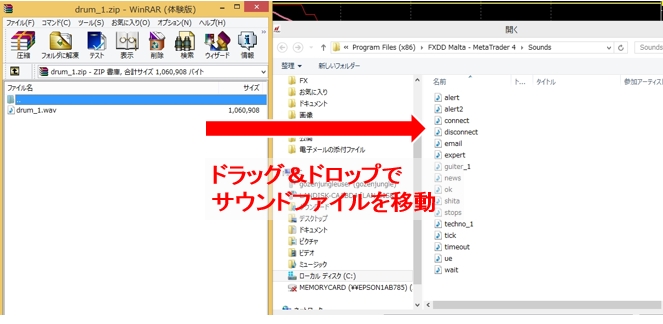
This moves you to the sounds folder, so with the sounds folder open,
the wav audio file you downloadeddrag and drop it
Return to the Sound Settings, and from the folder name, double-click to select the audio file you want to change,
Be sure to press the Enter key and ensure the file name is highlighted in light bluePlease.
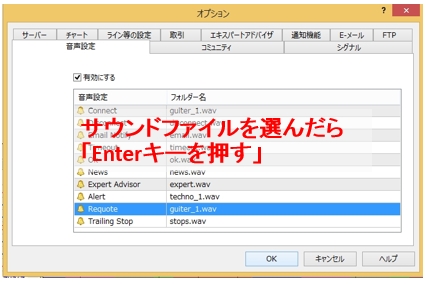
※If you don't do this, even if you press OK thinking you've selected, it will immediately revert to the default file.
Open the "Sound Settings" tab again, and if the selected audio file name has changed, the setting is OK!
With this, you can customize MT4 startup, the execution sound, and alert sounds to your liking♪
Personalizing MT4 to your liking makes trading more enjoyable!
If you haven't opened an Oanda account yet, you can sign up below.