Even VPS beginners won't get lost! An image-based guide to the steps from purchasing to connecting to the affordable virtual desktop 'RDS'!
MT4 RDSPlan12month package now available
Virtual Desktop「RDS」 is a VPS service newly listed byGogoJungle from the familiar “Best One” brand. The product released this time features16GB memory and the latest server OS Windows Server 2019, packaged in a12-month package,VPS beginners can easily connect and use it. It also includes a monitoring system, providing reliable operation.
A comfortableMT4 operating environment at a low price!
■New plan features
・Web browser connection is easy
There is no need to install special software or apps.
・Latest server OS
Windows Server 2019 is used. The operation screen is the same as Windows 10, so you can operate it even if you are not PC-savvy.
・Automatic load balancing
Balances automatically so processing does not concentrate on a single server.
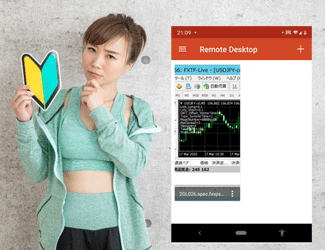
・Connect from smartphones and tablets
Equipped with numerous features that make fine operations and management easier.
・MT4s are pre-installed
MT4s from OANDA, AvaTrade, Forex.com, EZ Invest, Rakuten FX, and others are installed.
・Advanced redundancy
Multiple servers work in concert and connect to two network paths, ensuring rapid recovery even in unlikely events.
Monitoring system detects anomalies instantly!
■Monitoring system details
If there is no response from the server for 3 minutes, an alert email is automatically sent to notify the user of the issue.
24 hours a day, 365 days a year, monitors the resource usage of the Remote Desktop server. If a large load occurs and performance drops significantly, actions such as adding servers will be taken.
The monitoring server periodically communicates to verify that the Remote Desktop server is operating.
Alert emails include instructions on what actions the user should take when abnormalities occur.
Memory 16GB | MT4 RDS Plan 12 month package [Virtual Desktop]
https://www.gogojungle.co.jp/tools/indicators/20238
VPS Easy for beginners to connect!
■How to use
Step 1: Purchase the product
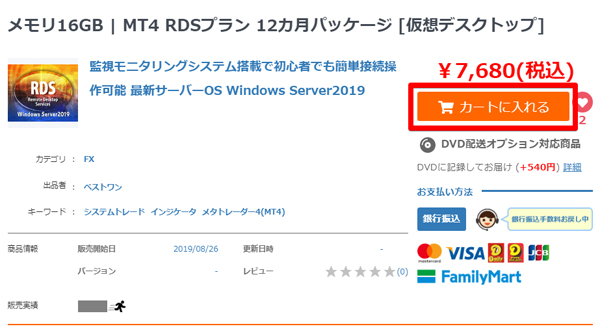
Click “Add to Cart” at the top-right of the product page. Review your order, proceed to checkout, and place the order.
Step 2: Download the product file

▲After the order is confirmed, click “Download here.” You will be redirected to My Page’s downloaded products list; click the relevant product name.
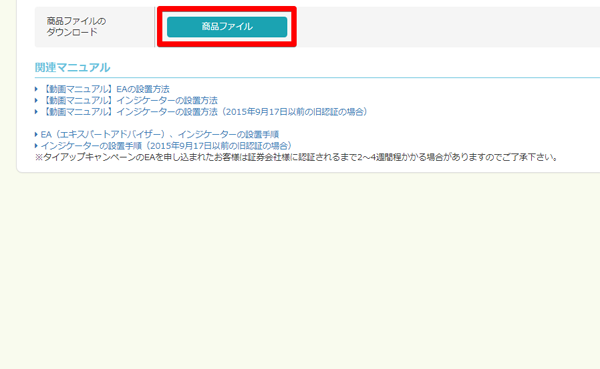
▲Click “Product File” to download a PDF file containing the URL for the user guide.
Step 3: Email arrives at your GogoJungle registered address
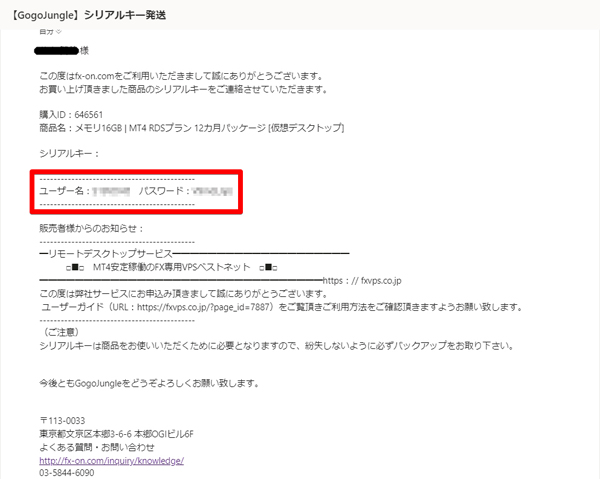
▲You'll receive an email with the subject “【GogoJungle】 Serial Key Dispatch,” containing your username and password to the registered address.
Step 4: Enter ID and password to log in
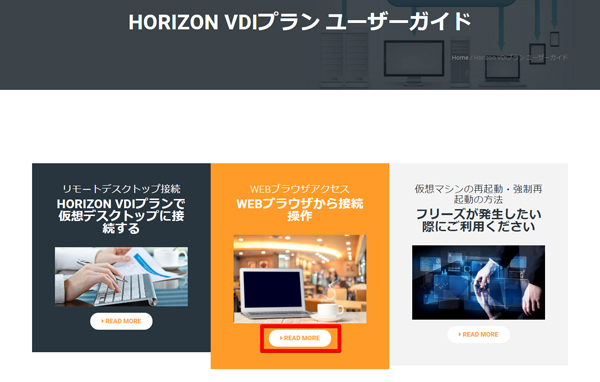
▲Open the PDF downloaded in Step 2, access the listed URL, and in the page center click “READ MORE” under “Connect from WEB browser.”
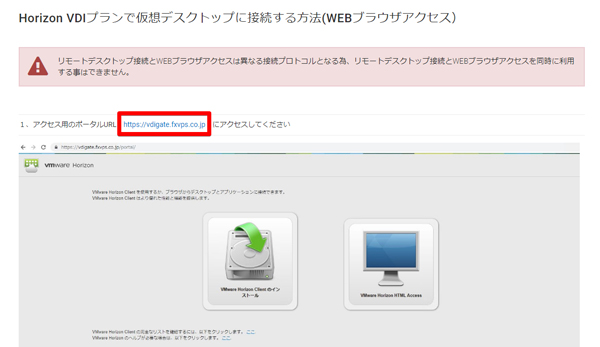
(https://vdigate.fxvps.co.jp )
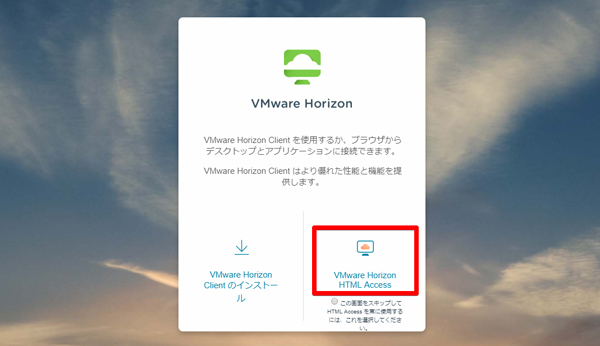
▲
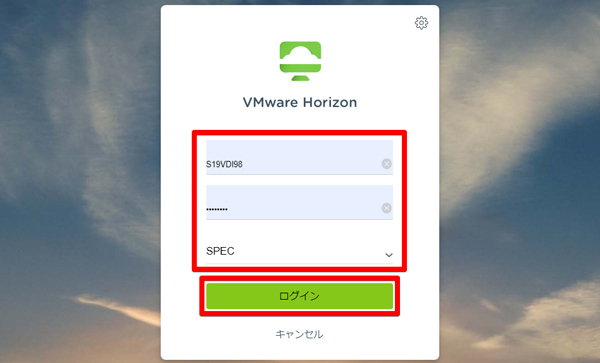
▲
Step 5: Connect by clicking the icon!
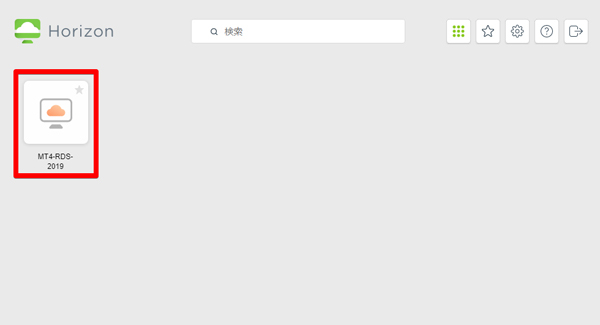
▲ After logging in, click the “MT4-RDS-2019” icon at the top-left of the screen.
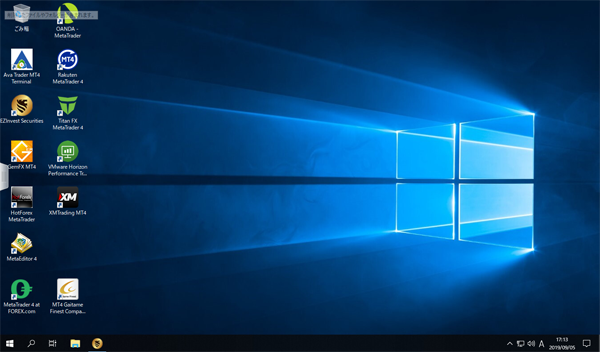
▲ When the desktop screen appears, the connection is complete! MT4 is already installed, so you can start MT4 from your FX company’s account and log in to trade immediately.
In this way, the virtual desktop “RDS” can be connected in five simple steps and is affordable, making it an ideal product for beginners aiming to start automated trading with MT4.
Memory 16GB | MT4 RDS Plan 12 month package [Virtual Desktop]