
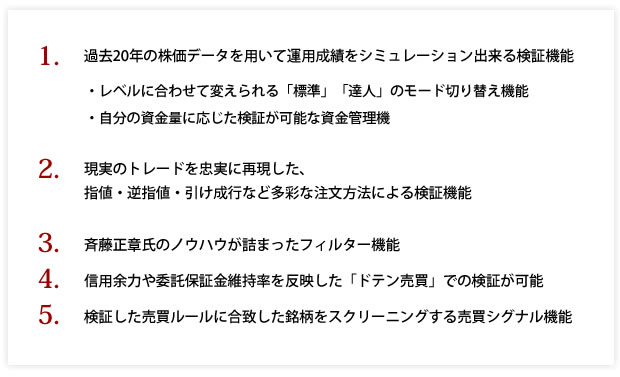
Developer Masakazu Saito explains the five essential functions needed to become a master of system trading


Even beginners can combine technical indicators (List of indicators equipped) and, by simply clicking the mouse or entering numbers, use a verification function that allows you to validate based on past stock price data. Even without any programming knowledge, you can find trading rules based on statistics from past stock price data yourself.

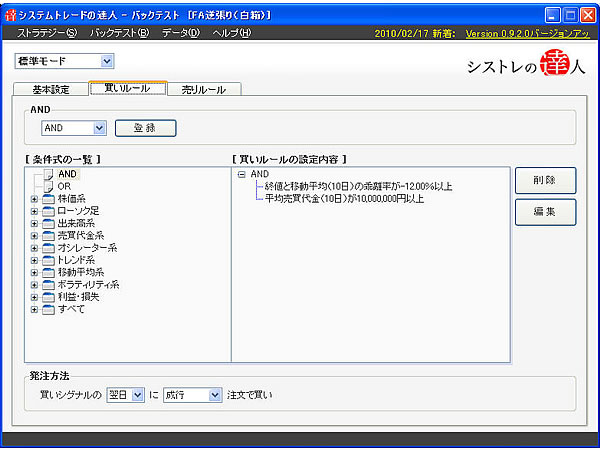
The screen above is a sample screen with buy rules set in “Standard Mode.”The deviation rate of the intraday closing price and the 10-day moving average is set to 12%, and the average trading value (10 days) is 10 million yen or more.

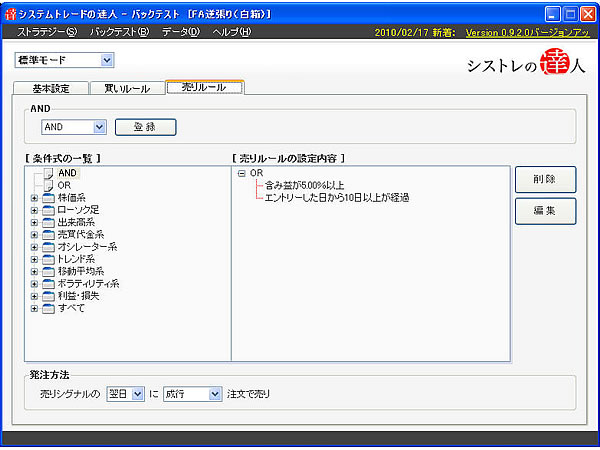
The screen above is a sample screen with buy rules set in “Standard Mode.”Profit and loss is set to be 5% or more or more than 10 days have passed since the setup date (including holidays).

Among beginners, there may be many who feel overwhelmed by too many items to configure and don’t know how to set the conditions. Therefore, in “System Trade Expert,” we have added a beginner-friendly “Standard Mode” and an expert-friendly “Master Mode”.
For example, this mode switch feature can be used as follows. If you want to verify buy and sell rules with simple conditions, use “Standard Mode” for verification; if you want to set and verify detailed conditions such as money management and filters, use “Master Mode.”

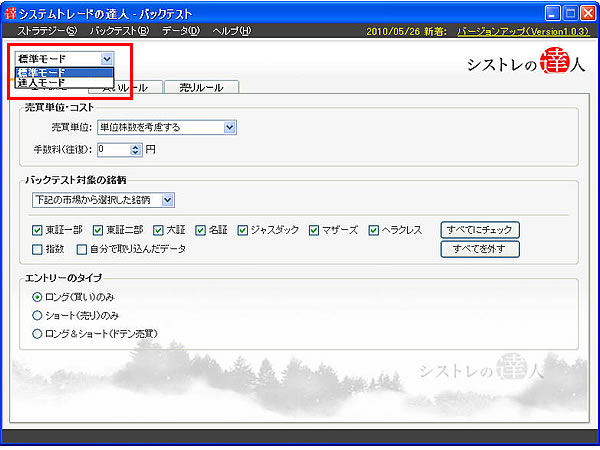

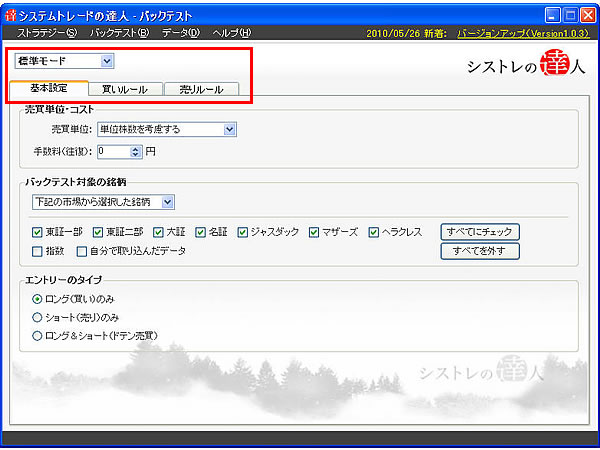
In the “Standard Mode” screen, only the minimum necessary verification screens for “Basic Settings,” “Buy Rules,” and “Sell Rules” are displayed

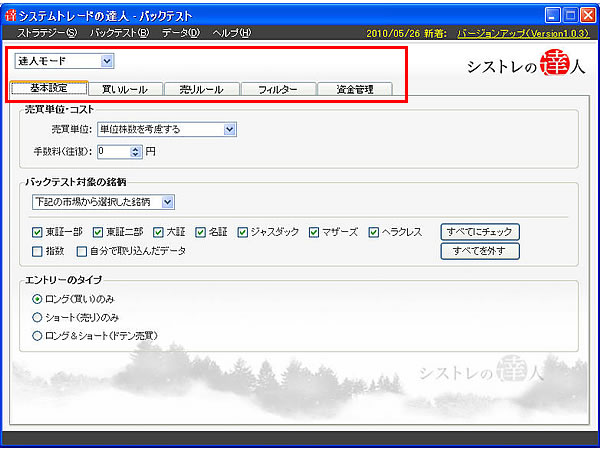
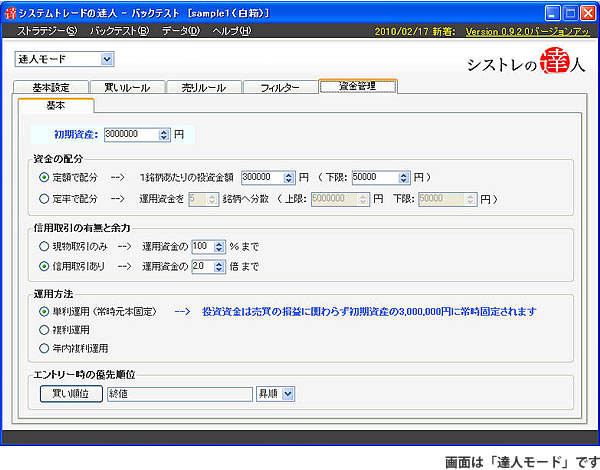
Switching to the “Master Mode” screen displays features that were not shown in the “Standard Mode,” such as the “Filter” function and the “Funds Management” function

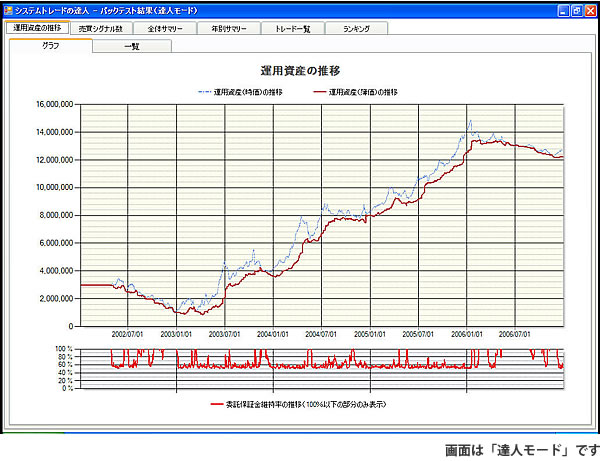
The amount invested in stock investments differs from person to person. For the same trading rules, verification results differ, for example, between a capital of 1 million yen and 10 million yen. In “System Trade Master,” you can not only set the investment fund, but also configure fund allocation methods, whether to use margin trading, and whether to use simple interest or compound interest.


Next time, we will introduce Function 2. We will deliver “verification using a wide range of order methods such as limit orders, stop orders, and close orders that faithfully reproduce real trading.”
For example, this mode switch feature can be used as follows. If you want to verify buy and sell rules with simple conditions, use “Standard Mode” for verification; if you want to set and verify detailed conditions such as money management and filters, use “Master Mode.”
In the “Standard Mode” screen, only the minimum necessary verification screens for “Basic Settings,” “Buy Rules,” and “Sell Rules” are displayed
Switching to the “Master Mode” screen displays features that were not shown in the “Standard Mode,” such as the “Filter” function and the “Funds Management” function
The amount invested in stock investments differs from person to person. For the same trading rules, verification results differ, for example, between a capital of 1 million yen and 10 million yen. In “System Trade Master,” you can not only set the investment fund, but also configure fund allocation methods, whether to use margin trading, and whether to use simple interest or compound interest.
Next time, we will introduce Function 2. We will deliver “verification using a wide range of order methods such as limit orders, stop orders, and close orders that faithfully reproduce real trading.”
× ![]()