
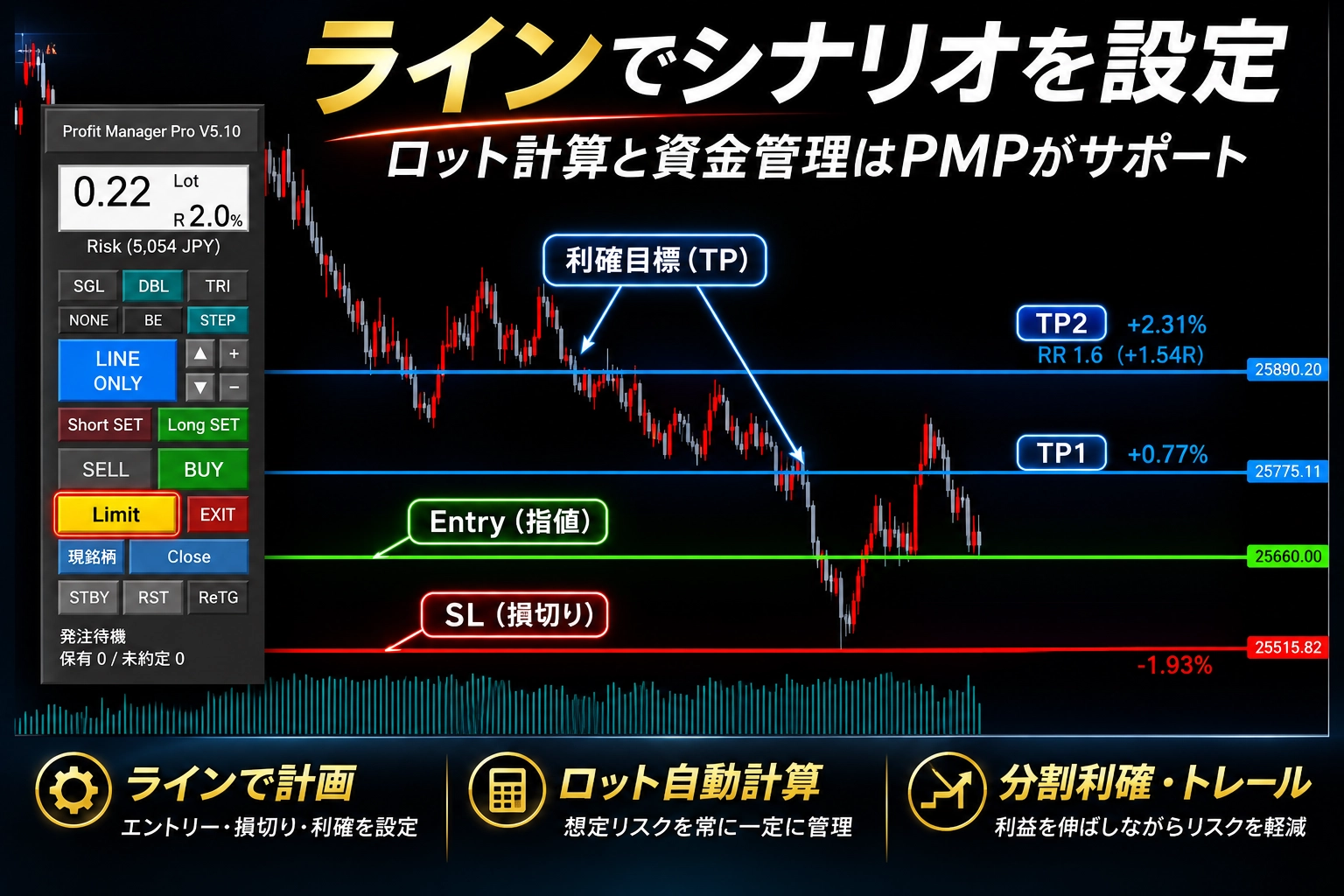
Draw a trade scenario on the line
With just that, money management is already finished
Right before entry, how far have you decided?
When you open a chart and enter a trade, I think the first thing you consider is where to buy and where to sell.
But honestly, just deciding the entry point is only half of a trading plan, right?
Where to cut losses. How far to hold. And above all, in this one trade, how much can your account lose?
Only when these three are in place does a proper plan emerge.
Just placing lines on the chart. Turning the scenario into a reality
Using Profit Manager Pro, abbreviated PMP, you can see entry, stop-loss SL, and take-profit TP lines displayed on the chart with a snap.
The task is simple: drag and place those lines according to your market analysis.
For example, if you’re aiming for a pullback buy,
enter here, Limit Entry
if you break this, the scenario collapses, SL
the target is up to the previous high, TP
and line them up like this.
What I cared about most here was eliminating the contradiction of determining the stop-loss position based on the lot size. Stop-loss should be decided by technicals and market structure,
and then calculate the lot size to fit that stop loss
.
PMP's design is based entirely on this mindset.
When you move the SL line, the lot automatically follows
For example, suppose you decide that one loss is up to 2% of your account balance.
If you pull the stop-loss deeper, i.e., farther away, the loss width increases, so the lot size automatically decreases.
Conversely, if you place the stop-loss shallower, i.e., closer, the width is smaller, so the lot size automatically increases.
No matter which way you move, the underlying calculation is that only 2% of the account is at risk.
Changing the stop-loss position automatically adjusts the lot size based on the set risk amount. Therefore, the potential loss is kept essentially constant.
This is PMP’s automatic lot calculation.
The panel shows not only the lot size but also the actual monetary risk in yen if you were to lose. When you move the lines, also glance at this amount, not just the lot number.
※ Due to costs such as fractional minimum lot units, slippage, and spreads, the actual loss amount may differ slightly from the calculated one.
Even if you split into two or three positions, the risk does not change
PMP has management modes: Single (one), Double (split into two), and Triple (three stages).
Switching modes increases the number of positions and take-profit targets, but the overall risk percentage for the trade remains the same across Single, Double, and Triple settings.
In other words, splitting into 2 or 3 positions does not multiply the acceptable loss. It’s just to structure profit-taking, not to increase risk. Please use this with confidence.
When profits extend, the stop-loss line also chases them
After entry, if price moves as expected, now you need to protect those profits.
PMP includes an automatic trailing feature that moves the SL line in line with price movement, ratio-based trailing stop.
Unlike fixed pips, it manages progress toward the TP in percentage terms.
For example, in the initial settings, when price reaches 50% of the way to TP, the SL is moved near the break-even. Then, as price advances, the SL is gradually raised in stages.
There’s no need to reconfigure fixed pip widths for each asset; you can trade FX, GOLD, stock index CFDs, and cryptocurrencies with the same ratio settings.
Aim for profits while protecting any gains made along the way. You can plan management after entry in advance.
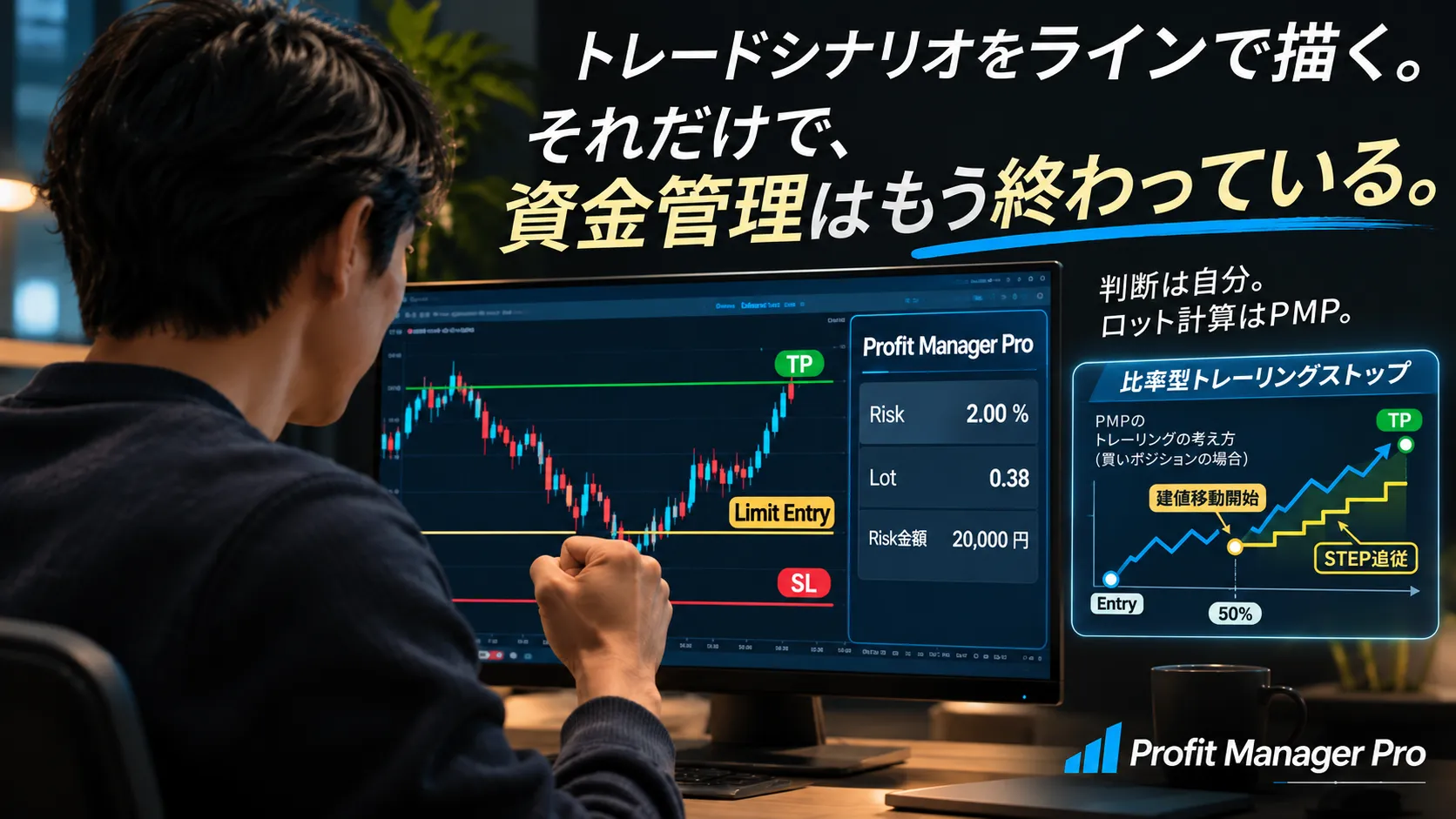
Decide the plan yourself. Let PMP handle the tedious calculations
Whether the market moves up or down. Where to enter and where to exit.
Ultimately, that decision is up to the trader.
PMP is not a signaling tool that tells you when to buy.
It is a tool that automatically calculates the lot sizes behind the scenes based on the risk you’ve set for the scenario you’ve drawn.
Draw a line on the chart to illustrate your scenario. At that moment, all money management preparations are complete.
That’s Profit Manager Pro introduced here.
What I personally wanted was exactly this kind of environment.
Profit Manager Pro MT5 v5.10 MT4 v5.13
The standard version is available here
https://www.gogojungle.co.jp/tools/indicators/74511?via=users
---------------------------------------------------------------------------------
Profit Manager Pro features can be tried with the free DEMO version.
Please check the actual usability: line manipulation on the chart, automatic lot calculation, split take-profit, break-even movement, ZONE MODE, etc.
Before purchasing, we recommend trying it in your own MT4/MT5 environment.
FreeProfit ManagerDEMO here:https://www.gogojungle.co.jp/tools/indicators/74581