

[KGS Indicator Buyers Only] EA “AUTO STUDIO” Release Start — From Signature Sorting to Auto Ordering
Select the Kurama Gold Signal Pro signs according to your conditions and connect them to automatic orders.We have started selling the EA “KURAMA GOLD SIGNAL PRO AUTO STUDIO.”
The password required for purchase is disclosed in the KGS purchaser community.
“I want to filter KGS signals by my own conditions and use them,” “I want EA to place orders when the conditions are met.” If you want to use it that way, this is the Windows MT5 version of the EA.
Add selection and automatic ordering to your usual signals
With KGS, you review signals and guidance for take profits and stop losses, and you place orders after confirming the market yourself. AUTO STUDIO addsthe ability to set conditions to skip and options for automatic ordersto that foundation.
Additional filtering includes items such as sideways movement, opposite direction, and overheating. You can select the necessary conditions and narrow down to the signals you want to use. This feature is for tailoring the signals you are currently using in KGS to your own operation conditions.
You can choose to place orders yourself or leave it to the EA
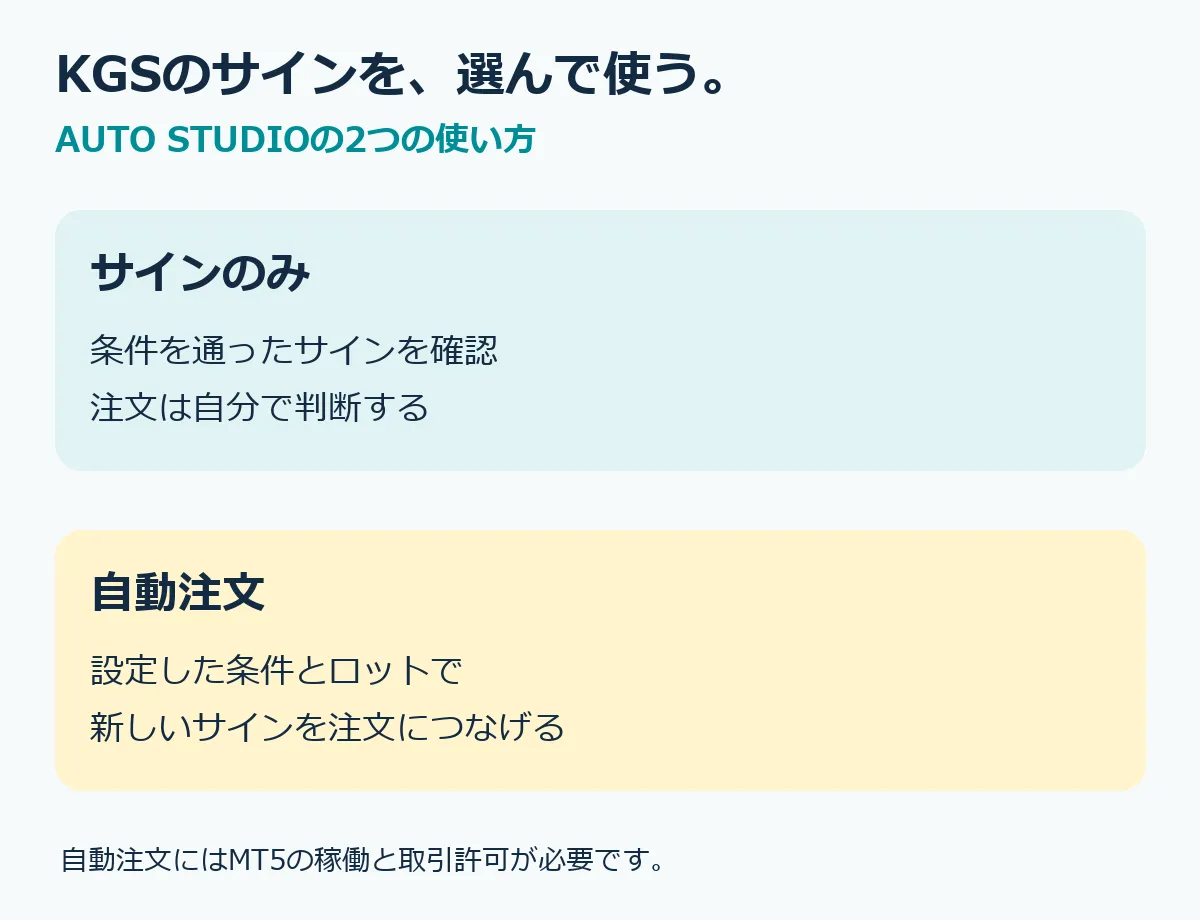
“Signals only”In this mode, you review the signals that passed the filter and the take-profit/stop-loss guidance, and decide for yourself whether to enter the trade. This is suitable for those who want to check the displayed content first.
“Automatic orders”In this mode, new signals that passed the filtering are connected to orders in accordance with the set lot size and order conditions. If you are performing the same checks repeatedly each time, you may consider letting the orders be handled automatically.
Signals do not necessarily trigger orders just because they appear; you also check holding limits, margin, and tradable price. Increasing filters does not guarantee more profit, so please first verify settings and operation in a demo environment.
Use while confirming “what you set”
In AUTO STUDIO, you canview the currently reflected settings at a glanceand verify things like lot size, take profit, stop loss, and postponement conditions without leaving them as you thought.
You can also review saved signals, postponement reasons, and logs. Decide conditions, observe movements, and review records. This process helps you organize your own usage.
Purchase password is available in the KGS purchaser community
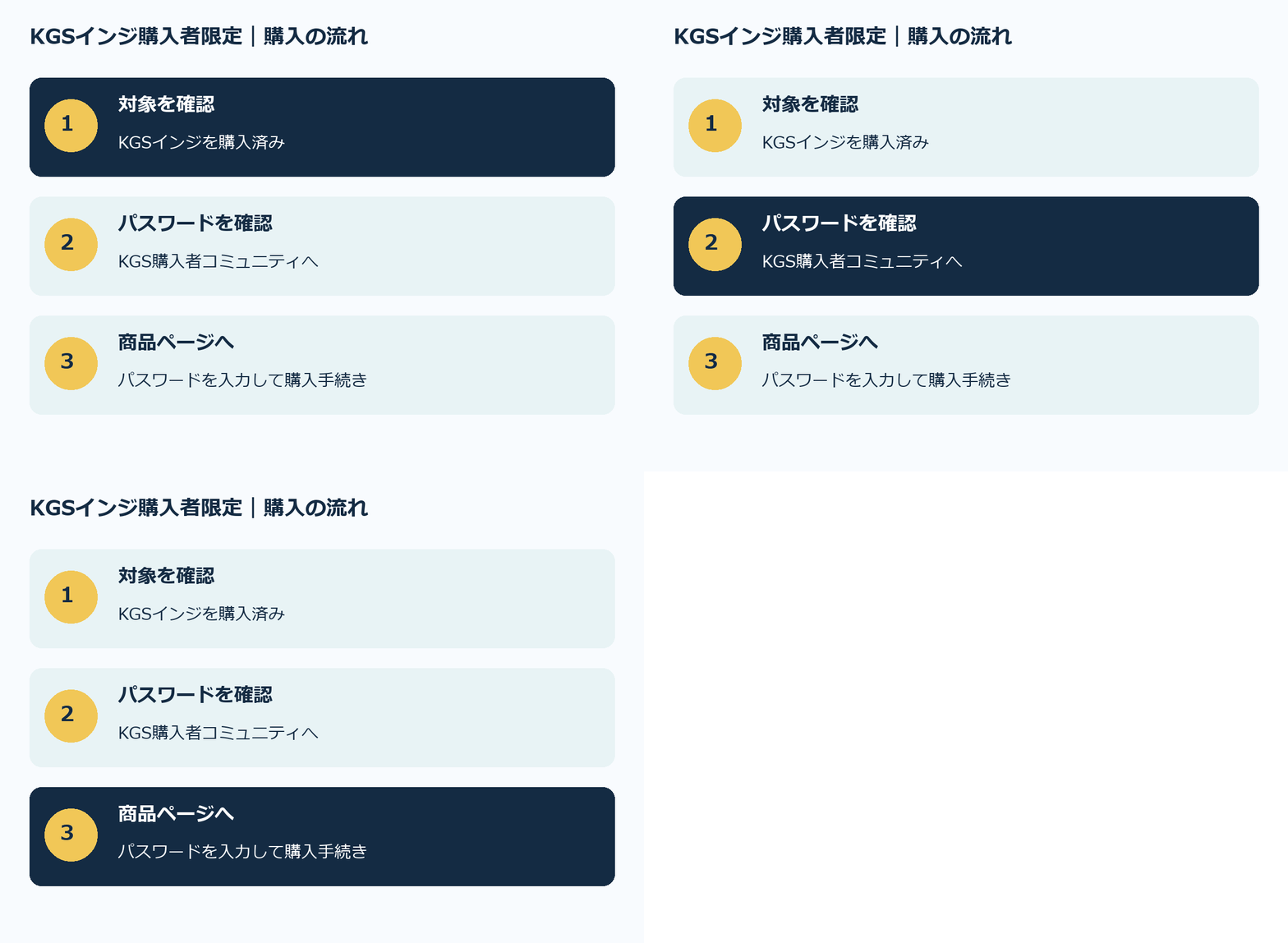
① Confirm you have purchased the KURAMA GOLD SIGNAL PRO indicators.
② Confirm the purchase password in the KGS purchaser community.
③ Enter the password on the product page and proceed to purchase.
This is a purchaser-only sales page. If you have already purchased the KGS indicators, please check the community guidance before proceeding.
AUTO STUDIO product page is here
Price: 39,800 yen (tax included)
For those who want not only to receive KGS signals but also to select the conditions to use them and connect to orders. The detailed contents and purchase conditions of AUTO STUDIO can be checked on the product page below.
 KURAMA GOLD SIGNAL PRO AUTO STUDIO
MT5 EA exclusive to KGS indicator purchasers
From signal filtering to automatic orders.
▶ Go to product page and purchase
For Windows MT5. Automated orders require MT5 to be running and trading permissions. Use of the EA does not guarantee profit.