
What is the all-in-one app "NEXTRA 369" that can do anything?

https://www.gogojungle.co.jp/tools/ebooks/89933
HIGH SPEC TOOLS
High-spec tools,
all in one and unlimited use.
EA, market analysis, lot calculation, discretionary AI support, automated signals.
A wide range of tools can be used repeatedly to suit your purposes. More tools will be added. The lineup will continue to expand.
Unlimited use applies to the tools provided with this product. Please use in accordance with the usage period, supported environments, and license terms.
ANDROID APP & WEB
Android is via the app.
PC and iPhone use the Web version.
| Device used | How to use |
|---|---|
| Android | Install and use the Android app (APK) |
| PC | Use the Web version from a browser |
| iPhone | Use the Web version from a browser |
You can choose based on your device—an app + Web trading support toolfor PC and iPhone, you can use the Web version without installing a dedicated app.
Please check the user guide for how to access the Web version. Notifications and background operation vary by device and browser settings and compatibility. The displayed screenshots are examples from the Android app.
ACTUAL APP SCREEN
Switch modes according to your purpose.
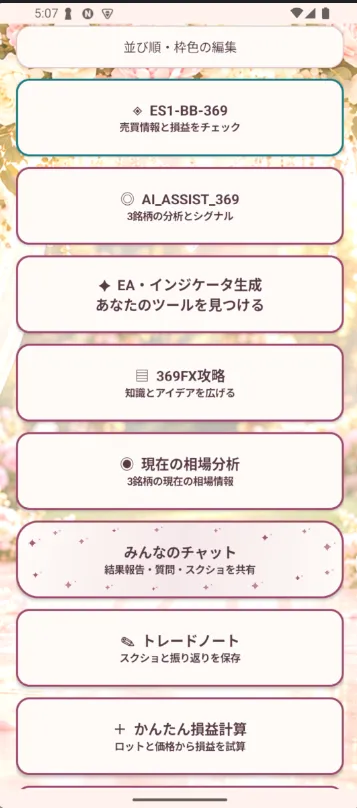
One entry point for checking trading information, AI-assisted screens, tool generation, and FX learning information. Please check each description for AI dispatch operation and learning content availability.
This is an actual app screen capture. Values, timing, and content may vary by sales conditions and delivery status.
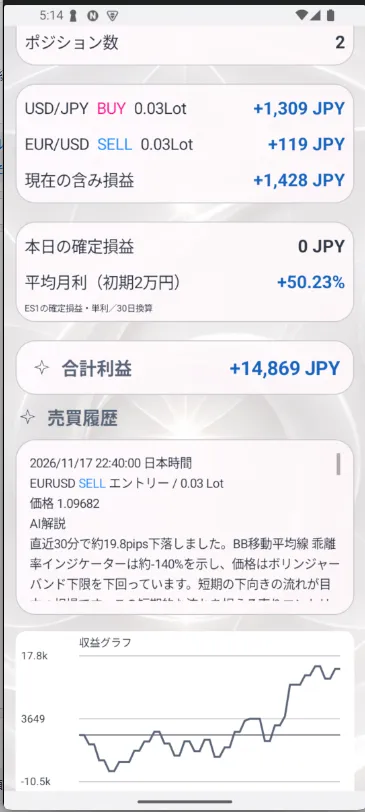
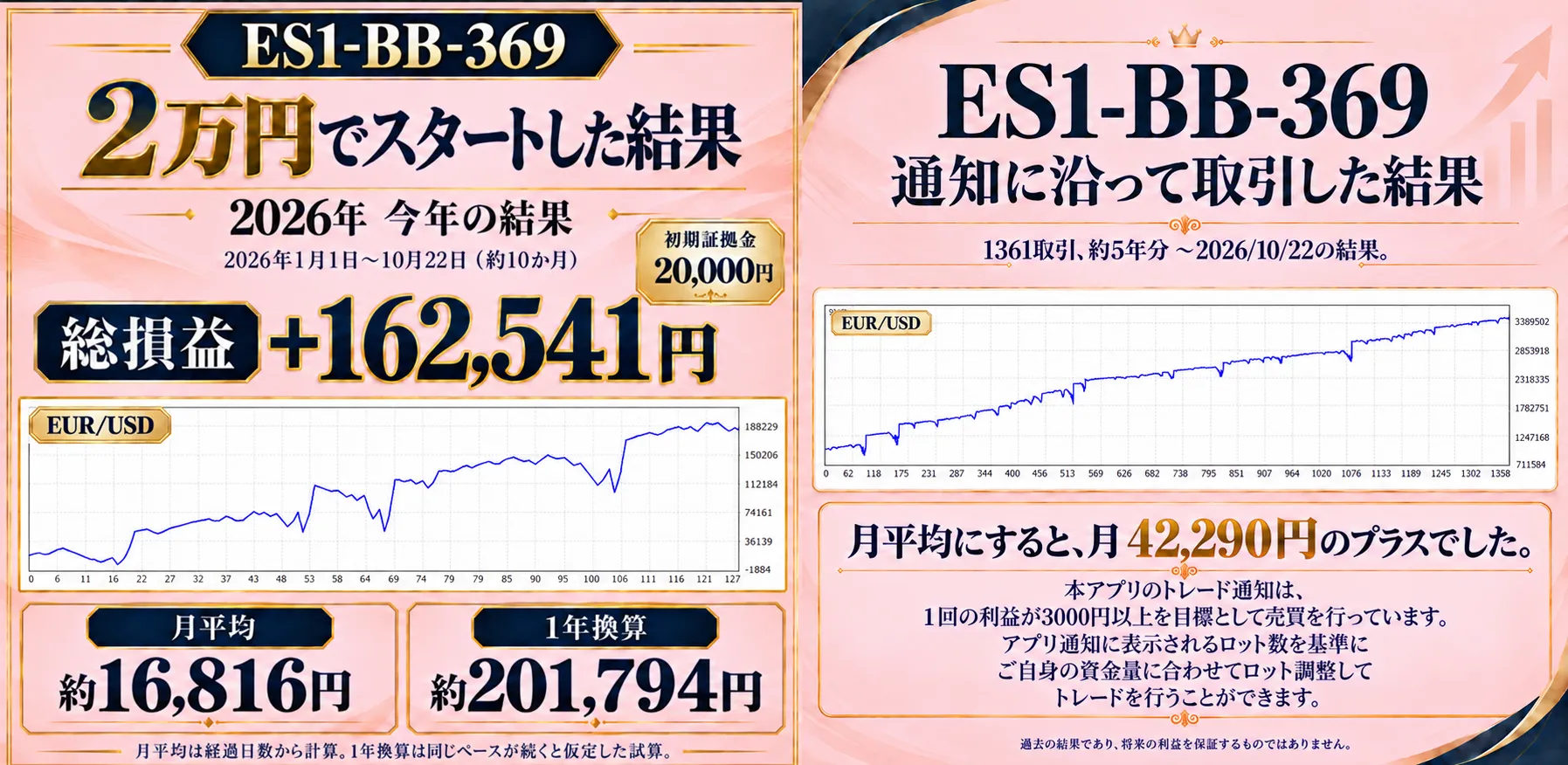
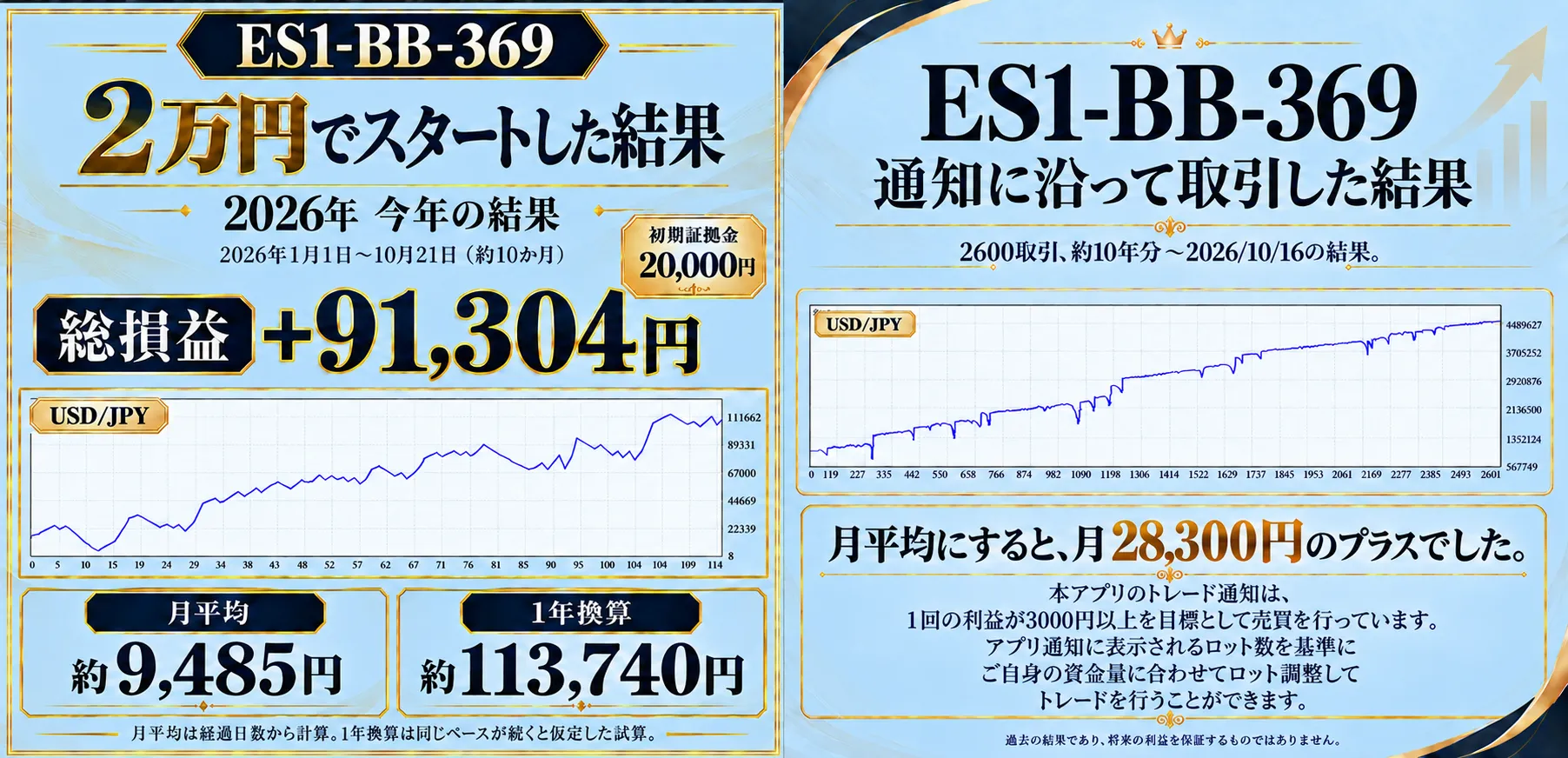
Bring entry and settlement information to your hand
Check trading information from the corresponding data sources on your smartphone. Includes ON/OFF notification reception and notification sounds, adjustable for usage scenarios.
Holdings, profits, and history
Displays acquisition price, number of positions, current unrealized P/L, today's realized P/L, total profit, and trade history.See “current status” and “past movements” on one screen.This can be checked on a single screen.
The data shown comes from linked/distributed sources. It does not mean your own EA or accounts are automatically linked. The screen includes USD/JPY and EUR/USD guidance. Please confirm the supported data sources, target accounts, and linkage conditions.
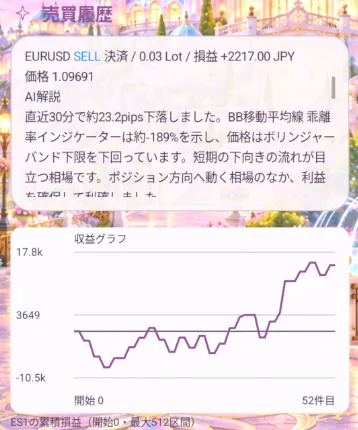
Not only the trade results, but also why you traded
are explained.
ES1 trade history displays AI explanations for entries and settlements,so you can verify the reasons for trades in text, along with price movements and BB moving average divergences recognized at the time.
In addition to where you traded, you can review the market conditions that influenced decisions, helping you understand the trade flow.
02 / AI ASSIST
Make signal checks easier to read.
AI_ASSIST_369 mode
Toggle USD/JPY, EUR/USD, and GOLD,with attention/foresight, match degree color indicators, and the latest 10 signal historiesdisplaying on a dedicated screen. When available, this serves as an entry to organize the information.
Internet connection and data provider dispatch must be active. If connection or distribution is unavailable, information may not be retrieved. Match degree and numbers do not guarantee future win rate or price movement.
NEW USER FEATURES / 2026.11
From market check to calculation, recording, and sharing.
NEXTRA 369 evolves from a simple app that receives trade information to a comprehensive tool that enables pre-trade planning, post-trade review, and sharing with users.Open modes tailored to different goals.The following features are introduced based on Android v1.9.61; the Web version also covers these features. Images and real operation screens are shown separately.
01 / HOME & NOTE
Make your decisions revisitable later.
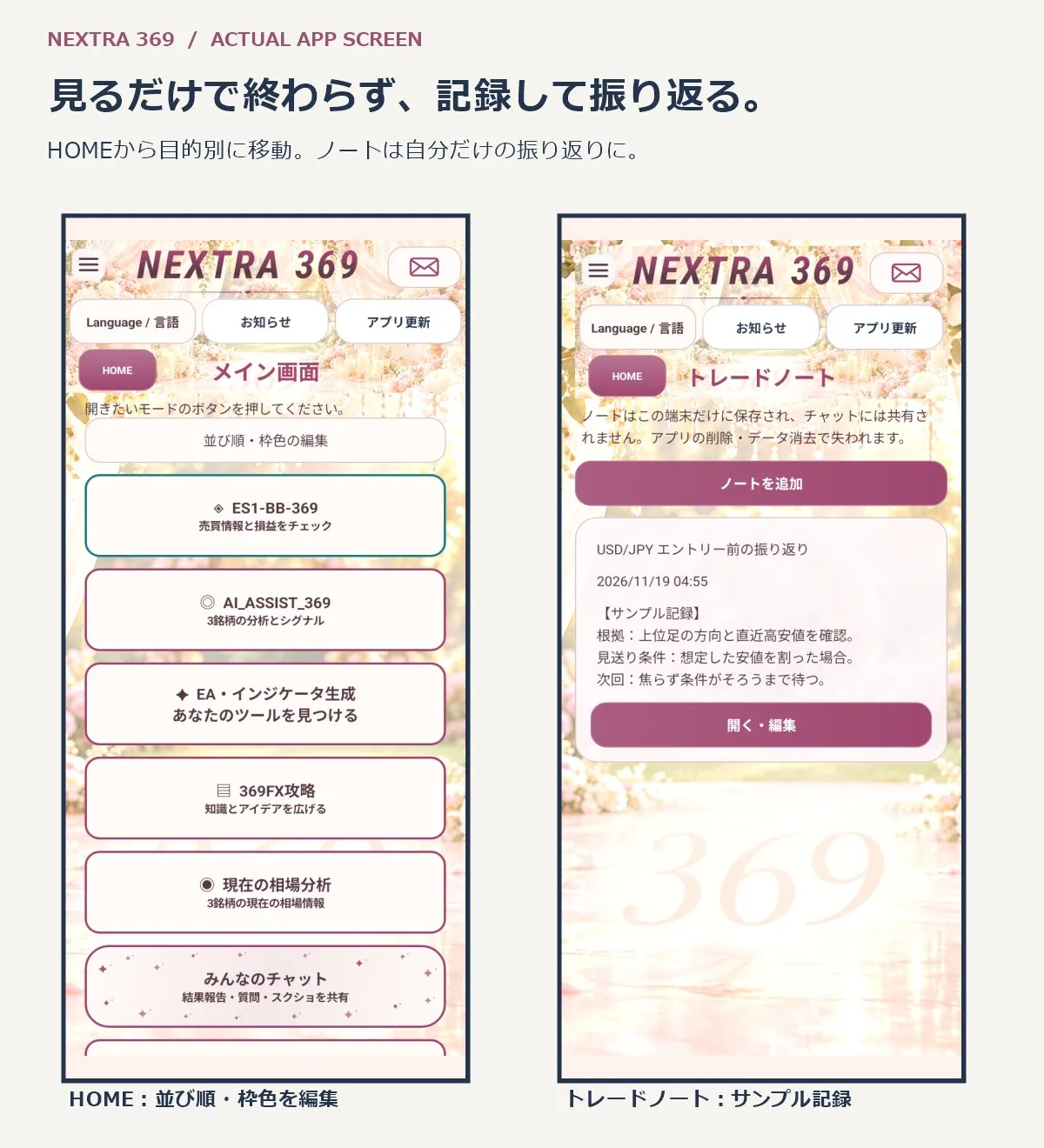
HOME:Move to Market Check, AI Support, Tool Generation, Learning, Chat, Notes, Calculator. Reorder frequently used modes, or choose frame colors from a palette.
Trade Note:Record title, instrument, entry reason, result, and reflections. Attach screenshots and annotate with handwritten notes, arrows, and text. You can adjust arrow positions, sizes, font size and color, and edit/delete later.
For example, predefine entry conditions and exit thresholds, then compare with the results later. Use as a personal record, not shared in chat.
Notes and images are stored locally on Android or in the current browser on Web; please back up important records separately. Not included in account transfer. The sample notes shown are for demonstration.
02 / CALCULATE & PLAN
Before trading, estimate lots and risk management.
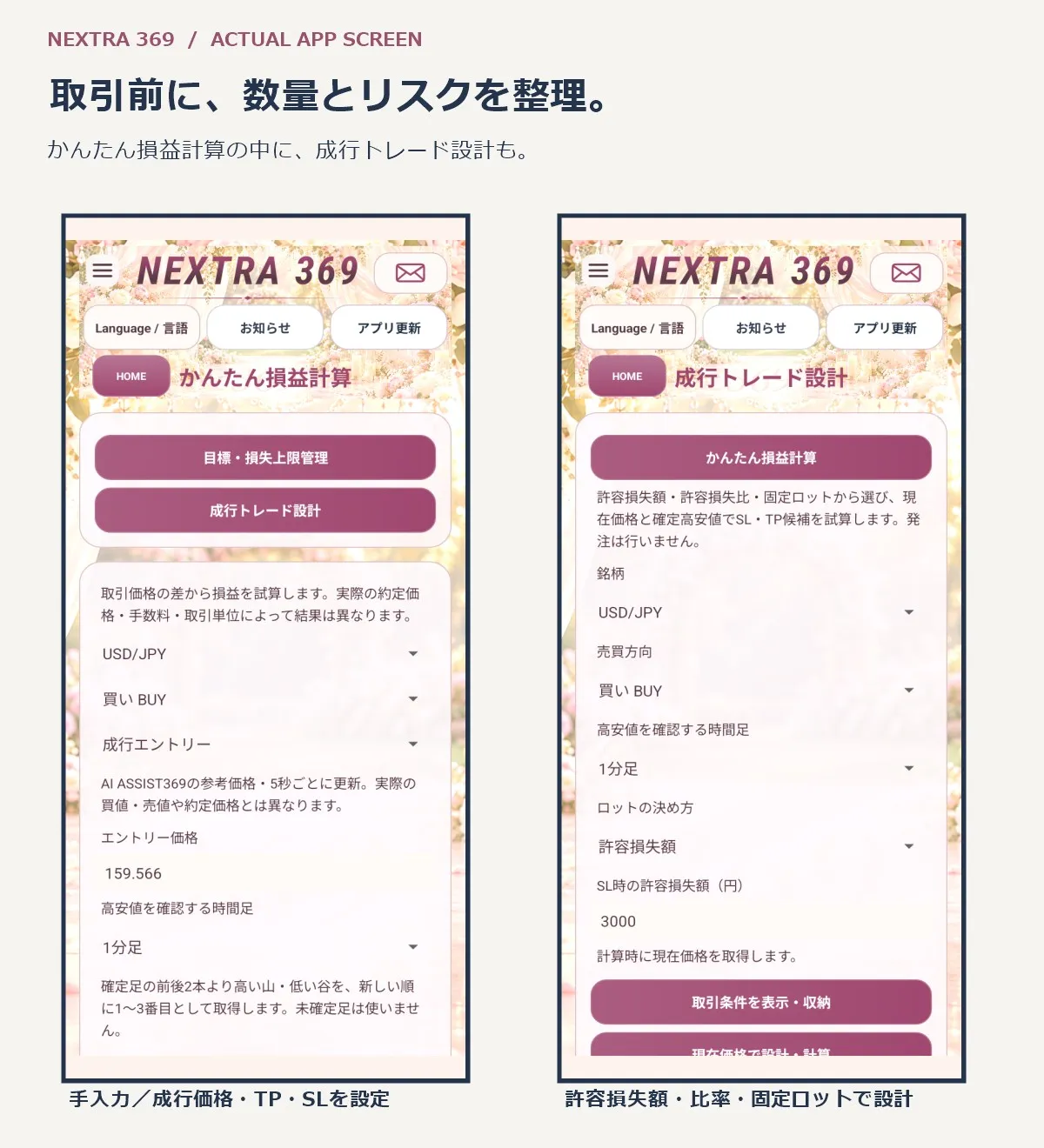
Set buy/sell directions for USD/JPY, EUR/USD, and GOLD, entry price, take profit (TP), stop loss (SL), and lot size to estimate potential P/L at TP/SL. For market orders, reflect AI ASSIST369 reference price automatically. Supports manual price entry as well.
Select time frames and highs/lows:From 1 minute to 1 day, with TP/SL manual input, and incorporate the most recent high/low data for the latest confirmed bars only. Unconfirmed bars are not used. Calculations are kept for at least 10 seconds.
Market order design:Within the same calculation page, another calculator helps decide SL/TP candidates based on “permissible loss,” “risk percentage of capital,” or “fixed lot.” For buy, SL is below current price and TP above; for sell, the opposite. If no candidate fits, a note will indicate that.
Target and loss limit management:Also available from the calculations page. Enter target profit, loss limit, and realized P/L to review that day’s situation. Reaching the limit prompts a trading reconsideration.
All are planning and estimation aids. The app does not execute orders or automatically stop trading in your account. Set trading units, conversion rates, and costs to fit your environment. Results may differ due to data feed prices, actual Bid/Ask, fill prices, spreads, and slippage. Local storage is used for target management.
03 / FLOATING ANALYSIS
Check the market when needed, while viewing other screens.
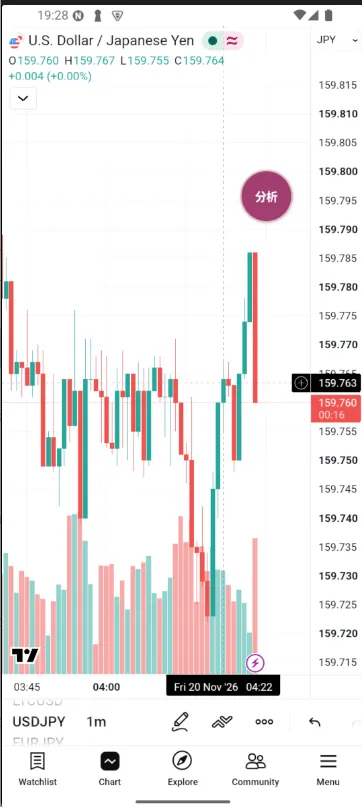 | 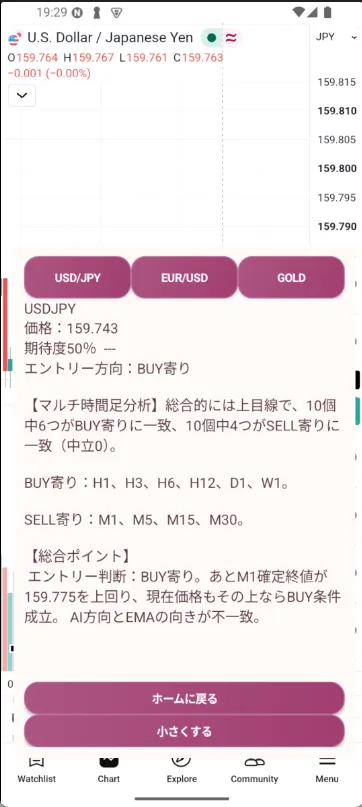 |
Android’s“Current Market Analysis”hides the app’s main screen and shows a small circular “Analysis” button on top of other apps or the home screen. The button can be moved anywhere and colors to match the current theme.
① Tap analysis → ② select USD/JPY, EUR/USD, or GOLD → ③ display info in the analysis panel.
It analyzes real-time data and loads information. You can review directions, strength, and overall scores across multiple timeframes provided by the feed.
04 / COMMUNITY
Keep notes for yourself and chat with others to deepen understanding.
People’s Chat:Users of NEXTRA 369 share results, current status, questions, and learnings.
Why outputs matter in FX
Charts are easier to explain after outcomes are known. Before outcomes, writing in your own words what you entered and how far it could break helps you later review your decisions.
For example, simply saying “look for pullbacks” is vague about which time frame and which highs/lows you’ll base it on. Turning conditions into words reveals what you think you understood and what you want to verify next.
When profit occurs, reflect on whether it was due to following rules or rushing in. Keeping reasons in a trade note and sharing insights in group chats can give new perspectives you may have missed. Start with a line like “I enter when this happens, I exit when this level breaks.”
05 / THEMES & TRANSFER
Customize your daily screen and prepare for device changes.

Design Preview:Choose themes such as Pearl, Black, Lake, Flower, Castle, Dragon, etc. Tap to preview, apply with OK, or cancel. Use screens with coordinated background and button colors.
Interfaces in 6 languages:Japanese, English, Vietnamese, Thai, Chinese, and Korean available. Content for learning materials, posts, and feed texts varies by piece of content.
Device change & data transfer:Generate a transfer code from settings and enter on the new device to carry over profile, individual exchanges, license information, and usage days for support. Design, language, mode order, and frame colors are also carried over.
Transfer codes have an expiration and are used for a single transfer. Use the same license information as guided. A transfer does not extend license duration, nor does it permit multi-device simultaneous use. Local data for trade notes and goal management is not included. Do not share codes with third parties and store them securely.
06 / 369 COURSE SUPPORT
Check ongoing usage in the settings screen.
In the settings screen, the “369 Course Support” shows the remaining balance and valid days until access. After about 46 months of continued use of NEXTRA 369, you earn the right to take the 369 course for free. You can enroll even before the balance runs out.
Current display example:Starting balance 162,810 yen. Each day of valid usage reduces the balance, and you can enroll for free when it reaches 0 yen. It will not go below zero.
https://www.gogojungle.co.jp/tools/rooms/29549
Enrollment is limited to one per person. Those who have enrolled previously are not eligible.
03 / TOOL GENERATION
Choose the tools you want,
and use them on the PC.
EA & Indicator Generation Mode
ACTUAL APP SCREEN
Choose from a list. Generate and use on PC.
EAs and indicators unlimited!!
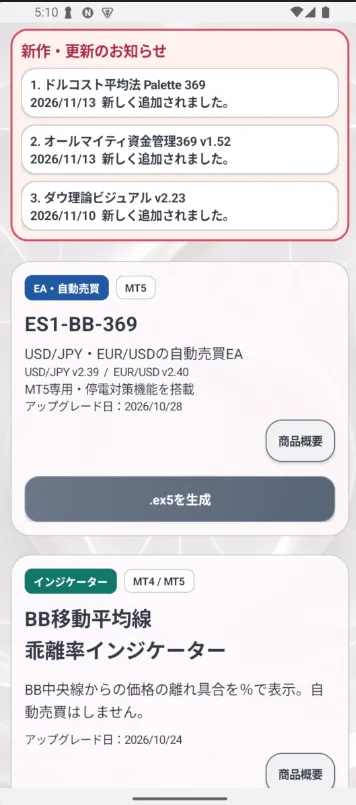
PC installation follows the included guide.
This is a displayed example of the actual app screen.
Select tools from the provided list andgenerate a ZIP containing executables.
Proceed to the tools you need while reviewing each tool’s description.
CHOOSE YOUR TOOL
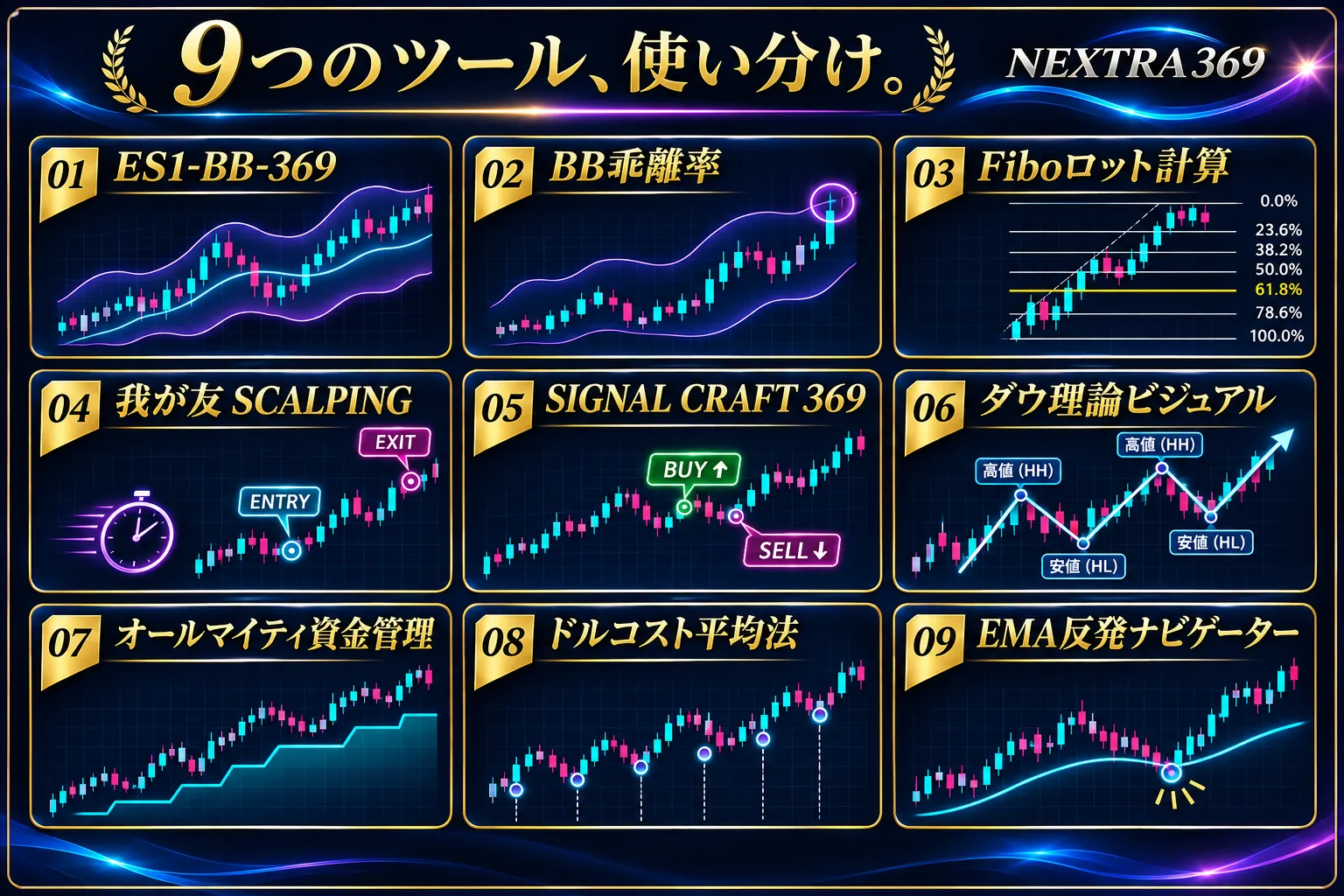
From 9 generation menus, choose by what you want to do.
From “generation,” extract the files to use EA/Indicator on PC MT4/MT5.
“Generation” means exporting the prepared EA or indicator so it can be used on MT4/MT5 on PC.We introduce the role of each menu so you won’t be unsure about their purposes.
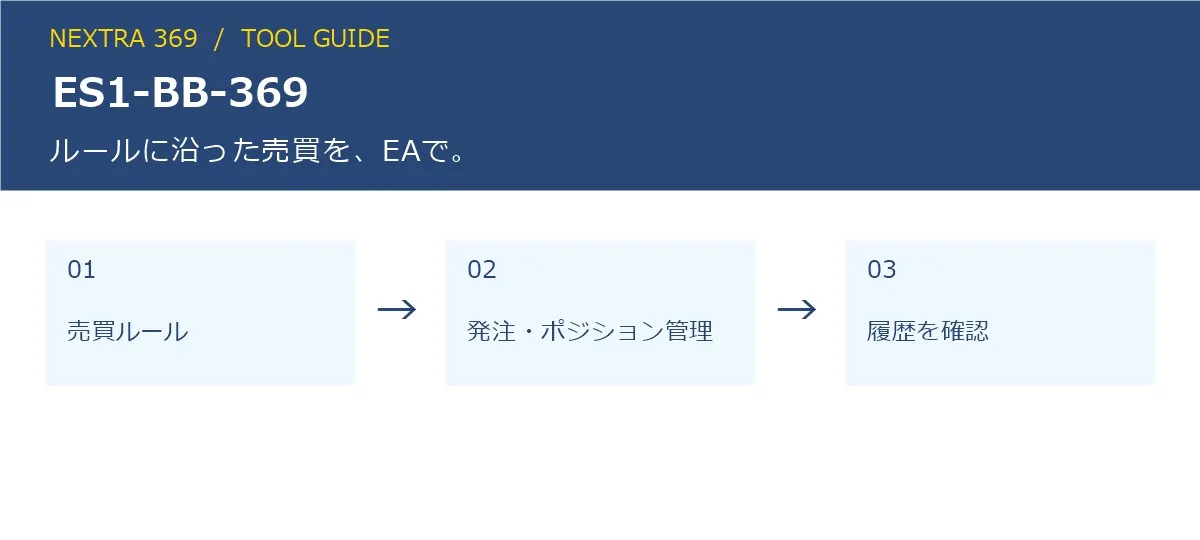
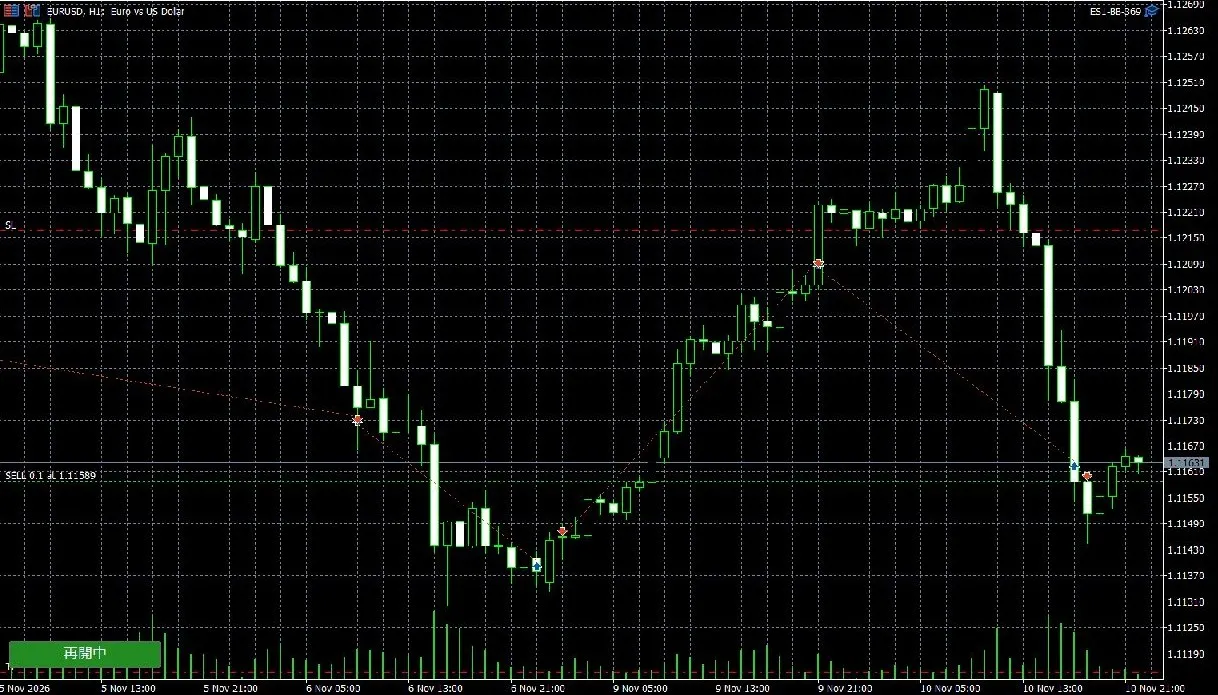
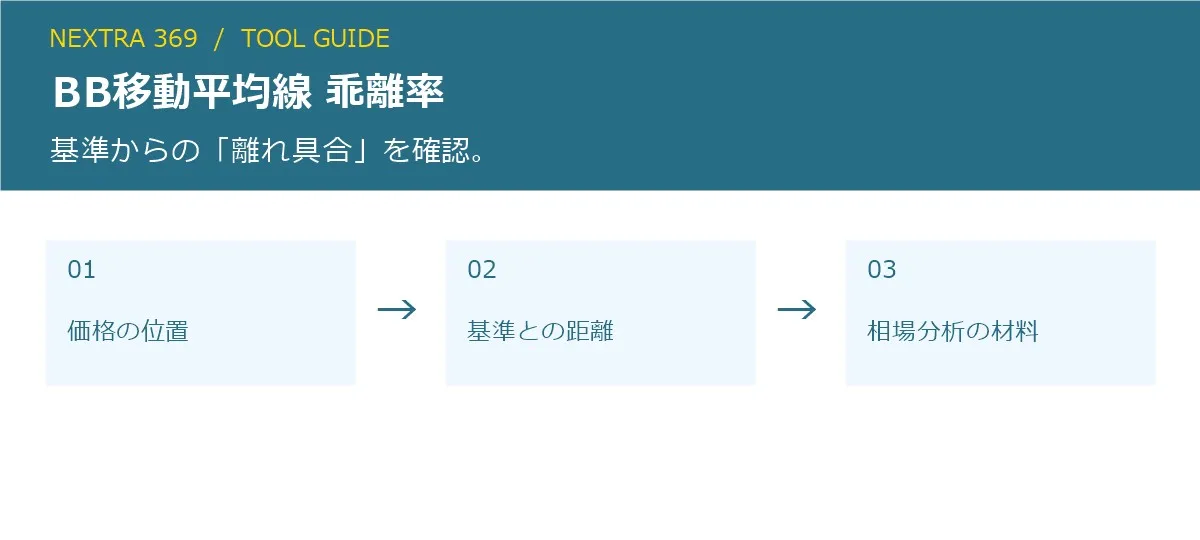
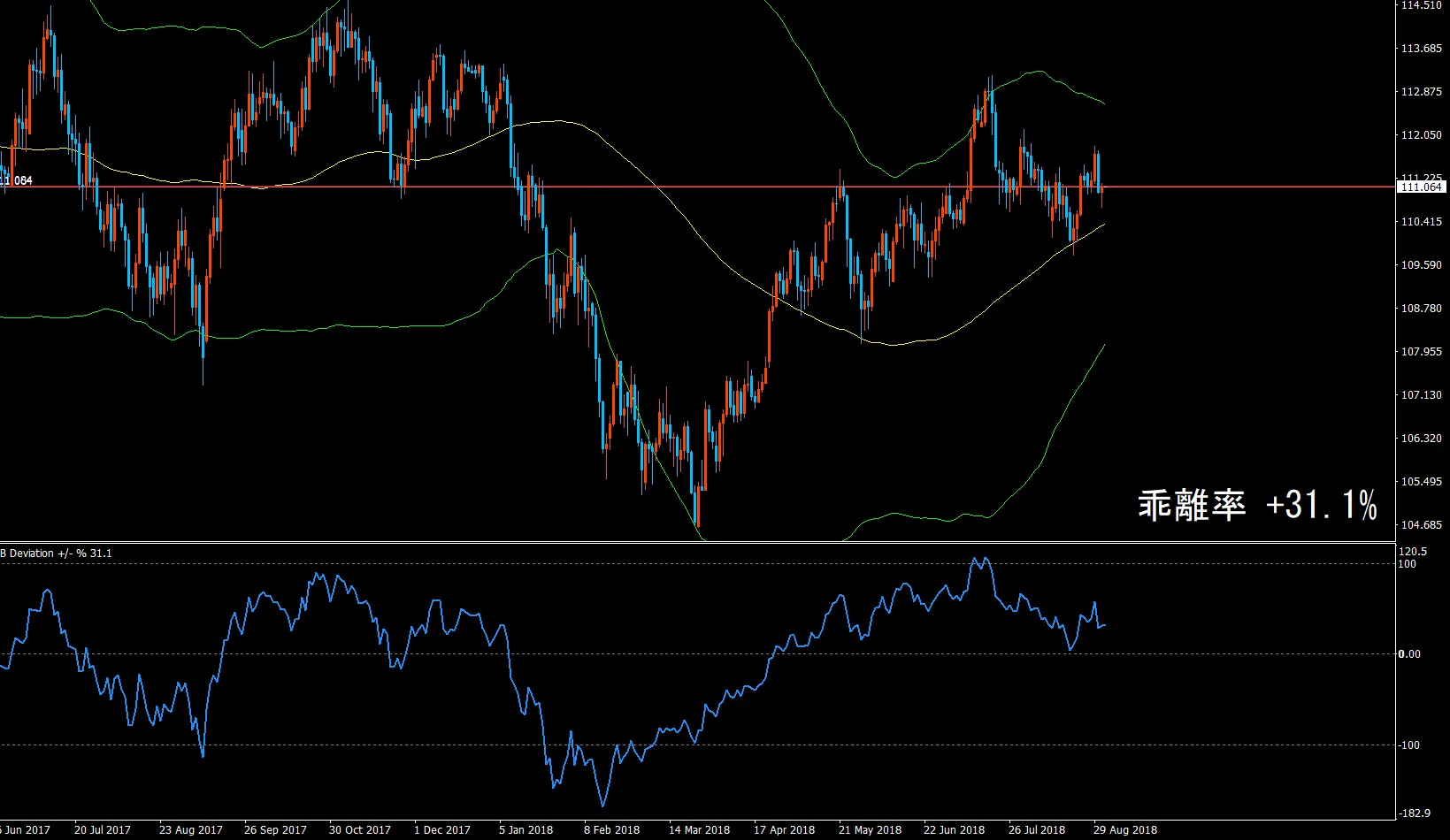
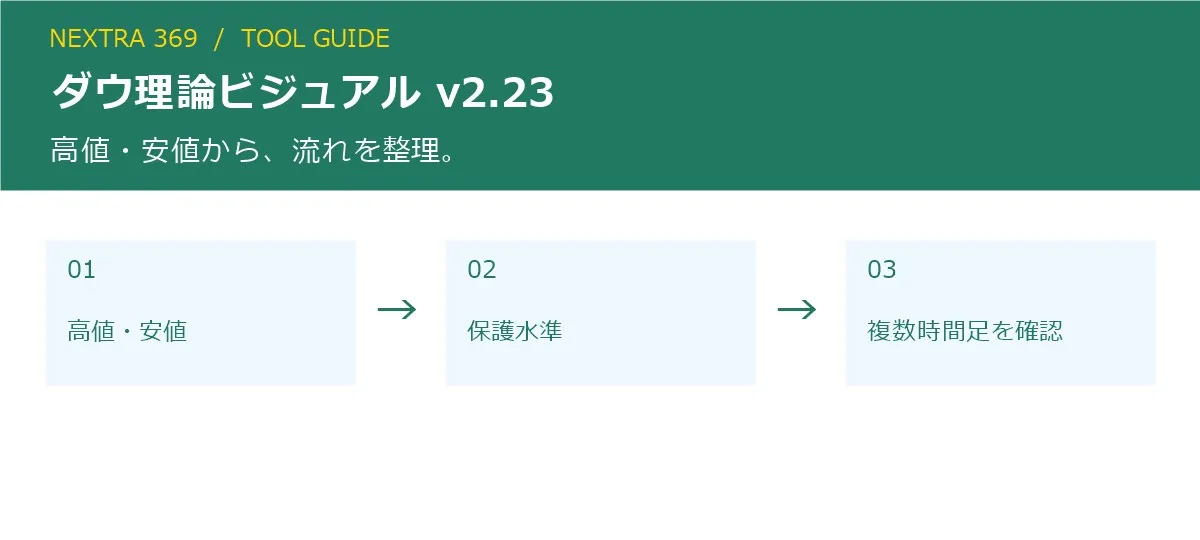
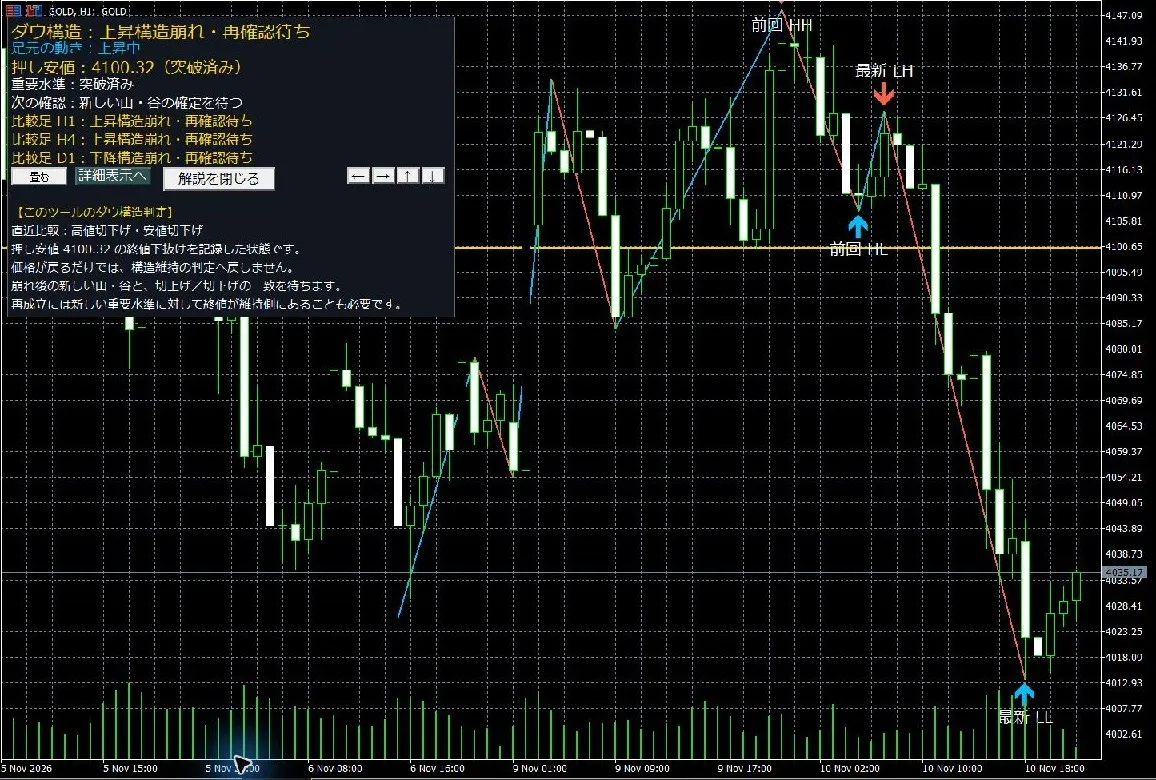
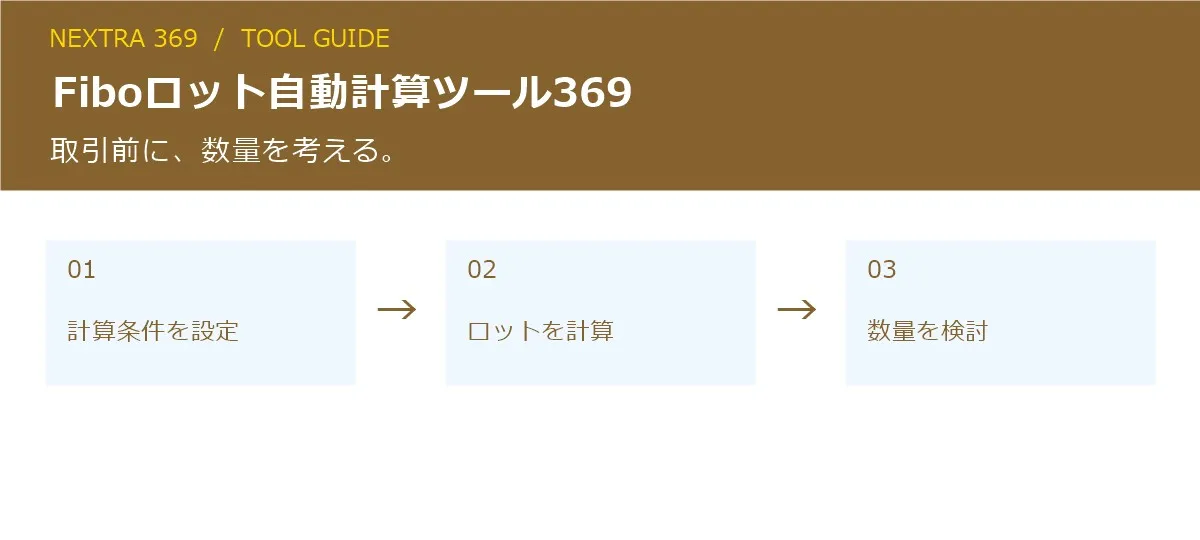
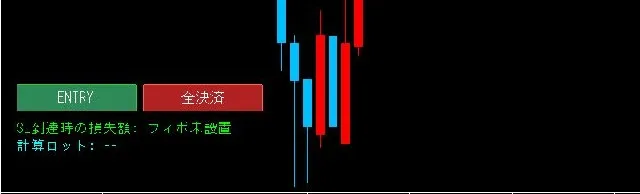
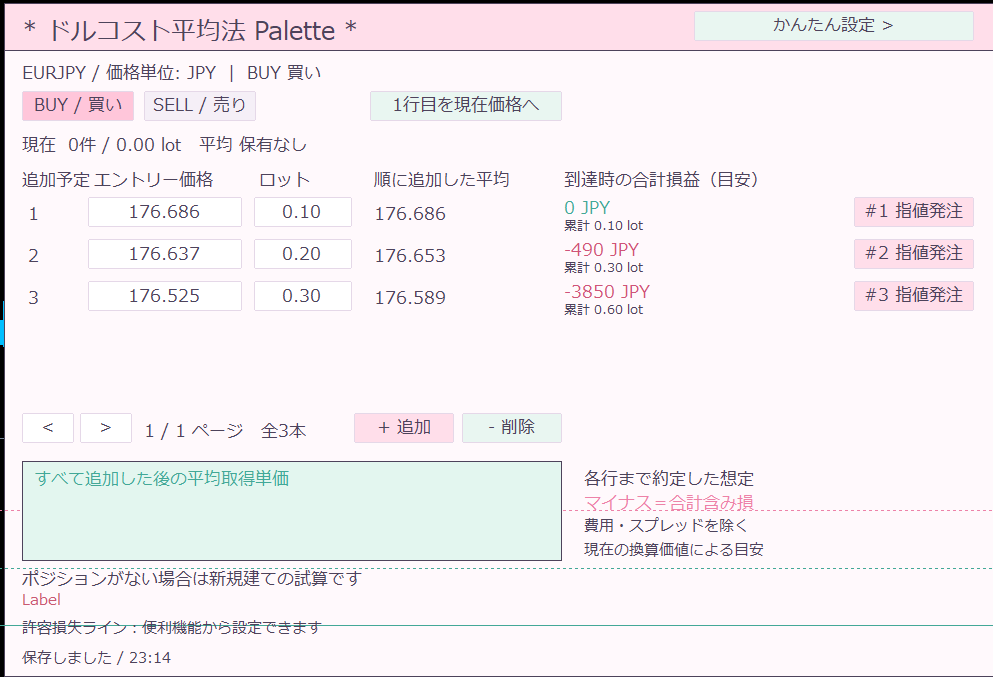
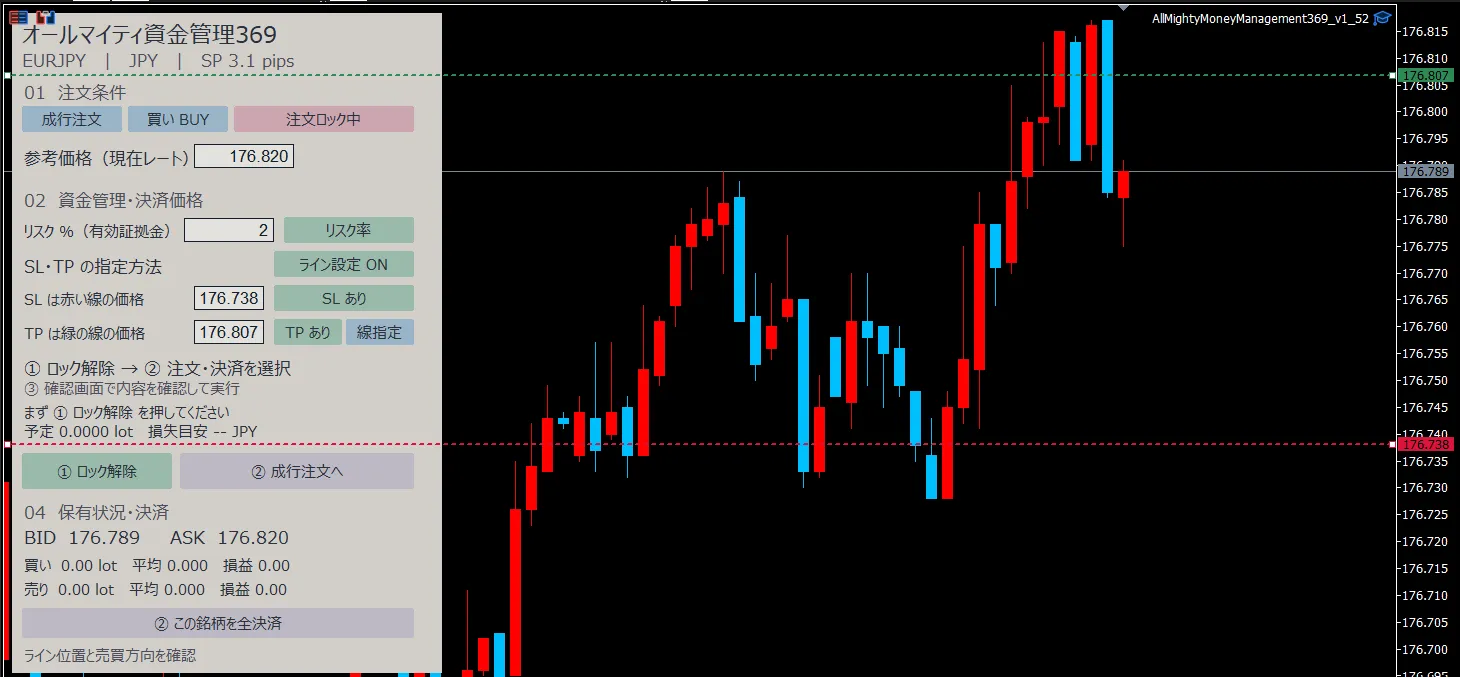
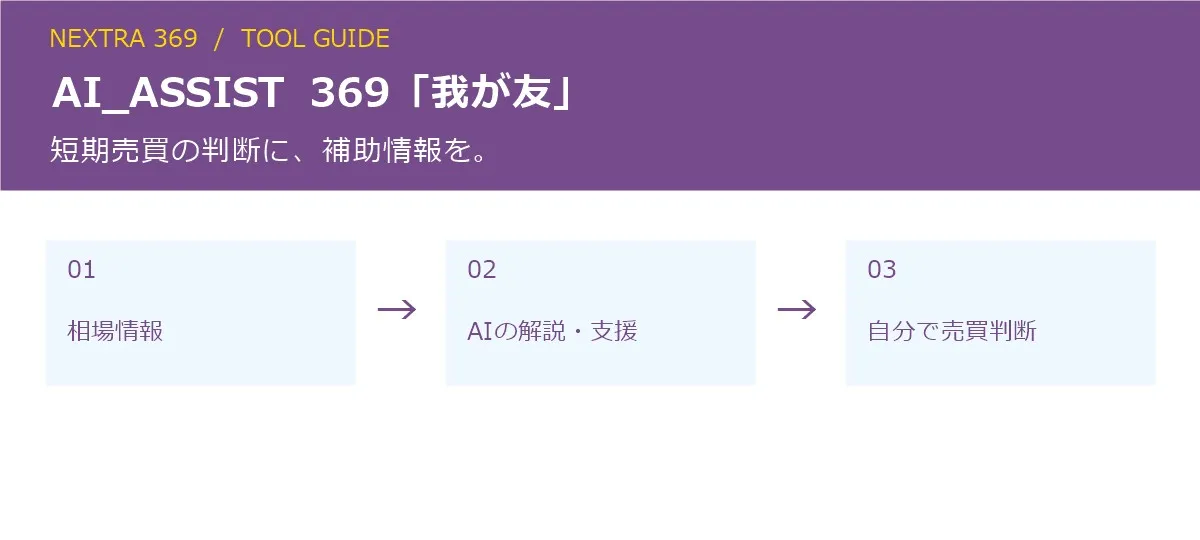
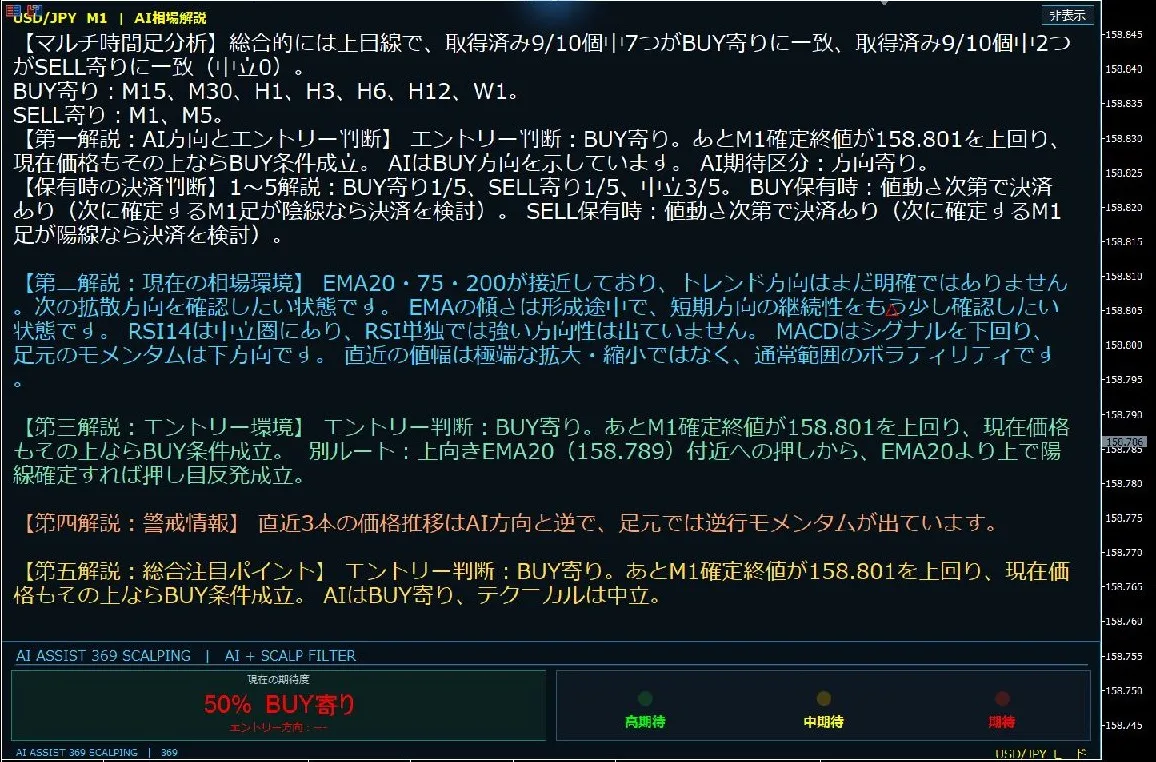
EMA Rebound Navigator (MT4/MT5)
An discretionary trading indicator that displays pullbacks and rebounds toward Exponential Moving Averages (EMA) with arrows.
Check signals and price cues
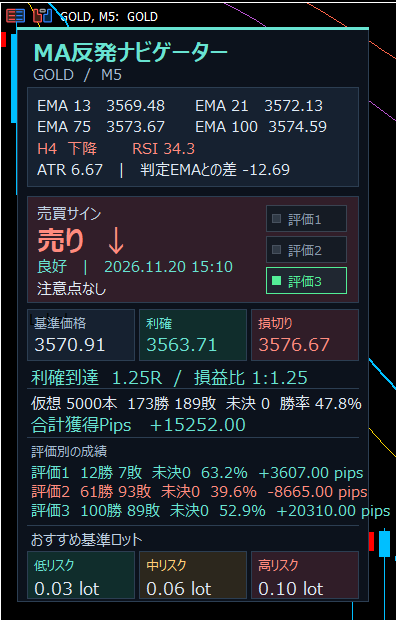
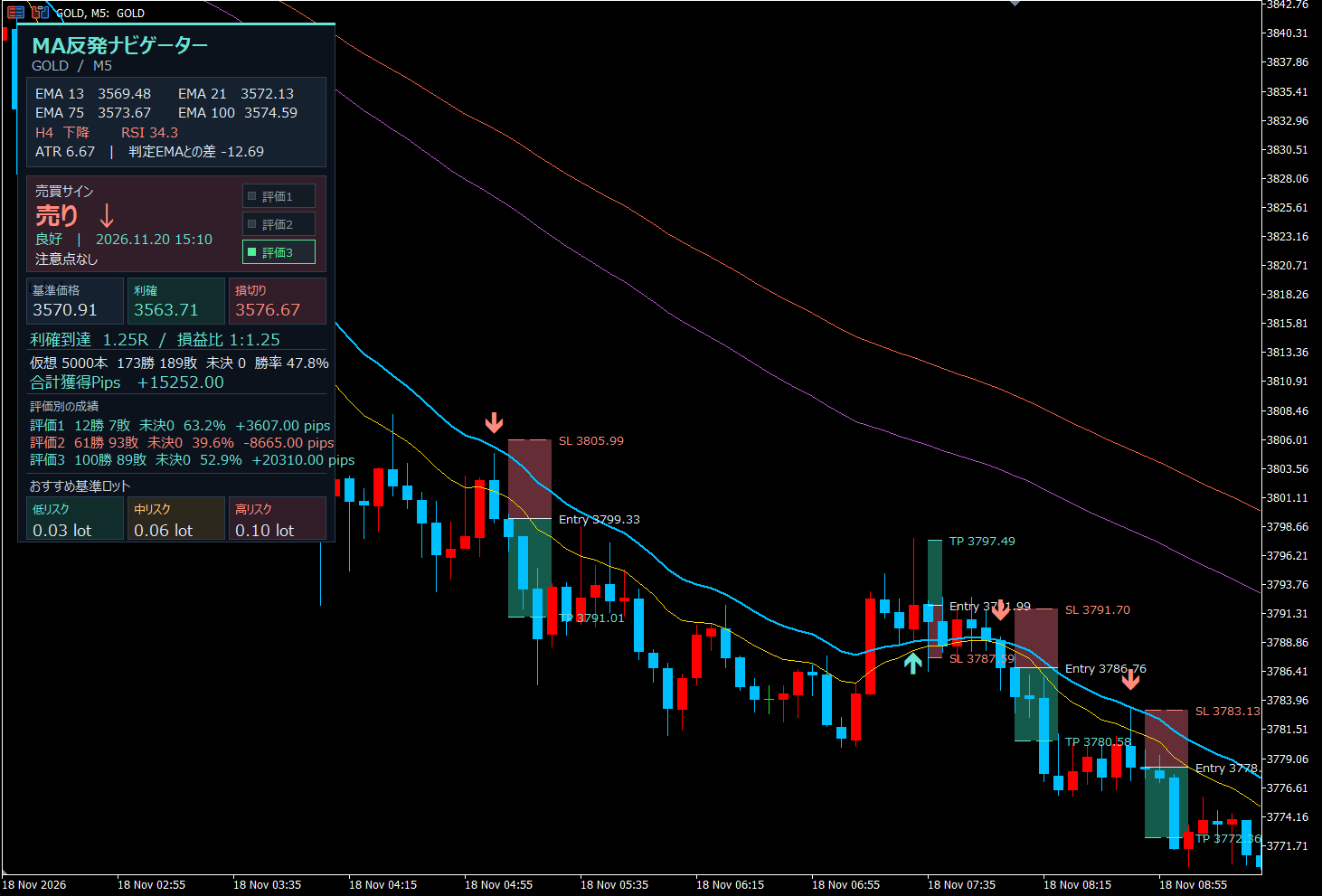
The panel shows multiple EMAs, the direction of higher timeframes, RSI, and ATR. You can view buy/sell signals, reference prices, take profit and stop loss cues, and profit/loss ratios. You can also review past arrows and price zones on the chart.
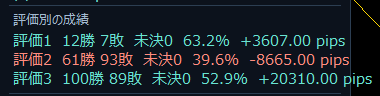
Compare three entry patterns
Compare outcomes, unsettled cases, win rate, and total pips across three historical patterns. Use these pretend results as a guide to decide which patterns or entries to use or pass on.
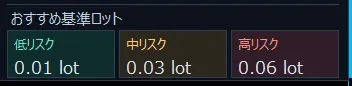
What lot size to enter?
If unsure about entry quantity, check recommended base lots according to market conditions. The panel shows three risk levels—low, medium, high—so you can compare and decide based on your acceptable loss.
From NEXTRA 369’s “EA/Indicator Generation,” you can obtain MT4/MT5 executables and JP language setup/docs for implementation.
Unlimited access to high-spec tools with different roles. Choose according to your trading style and testing goals.
For each tool, see the detailed buy/sell conditions, calculation formulas, and scope in the product description and included guide. To use generated tools, PC MT4/MT5 must be supported. Place executables and expiry files in the correct locations as described.
04 / LEARNING
Access to FX thinking and concepts,
through entry points.
369FX攻略 Mode
An mode prepared to add e-books and FX thinking. Currently showsContent to be added sequentiallywith no guaranteed schedule.
Because you touch it daily,
the usage and appearance can be personalized.
Adjust notifications to the right context.
Prepare settings for notification permissions, sound, notification center behavior, and background reception.
Choose a look that fits your mood.
Multiple design themes, floating button styles, and language switchers. You can also access notices, app updates, and usage deadlines.
When would you use it?
During travel or commutes
Check entry and settlement information and holdings for available feeds.
For daily reflections
Review today’s realized P/L and trade history to inspect the trading flow.
When you want to try tools on PC
From the app’s list, review the overview and proceed to generate the target tool.
Getting started in 3 steps.
Check the selling conditions, supported environments, and usage period. For Android, install APK as instructed. For PC/iPhone, access the Web version via the user guide.
Set notification permissions and background operation. Choose the mode you want to use, then confirm connection status, display targets, and update status.
View market data and P/L, and use calculation, notes, and chat. If using the generation feature, move the ZIP to PC and install into the corresponding MT4/MT5 per the included guide.
Frequently asked questions before purchase
Q: Can I run EA with only a smartphone?
A: To execute a generated EA/indicator, you need a corresponding PC MT4/MT5. This app does not run MT4/MT5 EAs directly within it.
Q: Can I use it on iPhone?
A: Yes. On iPhone you can use the Web version in a browser. On Android, use the APK app; on PC, use the Web version in a browser.
Q: Will I receive signals for any EA?
A: Signals are limited to compatible feeds and integrations. General cross-EA integration is not guaranteed.
Q: What is required to use notifications?
A: Internet connection, functioning feed from provider, and appropriate notification permissions and background settings on the device.
Terms of use and notes
- Android OS supported, Web browser/desktop compatibility, usage period, number of devices, support scope, and tool availability vary; please review the sales terms before purchase.
- Connectivity, device settings, and provider status may cause delays or stoppages in information updates and notifications. Not guaranteed for all devices/OS/browsers.
- PC tools require compatible MT4/MT5 and trading environment. Review the included guide and test in a demo environment before use.
- Display examples, history, and P/L do not guarantee future outcomes. AI displays and generated tools do not guarantee profits, win rates, or loss avoidance.
- Information feeds and additional content depend on availability. New features and materials are separate from current content.
- ※This product contains no guidance on lot manipulation or hints thereof.
NEXTRA 369
Inform. Visualize.
Connect to your next usage.
An entry point that supports trading,
to your smartphone.