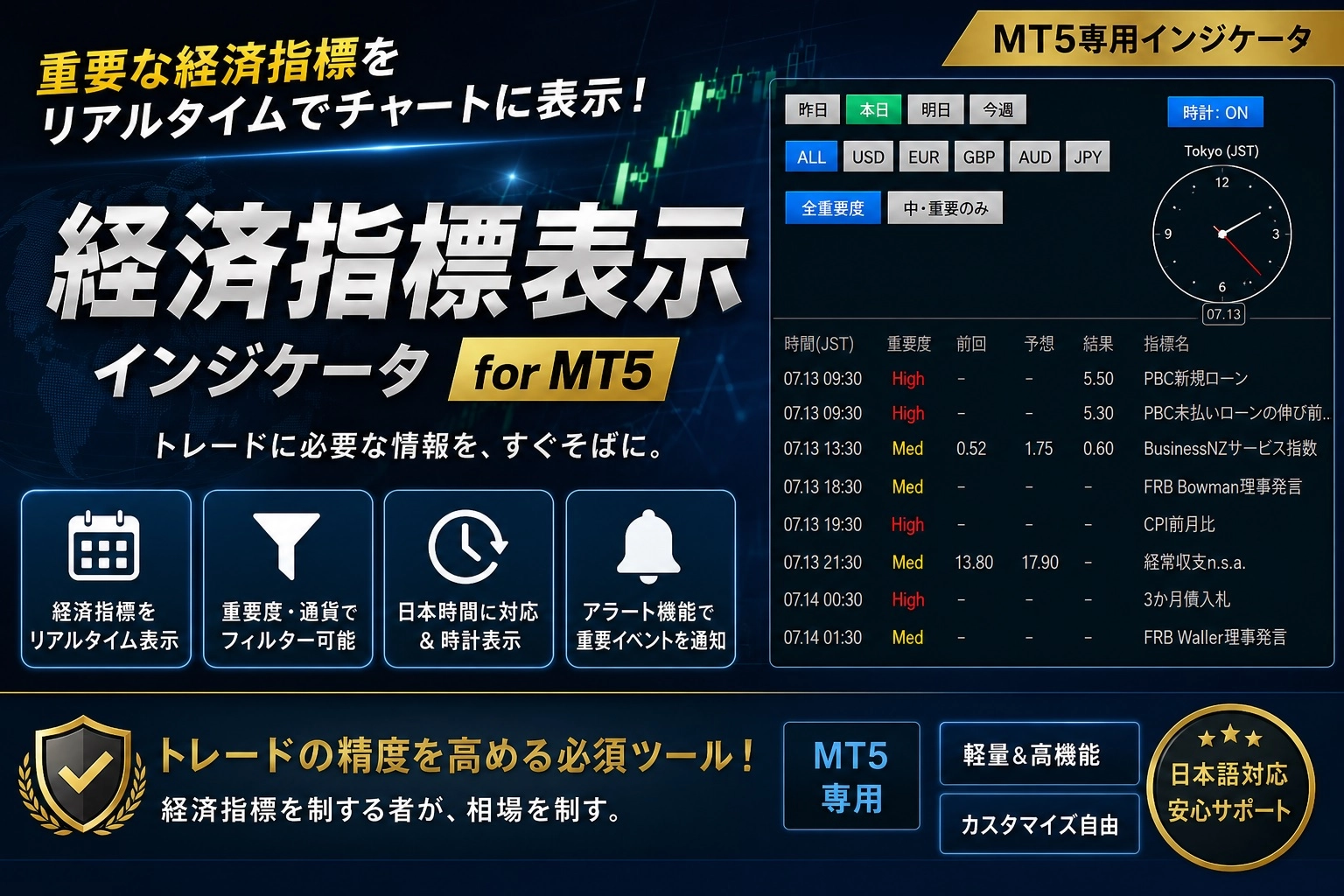
[MT5 Only] No More Overlooking Economic Indicators! Integrate a Calendar into the Chart with 'MT5_EconomicCalendarBoard'
In FX trading, understanding the timing of economic indicator releases is essential. However, opening another site during trading to check the calendar is cumbersome, and have you ever experienced being caught in sudden volatility because you neglected to check?
For MT5 users like you, we introduce the feature-rich dashboard that dramatically improves your daily trading environment, “MT5_EconomicCalendarBoard”!
? Here’s what makes 『MT5_EconomicCalendarBoard』 great! Five features
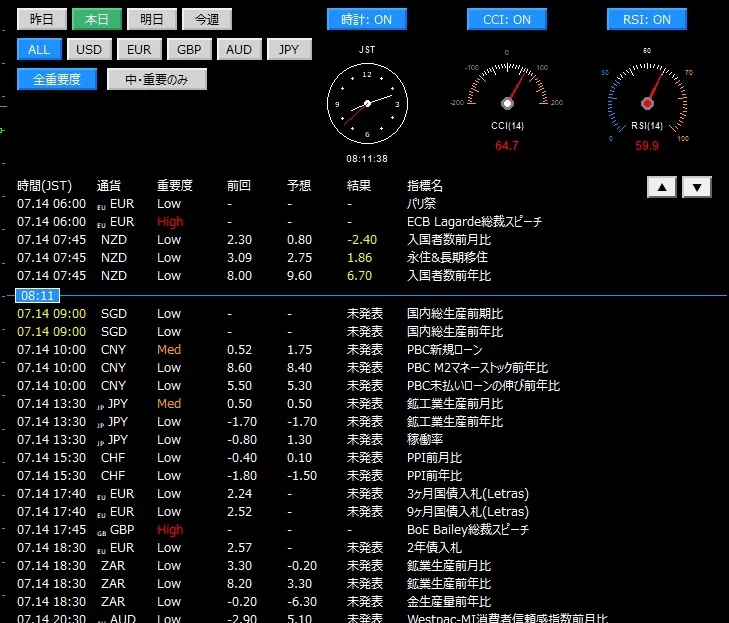
① Directly display economic indicators on MT5 chartsAutomatically fetch and format MT5’s standard economic indicator database, and overlay them on your charts. No need to flip between external websites and MT5 anymore.
② When release times approach, we alert you with color (warning alert function) As indicator release times approach, the text color changes to visually warn you. Using the “blue line” indicating the current time as a baseline, you can instantly see future events at a glance.
- 1 hour to 15 minutes before: Yellow (caution — approaching)
- 15 minutes before to just before release: Red (about to release — trade caution!)
③ Narrow down to only the information you want with one click By simply clicking the buttons on the panel, you can filter information in real time.
- Currency filter (specific currencies like USD/EUR only, or ALL)
- Importance filter (focus on High/Medium)
- Time period filter (yesterday, today, tomorrow, this week)
④ “Three integrated widgets” to support trading Not only an indicators calendar, it also includes convenient meters that intuitively assist chart analysis! (Can be turned ON/OFF individually)
- Japan Time (JST) analog clock
- CCI speedometer (linked to the current timeframe)
- RSI meter (linked to the current timeframe)
⑤ Smart usability that does not obstruct chart analysis Because the text color automatically adjusts to the chart background color (white or black), visibility remains excellent in any environment. Also, when you want to use the chart more broadly, you can hide the entire panel with a single click using the bottom-right “DEL/Display” button. If there are many items, it also supports scrolling (▲/▼).
? Please start by trying the demo version!
For those who want to see if it fits their chart environment or who want to confirm actual operation before consideration, we have prepared a [Demo Version]!
Please install it on your own MT5 chart and experience how convenient and comfortable it is.
? Download from here?
?【Demo Version】MT5_EconomicCalendarBoardhttps://www.gogojungle.co.jp/tools/indicators/89498
?【Product Version】MT5_EconomicCalendarBoardhttps://www.gogojungle.co.jp/tools/indicators/82501
Upgrade your daily trading environment and prevent unexpected incidents at indicator releases with ‘MT5_EconomicCalendarBoard’. We hope it will be a helpful part of your comfortable trading life!