

An EA that sold 300 units of KGS is listed for sale【KGS Indicator Buyers Only】
Thank you for waiting.KURAMA GOLD SIGNAL PRO AUTO STUDIO has been listed on GoGoJangan.
This is an MT5 EA that combines signal filtering and automatic trading based on the KGS indicator that sold 300 units. It was developed with the idea of taking the usual KGS to a next level of use.
The password will be announced in the community.
If you are using KGS, please check the product page along with the community guidance. This article summarizes what you can do with this EA and what to check before purchasing.
Set the usual “this is a pass” in advance.
Even if a signal appears, you may not want to enter in every situation. Sometimes you make a judgment to skip a signal based on the market condition.
In AUTO STUDIO,you can set conditions to avoid situations such as flat, reverse direction, and overheat.Use only the necessary conditions, and connect the signals that pass the conditions to your own trades.
You can use common conditions for all signals, or vary the conditions by MA type. For those who always perform the same checks, this framework for deciding ahead of time will be useful.
Choose whether to place orders yourself or use automatic orders.
After reviewing the signals that passed the conditions and the targets for take profit and stop loss, decide and place the order yourself. For those who want to retain discretionary trading decisions.
For new signals that pass the conditions, automatically place orders according to the configured lot size and order conditions. For those who want to connect the checked conditions to actual orders.
The signal filtering criteria are common to both modes.First, check with “signals only,” and switch to automatic orders if needed.You can use it according to the scope you want to entrust.
As you use it, you can also verify settings and reasons for passing.
You can review why you skipped a signal in a record. The currently reflected settings are also listed, so you can confirm order volume, take profit/stop loss, and MA-specific conditions while using it.
Organize the conditions you want to use and verify how those conditions work. This is an option for KGS users who want to broaden how they use it.
For KGS indicator purchasers. Passwords are in the community.
- Target: KGS indicator purchasers
- Password announced in the community
- Check content, price, and availability on the product page
This AUTO STUDIO is a separate product. Merely purchasing the original KGS indicator does not automatically include the EA.
On the product page at the time of article creation,34,800 yen (tax included)The next price is shown as 39,800 yen. Prices and availability are subject to change, so please check the latest display. At present, the purchase button shows “Sale not started,” so please confirm the start of reception on the product page.
Things to check before introduction
This EA is for the Windows MT5 5-minute and 15-minute charts. For automatic orders, MT5 must be running on a PC or VPS, and trading must be enabled. It cannot be run on the mobile MT5 alone.
Increasing the number of conditions does not guarantee better performance. First, test the operation and settings in a demo environment. The 300 units refer to the sales performance of the original KGS indicator and do not indicate the EA’s performance.
KGS signals, tailored to your usage.
If you wanted to narrow signals by your own conditions or connect confirmed rules to orders, KGS users who feel this way should definitely check out this AUTO STUDIO.
For details, go to the product page below. The password announcement is in the community, please check there.
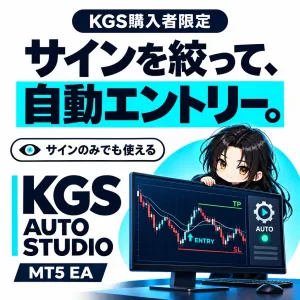 KURAMA GOLD SIGNAL PRO AUTO STUDIO
【KGS indicator purchasers only】Check product content, price, and availability →
This product does not guarantee profits or performance improvement. There is a risk of loss in trading.