
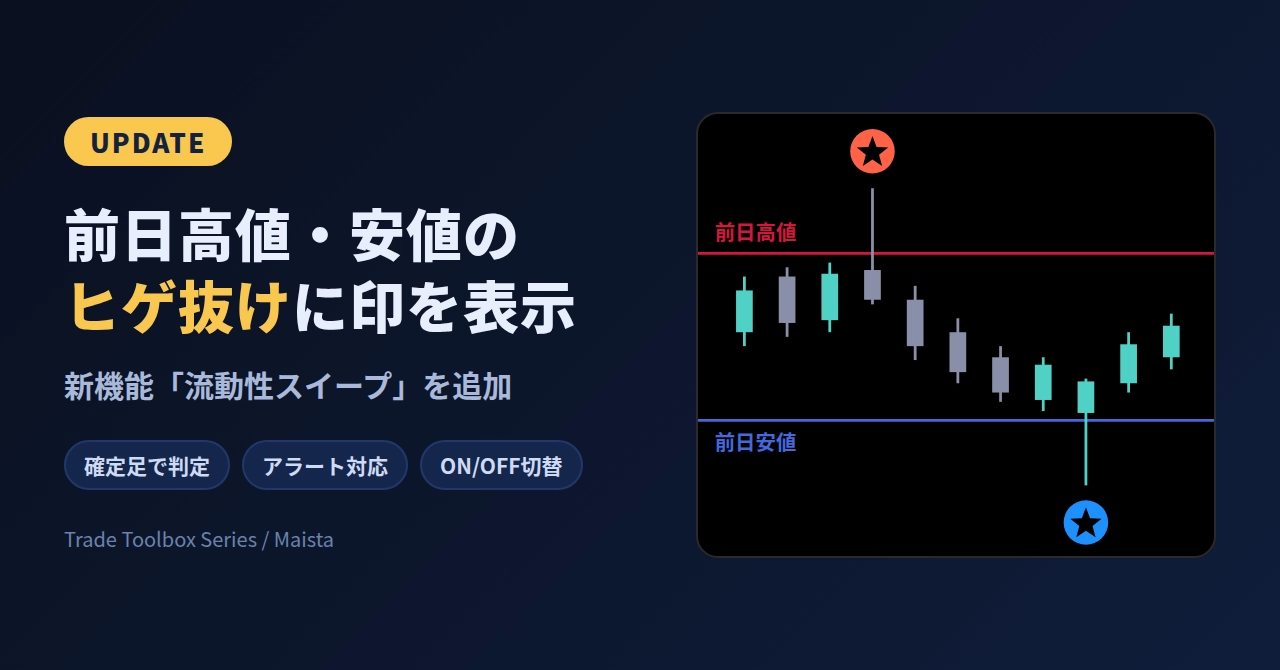
Added a feature to display a mark on the candle that returns after breaking the previous day's high or low.
We updated【Trade_Toolbox_RVDLine】 and added a new feature called “Liquidity Sweep.”
Reason for addition:
The previous day’s high and low are lines that many people pay attention to on charts. There is movement where the price taps that line with a wick once and then returns.
Looking back later, you often realize “it broke out here and came back,” which was easy to miss in real time.
Originally,【Trade_Toolbox_RVDLine】 had four lines for the previous day. I added this feature to be able to confirm the days’ breakout and retracement on the same screen as the retraced candles.
What kind of feature is it:
On the previous day (or a selected higher timeframe), a mark is displayed on the candles where the high or low was broken by the wick and the close returned.
※ To avoid missing moves like stop hunts (false breaks)
- Red marks on candles that broke above the high and retraced
- Blue marks on candles that broke below the low and retraced
Marks are not trading signals but indicators of price movement. They are to help you identify the fact that the high (low) was breached and then retraced, not to imply “this is where a reversal will occur.”
How to judge:
- Judgment is made on confirmed candles. Do not judge while a candle is still forming; marks are displayed after confirmation.
- The reference higher timeframe starts with the daily chart by default. It can be changed to a 4-hour chart, etc. (Please specify a timeframe larger than the chart’s timeframe).
- You can also set the allowable number of retracement bars and the minimum breakout width.
- You can display the reference highs and lows as lines.
- Alerts (popups, push notifications, emails) are supported as well.
How to use:
In the initial state it is OFF. In Properties, under “Liquidity Sweep Settings,” turn on “Show Liquidity Sweep.”
Notes:
- This feature does not guarantee future price movement or profits.
- Displays may vary depending on the instrument or account environment. Please first verify settings and display on a demo account before use.
- Please make trading decisions yourself.
Finally:
To allow you to try it out,we also have a trial version link on the official product pageprepared.
There may be things that suit you and things that don’t, so please try it first.