
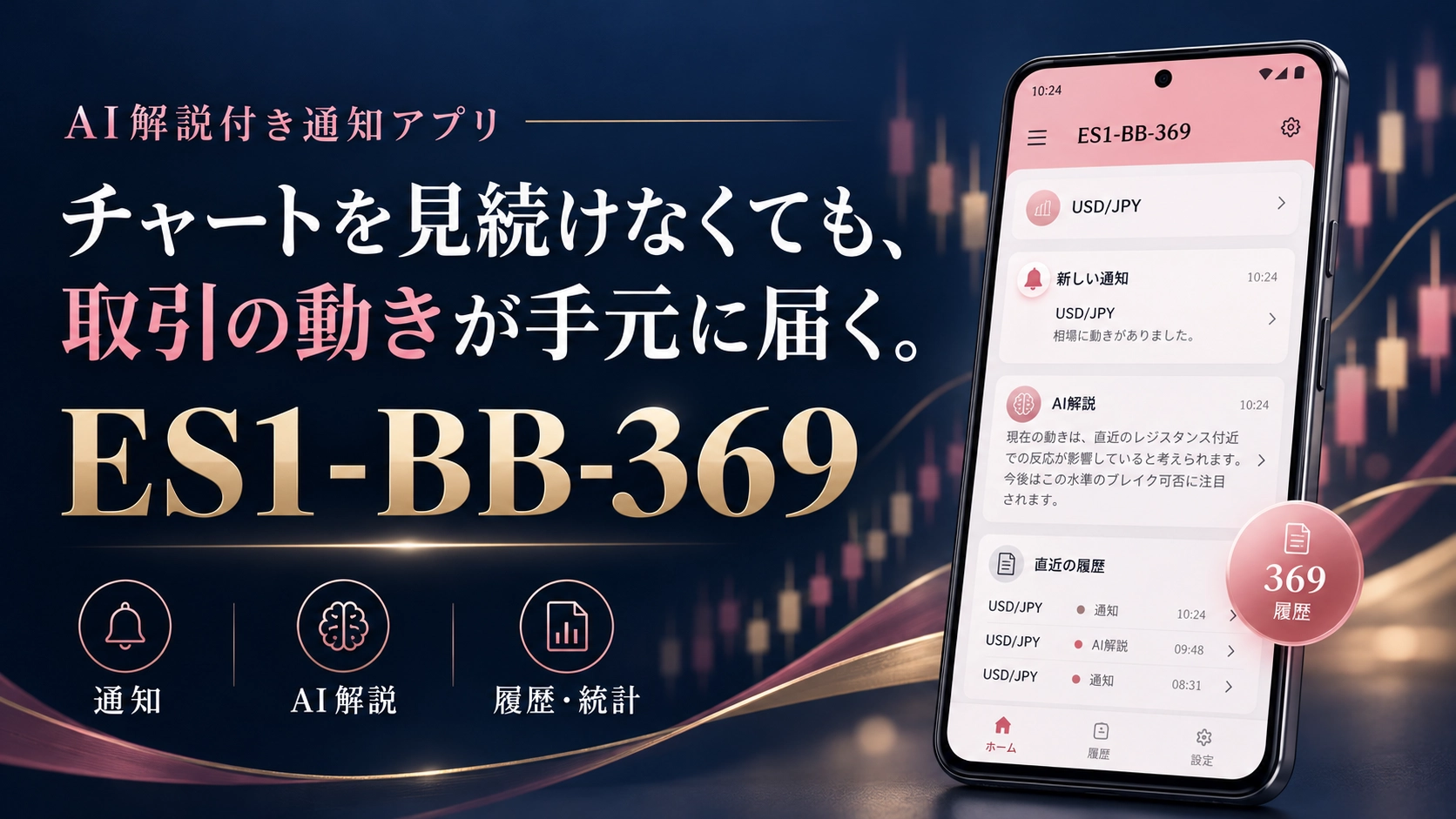
What is the AI-explanation equipped notification app "ES1-BB-369"?
Supports Japanese, English, Vietnamese, Thai, Chinese (Simplified), and Korean.
Receive notifications and verify the trading background.
What kind of app is ES1-BB-369?
Whether you’re watching charts or using another app, you can check trading information and AI explanations at hand. This highlights the features of the Android app.
No specified exchange.
Trade on your preferred exchange.
While you want to check trading information, it’s hard to keep the same screen open all the time. This is the app designed for that use case—“ES1-BB-369.”
Receive entry and settlement information on your smartphone, and confirm via notification sounds and the notification panel. The history also shows “AI explanations.” It sums up from awareness of the trade to reflecting on the background and outcomes.
- How to use the丸ボタン (round button) together with other screens
- What you can check with AI explanations, trade history, and statistics
- Settings required for installation and conditions when viewing verification results
First, the role of the app
ES1-BB-369 is an Android app that receives and displays USD/JPY trading information. You can check fill time, trade direction, lot size, price, and more. It does not enable placing orders or settlements from the smartphone; users operate based on notifications when trading.
According to the introduction materials, the notified trading information is based on a method using the “BB moving average divergence indicator.” If you want to check the underlying indicator,Indicator product pagecan also be referenced.
Keep the chart open and view history from the丸ボタン
A distinctive feature is the丸ボタン for “369 History” that can float above other apps. It remains visible while you view charts in a browser, and you can tap it when needed to check history.
New trading information is also confirmed via notification sound and the notification panel. Because there is an entry point to the reception status and the latest trading information, you can reduce the effort of returning to the app’s home screen each time you check information.
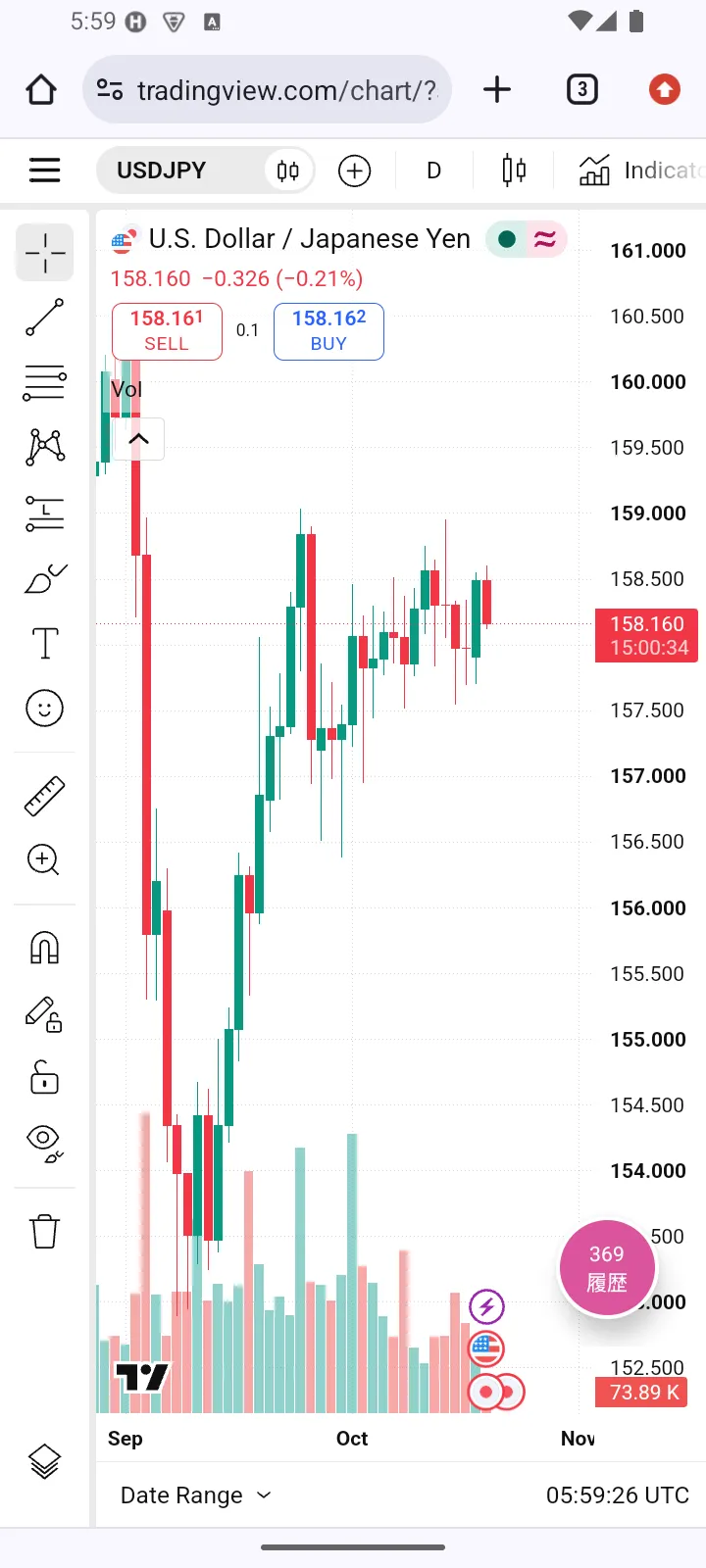
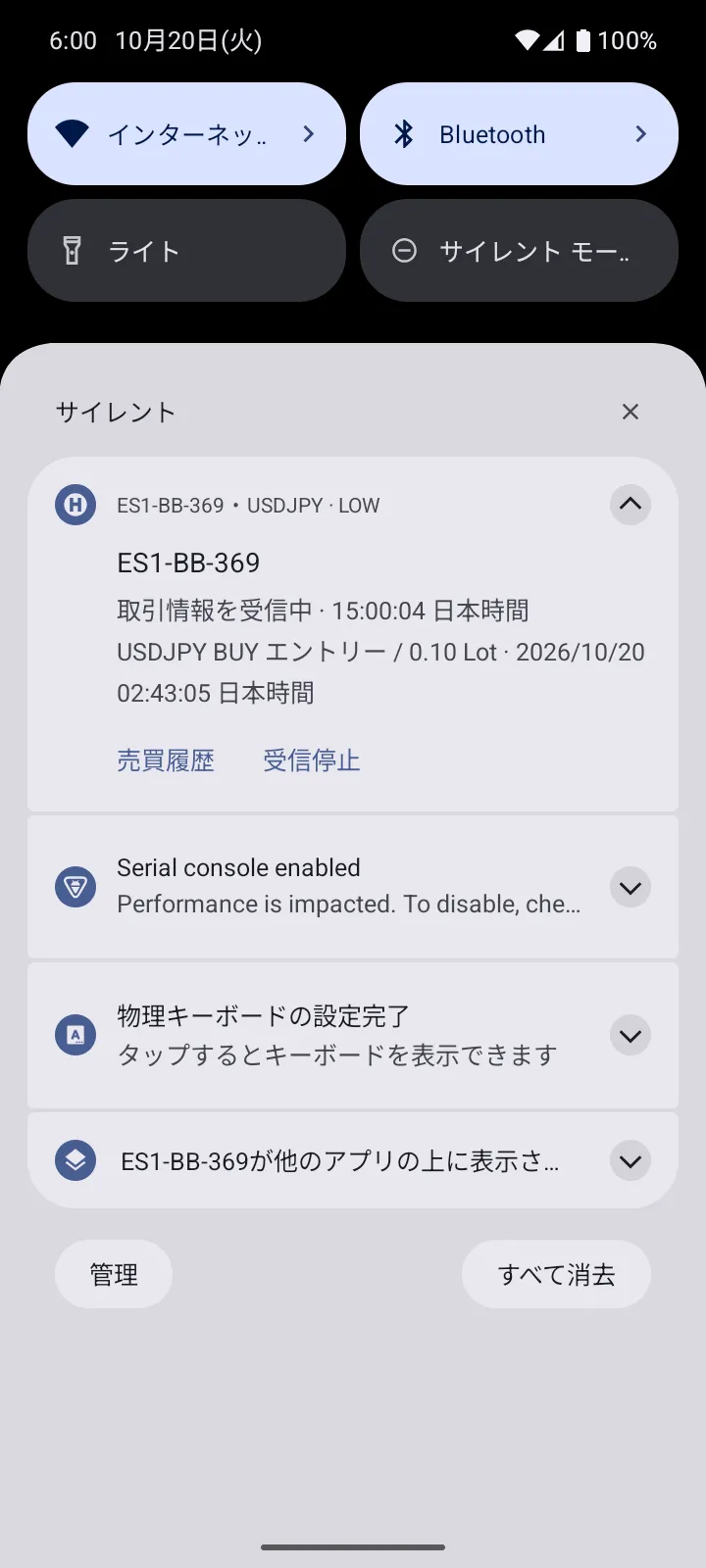
The丸ボタン requires permission to display over other apps. Notification sounds and display are also affected by the device’s notification settings and mute mode.
“AI explanations” that don’t end with just numbers
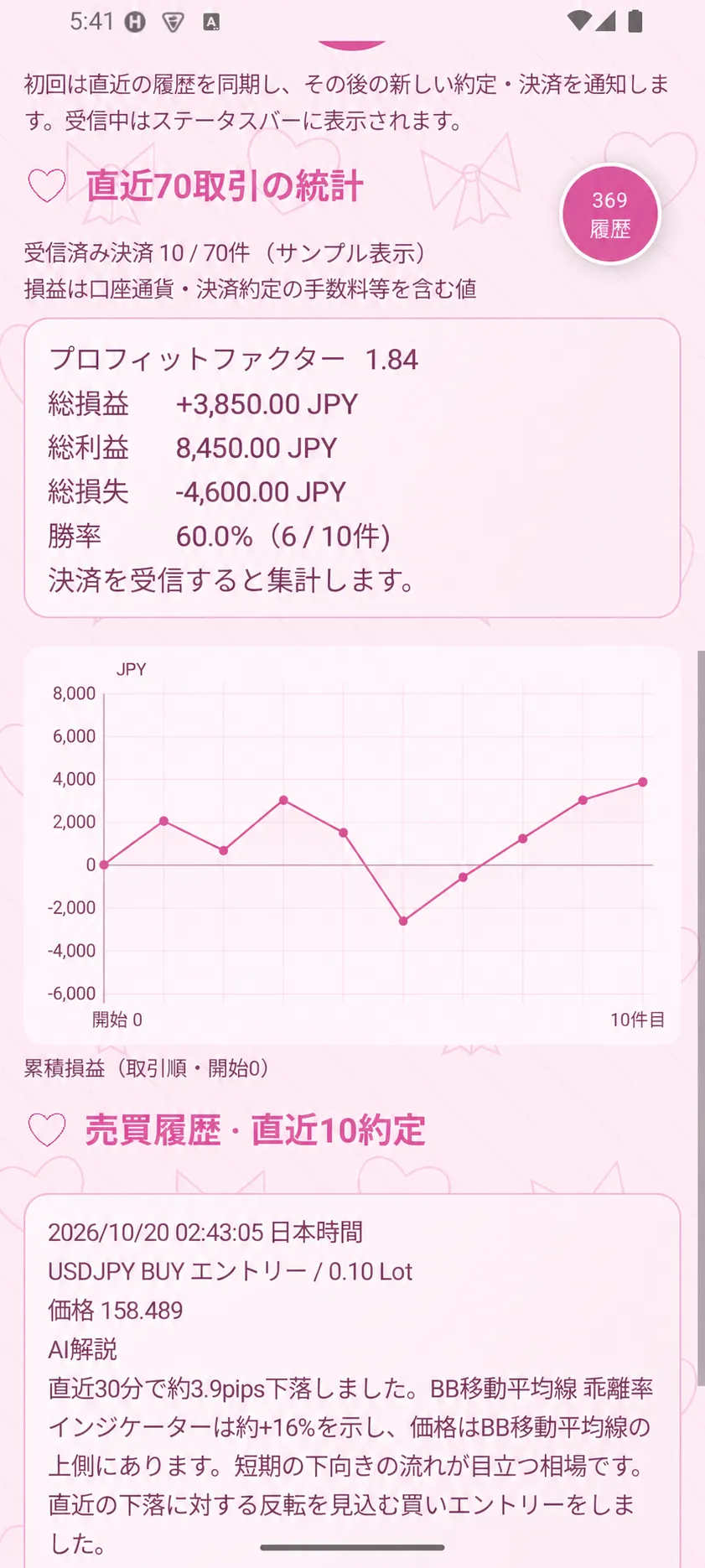
In the trading history, in addition to price and quantity, AI explanations are included. Based on the recent 30 minutes of price movement, the position relative to the BB moving average, and divergence, it describes the market environment at execution and the background of the trade.
The pip count and divergence in the explanations vary according to the data at execution. It is generated by assembling sentence components to fit market information and is intended for post-trade review.
“In the last 30 minutes, it fell about 3.9 pips. … I entered a buy hoping for a rebound from the recent decline.”
AI explanations are not to be treated as information guaranteeing future price movements.
History shows up to 10 executions, statistics aggregate up to 70 settlements
The history displays the latest 10 executions. You can review entries and settlements, and statistics aggregate results from up to the 70 most recent received settlements.
| Items to confirm | Contents displayed |
|---|---|
| Trade history | Date/time, direction, lot size, price, AI explanations, etc. |
| Statistics | PF, total profit/loss, total profit, total loss, win rate |
| Simple graph | Cumulative profit/loss of received settlement data |
If there are fewer than 70 items, data is summarized from the received data. If there is no settlement data, statistics and graphs will not yet be displayed. It is helpful to think of this as a function to check the scope of data received by the app rather than the entire account performance.
What the past tests showed
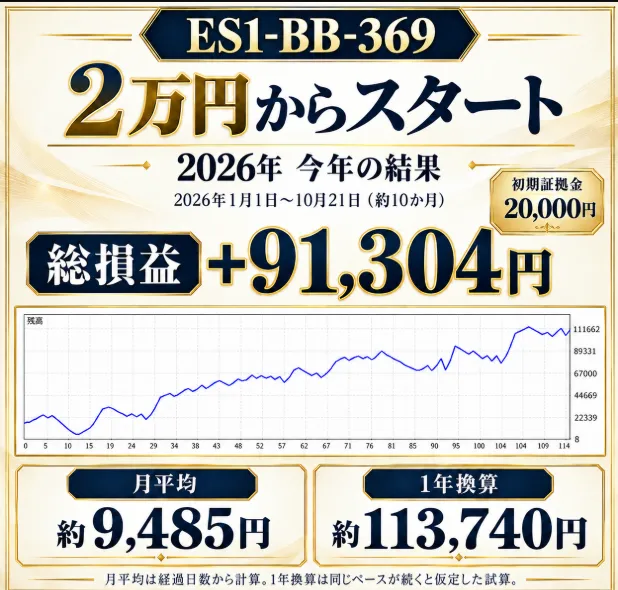
Over the target period, the simple average was about 28,300 yen per month and about 340,000 yen per year.
Test results
On a monthly average basis,Monthly profit of 28,300 yenwas achieved.
Period: 2016-01-01 to 2026-10-17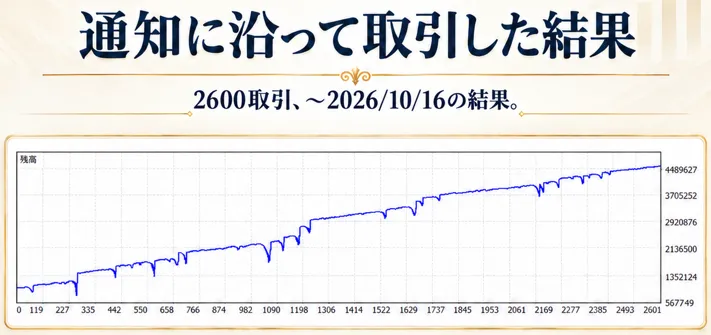
Three things to confirm before introduction
- Prepare an Android device and a valid license
Supported environment is Android 6.0 or later. Install the provided official APK. It does not support iPhone. - Configure notifications and background operation
Check notification permissions, background data, and battery restrictions. After rebooting or updating, open the app to verify reception status. - Check reception status and maintenance
The initial synchronization of past history is silent. During monthly maintenance, there may be a temporary lapse in information and notifications.
The screens, notifications, and AI explanations support Japanese, English, Vietnamese, Thai, Chinese (Simplified), and Korean. The device’s permission screen follows the Android system language.
For those who want to confirm trades and backgrounds on hand
ES1-BB-369 not only delivers notifications but also lets you check history from the丸ボタン and proceed to AI explanations and statistics. It is a user-friendly layout for those who want to glance at trading information while using other screens, or reflect on the situation after execution.
Prices, usage period, and the latest offering details can be confirmed on the sales page.