
How to measure whether your own indicator has “added arrows later” — 62-line testing EA and how to read the results
Hello. I am lab.aiueo, creating MT4/MT5 indicators and selling them on GogoJungle.
Today I will write how to measure for yourself whether the arrows in the indicator really appeared at the exact moment.
The arrow at 20:45 appeared at 14:45 the next day
On September 13, someone using my signal tool SMC-Signal contacted me with this gist.
In other words, the arrow was attached 18 hours later to a past bar.
If you open the chart and look, there is a clean arrow on the 20:45 bar of September 10. If the price then goes down, it may look like a “reliable arrow.”
However, at 20:45, that arrow did not exist yet.
Just looking at it, you won’t notice
This kind of misalignment isn’t detectable just by staring at the chart.
- Arrows appear on bars from hours to days earlier
- Outside the scope of notifications, so they don’t reach your phone
- After being attached, they look as if they were there from the start
The person who contacted me wrote down both the time of the chart bar and the time that appeared in the log. That’s how I understood it.
Without that, I probably wouldn’t have noticed.
After measuring, it was 40%
SMC-Signal has valued “signals only on confirmed bars.” That was the intent of the code as well.
But I had never verified this by measuring each bar.
So, I created a tool that steps through each bar in MT4’s Strategy Tester and logs when and on which bar an arrow first appears. It’s a 62-line EA.
Results from the pre-fix version (15-minute bars, default settings).
| Currency/Period | Arrows appearing mid-way | Arrows appearing on bars 8 or more bars back |
|---|---|---|
| EURUSD (6/1–9/10) | 270 bars | 98 bars (up to 283 bars back) |
| Gold (7/1–9/10) | 196 bars | 83 bars |
Between 36% and 42% of arrows appearing mid-way actually appeared on bars 8 or more bars back.
283 bars back is roughly 3 days ago on a 15-minute chart.
In the corrected version, both became 0.
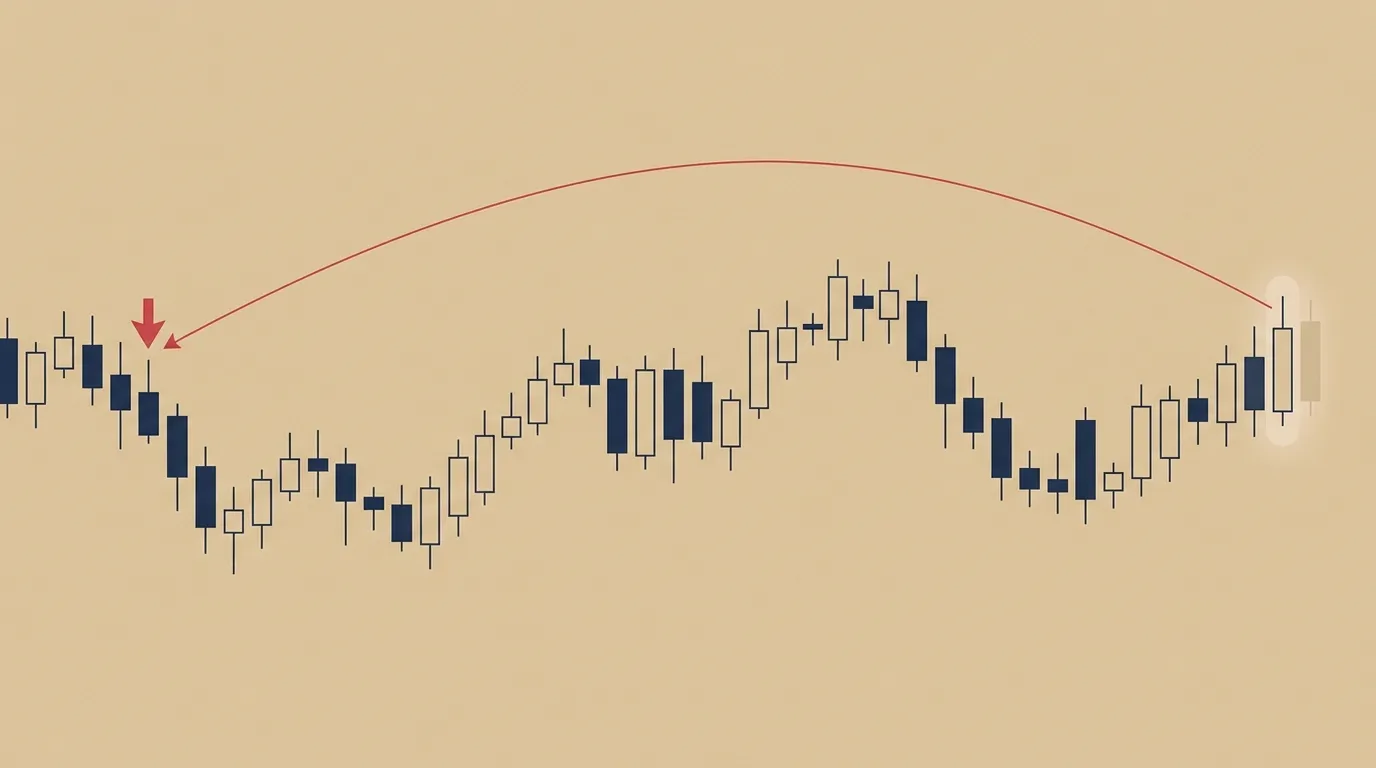
Image: arrows infiltrating past bars from the past
“No repaint” has two meanings
In this context, I revisited my wording.
I think “no repaint” in indicator descriptions contains two meanings.
- An arrow that appears once does not disappear or move later
- Arrows don’t increase on past bars later
My product fulfilled the first, but not the second.
And the second is hard to tell by just looking at past charts.
“Whether the arrows stacked on past charts really appeared at that time cannot be known without measuring.”
I am releasing the measuring tool as is
In this article I will describe the full verification EA I used, how to use it, and how to read the results. It’s written so you can try it with your own indicator as well.
This time the measuring tool itself is the main subject.
How it works
The concept is simple.
MT4’s Strategy Tester advances through past bars one by one. From the indicator’s perspective, it’s like a real-time process where a new bar is confirmed one by one.
So, each time a new bar is formed, read the indicator arrows for the past 300 bars. If you see an arrow that you have not seen before, write the following three items to a file for the next step.
- Which bar the tester is currently processing
- Which bar the arrow was attached to
- How many bars back that is
If the arrow appeared on the confirmed bar, it is “1 bar back.” Arrows that first appeared on earlier bars were attached later.
Full source of the verification EA
Save it in MT4’s MQL4/Experts folder and compile it.
//+------------------------------------------------------------------+
//| Record when and how many bars back the SMC-Signal arrow first appeared|
//| Verification EA. It reads the arrow buffer for each new bar and  |
//| writes the first-appearance arrows to tester/files/probe_.csv. |
//| barNo=1 corresponds to the recreated data at the time of application. |
//| If there is a line with shift>SwingLength+2 for barNo>1, an arrow was added later. |
//+------------------------------------------------------------------+
#property strict

input string IndName  = "SMC_Signal_109probe";
input int    ScanBars = 300;

datetime g_last = 0;
datetime g_seen[];
int      g_seenDir[];
int      g_seenCount = 0;
int      g_log = INVALID_HANDLE;
int      g_barNo = 0;

bool Known(datetime t, int d)
{
   for(int i = g_seenCount - 1; i >= 0; i--)
      if(g_seen[i] == t && g_seenDir[i] == d) return true;
   return false;
}

int OnInit()
{
   g_log = FileOpen("probe_" + IndName + ".csv", FILE_WRITE|FILE_CSV|FILE_ANSI, ',');
   FileWrite(g_log, "barNo", "now", "barTime", "dir", "shift");
   return INIT_SUCCEEDED;
}

void OnDeinit(const int reason)
{
   if(g_log != INVALID_HANDLE) FileClose(g_log);
}

void OnTick()
{
   if(Time[0] == g_last) return;
   g_last = Time[0];
   g_barNo++;

   for(int s = 1; s <= ScanBars && s < Bars; s++)
   {
      for(int b = 0; b < 2; b++)
      {
         double v = iCustom(NULL, 0, IndName, b, s);
         if(v == EMPTY_VALUE || v == 0.0) continue;
         datetime t = Time[s];
         if(Known(t, b)) continue;
         ArrayResize(g_seen, g_seenCount + 1, 1000);
         ArrayResize(g_seenDir, g_seenCount + 1, 1000);
         g_seen[g_seenCount] = t;
         g_seenDir[g_seenCount] = b;
         g_seenCount++;
         FileWrite(g_log, g_barNo, TimeToString(Time[0]), TimeToString(t),
                   (b == 0 ? "BUY" : "SELL"), s);
      }
   }
}
At the very start of OnTick, it runs only when the bar changes, so it does nothing for intrabar price moves.
What to modify
1. The indicator name you want to examine
Put the file name of the indicator you want to examine into IndName. Do not include the extension (.ex4). It uses the name as it appears in MT4/Indicators.
The initial value SMC_Signal_109probe is the name of the copy of SMC-Signal I prepared for measurement.
You can also change it from the tester’s Expert Advisor settings.
2. The arrow buffer number
This EA reads buffers 0 and 1 of the indicator. In SMC-Signal, buffer 0 is Buy arrows and 1 is Sell arrows.
for(int b = 0; b < 2; b++)
...
(b == 0 ? "BUY" : "SELL")
Other indicators may have different numbers.
Open MT4’s Data Window (Ctrl+D) and hover the mouse over the bar where the arrow appears; by which column the value is present you can guess. If unclear, ask the author.
3. The value for “no arrow”
This EA treats bars with value EMPTY_VALUE or 0 as “no arrow.”
Many indicators use one of these values, but some use other values. If results look obviously odd (arrows on almost every bar, etc.), investigate this setting.
About the parameters
I am not passing parameters to iCustom, so the indicator runs with its default settings.
If you want to measure with different settings, it’s easiest to prepare an indicator with different default values.
Tester settings
These are the settings I used.
- Expert Advisor: This EA
- Currency pair and timeframe: the one you want to examine (I used 15-minute bars)
- Model: Open price only
- Period: around three months (EURUSD 6/1–9/10, Gold 7/1–9/10)
- Visual mode: unnecessary
The model with “open price only” is enough. This EA only acts when a new bar forms, so intrabar moves are not used.
When finished, probe_IndicatorName.csv will be created in MT4’s data folder tester/files.
How to read the results
The CSV has five columns.
- barNo: which bar the tester was processing
- now: the time of that bar
- barTime: the time of the bar that has an arrow
- dir: BUY or SELL
- shift: how many bars back the arrow was attached
There are three reading orders.
1. Ignore rows where barNo is 1
When testing starts, the indicator computes past bars and draws past arrows. This is a reproduction of the moment of injection, not a later addition. Do not count barNo=1.
2. If shift is 1, it is normal
Arrows that appeared on the immediately confirmed bar. They were visible in real time at that moment.
3. If shift is 2 or more, it’s either a built-in lag or a later addition
This is where judgment differs.
Some indicators emit arrows with a built-in lag of several bars.
For example, indicators that determine a swing by the number of bars left and right in a peak or trough won’t confirm the peak until the right-hand bars align. This causes arrows to lag.
This lag has a fixed number of bars, and if the manual says so it’s not a problem.
In the case of SMC-Signal, I set the notification range to the most recent 7 bars to match the number of bars used to confirm a peak (default 5). So I counted as follows.
- shift 2–7: range of built-in lag
- shift 8 or more: late appearance
When measuring with your own indicator, divide by the number of bars stated in the manual. If none is stated, it’s safest to assume shift=1 is normal and suspect all others.
In Excel, you can count using COUNTIFS with “barNo > 1 and shift >= 8.”
My results
Before fix (Ver1.08) and after fix (Ver1.09). 15-minute bars, default settings.
| Condition | Version | Arrows appearing mid-way | shift=1 | shift 2–7 | shift 8 or more |
|---|---|---|---|---|---|
| EURUSD 6/1–9/10 | 1.08 | 270 | 149 | 23 | 98 (max 283 bars back) |
| Same as above | 1.09 | 175 | 175 | 0 | 0 |
| Gold 7/1–9/10 | 1.08 | 196 | 101 | 12 | 83 |
| Same as above | 1.09 | 115 | 115 | 0 | 0 |
In the corrected version, arrows appearing mid-way all appeared on the immediately following confirmed bar.
The pre-fix records had another odd shape.
On June 4 at 2:00, arrows appeared on bars 58, 71, and 95 back—three sell arrows appeared simultaneously at the same moment in past locations.
This turned out to be a clue to the cause.
Three causes of late appearance
SMC-Signal scores points on BOS (block of structure) when found and will emit an arrow if it surpasses the threshold using five bases.
The problem was that past BOS that hadn’t yet become arrows were being reassessed every time a new bar arrived.
If recalculating gave the same answer, fine. But some recalculations judged the past bars by the “current state” instead of the bar’s own time.
1. Zone scoring was looking at the “currently existing zone”
If the price is within an Order Block or FVG, it adds points. It was judging using the currently valid zone. Later-created zones would still add +1 point to past bars, and if the total reached the threshold, an arrow would appear for past bars.
2. The mechanism to stop consecutive arrows counted future bars
There’s a mechanism to stop same-direction arrows from appearing repeatedly until a counter-direction BOS appears.
This judgment counted up to the moment a future opposite-direction BOS appeared.
When the trend reversed and an opposite BOS appeared, the previously held past arrows would be released all at once. The “three arrows at 6/4 2:00” was due to this.
3. Recalculating past higher-timeframe data after the fact
Before the high-timeframe data arrived, there was a structure that counted no points for higher bars due to timeouts. After data arrived, rebilling caused higher scores and arrows to appear.
How to fix
Once a judgment range is decided, never recount it
I memorized the time range of judged BOS and made sure not to recount items in that range. Only newly appearing BOS are evaluated.
This ensures arrows during real-time operation appear on the immediately following confirmed bar.
Save the judged range to a file
If you restart MT4 or switch timeframes, indicators recalculate from scratch. If they forget previously judged ranges, they might recount. So I saved the judged range to a file and load it on startup. The content has only three lines (setting fingerprint, range start, range end).
- Keep displaying only judged arrows for the saved range
- If the indicator wasn’t running (MT4 closed) interval, it will reproduce as past when reopened. No notification
- If you change settings that affect arrow appearance, discard the range and re-create the past with the new settings
Do not save in the tester
This was a small pitfall.
If saving is enabled in the tester, the “future range” saved from a previous test remains and later tests won’t show arrows. So saving is disabled in the tester.
Limit the triggering of consecutive arrows
BOS appearing after the considered bars are ignored.
With this fix, fewer arrows appear on past charts than before. Previously, arrows that didn’t appear in real-time were included.
Even after restarting, does the display stay the same?
I checked whether saving works by running two separate tests. I used a copy with saving enabled as well.
- First test: 6/1–7/15
- Second test: 7/16–8/14
Here is the breakdown of arrows displayed when the second test began.
| Second test conditions | Arrows displayed | Arrows that appeared in real time on the first test | Otherwise |
|---|---|---|---|
| Save file present | 5 | 4 | 1 |
| Save file absent | 2 | 1 | 1 |
The “other” one is the bar after the first test ended (7/15 20:00), reproducing the period that had been stopped.
If a save file exists, the arrows visible in real time on the first run remain as-is in the second run. If not, only some remain.
All arrows appearing in the middle of the second run had shift=1.
Things that cannot be measured with this method
- Indicators that draw arrows not as buffers but as chart objects (they cannot be read with iCustom, so this EA cannot measure them)
- Indicators that alter their behavior between tester and live trading. My products also disable saving in the tester. Test results may not mirror real-time movement
- Arrows that appear intrabar and disappear intrabar. This EA only records at bar confirmation, so intrabar entries/exits are not recorded
What remains
To be honest:
- Zone scoring is still determined by the “currently valid zone.” It only affects historical recreations when first injected or when settings change; real-time arrows will not increase afterward
- The MT5 version has the same fix, but the tester measured is MT4
What I learned
If you say the arrows appear on a confirmed bar, you must measure it.
I wrote the code with that intention. When I measured, it turned out to be 40%.
And if there hadn’t been a report, I wouldn’t have measured it. Writing both the bar times and log times was the starting point. I’m really grateful for that.
Summary
- Arrows on past charts aren’t guaranteed to have appeared at that moment. You can’t distinguish by looking alone
- By advancing the bar in the tester step-by-step and recording “how many bars back” the arrow first appeared, you can measure
- barNo=1 should be omitted. shift=1 is normal. shift beyond built-in delay is late
- In my product, 36–42% were late before the fix. Cause was recalculating past candidates using the “current state.”
- Fix: never recount once judged. Save the range for restart
Please try measuring with your own indicators. If nothing appears, that’s reassuring; if something does, provide feedback to the author.
I discussed the cautionary numbers in the previous article as well.
This fix is included in SMC-Signal MT4 version Ver1.09 and MT5 version Ver1.02.
SMC-Signal (MT4)
SMC-Signal MT5
This article is a record of my own development and verification. The code published is for verification and does not guarantee operation. Please use at your own risk. The indicators described are tools to assist market analysis and do not guarantee profits. Investment decisions are your responsibility.
Thank you for reading until the end.