
Until OANDA's MT4 ends, 54 days left. What users of indicators should check before switching
Hello. I am lab.aiueo, creating MT4/MT5 indicators and selling them on GogoJungle.
OANDA Securities’ MT4 service will end after the trading session on November 27.
From the perspective of someone who creates and sells indicators, there are several points that tend to trip you up when migrating. This is also where I personally stumbled during the MT5 version development.
Today I’ll summarize these from the user’s viewpoint.
First, the schedule
OANDA Securities’ notice (posted March 27, 2026) states the following.
- Creating new sub-accounts: suspended as of March 27
- New orders: suspended after the close of trading on September 25
- MT4 provision: ended after the close of trading on November 27
For those using the Tokyo server, the handling of remaining positions at termination is described as “details will be announced as soon as they are decided” (as of my check on October 2). For NY server users, it states that trading can continue on fxTrade or TradingView.
Source: OANDA Securities “[Important] Notice on stopping MT4 sub-account creation and cessation of MT4 provision”
https://www.oanda.jp/info/1386
Other domestic brokers are also moving away from MT4. For example, JFX ended MT4 services at 10:00 on August 19.
Source: JFX FAQ “Guidance on migration from MT4 to MT5”
https://faq.jfx.co.jp/faq/detail?site=FX557CTV&id=684&important_list=true
Please be sure to confirm your own broker’s schedule in the broker’s notices.
What the creators can see
My selling data also shows migration movement.
The main signal tool SMC-Signal sold four MT5 versions and two MT4 versions in September. For the first time, MT5 versions surpassed MT4 versions after release.
In September I also released MT5 versions of SMC-Radar and SMC-Compass. The issues I faced while porting were the same ones that users would encounter—confusion when using them.
I’ll write them in order.
1. MT4 indicators do not run on MT5
This is the most basic and important point.
MT4 indicators (.ex4 files) do not run in MT5. MT4 and MT5 use different programming languages for indicators (MQL4 vs MQL5). Unless the author rewrites it for MT5, it cannot be used.
There are two things to confirm.
- Whether there is an MT5 version for the indicator you are using
- If MT5 version must be purchased as a separate item
In my products, MT5 versions are released as separate items. If you own the MT4 version, you would need to purchase the MT5 version separately. This varies by product and author, so checking the product page or contacting the author is reliable.
2. Moving to MT5 changes the display slightly
When you install the MT5 version and place it side by side with MT4, you’ll probably think, “Huh, that’s different.”
The number of zones differs. The arrows may be one more or one less.
At first I thought I had misported. I spent half a day reviewing the code. The conclusion is that the migration itself was correct.
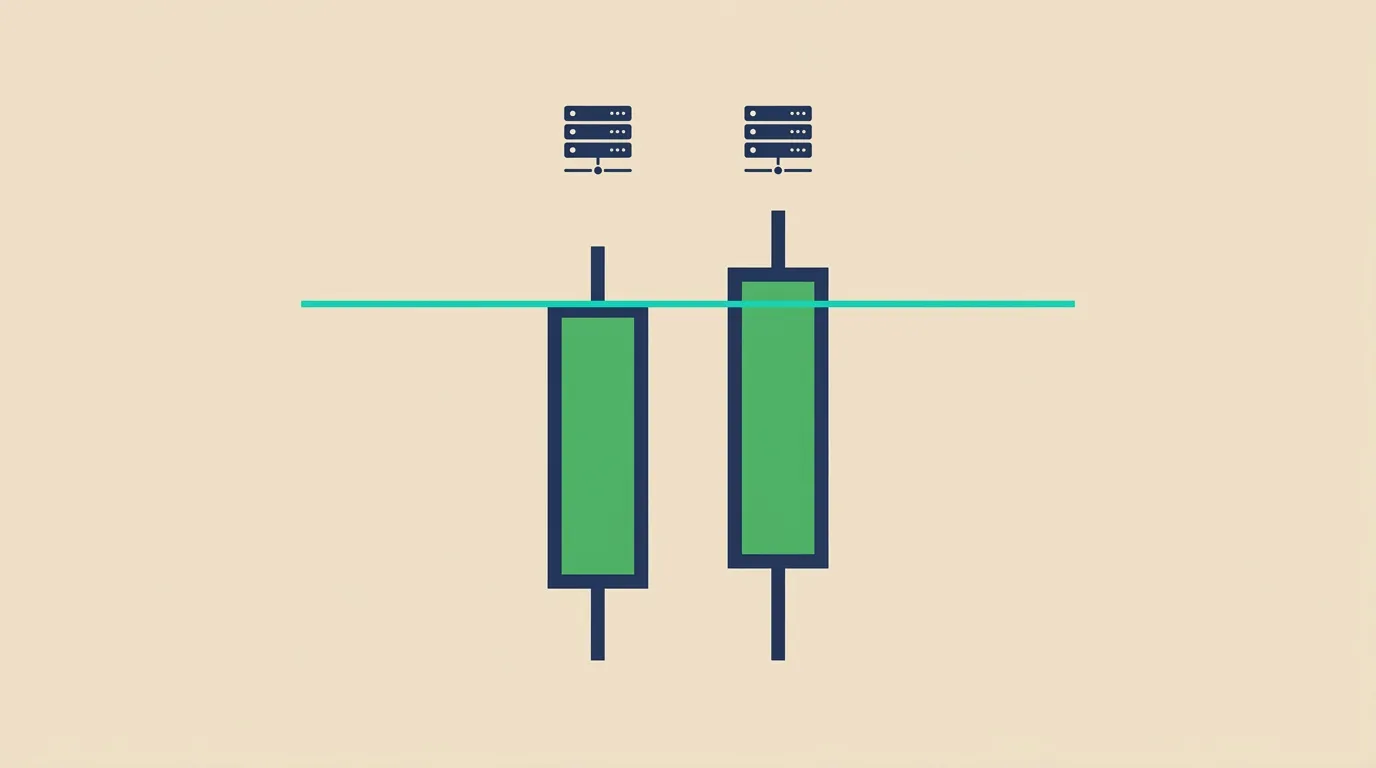
Causewas that, even within the same vendor, MT4 and MT5 receive price data from different serversthan each other.
In my environment (Titan FX), when I write out the same items from MT4 and MT5 and compare, this is what happened.
- GBPUSD 1-hour: of the 134 prices that appeared in both, 16 (about 12%) were different
- USDCHF 4-hour: of 140 prices, 12 (8.6%) were different. the largest difference was 2.8 pips
Most differences are 0.1 pips. The tip of a wick might differ by 1 point.
However, an indicator’s judgment is a sum of many checks like “did it exceed the high?” If a 0.1 pip difference changes from “exceeded” to “not exceeded,” the next zone can increase or disappear.
“Different display between MT4 and MT5” does not necessarily mean the MT5 version is broken.
This can happen with any indicator that draws lines and makes determinations.
3. After installation, wait a little for displays to align
MT5 pulls price data from the server only when needed.
If you look at a single currency pair and a single time frame, it’s usually not noticeable. But indicators that reference higher time frames or multiple pairs may not align immediately after installation.
- Indicators that reference higher time frames (multi-timeframe)
- Indicators that read other currencies (currency strength, list of multiple pairs, etc.)
My SMC-Compass (a tool that shows 30 pairs on one chart) initially showed data gradually as pairs loaded. From the second time, it used pre-fetched data and appeared quickly.
Another example I experienced: if you install during a market-closed weekend, data retrieval may stall and higher-time-frame determinations may not appear. I fixed this in my product, but it could happen with other indicators as well.
If you feel “installed but not showing,” don’t assume it’s broken—wait a bit or check again when the market is open.
4. The appearance of settings may change
The MT5 version’s parameter names may differ from MT4.
In my products, MT5 version displays parameter names as Japanese explanations. The same settings may appear under different names on MT4 and MT5.
Before migrating, take screenshots of your MT4 settings so you can match the same settings in MT5 without confusion.
5. Compare side-by-side while both work
This is the best approach.
Place MT4 and MT5 side by side and display the same currency pair and time frame for the indicator.
If you notice differences in advance, you won’t panic about “display being wrong” when you’re only using MT5. You’ll know how much difference is normal in your environment.
Pre-migration checklist
- □ Confirm whether the MT5 version exists for the indicators you use
- □ Confirm whether the MT5 version is sold separately
- □ Take a screenshot of MT4 settings
- □ Compare MT4 and MT5 side by side to see display differences
- □ For indicators reading higher time frames or multiple pairs, know that you may need to wait a moment right after installation
- □ Confirm your broker’s end date and how remaining positions will be handled in the broker’s notices
What the creators decide
Finally, I’ll note what I, as someone creating MT5 versions, have decided.
- Do not modify the decision logic. Only translate what is written for MT4 to MT5
- If MT4 and display differ, first export price data and compare. Do not rely on visual judgment
- Clearly state in product page and manual that MT4 version may not match exactly
The migration period is a time of effort for both users and developers. I hope this article reduces confusion even a little.
Summary
- OANDA Securities’ MT4 ends after the November 27 trading session. For other brokers, confirm the schedule in the broker’s notices
- MT4 indicators (.ex4) do not run on MT5. Check whether an MT5 version exists or whether it’s sold separately
- Even within the same broker, MT4 and MT5 are on separate servers. Slight display differences do not necessarily mean something is broken
- Indis indicators reading higher time frames or multiple pairs may need a moment right after installation. Especially on weekends
- When both work, compare side-by-side while you can
MT5 indicators
These are the MT5 versions I have released. All of them implement the same decision logic as the MT4 versions.
SMC-Radar for MT5 (automatically draws the main elements of SMC on the chart)
SMC-Compass for MT5 (view the state of 30 pairs’ SMC on one radar)
SMC-Signal MT5 (scores five grounds and shows arrows on confirmed bars)
This article is written based on my own development verifications and the notices from each company as of October 2, 2026. Services and schedules can change, so be sure to check the latest notices. The indicators introduced here are tools to assist market analysis and do not guarantee profits. Investment decisions are your responsibility.
Thank you for reading to the end.
Next time I will describe how to measure yourself whether the indicators have added arrows to past bars.