
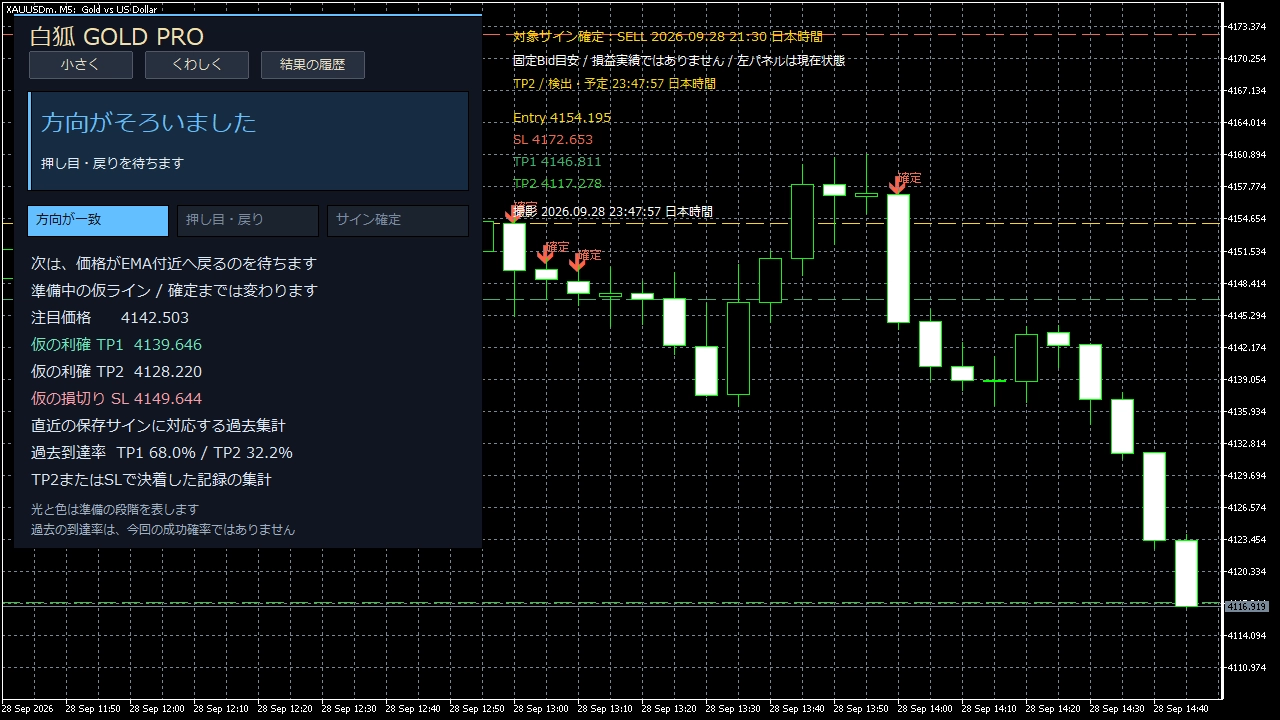
What’s the difference between White Fox GOLD LIGHT and PRO? Practical screen usage differences seen on an actual screen
If you want to check on the chart, go with LIGHT. If you also want notifications and records of reflections, choose PRO. In the actual screen, we’ll introduce the differences.
With the same settings and delivery data, sign conditions and price targets are common.
First, try the free LIGHT to feel the usability, and when you need notifications, records, or captures, switch to PRO.
1. See signs and exit targets with LIGHT
When a sign appears, you can confirm targets for take profit and stop loss on the same screen. The figure below shows the price display readings common to both versions.
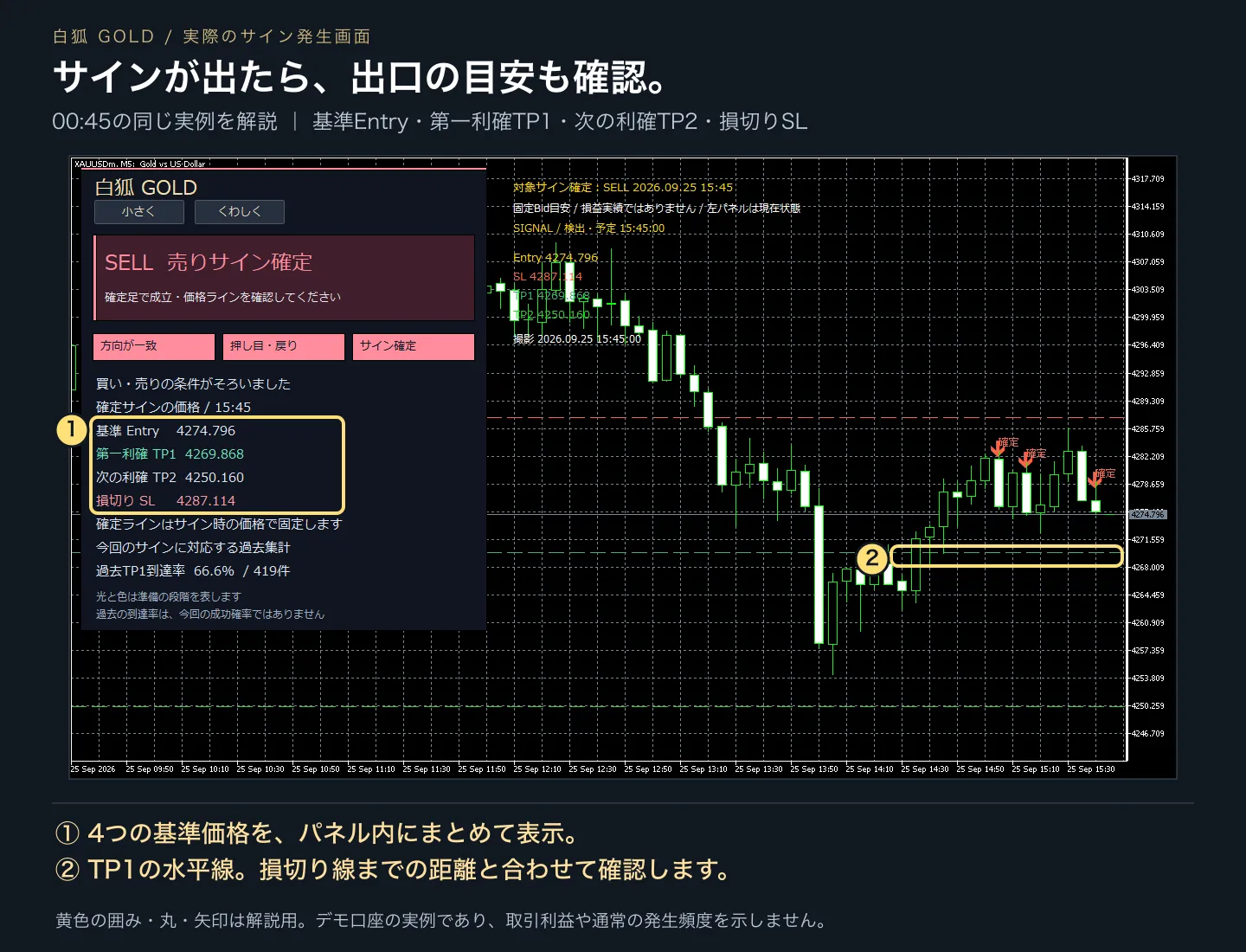
Where to look: the price field at ① and the TP1 line at ②.
This is a diagram explaining the old common version demo screen. It is not a screenshot of the current LIGHT itself; some edition name, time, and total display differ. You can enlarge the image by tapping it.
Entry is the reference price, TP1 and TP2 are take-profit targets, and SL is the stop-loss target. In LIGHT, you can also use the preparation stage, past TP1/TP2 attainment rates, and basic sounds/popups.
First, in the demo environment, observe the difference between preparing and sign confirmation. The provisional line in preparation changes, and the stage may revert.
2. PRO, receive notifications even when away from the screen
“A sign appeared while I wasn’t looking.” PRO supports smartphone notifications for such occasions. This is an actual reception screen.
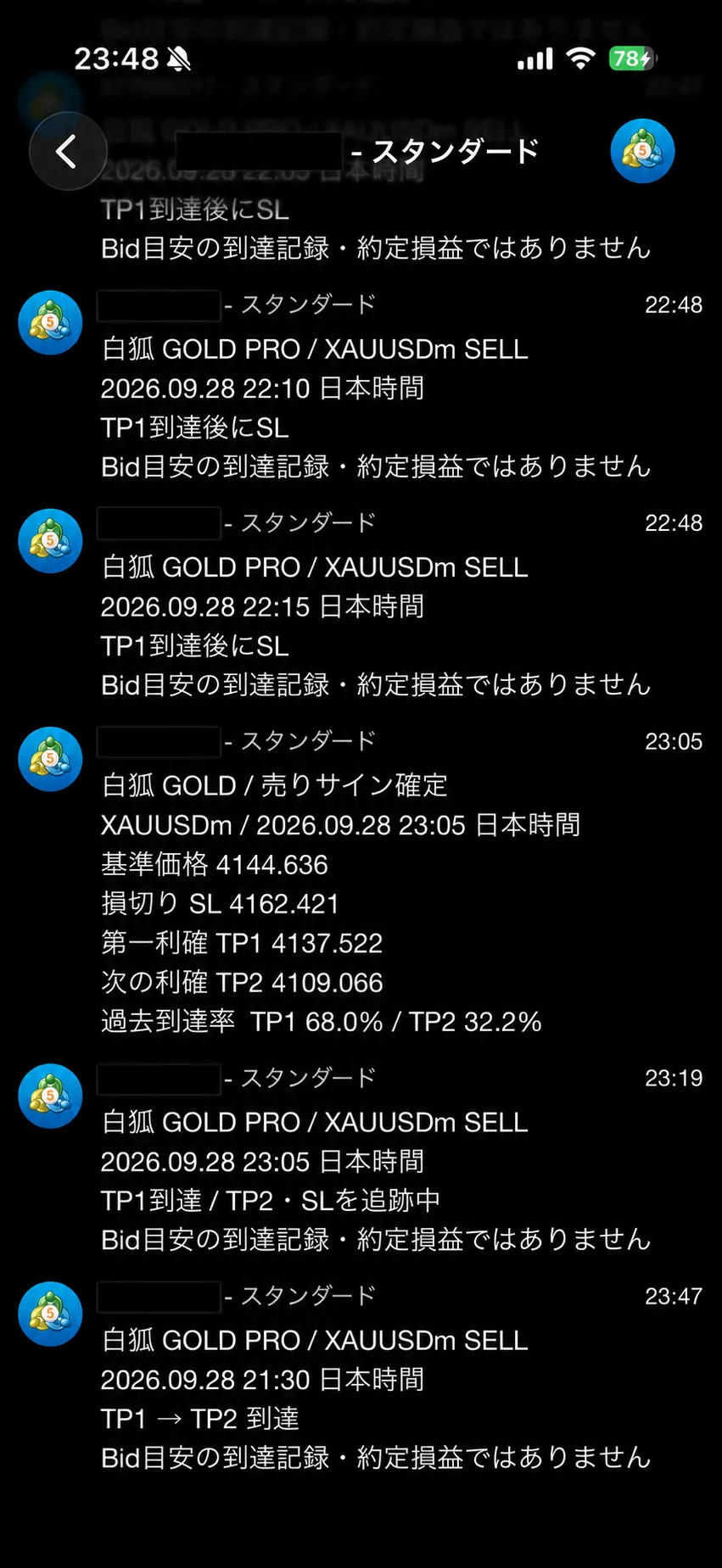
Where to look: at the bottom, the “TP1 → TP2 attainment.”
Reception example on September 28, 2026. The account number is masked. It includes multiple signs and is not a continuous progression of a single sign.
The text at the bottom shows the sign time as 21:30, and the reception time on the right as 23:47. In addition to sign emergence, you can also confirm subsequent progress.
To receive notifications, you need to run MT5 on a PC or VPS and configure the notifications. It is not an indicator that runs on a smartphone alone.
3. PRO, review later results with images
Recording the attainment results and automatic chart captures are also PRO features. See the saved images for two different signs.
Example A: When TP2 was reached
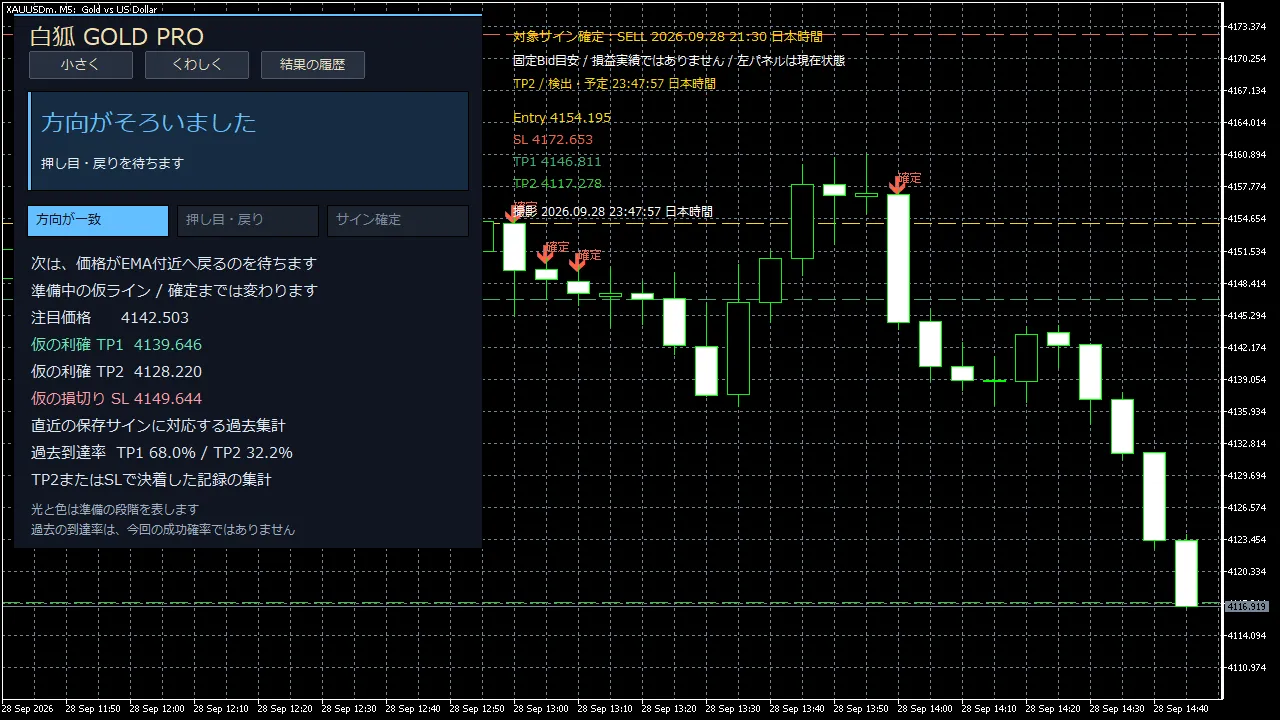
Where to look: the time of the target sign at the top and “TP2,” and the green line at the bottom.
SELL sign at 21:30 on the smartphone screen, same as the bottom. The TP2 target was 4117.278.
Example B: When it records reaching SL
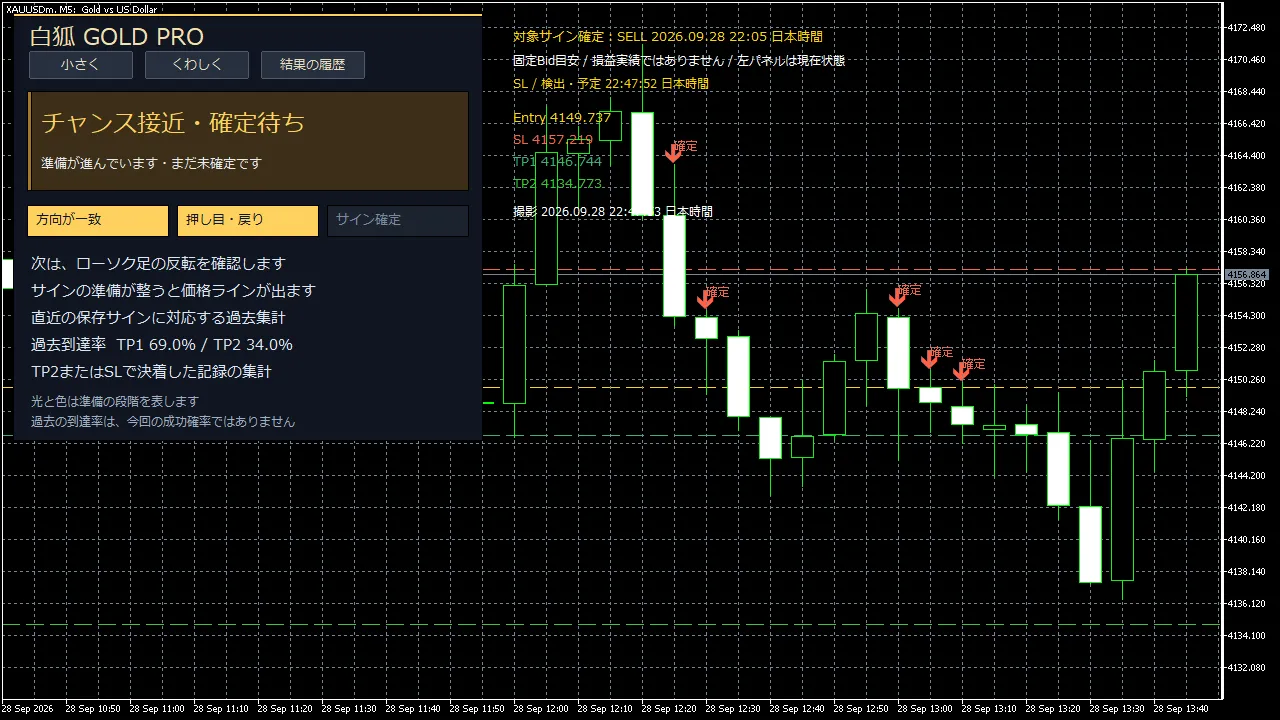
Where to look: the top “SL” and the rise near the red line on the right.
Another SELL sign at 22:05. The SL target was 4157.219. This image alone does not reveal the previous TP1 attainment history.
The left panel shows the current state at the time of capture. The targets are tracked on the chart’s top “Target Sign.” Since the attained price and the screen remain, they provide material for later review of progress.
The recording reflects attainment history of the Bid price and is not actual realized P/L. It tracks up to 24 hours, and long data gaps are left as indeterminate. These two examples do not indicate typical attainment rates or future profits.
Choose according to how you want to use it
| Features you want to use | LIGHT | PRO |
|---|---|---|
| Sign, price line, preparation stage | ○ | ○ |
| Past attainment rate (under matched conditions) | ○ | ○ |
| Basic sounds and popups | ○ | ○ |
| Smartphone notifications | — | ○ |
| Attainment records and automatic captures | — | ○ |
If you want to open a chart and verify the display, start with LIGHT. If you want to receive notifications and review with logs and images, use PRO.
▶ Try the free White Fox GOLD LIGHT
▶ See details of White Fox GOLD PRO
Please verify before installation
Windows MT5 version, 5-minute chart for USD-denominated GOLD. Confirmed environments are Exness-MT5Trial5 / XAUUSDm / STANDARD; other companies or servers have not been tested. MT4 and smartphone MT5 cannot be installed directly. Authentication requires internet connection and permission for the authentication DLL. Please check the latest terms on the product page.
Past attainment rate is a calculation over a fixed past period and does not indicate the probability of success this time. If the data source or settings do not match the verification conditions, it may not be displayed. There is no automatic order execution feature. Please first try in a demo environment.