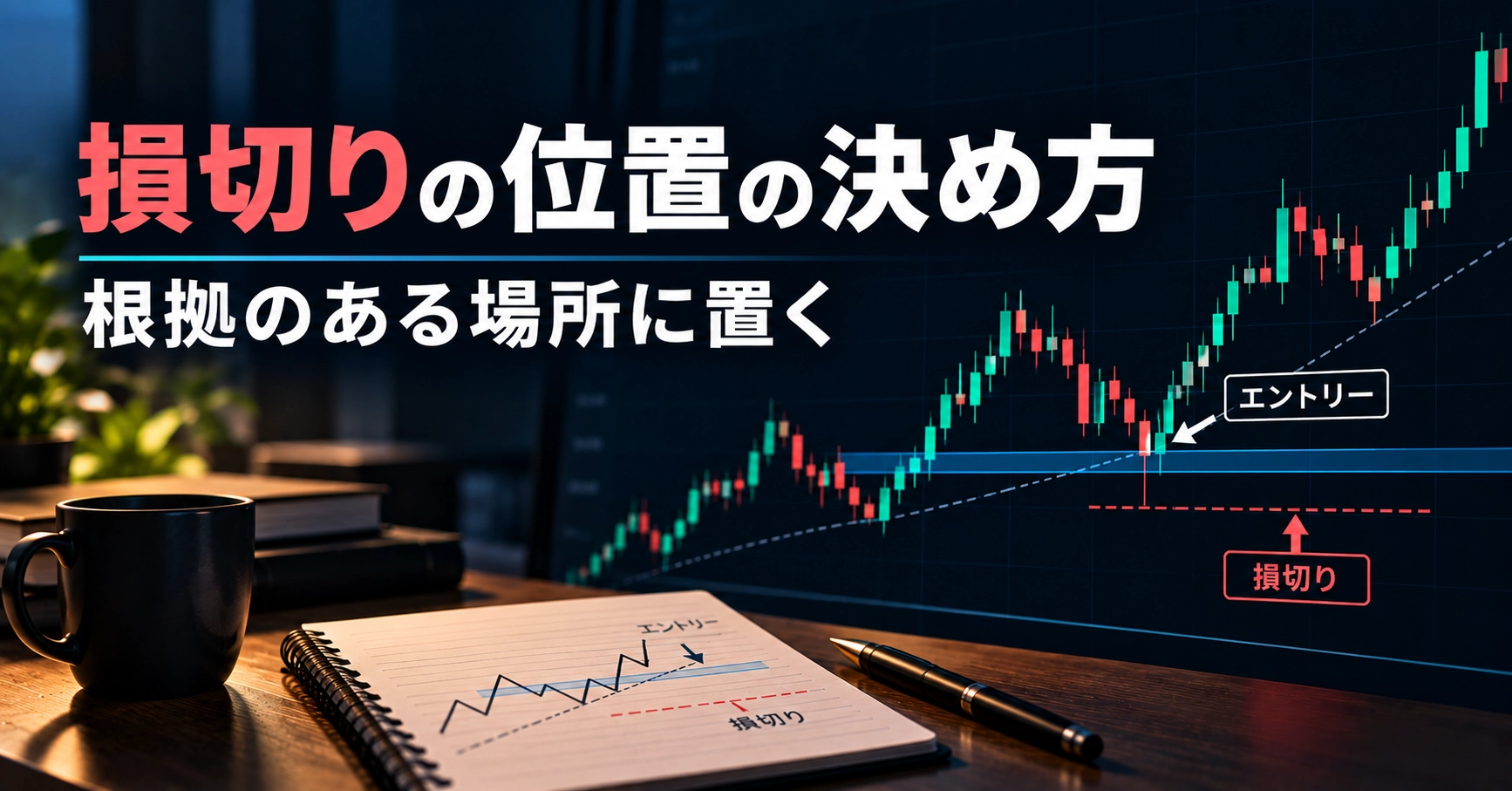
How to determine the cut-loss level — place it at a well-supported location
Introduction
When I placed a stop loss, it immediately triggered. After that, the price moved in the direction I expected.
Conversely, if I waited without placing a stop loss, the unrealized loss grew. Many people have been uncertain about where to place a stop loss.
In this article, I will summarize a way of thinking to place the stop loss at a “grounded location” and how to practice the judgment in training.
What you will learn in this article
- Ways of thinking to decide the stop-loss location
- Three common mistakes: too close, too far, and moving it later
- Steps to acquire the stop-loss placement through practice
What a Stop-Loss Is
A stop loss isto limit losses by closing at a predetermined price.
The important thing is to decide the locationbefore enteringWhen you decide after you enter by watching the unrealized loss, you tend to think, “If I wait a little longer, it might come back.”
How to Decide the Location
There is a commonly used way of thinking when considering the stop-loss location. None of them are guarantees that “placing it here is correct.”Please use this as practice materialto test yourself.
- Place where the reason for entering falls apart: For example, if you bought because you believed it would be supported by the most recent low, the point where that low is breached
- Just inside the most recent high/low: If placed too close to the peak or trough, it is easily reached by normal fluctuations
- Outside the line: A level clearly beyond a drawn horizontal line or trend line you drew
- Normal price movement range: Do not place it inside the typical range of that time frame
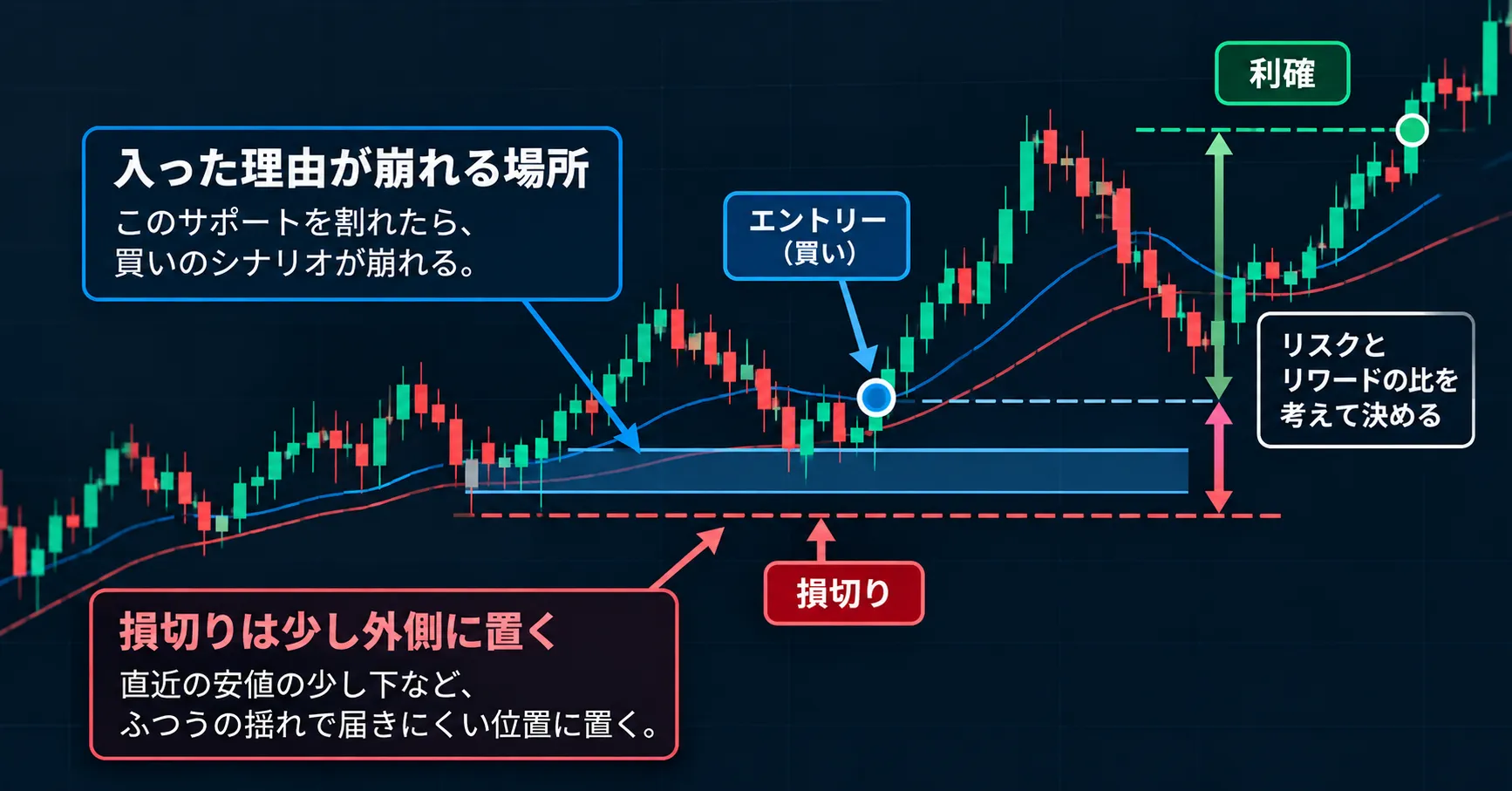
Once the location is determined,check whether the loss when stopped out at that position is tolerable. If not, the approach is to reduce position size (lot) rather than moving the stop closer.
Three Common Mistakes
- Too close: Stop-out occurs from ordinary fluctuations. If price then moves in the expected direction, it leaves a sense of regret
- Too far: A single loss becomes large. With the same lot size, several losses can cause a big drop
- Move it later: When unrealized loss increases, delaying the stop-loss. The meaning of the entry decision is lost
The Stop-Loss Location Cannot Be Decided by Knowledge Alone
When you review past charts, you can immediately see places where you should have placed it. That is becauseyou can see the subsequent price movement.
In actual markets, at entry you cannot know how far the price will move against you. In that context, you have to decide where the reason for entering will break down.
This judgment is developed by repeatedly deciding locations in situations where you do not know the future, and thencomparing the chosen location with the outcome, refining over time.
There is a detailed explanation of why practice cannot rely on seeing the future in this article.
▶ Why seeing the future makes practice ineffective — three situations where hindsight contaminates past verificationhttps://www.gogojungle.co.jp/finance/navi/articles/126818
Steps to Practice Stop-Loss Placement
- Before entering, write down the stop-loss location and the reason: “Where would a breach invalidate the entering reason?”
- From that location, determine the lot size: so that the loss when stopped out remains within the tolerable amount
- After entering, do not move the stop away: Decide in advance whether you will move it closer or not
- After observing the result, mark it with a check or cross: See whether the stop-out at that moment validated the reason for the position
- Increase the number of scenarios to detect bias: Count whether there were more cases of being too close or too far
If you practice by manually scrolling the chart, the price movement afterward will appear on the right side of the screen. If you decide the location after looking ahead, Step 1 cannot be satisfied.
Practice with Tools
The MT5 indicator "FX Past Verification Trainer" is a practice tool that replays past charts one by one and allows orders and logging in a simulated account.
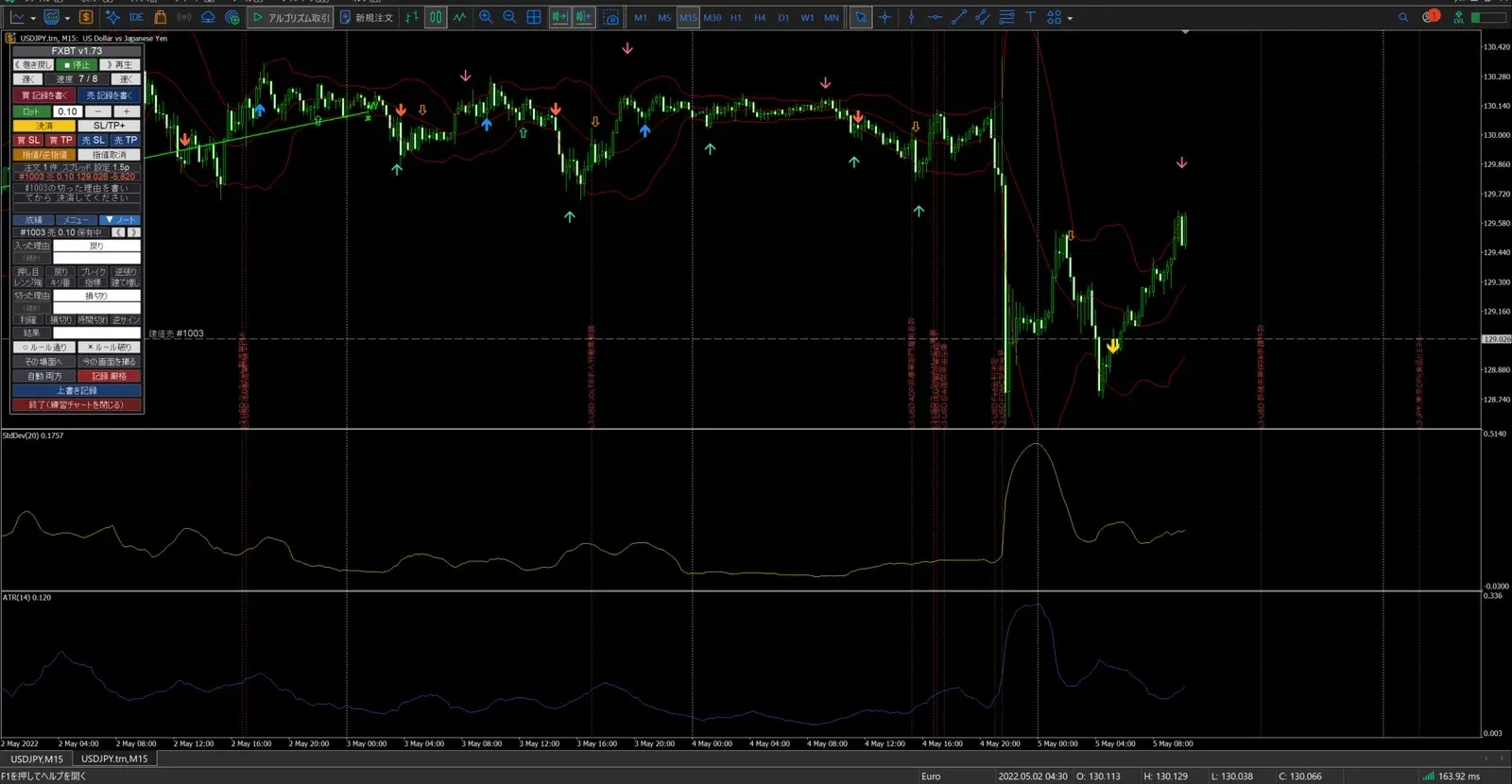
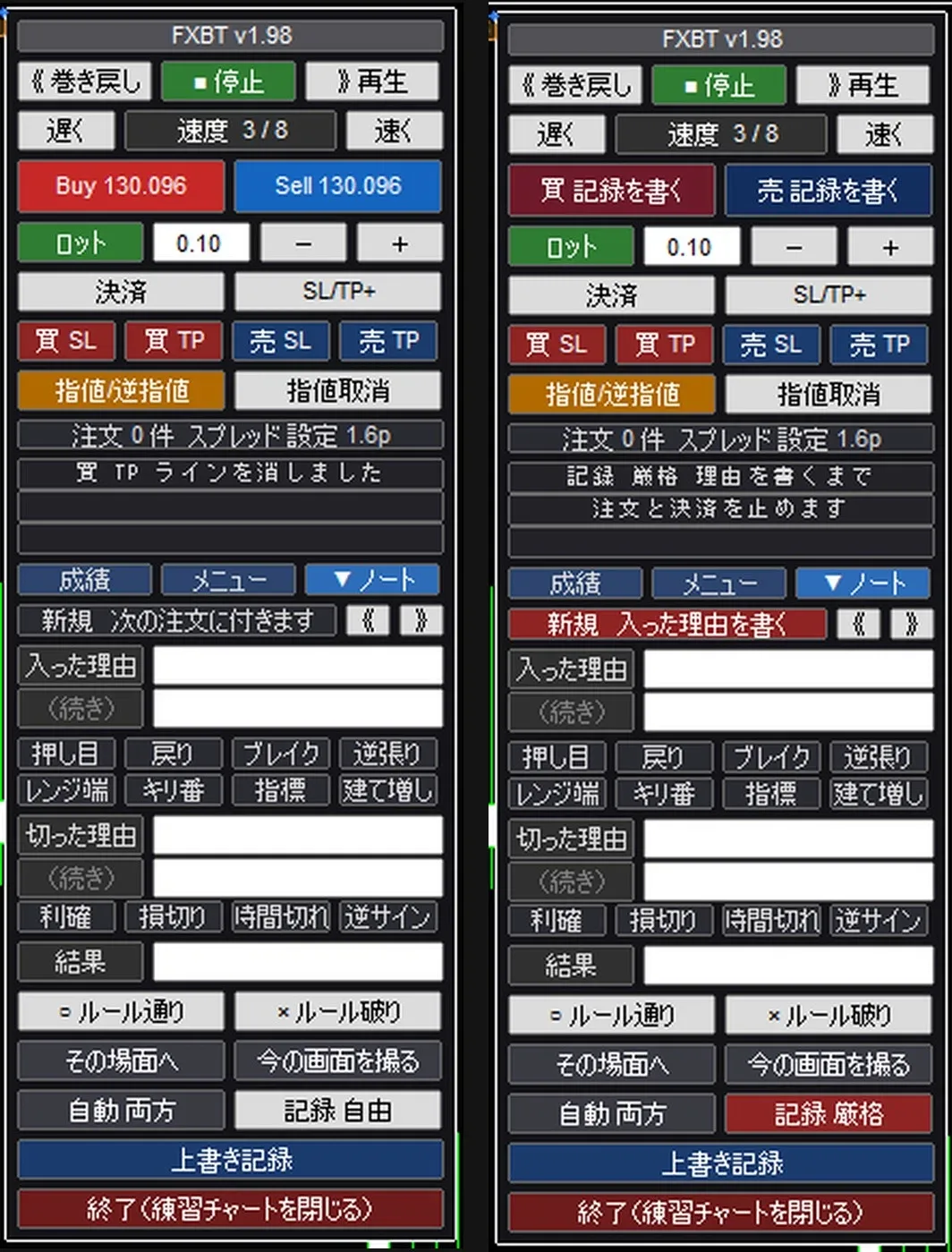
- Future bars do not exist as data, so after entering, you cannot see the subsequent price movement
- Stop-loss and take-profit are set by dragging the lines on the chart. You can adjust while watching the placed positions
- If you set risk percentage (the portion of the account you are willing to risk per trade), the lot size is calculated from the distance to stop-out
- If both stop-loss and take-profit can be reached within the same bar,prioritize stop-lossto avoid presenting overly optimistic results
- In the trading notes, you can record the reason for entry and the reason for exit, and later review with check marks
There are things you cannot do.
- Fees and swaps are not included in calculations. There is no margin call or forced liquidation
- Movements smaller than the minimum bar you set (default is 1-minute bars) are not reproduced
- There is no feature to tell you the correct stop-loss position. You decide it yourself
- Account currency is only Japanese Yen, and it only supports MT5 (Windows)
Instructions for practicing with this tool on MT5 are summarized in another article.
▶ How to perform past verification in MT5 when you cannot predict the future — the pitfall of manual scrolling and practice with one bar at a timehttps://www.gogojungle.co.jp/finance/navi/articles/126682
Summary
- Place the stop-loss before entering. Start from “the place where the entering reason collapses”
- Three mistakes: too close, too far, and moving it later. Adjust risk with position size
- Decide positions in situations where the future is unknown, and count which direction you tend to bias toward by comparing results
Related Articles
Practice distinguishing the breakout’s “fakes” in situations where the future is unknown.
▶ What is a breakout technique — how to practice with fakeshttps://www.gogojungle.co.jp/finance/navi/articles/127082
If you wait too long or too early for a pullback, here is how to learn “how far to wait” in practice.
▶ What are pullbacks and re-entries — practice determining “how far it will pull back”https://www.gogojungle.co.jp/finance/navi/articles/127183
About the Practice Tools
The practice described in this article can be done with the MT5 indicator “FX Past Verification Trainer.” It replays past charts one by one and enables orders, logging, and review in a simulated environment.
There is a 7-day trial version.You can try all features for 7 days without usage restrictions.
Before using on your MT5, you can verify whether it runs and whether your usual indicators work.
▶ Trial version (Product ID 87387)
https://www.gogojungle.co.jp/tools/indicators/87387
If you want to continue practicing, please see the product version.
Notes written in the trial version and saved verifications can be opened directly in the product version.
▶ Product version (Product ID 86765)
https://www.gogojungle.co.jp/tools/indicators/86765
Cautions
- This tool is for practice. It does not guarantee profits and does not place actual orders.
- This article introduces practice methods. It does not promote any specific buying or selling strategies.