

【September income and expenditure +1,128,519 yen】Maasan Trend Arrow has been updated | Points that meet the conditions are displayed on the chart
Hello, this is Maasan.
In the previous article, I introduced a few features that were planned to be added to Maasan Trend Arrow.
And this time,
Maasan Trend Arrow has been updated.
This update is not merely about adding more features.
It aims to make clearer on the chart the ideas I usually follow in my trades:
“Check the direction on the higher time frame”
“Wait until the conditions line up”
“Narrow down entry candidates”
and to make these concepts even more understandable on the chart than before.
Before introducing the update details, I would like to report the September trading results first.
Trading Results for September 2026
Here are the results from September 1 to 30.
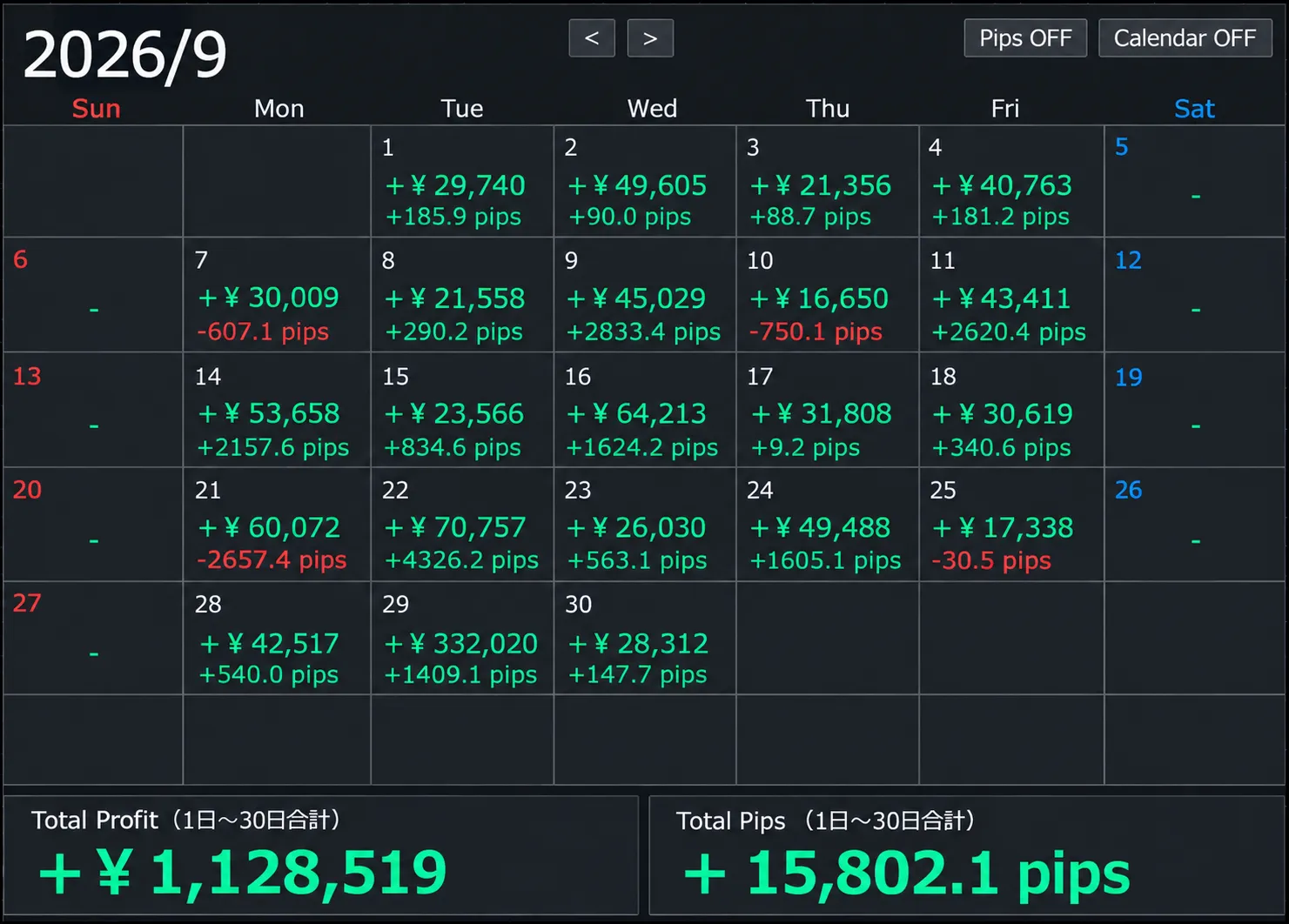
September Total
Profit: +1,128,519 yen
Total: +15,802.1 pips
That’s how it turned out.
When I wrote the previous article, it was mid-September, but I ultimately finished September with a positive balance exceeding 1 million yen.
Of course, this result does not mean you will achieve the same profit just by using Maasan Trend Arrow.
Results vary depending on lot size, capital, take-profit and stop-loss, and market conditions.
What I want to emphasize here is not the profit amount itself, but
“under what conditions I traded”
.
“Why are there days with negative pips even though the profit is positive?”
If you look at the images,
September 7 — 607.1 pips
September 10 — 750.1 pips
September 21 — 2,657.4 pips
September 25 — 30.5 pips
there are days when the profit amount is positive but the pips are negative.
I want to explain this to avoid misunderstandings.
Currently, through Discord and other channels,
I sometimes teach a few people about trading while looking at actual charts.
As part of explanations and practice for them,
I may take a position with the minimum lot size, without regard to the usual signs or entry conditions I typically use.
Because that position carried a running loss, the amount for that day’s trades could still be positive, while the total pips were negative.
In other words,
it does not mean “lost 2,657 pips by following the rules.”
In my usual practical trading,
I don’t enter just by the sign; I confirm the established conditions and select the target area
to focus on.
For September as well, I approached normal trades with emphasis on these rules and conditions.
And this
“selecting locations that meet the conditions”
thinking leads to this update.
Maasan Trend Arrow has been updated
The major change in this update is
the ability to confirm locations that meet the conditions on the main chart’s candlesticks as well
.
Until now, Maasan Trend Arrow required checking arrows in the sub-window to look for entry candidates.
We’ve further evolved it this time,
so that when the conditions are met, signs of “↑” and “↓” appear near the candlesticks on the main chart.
Please look at the actual chart.
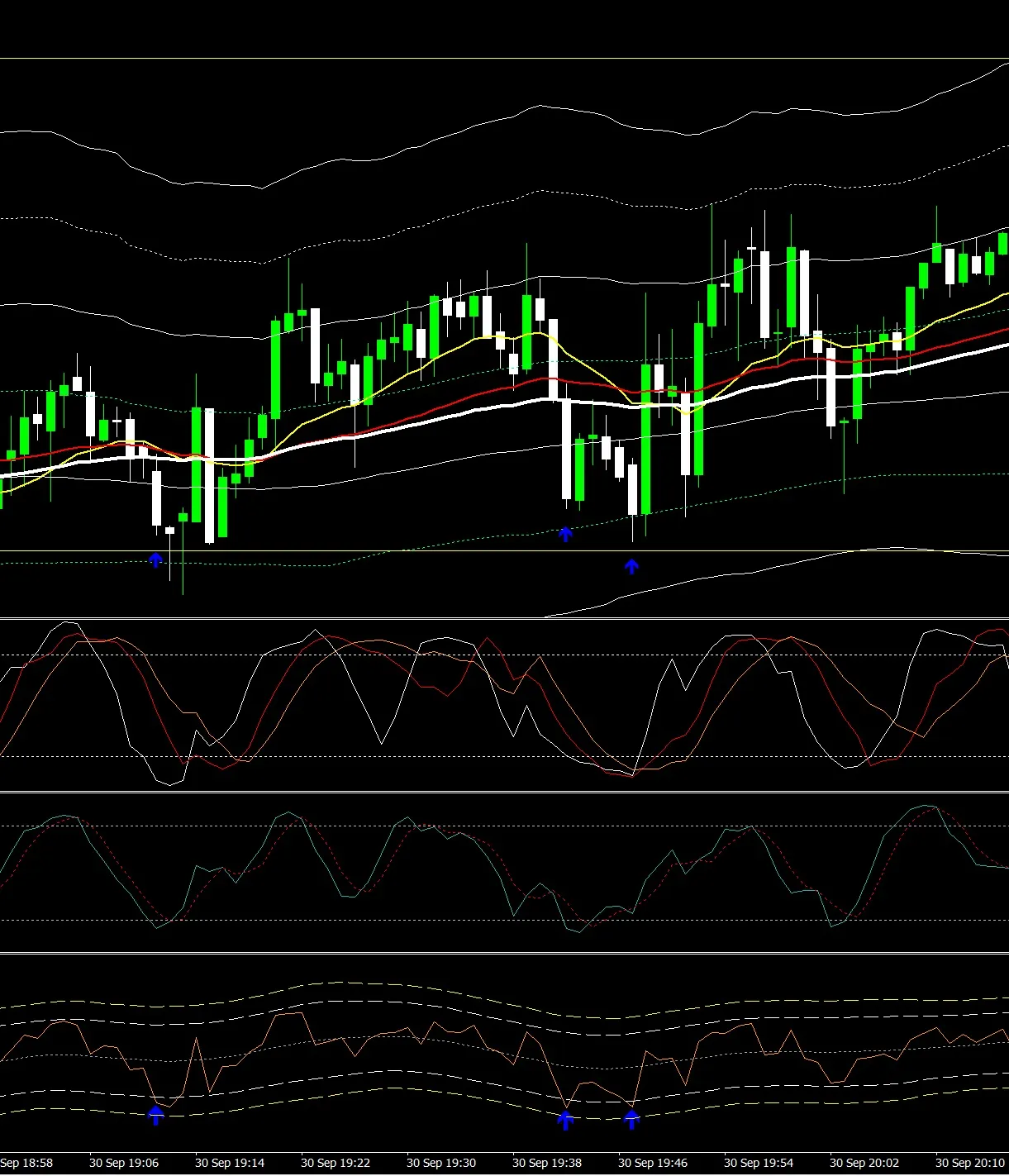
From the image, a blue ↑ appears beneath the candlesticks.
Thus, you can directly confirm the points that meet the conditions on the main chart.
Without constantly cross-checking the sub-window and the candlesticks,
you can intuitively grasp “where the current entry candidate is”
more clearly than before.
In a Sell scenario, it’s a red ↓
It’s not only about buying.
When the conditions for a downward direction are met,
a red “↓” appears above the candlesticks
.
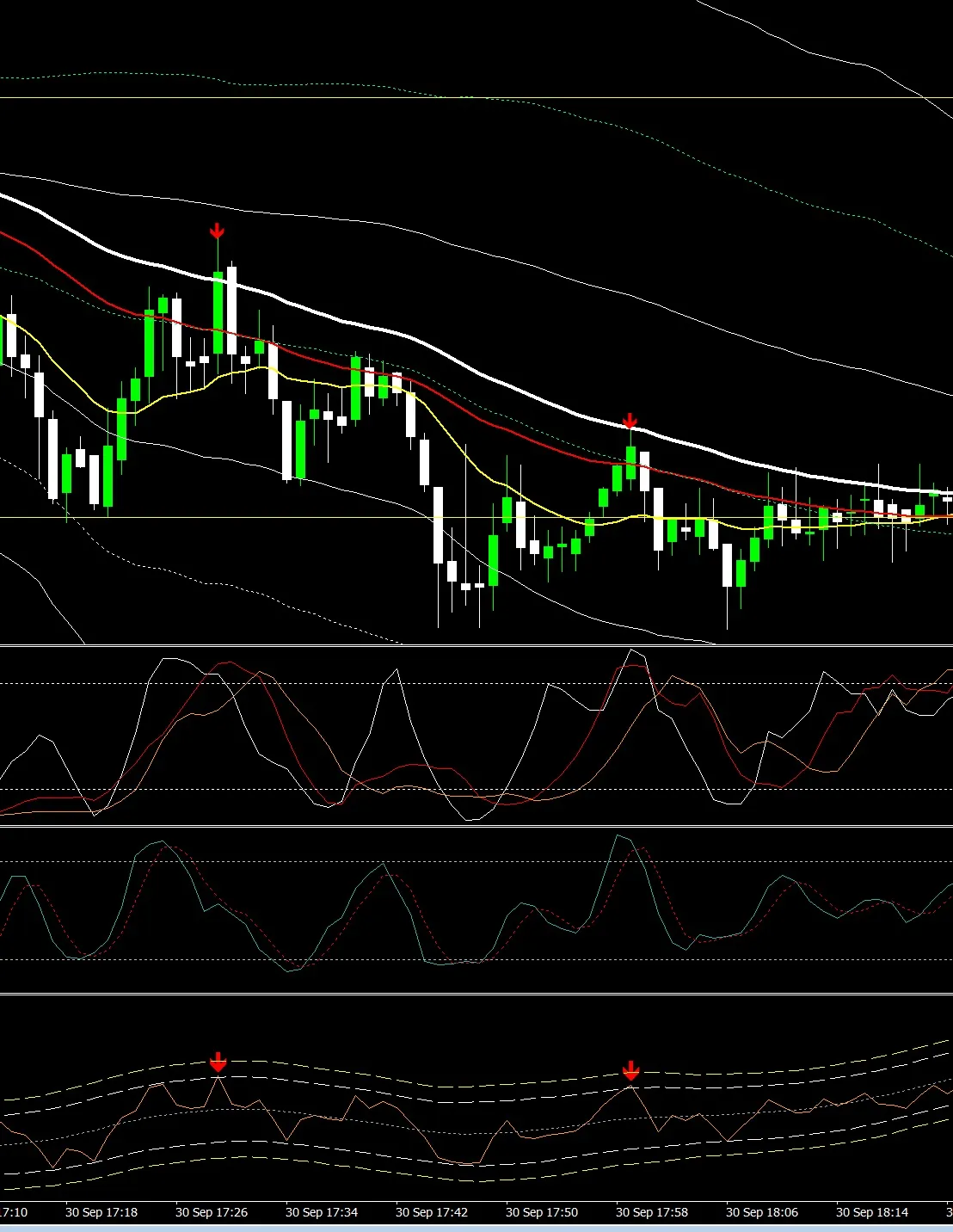
In this image, a red ↓ appears near a point of retracement within a downward trend.
What I am aiming for is not simply selling because price rose or buying because price fell.
The basic idea is to
check the direction on the higher time frame
examine the trend and moving averages on a 5-minute chart
check states like RCI and Stochastic on a 1-minute chart
wait until the conditions align
.
This update makes it even easier to find entry candidates on the chart.