
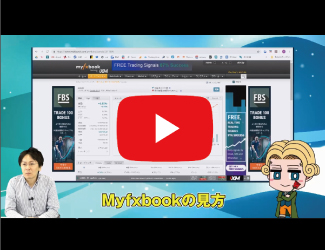
【Video】 I was taught from scratch how to use the free analysis tool “Myfxbook” by FX noble.
As a renowned FX noble in the EA development field, I had the pleasure of explaining how to use the popular free tool “Myfxbook,” which makes analyzing and sharing MT4 trading results easy. Please also note the tips for changing lot sizes, which you can参考にしてください。(取材:編集部蛯沢)
What you can learn from this video

Photo on the left: Ebizawa, on the right: FX Noble
In this video, you will learn the following.
- What is Myfxbook?
- Analyze and share MT4 trading results
- Benefits of making Myfxbook publicly available
- Can you showcase real account profits!?
- Basic way to read Myfxbook
- Manage multiple EAs separately
- How to view performance per EA
- How to analyze performance
- How to check bankruptcy risk and key points
- How to check trading history
- Thoughts on increasing lot size
Video: 13 minutes 30 seconds
FX Noble Profile

Transitioned from discretionary trading to automated trading, and since 2017 has been listing EA developers on GogoJungle. His flagship work “Scalping Dragon” and other titles have totaled over 1,000 EA sales. He shares information about automated trading on his blog and Twitter.
Official Blog:FX Noble’s EA Development Blog
Twitter:https://twitter.com/yenpetit
A word from the editor in charge, Ebizawa

Even if you haven’t used “Myfxbook” before, it’s incredibly useful when you build a portfolio with multiple EAs. It’s especially recommended for those who want to analyze their own performance or publish their results on blogs or social media. It’s great that it’s free to use. Learn the basic usage in this video and give it a try!

How to view FX videos
The section that those who purchased the article can view (at the bottom of this article) contains an embedded FX video. Click the play button to start the video.