EA CRAFT 369 – Money Management-Focused EA Builder for MT4 & MT5
Try it for free for a limited time. Take this opportunity to create as many EAs as you like.
MT4 & MT5Available until September 29, 2026
Create Unlimited EAs
yourself.”
Turn your money management into an EA.
Turn your ideas into reality.
searched for so far?
“Maybe this one is finally the real thing.”
“This backtest looks promising.”
“It has risen steadily over the long term—maybe this time…”
So you get the EA.
At first, your expectations are high.
But then the market changes.
A losing streak begins.
Floating losses grow beyond what you expected.
“How many more losses before it becomes dangerous?”
“Should I stop it?”
“Is this EA no longer usable?”
And then you stop it.
After a while,
High win rate.
Low drawdown.
Long-term backtest.
A steadily rising equity curve.
And once again,
If this cycle sounds familiar,
try changing the way you think about EAs.
would I create?”
Searching for an EA created by someone else
is certainly one approach.
But there is another approach.
create the EA you want yourself.
That is why we developed
Until now, if you wanted to create an EA yourself,
you had to learn MQL4 or MQL5.
Or,
you had to outsource development.
Those were the usual options.
With EA CRAFT 369, however,
basically not required.
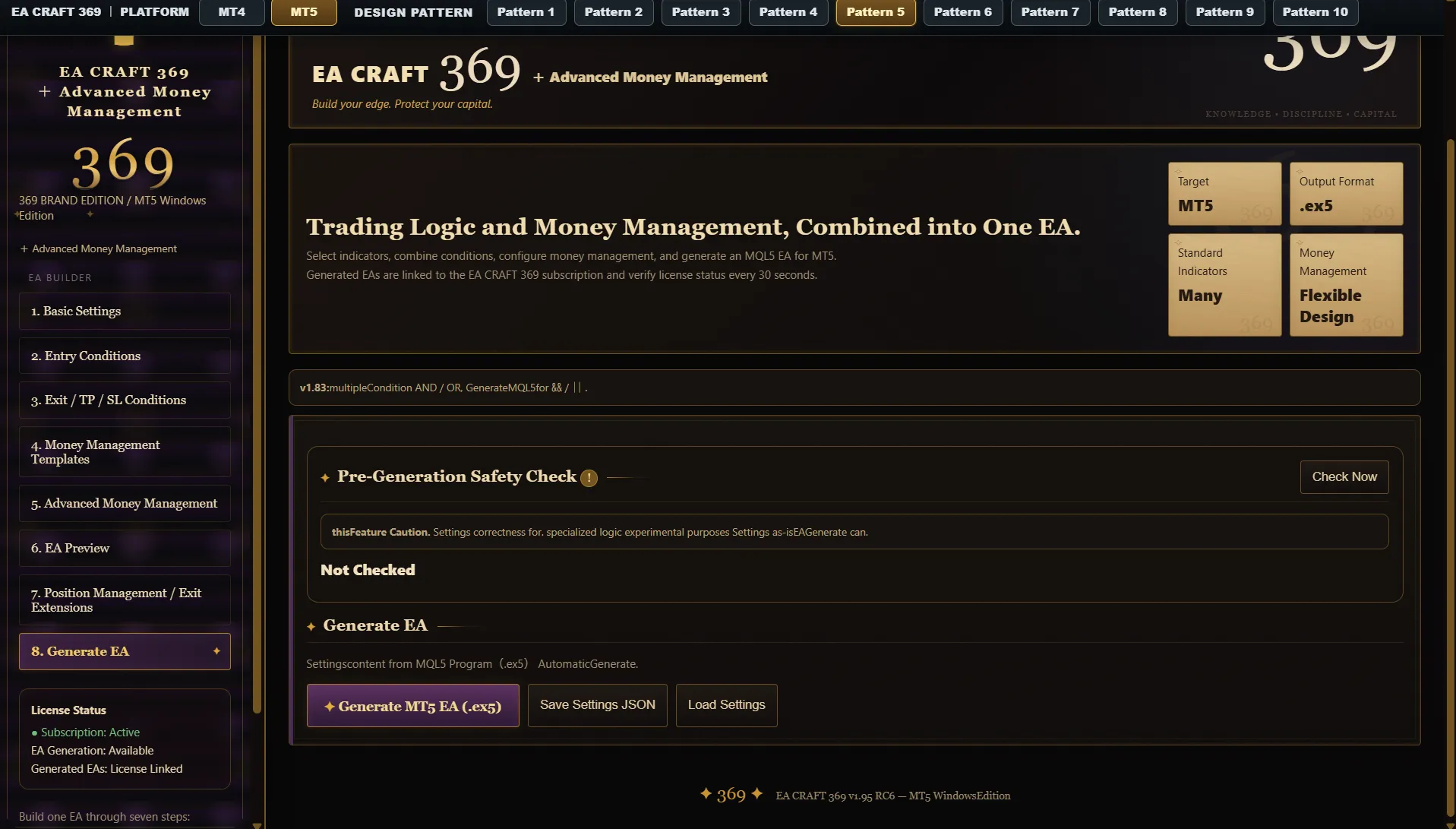
That is the basic workflow.
When people think of EAs,
they tend to focus on:
• Where to sell
• Which indicators to use
These often receive most of the attention.
But when real capital is involved, you also need to decide:
How to adjust risk after a loss.
What to do during a losing streak.
What to do during a winning streak.
What to do when drawdown becomes deeper.
What to do when equity recovers.
When to stop opening new positions.
We believe all of this is part of
Fixed Amount Risk
Drawdown Control
Profit Protection
Pause After Consecutive Losses
Balance-Based Compounding
Reverse Compounding
Step-Based Risk
Profit Target Cycle
Loss Limit Cycle
Stop After Profit Target
D’Alembert
Martingale
Reverse Martingale
Equity Recovery
Losing-Streak Stages
Winning-Streak Acceleration
Drawdown Recovery
and more
However,
what makes EA CRAFT 369 interesting is
predefined money-management methods.
For example,
“Reduce risk after three consecutive losses”
“Stop new trades after five consecutive losses”
“Change risk after consecutive wins”
“Reduce risk when drawdown exceeds X%”
“Return to the initial state when equity recovers”
and more、
money-management rules as an EA.
You can use it that way as well.
After X Virtual Losses
Without placing actual orders,
the EA internally tracks trading signals only.
Once the specified number of virtual consecutive losses is reached,
This allows you to design
EAs that go beyond simple “buy conditions” and “sell conditions.”
For those who want to study sequences of wins and losses, this can also provide useful material for testing.
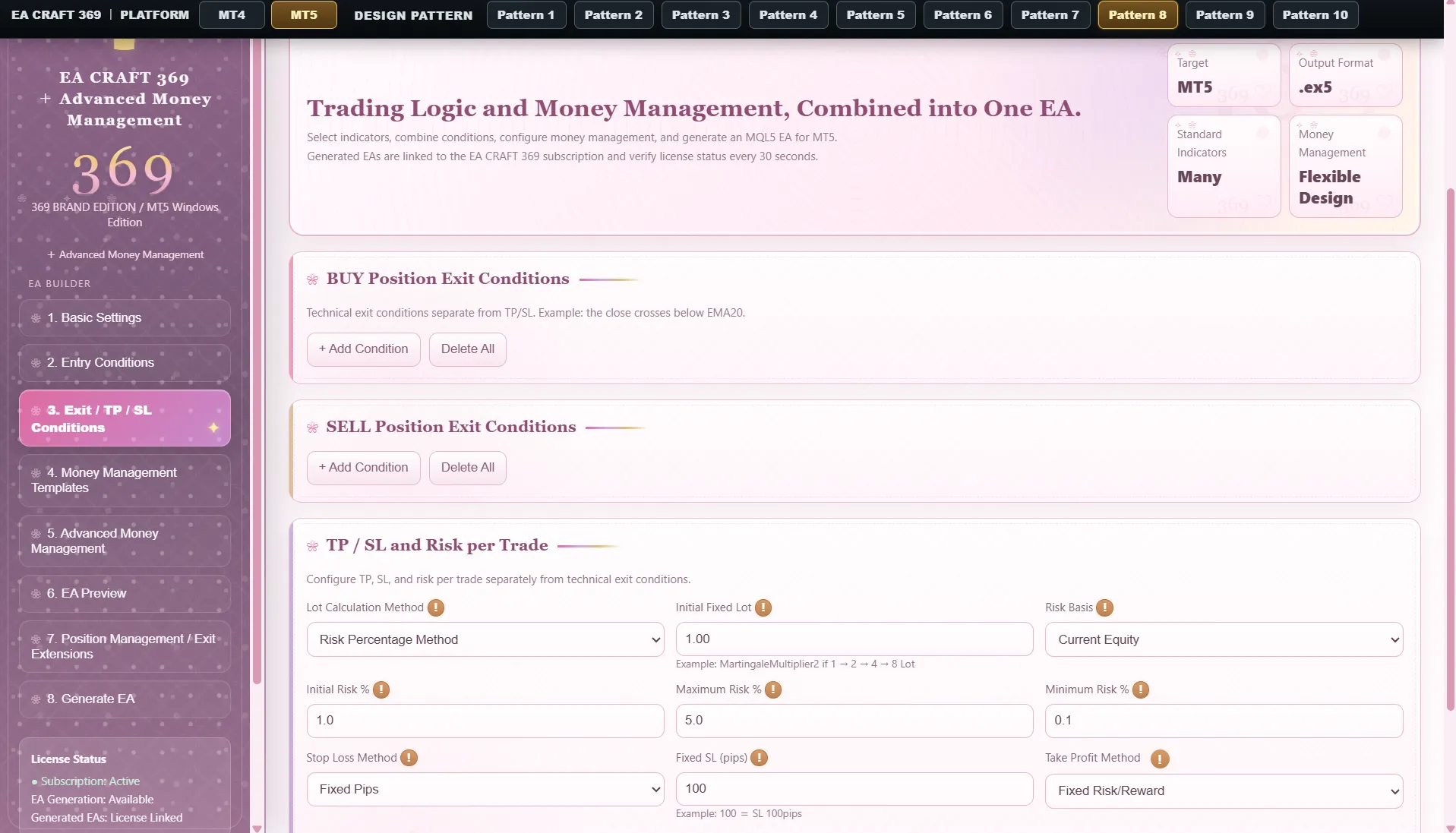
Design BUY and SELL logic separately, and combine multiple conditions to build your EA.
SMA / EMA / SMMA / LWMA
Bollinger Bands
+σ / Middle Band / −σ
RSI / MACD / Stochastic
ADX / ATR / CCI
Ichimoku / SAR / Fractals
Other Technical Conditions
Assess market conditions on the 4-hour chart.
Enter on the 15-minute chart.
Strategies that combine multiple timeframes can also be turned into EAs.
What happens after a position is opened is equally important.
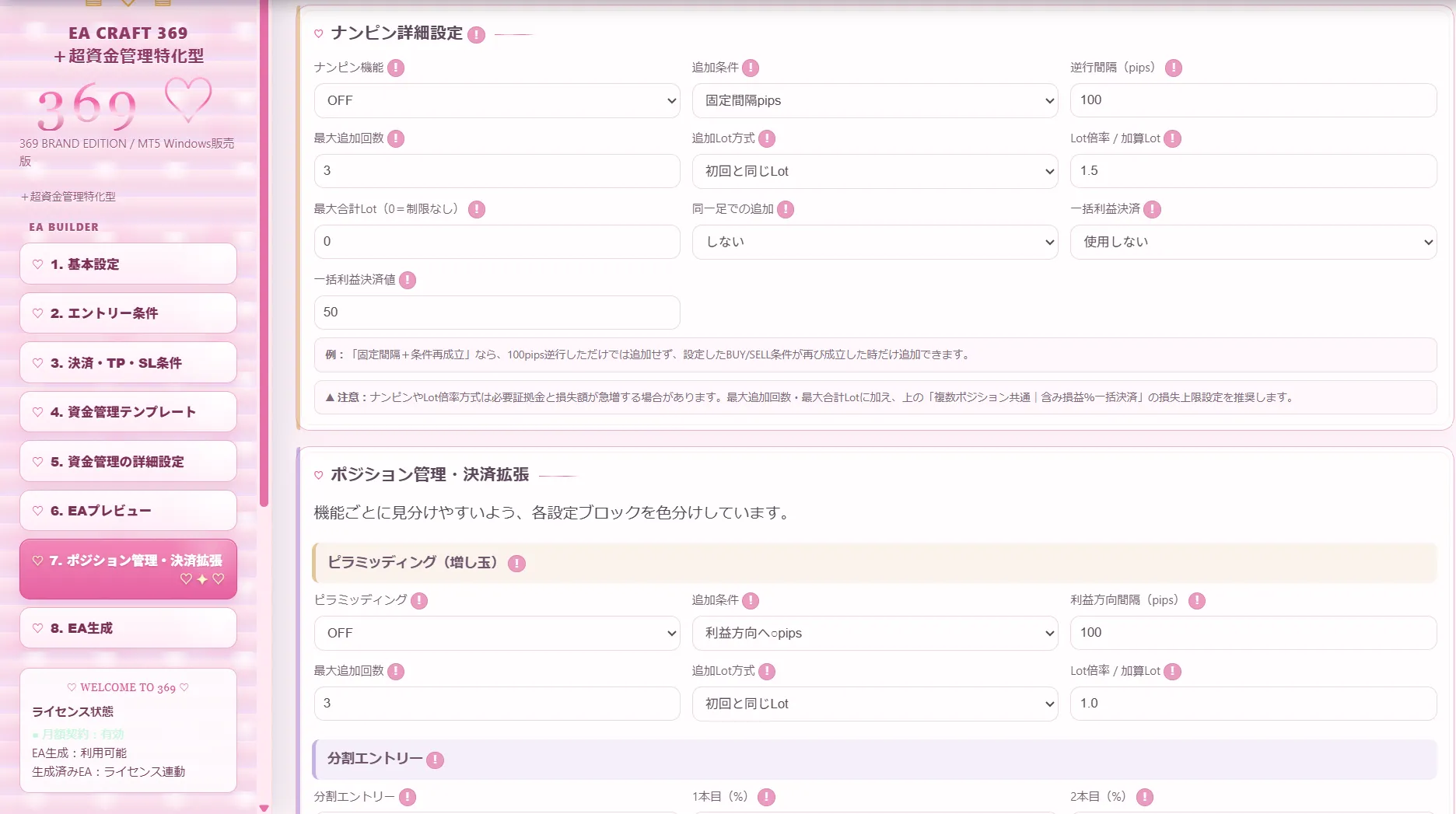
Additional entries when price moves against the position
Pyramiding
Add positions as price moves in the profitable direction
Scaled Entries
Partial Exits
Break-Even Stop
Trailing Stop
Opposite-Signal Control
Re-entry Control
Win/Loss Streak Control
Maximum Total Lots
Maximum Allowed Loss Rate
Stop New Entries at Maximum Drawdown
“how much you are willing to allow.”
ATR Multiplier
Bollinger Band-Based
Recent ZigZag High/Low
Risk-Reward Settings Based on SL Distance
Around major economic releases, a news filter can stop new entries.
Stop X Minutes Before Release
Resume X Minutes After Release
Specify Target Currencies
Control Entries by Day and Time
Test.
Improve again.
EA CRAFT 369 is not software designed to create just one EA and stop there.
Settings can be saved in JSON format.
This means you can:
Change only the money management.
Change only the SL.
Change only the timeframe.
Change only the exit conditions.
Then,
you can create.
You come up with a new idea.
↓
Backtest it.
↓
Review the results.
↓
Change the conditions.
↓
Create it again.
Want to try different money management?
Create it again.
Want to try another timeframe?
Create it again.
create, test, and improve your EAs.
Creating EAs involves
thinking.
testing.
adjusting.
testing again.
It is steady, iterative work.
That is why we also value
Change the interface design to match your mood.
EA CRAFT 369 is not intended to stop evolving once it is released.
“I want support for this indicator too.”
“I want a feature like this too.”
If demand for such requests grows, we would like to continue expanding what the software can do.
For custom indicators not included as standard, support may be available as an optional service after reviewing the specifications.
✔ Want to create EAs without programming
✔ Want to test different ideas before outsourcing development
✔ Want to study money management in depth
✔ Want to test controls based on winning and losing streaks
✔ Want to create multi-timeframe EAs
✔ Want to study averaging/grid entries and pyramiding
✔ Want to backtest trading rules they come up with
✔ Want to create and test many different EAs, not just one
and the idea after that,
as well.
Think of an idea.
Create it.
Backtest it.
Review the results.
Improve it.
Create it again.
should I create next?”
Turn your money management into an EA.
Turn your ideas into reality.
to creating them.
your own EA.
* Before live trading, conduct sufficient backtesting and forward testing, and use the software at your own judgment and responsibility.
* Please check the product page for the latest information on included features and specifications.
* Additional support for custom indicators or other features may not be available depending on specifications and implementation difficulty.