

【L Sign】Automatic risk-reward calculation!? A handy tool where you can see the price range and ratio at a glance
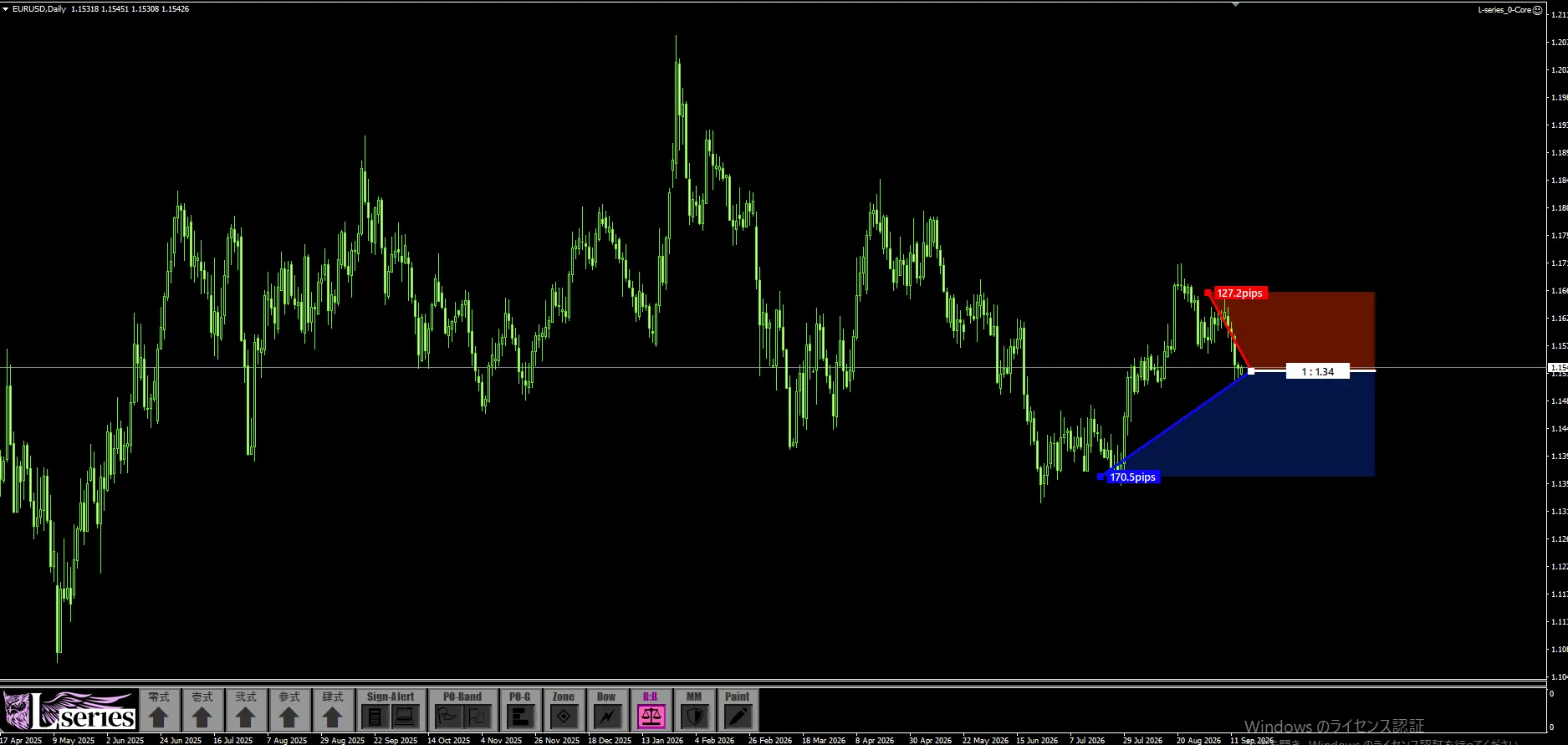

L Sign Function Overview
Automatically calculate risk-reward.
Ranges and ratios are visible at a glance
Convenient Tool
This time's theme: Risk-Reward Tool
Hello, this is Leo.
This time, we will introduce“Risk-Reward Tool”embedded in L Sign.
Display the price range to take profit or stop loss in pips. In addition, automatically calculate the ratio of that range and display it on the chart.
A feature that saves you from calculating each time and lets you confirm risk-reward with numbers and colored ranges.
01Check the price range on the chart in pips.
When you specify the price to measure, each range is displayed in pips.
On the chart, you can see how many pips each specified range has; the Risk-Reward Tool shows that range as a number.
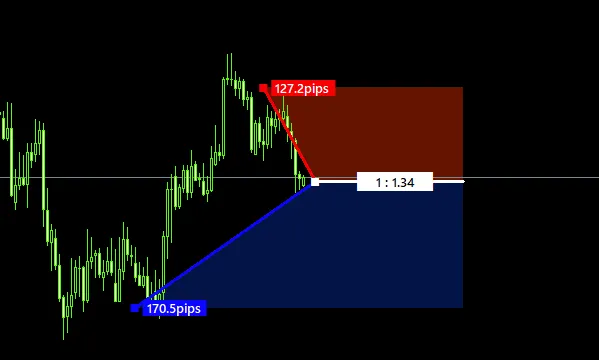
As an example, the blue range shows54.9 pipsand the red range shows34.3 pips.
When considering take profit or stop loss, an added benefit is being able to see the location on the chart and the range to that point together.
02The risk-reward ratio is also calculated automatically.
Risk-reward expresses how much profit you aim for relative to the assumed loss.
This tool automatically calculates the ratio based on the specified range and displays it on the chart.
For example, if you specify a range of 54.9 pips against 34.3 pips, the ratio appears as“1:1.60”.
The tool performs the division that would otherwise require entering values elsewhere.
When you want to confirm risk-reward before entering, you can understand the ratio of your set conditions just by looking at the chart display.
You can also use it to check whether the displayed ratio matches your own trading conditions.
03Numbers and colored ranges make it easy to compare.
In the Risk-Reward Tool, the measured range is shown on the chart in color.
Therefore, while reading the range and ratio, you can also確認which price to which price you are measuring.
-
Colored range
Shows where you are measuring on the chart. -
Pips display
You can see how many pips each range contains. -
Ratio display
You can confirm the relationship between two ranges numerically.
Since you can check these three on one screen, you can compare with actual highs/lows and take-profit or stop-loss candidates.
The chart position, pips, and ratio are consolidated on one screen.This tool’s strength is also in showing both visuals and numbers.
04After confirming L Sign, organize your conditions.
Once you’ve confirmed the entry trigger with L Sign, look at nearby highs and lows and consider take profit and stop loss.
Check the range and ratio to those candidates with the Risk-Reward Tool.
In this way, you can organize the trading conditions at the moment the signal appears.
Take profit and stop loss candidates are considered based on market conditions. The toolaids with quantifying your own specified conditions.
Make every Risk-Reward check easier,
and faster.
Check the range in pips.
Automatically calculate risk-reward.
View the measured range in color.
All three on the chart with L Sign’s Risk-Reward Tool.
No need to calculate every time; you can see the range and ratio at a glance.
This feature is intended to make daily trading checks easier.
In addition to displaying signs, L Sign also includes analysis and pre-trade confirmation features. For details, please see the product page.
See details of the Risk-Reward Tool in“L Sign”
If you already have L Sign, try deciding take profit and stop loss candidates on your usual chart, and use it to confirm the range and ratio.