

[L Sign] Draw, erase, and save on the chart. Introducing convenient paint features

L Sign Functionality Overview
Draw on Chart · Erase · Save.
Introducing the Convenient Paint Feature
Theme for today: the Paint Feature
Hello, this is Leo.
This time, we will introduce the “Paint Feature” built into L Sign.
With this feature, you can freely draw on the chart, erase with an eraser, and additionally save the drawn chart as an image with a button operation.
Circle areas of interest or draw the expected price movement.
01 freely draw on the chart
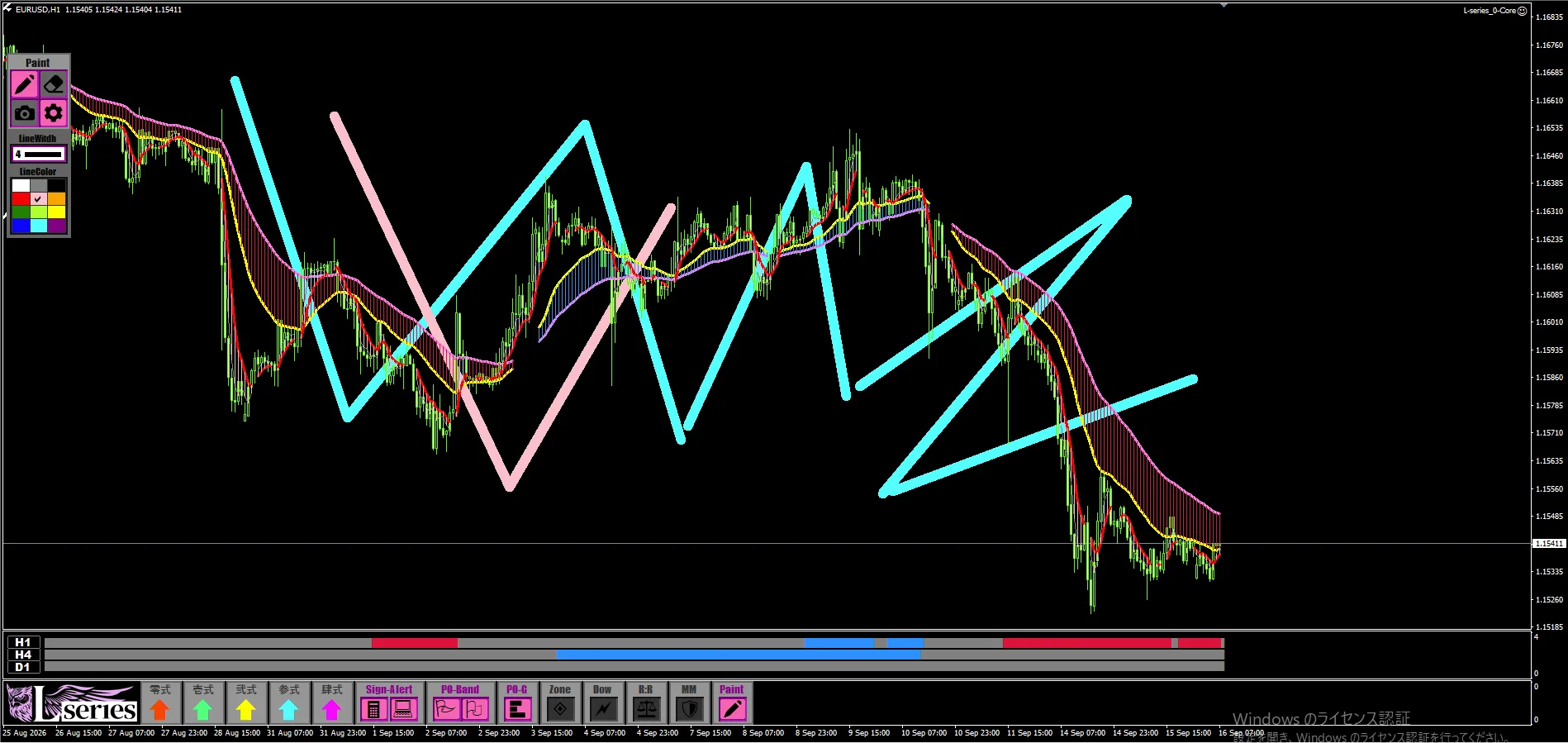
Using the Paint feature, you can freely draw on the MT4 chart with freehand drawing.
For example, circle the high/low you are watching.
Mark the spots where you want to check reactions if it rebounds to this level.
From there, draw the expected price movement with lines.
This is how you can use it.
Express where you are focusing and what kind of movement you are thinking, directly on the chart.
Even when L Sign signals appear, by drawing surrounding highs/lows and places to wait, you can organize your pre-entry scenarios on the chart.
Also convenient when explaining market views to someone else.
“I am watching this high.”
“I am considering it by pulling it toward this area.”
You can convey these ideas by drawing marks and lines on the actual chart.
02Erase and modify what you drew with an eraser
The Paint feature includes an eraser.
You can erase what you drew and rewrite it.
If you want to change the focus area or reorganize the drawn scenarios, you can modify it on the chart.
It’s a feature you can use casually to organize your thoughts while looking at the chart.
03Save the chart image with button operation
The drawn chart can be saved as an image file from the screenshot button.
Since you can leave the marked places and the expected price movement, it’s useful for recording analyses.
For example, draw a scenario on a chart before entering and save it.
After the trade, compare the image with the actual price movement.
This allows you to
- reflect which highs/lows you were focusing on
- decide how long you would wait
- and what kind of price movement you expected
to review.
You can draw your thoughts and save them together with the chart at that time.
This is another convenient point of the Paint feature.
Saved images can also be used for sharing chart analyses. By painting attention points, it becomes easier to convey your thinking to others who view the image.
For daily chart analysis,
“The convenience of drawing and saving.”
Circle the areas of focus.
Draw the expected price movement.
Erase with the eraser.
Save the drawn chart as an image.
This entire sequence is what the L Sign Paint feature enables.
In addition to signaling, L Sign includes features to assist daily analysis and recording.
Please try using the Paint feature we introduced today when you want to organize scenarios or preserve analyzed charts.
Draw, erase, and save while looking at the chart.
Would you like to bring this convenience into your everyday trading environment?
“L Sign”
If you already have L Sign, please try drawing attention points and assumed movements on your usual chart, and save it as an image.