

[L Sign] “What lot size should I enter at?” Solve it. Calculate from the stop-loss amount. Money management tool
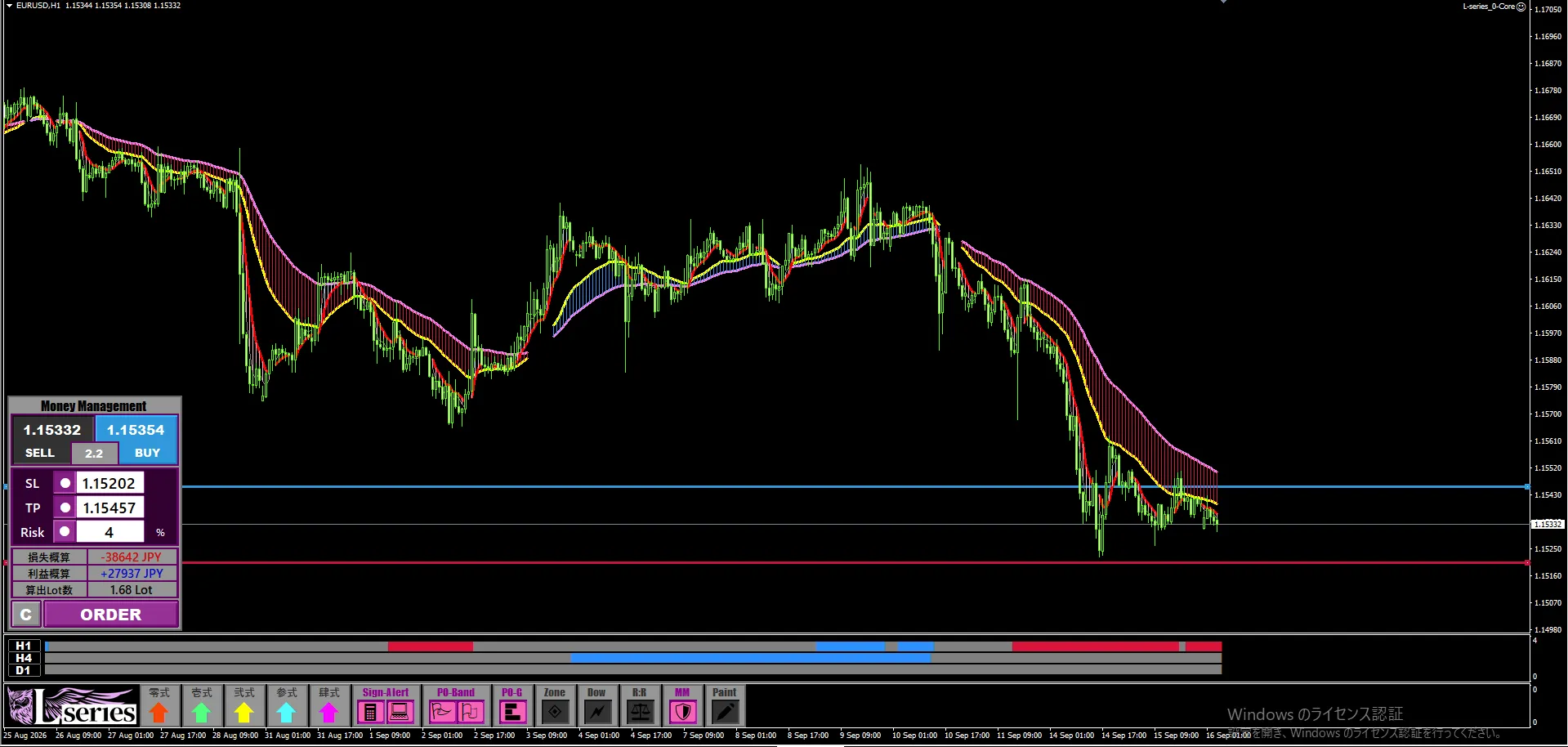

L Sign Feature Overview
Solving “What Lot Should I Enter With?”
Calculate from Stop-Loss Amount
Capital Management Tool
Theme this time: Money Management
Hello, this is Leo.
The stop-loss level has been decided.
But I don’t know what lot size to enter with.
Aren’t you entering with the same lot as always?
Even with the same lot, if the distance to the stop-loss differs, the loss amount will change.
A trade with a 10-pip stop and a trade with a 30-pip stop will have a big difference in potential loss if you enter with the same lot.
Even with good market analysis, if the loss per trade varies, capital management won’t be stable.
Here is where the money management tool built into L Sign, whose official name“Money Management”comes in.
This function helps standardize the loss amount per trade to a pre-decided figure.
01Instead of fixing the lot size, fix the loss amount.
In capital management, the key is not to fix the lot every time at 0.5 lots.
How much can you lose when you fail?
First, decide the acceptable loss, and then adjust the lot so that it fits within that amount.
If the distance to the stop-loss is short, the calculated lot will be large. If the distance is long, the calculated lot will be small.
In this way, you can manage each trade’s loss amount by aligning with the chart pattern when deciding the stop-loss level.
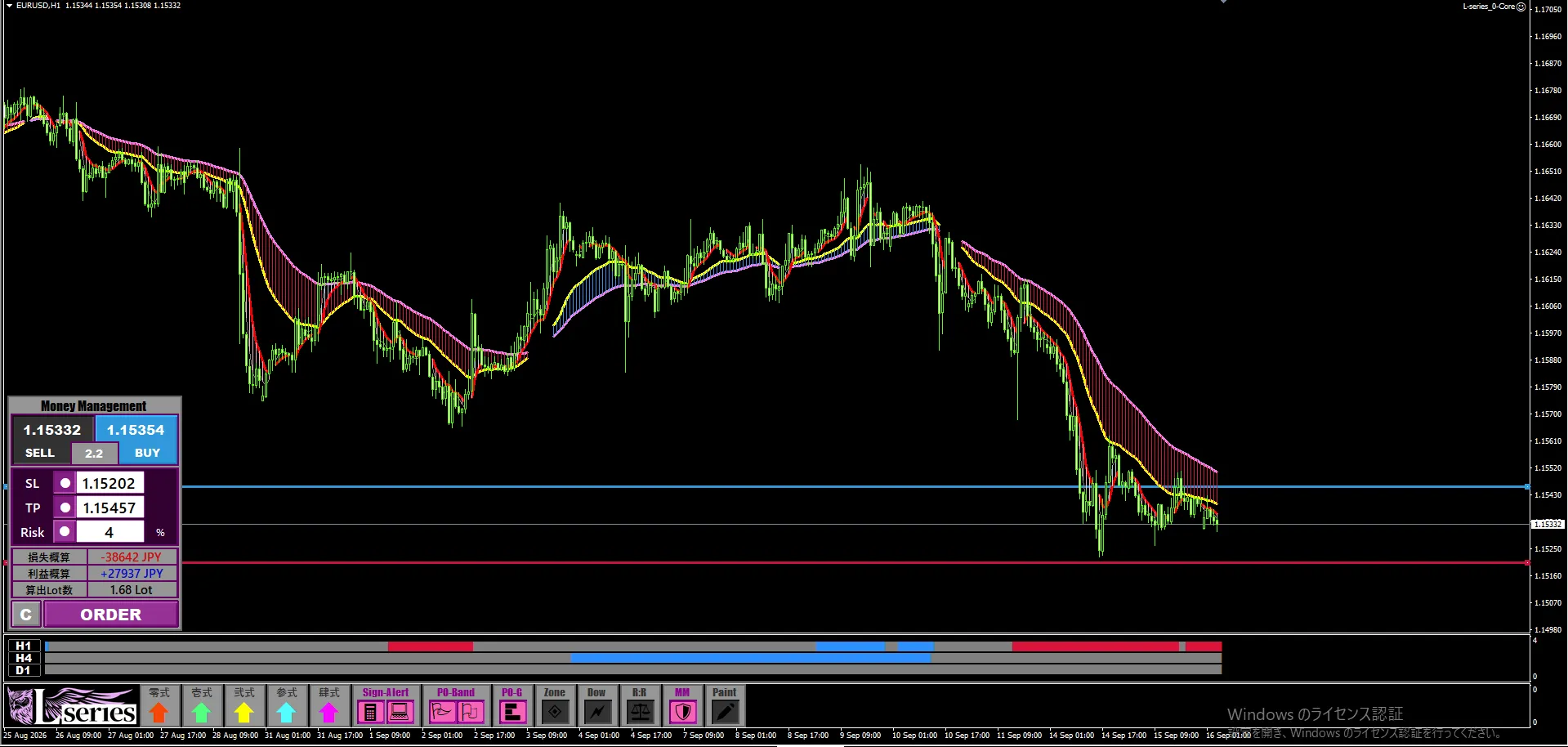
02Set SL and TP positions with lines on the chart.
Money Management operations follow a simple flow based on actual trading steps.
- Choose SELL or BUY
Choose the direction you are considering for this trade. - Press SL to display the stop-loss line
Align it with the price on the chart where “if broken, the scenario collapses.” - Press TP to display the take-profit line
Align it with your target take-profit level, such as recent highs or lows. - Enter acceptable risk and amount
Set the loss you are willing to tolerate for this trade.
The tool reads the SL and TP price ranges,
and automatically calculates the distances from the entry position to each line.
You can count pips yourself and apply the calculation on the chart all at once.
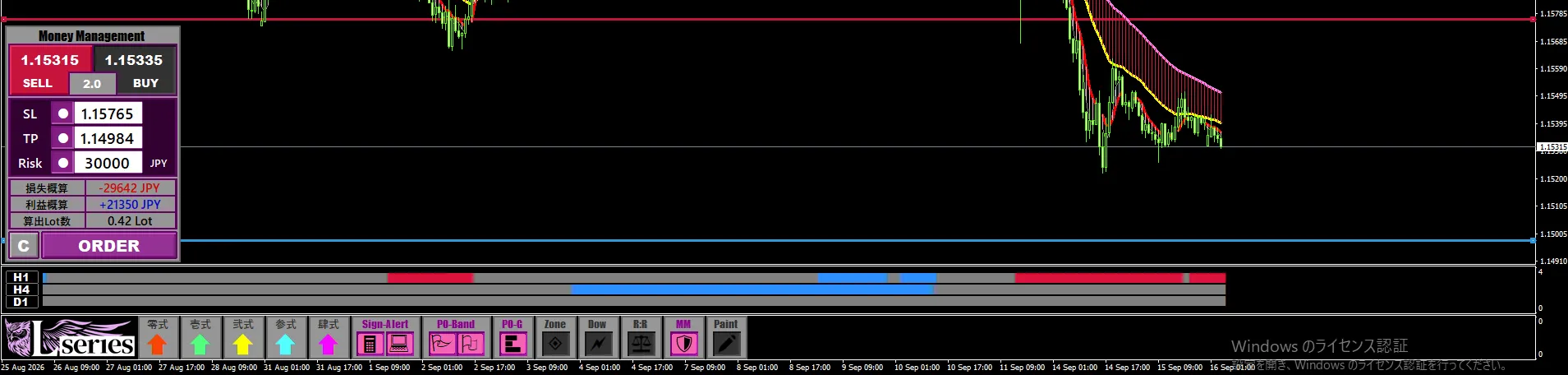
03Confirm loss, profit, and lot size together on the spot.
When you set the necessary items, Money Management displays the following three elements.
- Estimated Loss: The expected loss if SL is reached
- Estimated Profit: The expected profit if TP is reached
- Calculated Lot Size: The trade lot adjusted to the set risk
In other words,「What lot should I enter with for this stop-loss level?」can be checked on the spot.
Furthermore, since you can view both the loss and the profit estimates simultaneously, you can clearly grasp the amounts in cases of loss and in cases of profit before entering.
As numbers become visible, it becomes easier to decide whether to proceed with the trade,
whether to keep the lot size small, or to pass this time. Makes pre-order decisions easier.
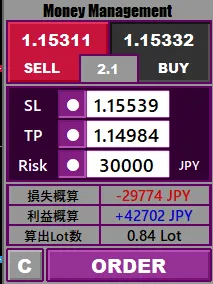
04Prevents thinking “raise the lot because I’m confident.”
When watching the market, there are times you feel, “I’m confident this time” or “This pattern looks like a win.”
However, if you change the lot size based on confidence, you might lose more capital than expected from a single loss.
In Money Management, first decide the permissible loss, and calculate the lot size from the distance to SL.
2024 This ability to align this procedure each time is a major advantage of this tool.
No matter how favorable a scene looks, there is a chance of losing.
That’s why you should decide not only on the basis of entry reasoning but also on the amount you could lose before trading. This is essential for staying in the market long-term.
05Use with L Sign to prepare orders from signals.
Confirm entry opportunities with L Sign.
While observing market direction and recent highs and lows, decide on the take-profit and stop-loss candidates.
Then Money Management calculates the lot that matches that stop-loss level.
It’s not just about “where to enter,” but also deciding “where to exit,” “how much to lose,” and “how many lots to enter.”
This is a feature that enables using L Sign as a trading environment that includes actual capital management.
One loss at a time,
to avoid unexpected losses.
Capital management is not enough to understand as knowledge alone.
Each time you enter, check the distance to SL and calculate lots according to allowable loss. It only makes sense when applied to every trade.
With Money Management, you can set SL and TP on the chart and review the estimated loss, estimated profit, and calculated lot size together.
Decide the loss amount before starting the trade.
If you tend to set lots by intuition or want to standardize per-trade losses, please give it a try.
Money Management feature installed in the Money Management toolSee details of “L Sign” →
If you already use L Sign, open Money Management before your usual entry to check the lot calculated from the stop-loss position and acceptable loss.