

【L Sign】Understand Dow’s trend in an instant! Draws wave and turning point criteria as a “divine indicator”

L-sign Functionality Explanation
Can you tell the Dow's perspective in an instant?!
Draws both waves and turning points
“God Indicator”
This time's theme: Dow Environment Recognition Tool
Hello, this is Leo.
Whenever you open a chart,
“Is the current bias long? short?”
“Where is the retrace high?”
“Where do you break to change your view now?”
Aren’t you spending time on this confirmation?
Even if you know Dow Theory, on actual charts your hands stop at “which wave should I watch?” Each time you switch timeframes you re-trace the highs and lows.
What helps with such environmental recognition is,built into L-signal“Dow Environment Recognition Tool”.
Moreover, you can confirm the basis for bias switching with lines.
“Which way is it pointing now”
“Where to change the view”
This is a feature to make these two things easy to confirm on the chart.
01When you open the chart, Dow waves appear.
First, we’ll introduce the function that automatically draws Dow waves.
From among the candlesticks that move up and down, it traces highs and lows to draw the waves. Doing this by yourself every time is surprisingly tedious.
This tool automatically draws Dow waves according to its判定 기준判定 기준 (判定基準) criteria.
Since you don’t have to draw the waves from scratch, you can start by comparing the displayed waves with actual price movement.
“I know Dow Theory. But it takes time to track waves on the chart.” This is a feature for those people as well.
02Just by switching the timeframe, you can see that timeframe’s bias.
On the daily chart, which way is it facing? What about the 4-hour chart? And the 1-hour chart?
This tool displays the bias of the shown timeframe asLONG・FLAT・SHORTIf you switch timeframes, you can confirm that timeframe’s判定.
For example, even with the same EURUSD, biases can differ by timeframe.
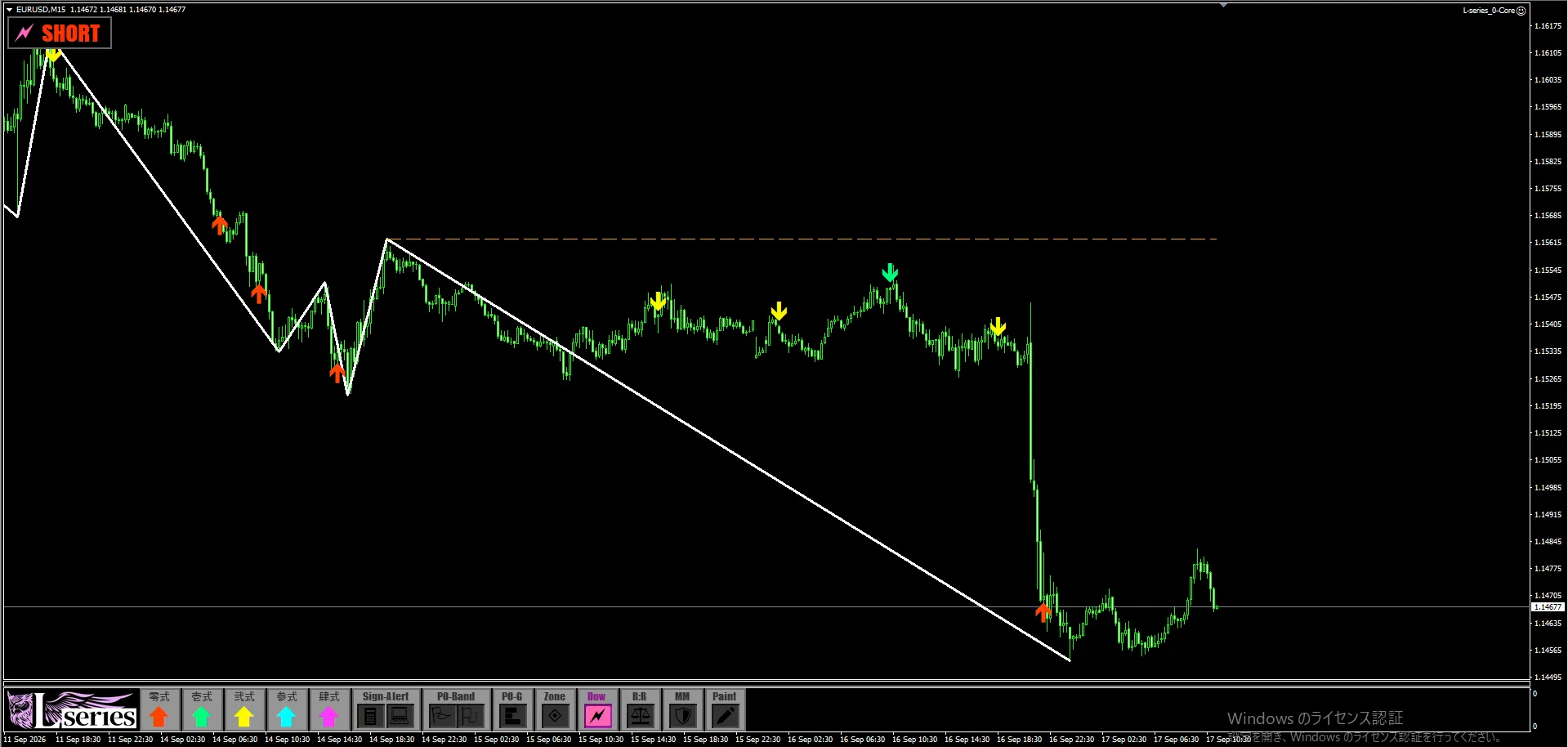
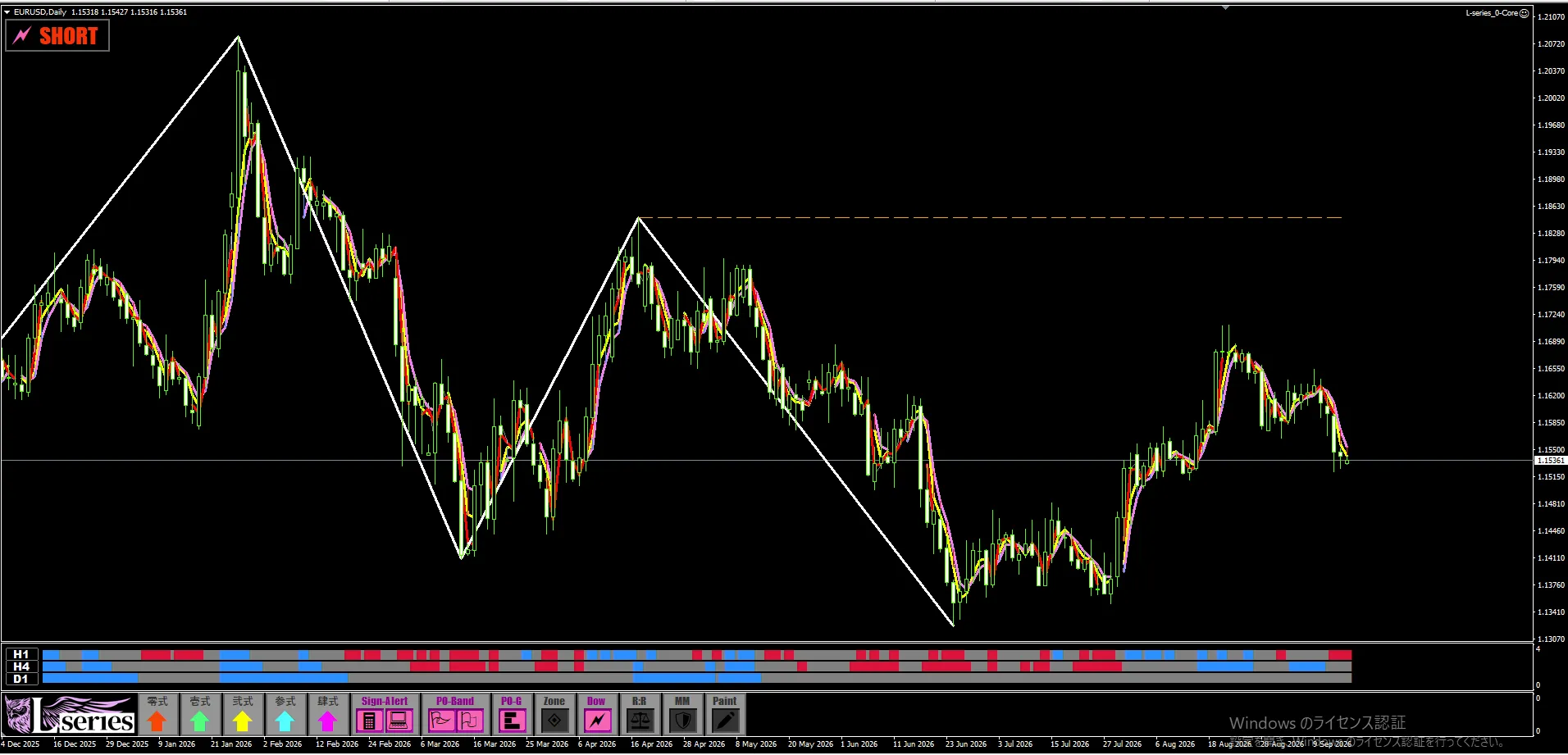
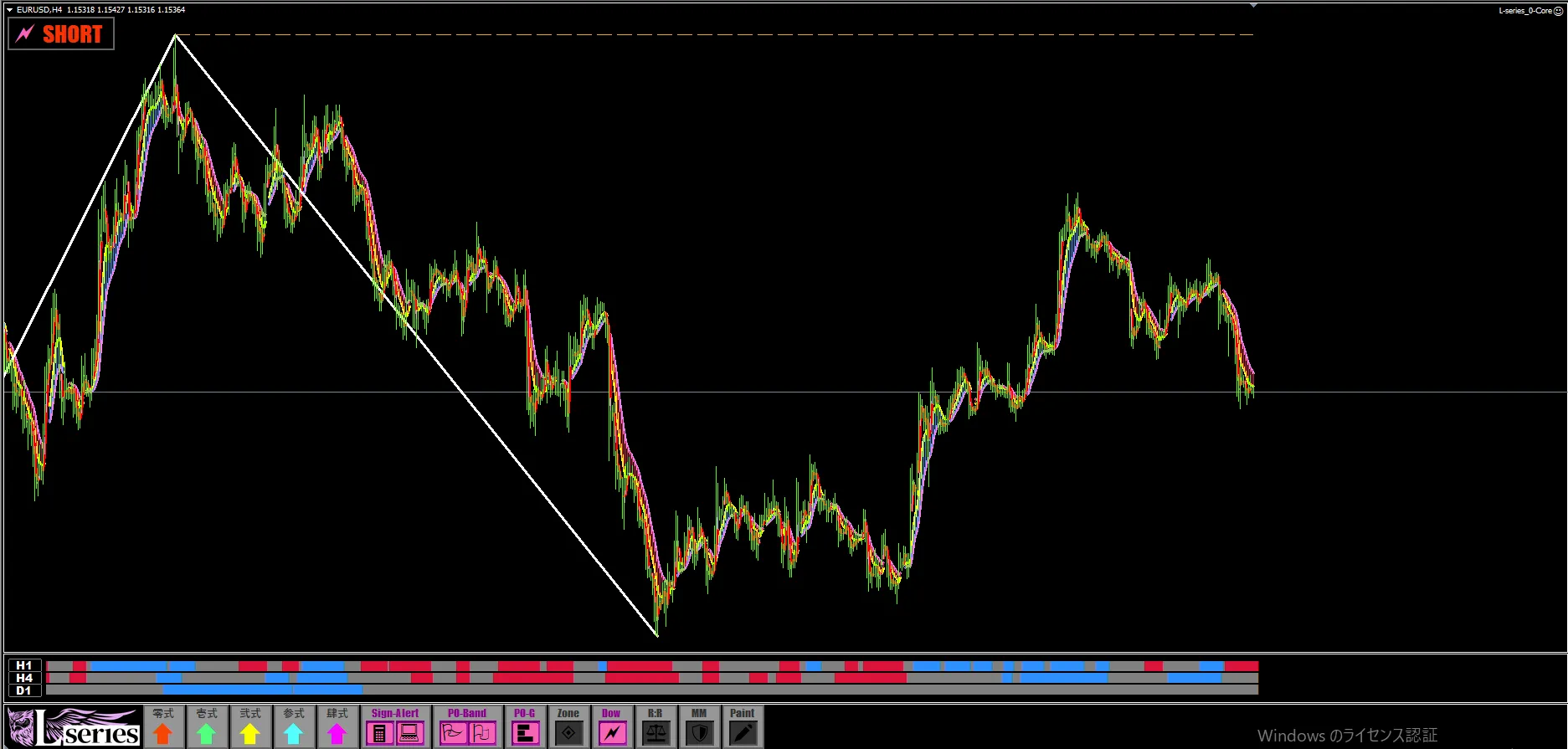
Daily and 4-hour are SHORT, while 1-hour is LONG. In this way, you can check the判定 for each timeframe for the same currency pair.
Whether the directions of the higher and lower timeframes align. Or whether they differ by timeframe.
By switching timeframes, you can quickly organize this relationship. Subtle differences that are hard to notice when looking at a single timeframe become easier to confirm.
Daily
4-hour
1-hour
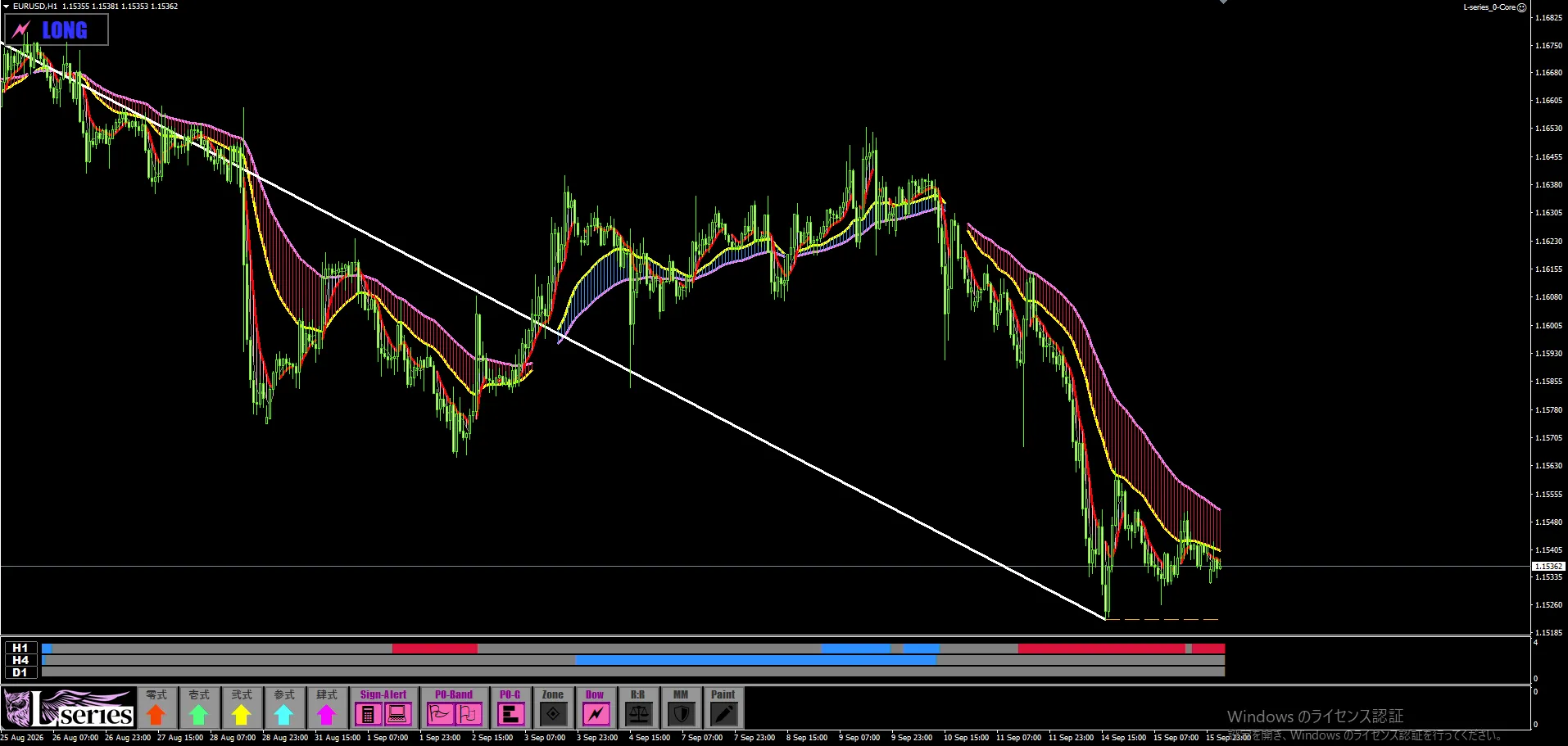
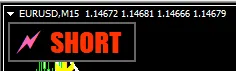
Shown at the top left of the chart
03In addition to the current bias, you can also see the 기준 for switching.
This is a point you should pay attention to.
Even if you know you are short now,“Then, at what point must the view change?”
If this remains vague, you’ll feel anxious with small rises and relieved with small declines. You can easily be swayed by the movement in front of you.
Dow Environment Recognition Tool lets you confirm the pullback low, retrace high, and the price levels that trigger a bias switch with lines.
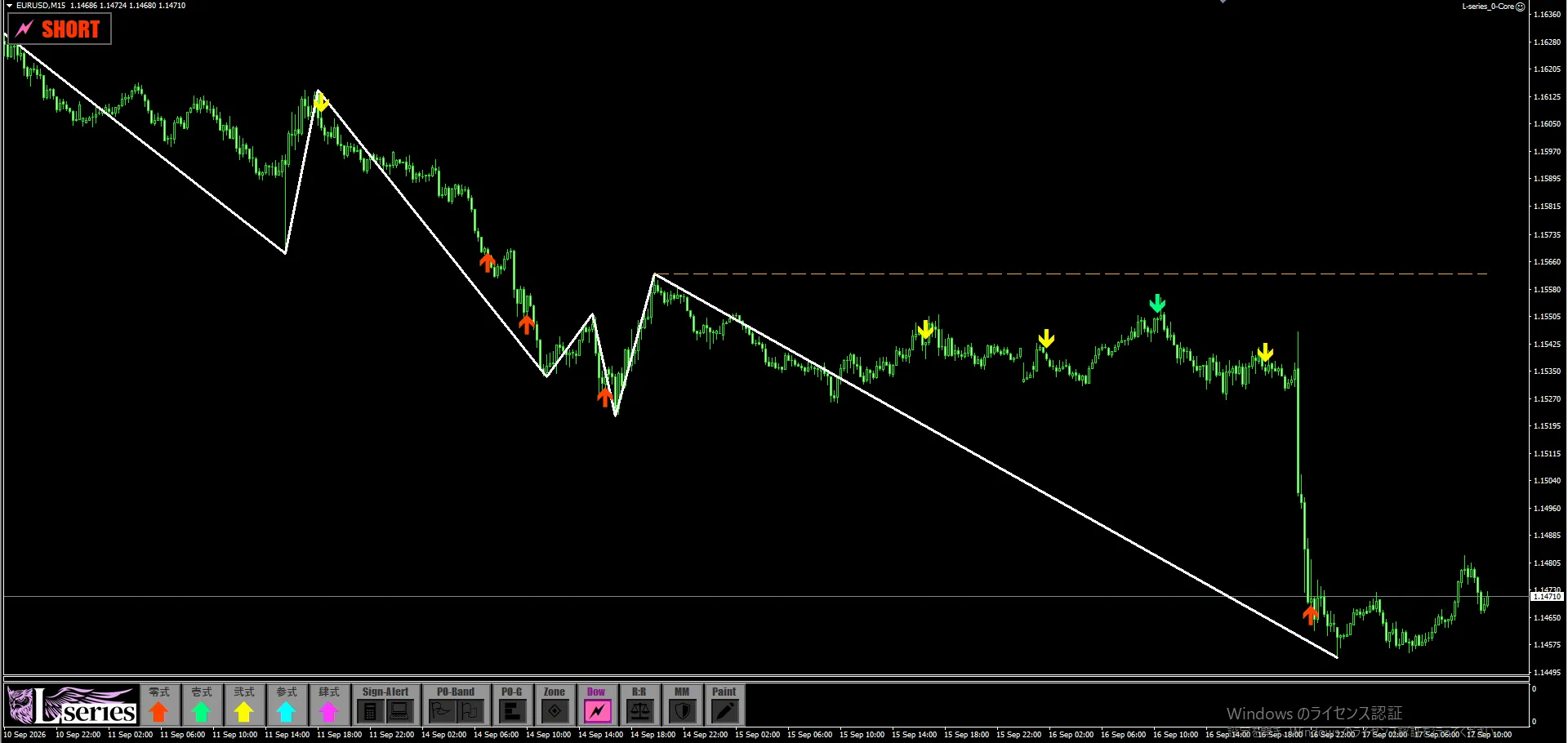
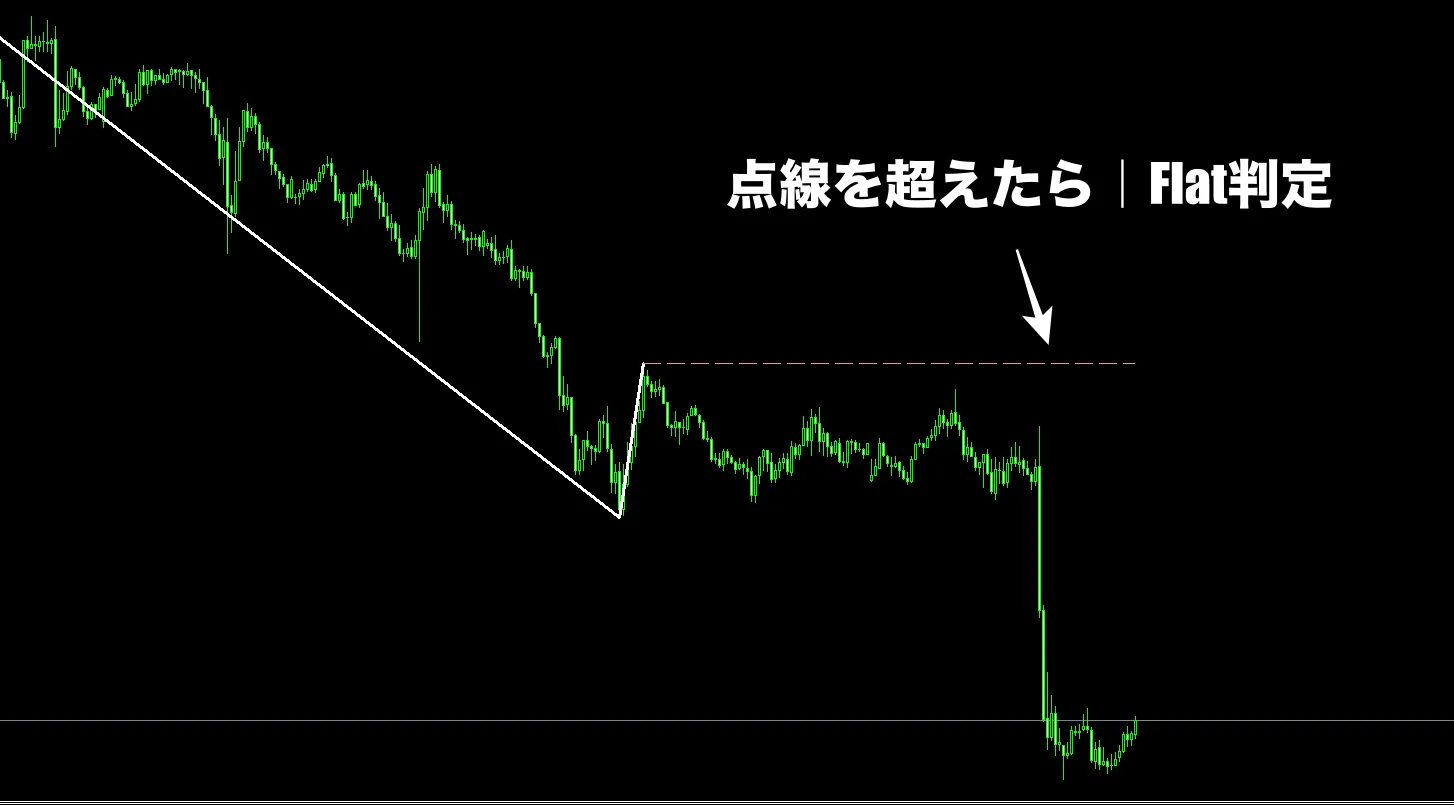
For example, when SHORT is shown on the 15-minute chart, you can confirm the criteria for switching bias to FLAT with orange dotted lines.
When you break above the orange dotted line, it becomes FLAT.
Thus, you can confirm the current bias and the criteria for the next bias together. This example shows switching from SHORT to FLAT.
“Watch the movement near this price.” “If it breaks this criterion, re-check your bias.” It becomes easier to decide where to look next.
You can confirm on the chart up to what point you will view it with the current bias.
This is a point for those who want to build scenarios while watching price movement.
04Combine with Perfection Order to organize the basis of direction.
If you are already using L-signal, you are likely using Perfection Order for direction confirmation as well.
By adding Dow Environment Recognition Tool to it,
you can confirm direction from two perspectives: the arrangement of moving averages and the movement of highs and lows.
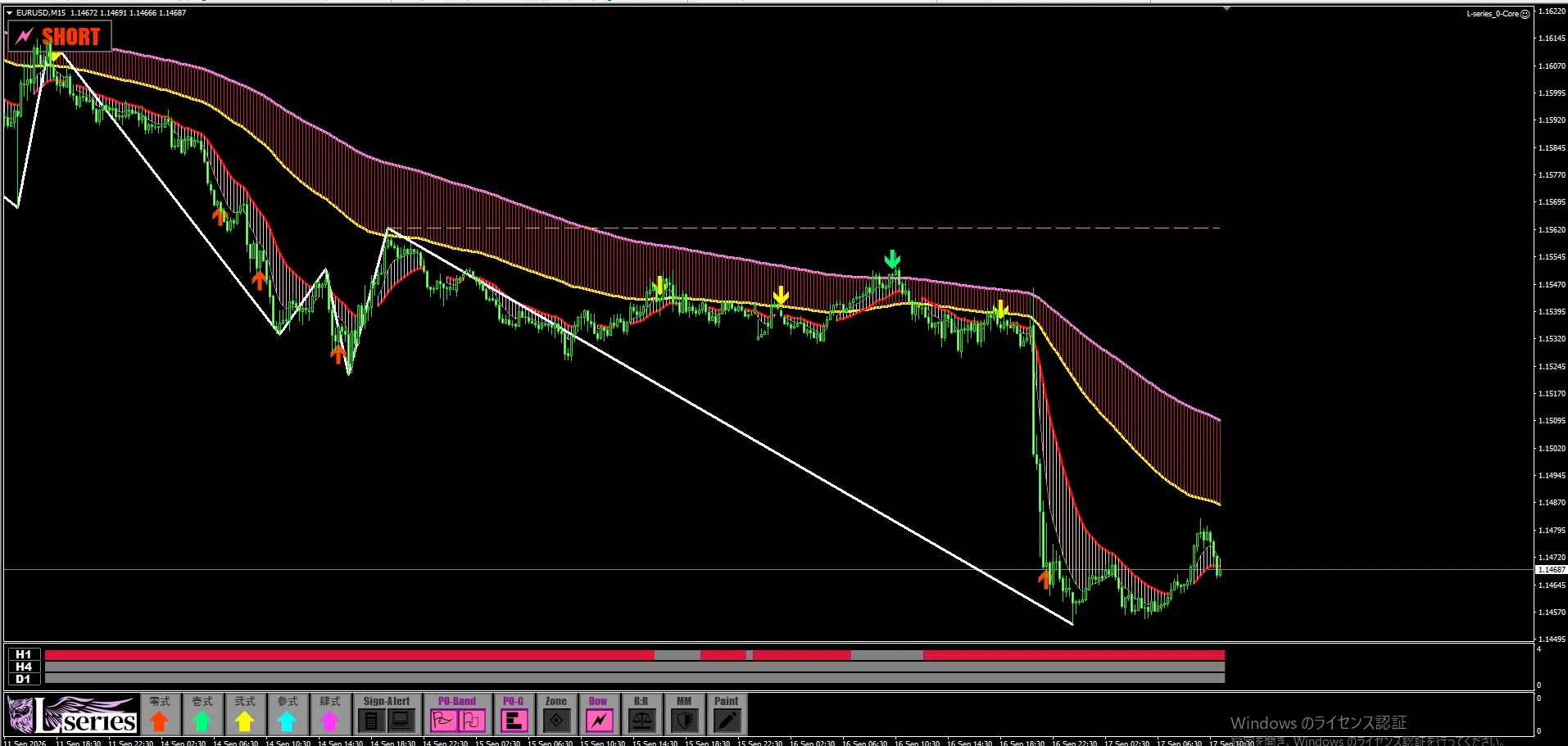
Dow bias is shown at the top left of the chart. Perfection Order can be confirmed by pink/blue bands on the chart, and below the chart H1/H4/D1 show Perfection Order for 1-hour, 4-hour, and daily respectively.
If you compare the 1-hour Dow判定 with Perfection Order, align the top-left display with the bands on the 1-hour chart and the H1 at the bottom.
Do the two perspectives align? Or do they differ?
Confirming each view helps organize what you are basing your market view on.
Of course, alignment does not guarantee profit. Where you enter and where you take profit or stop loss decisions are still necessary.
This feature makes the essential environmental recognition that forms the premise easy to see and confirm.
05Because it is environmental recognition you perform every time, we want you to feel its usefulness.
Draw the waves.
Check the current bias.
Look for the pullback low or retrace high.
Change the timeframe and confirm once more.
Each step is a small task, but you repeat it every time you look at the chart.
This preparation is supported by wave/bias display and基準ライン (baseline).
That is Dow Environment Recognition Tool of L-signal.
In particular, we hope it will be useful for people like this.
To your chart as well,
“bias” and “basis for judgment.”
Next time you open the chart, you will see Dow waves drawn, the current bias displayed, and the basis for changing your view confirmed by lines.
If you could start your analysis from that state, how would your daily environmental recognition change?
L-signal includes the Dow Environment Recognition Tool introduced here. In addition to the signal, we hope you’ll pay attention to features that organize your market view.
“Draw waves,” “confirm bias,” “look for switching bases.” Would you like to adopt this daily helper into your trading environment?
If you already have L-signal, please try it with your usual currency pairs,
switching timeframes to confirm.