

I don’t want to miss the period around the confirmation of the 5-minute chart. The "FX Trade News" app I created for scalping
While scalping, I used to alternate between watching the chart and the clock.
What I was concerned about was the movement around the time the 5-minute candle confirmed.
Look at the chart, then look at the clock.
Return to the chart and check the remaining time again.
To reduce this back-and-forth, I created the "FX Trade Time Signal" for my trading.
This is a browser app that displays the time remaining until the candle confirmation on the screen and notifies you by voice as it nears the moment.
▶ See the product details of "FX Trade Time Signal"
Why was a time signal needed for scalping
I want to avoid being caught in the deceptive movements before the 5-minute candle confirms.
I want to sense movements that indicate the candle is about to be decided close to the end of the candle.
After the candle confirms, I want to accommodate movements that use the shape of the confirmed candle.
This is the reason I made it.
For me, it wasn’t just that the price moved, but I also wanted to know whether it was before the 5-minute candle confirmed, just before, or just after.
If I can hear the remaining time by voice, I can keep looking at the chart without shifting my gaze to the clock.
Please listen to the actual voice
This is a demonstration video set to a 5-minute chart.
Please turn on the sound to watch.
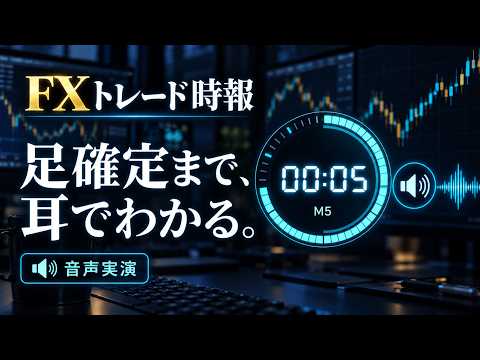
【FX Trade Time Signal - Demonstration Video】
It supports countdown before candle confirmation and time announcements every 5 minutes.
The timeframes you can choose are 1, 5, 10, 15, 30, and 60 minutes.
I use it to monitor the pre- and post-confirmation of the 5-minute candle, but the display and notification targets can be toggled.
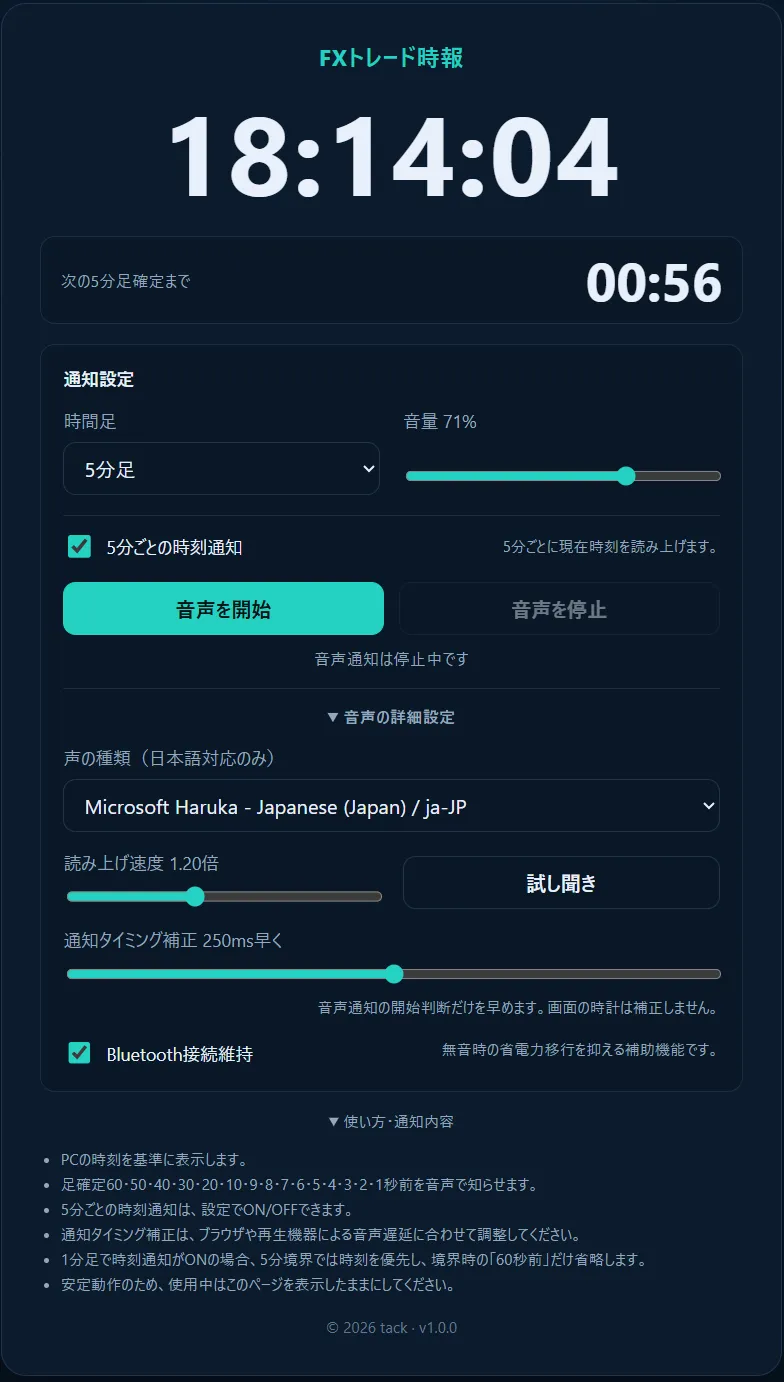
You can change volume, voice, and speaking speed, and adjust notification timing from 0–500 ms.
Maintaining Bluetooth connection is a feature to reduce noise when voice starts from silence via speakers or headphones.
From what I used myself to a product
I have used this time signal app in actual FX scalping.
I restarted on May 1, 2023 with 165,000 yen, and without additional deposits, my total assets as of March 3, 2025 were 10,358,886 yen。
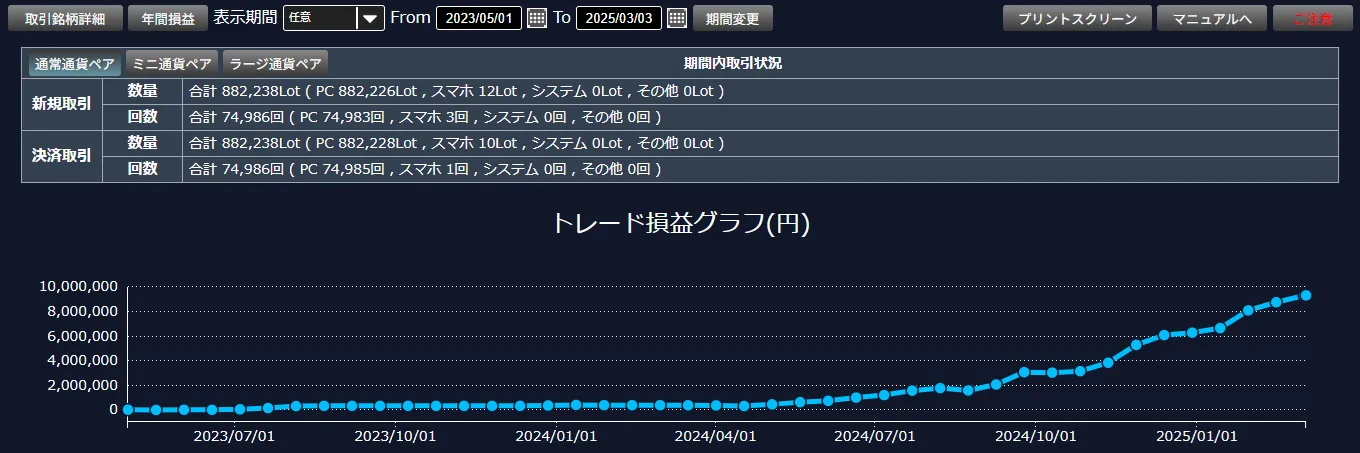
I feel this time signal app contributed as part of the trading environment that led to that.
It became necessary for my scalping, so I made it, used it, and this time I updated it to be more usable and productized it.
Details of FX Trade Time Signal
We sell the "FX Trade Time Signal" used in the video above.
It is an HTML app that runs in a browser. Unzip and open the HTML file, then press "Start Voice" to use it. No installation or MT5 integration required.
The HTML app itself is bundled with a PDF manual. Currently used by two people.
▶ See the product details and purchase page for FX Trade Time Signal
※ It operates based on your PC’s system clock. Notification delays vary depending on your browser and audio device, etc.